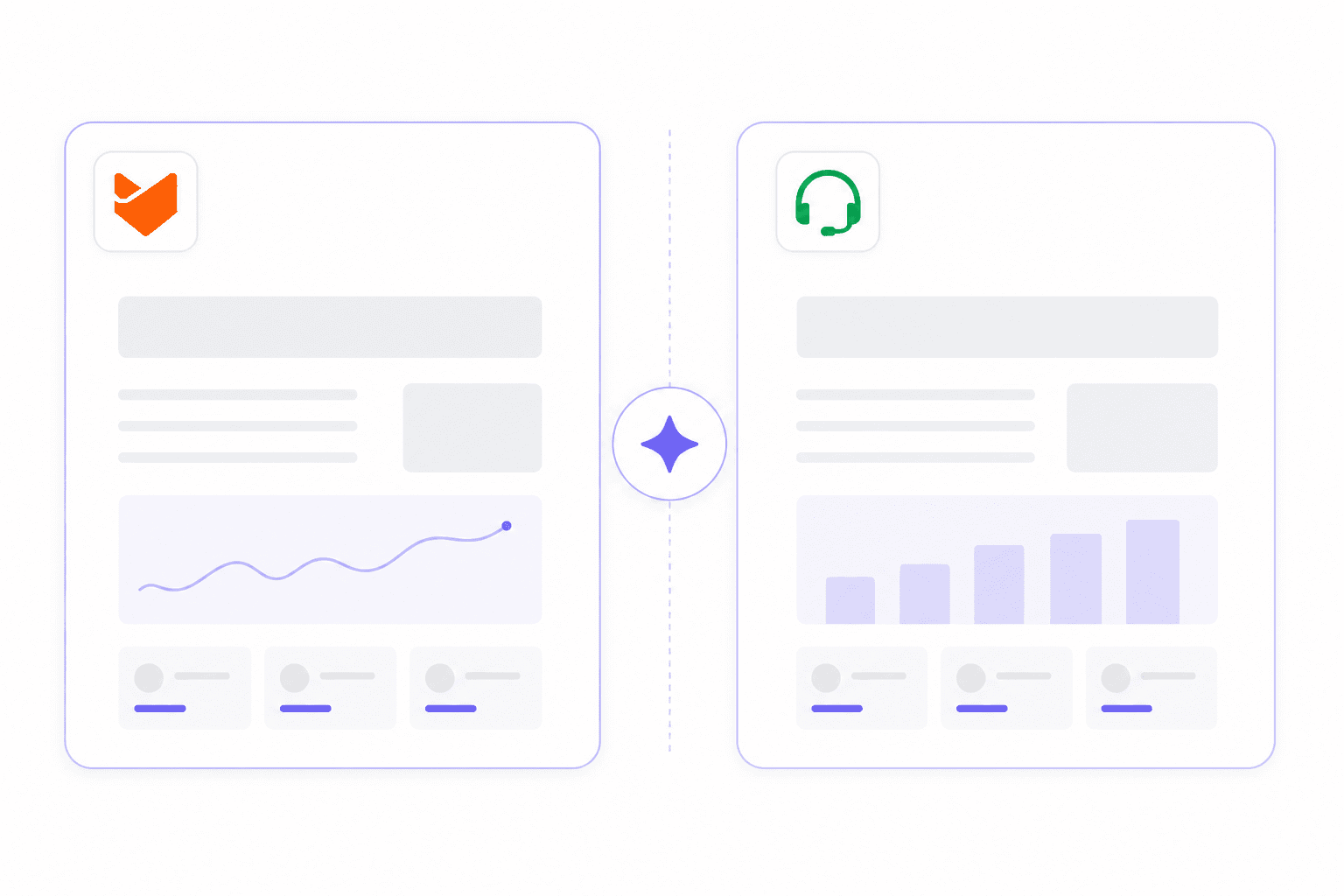
If you're evaluating Zoho Desk and HappyFox, you're looking at two platforms that solve the same problem through different approaches. Zoho Desk is a fully featured help desk woven into a larger Zoho business app ecosystem, priced per agent with a free starting tier. HappyFox is a standalone support platform with two distinct pricing tracks and a strong emphasis on fast time-to-value.
Neither is the clear winner across all situations. The right choice comes down to three things: whether your team already uses Zoho products, how many support agents you have, and how much configuration capacity you have available.
This comparison covers both platforms on pricing, AI, automation, integrations, setup, and what real users say on G2 and Capterra. If you're also wondering whether AI can meaningfully reduce agent workload in parallel to either platform, we've covered that separately.
At a glance
| Zoho Desk | HappyFox | |
|---|---|---|
| G2 rating | 4.4/5 (7,567 reviews) | 4.5/5 (268 reviews) |
| Free tier | Yes - 3 agents forever | No |
| Starting price | $7/agent/month | $21/agent/month |
| AI included | Zia (answer bot on Enterprise only) | HappyFox AI + Autopilot (add-on) |
| Unlimited agents option | No | Yes - from $1,599/month flat |
| Setup time | Days to weeks | Hours to days |
| Zoho ecosystem integration | Native, bidirectional | None |
| SOC 2 / HIPAA compliance | Enterprise tier | All plans |
Zoho Desk
Zoho Desk is one of the most-reviewed help desks on G2, with 7,567 verified reviews and a 4.4/5 overall rating. 125,000+ businesses globally use it, supporting 33 million people daily.
The platform's core appeal is its per-agent pricing - which undercuts most comparable competitors - plus native integration with the entire Zoho product family. If your team already runs on Zoho CRM or Zoho Analytics, Desk is the natural extension. If you don't use any Zoho products, that advantage disappears.
Zoho Desk offers a free plan for up to 3 agents that includes email ticketing, social media support (Instagram, Facebook, X), web forms, basic workflows, and a custom domain. No time limit, no credit card required.
Pricing
Zoho Desk offers five tiers, all billed per agent per month on annual billing:
| Plan | Price (annual) | Agents | Key additions |
|---|---|---|---|
| Free | $0 | 3 | Email, web forms, social, basic workflows |
| Express | $7/agent/month | 5 | Core support essentials |
| Standard | $14/agent/month | 5+ | Live chat, WhatsApp, knowledge base, generative AI |
| Professional | $23/agent/month | Unlimited | Blueprint automation, telephony, multilingual help center (40+ languages) |
| Enterprise | $40/agent/month | Unlimited + 50 free light users | Answer bot, Zia AI assistant, live chat, skill-based routing |
Annual billing saves up to 34% versus monthly. Free migration assistance from other help desks is included. A 15-day free trial (no credit card) is available for any paid tier.
One important detail: upgrading from Free to any paid plan means the 3 free agent seats are no longer included. Paid plans start at a minimum of 5 seats.
Key features
Zoho Desk's standout feature is Blueprint - a drag-and-drop automation builder available on Professional and above. Blueprint enforces structured multi-step ticket workflows: mandatory steps, conditional transitions, and auditable process paths. G2 reviewers consistently flag Blueprint as a differentiator unavailable in Freshdesk or comparable alternatives.
Other notable capabilities:
- Zia AI assistant: sentiment analysis, ticket field predictions, anomaly detection, and answer bot. The answer bot - the part that deflects tickets - is Enterprise only. On lower plans, Zia provides background analytics without autonomous resolution capability.
- Multi-channel ticketing: email, social (Facebook, Instagram, X), instant messaging (WhatsApp, Telegram, WeChat, Line), web forms, and telephony all feed into one queue.
- 360+ integrations: the Zoho ecosystem plus third-party tools via Zoho Flow for non-native connections.
- Self-service portal: customers track tickets, access the knowledge base, and join community forums.
- Multilingual help center: 40+ languages on Professional and above.
What Zoho Desk users actually say
"One of the strongest aspects of Zoho Desk is the UI/UX. The interface is relatively clean and easy to navigate once the initial setup is completed. Features like ticket prioritization, automation rules, SLAs, and department organization help reduce manual work significantly. From a pricing and ROI perspective, Zoho Desk offers a strong value proposition compared to many enterprise support platforms."
G2Heber B., Software Developer & Researcher, Small Business - G2 review
The limitation that comes up just as often:
"The initial setup and onboarding can feel overwhelming, especially for smaller teams. The interface can also be a bit cluttered at times, making certain settings harder to find."
G2Danielle P., Owner, Small Business - G2 review
And from r/Zoho:
"I have always said Zoho covers all you need, but it's never the 'best' at anything."
Reddit user, r/Zoho - Zoho in 2026 feels different?
That last quote captures the tradeoff well. Deep, comprehensive, well-priced - but not the sharpest tool in any individual category.
HappyFox
HappyFox competes in the same tier as Zendesk and Freshdesk but differentiates on price-to-feature ratio, ease of use, and a unique unlimited-agents pricing track. Its G2 rating of 4.5/5 and Capterra score of 4.6/5 across 92 reviews sit slightly above Zoho Desk, though Zoho Desk has 28 times more G2 reviews.
HappyFox holds G2 badges for Fastest Implementation and Easiest to Use, and Forrester's Total Economic Impact study found 401% ROI for HappyFox power users. Notable customers include 3M, Harvard, Callaway Golf, and Dartmouth University.
Pricing
HappyFox offers two distinct pricing tracks. The agent-based track works like most help desks. The unlimited agents track - a flat monthly fee for any number of agents - is unusual and worth understanding separately.
Agent-based (annual billing):
| Plan | Price (annual) | Agents | Notable features |
|---|---|---|---|
| Basic | $21/agent/month | Up to 5 | Omnichannel, SLA, knowledge base, SSO |
| Team | $39/agent/month | Unlimited | Custom domain, custom roles, multi-brand (5) |
| Pro | $89/agent/month | Unlimited | Task management, asset management, 24/7 phone |
| Enterprise PRO | Contact sales | Unlimited | Agent scripting, advanced audit logs, dedicated CSM |
Unlimited agents (annual billing, no monthly option):
| Plan | Price (annual) | Tickets/year |
|---|---|---|
| Growth | $1,599/month | 20,000 |
| Scale | $3,199/month | 150,000 |
| Scale Plus | $4,799/month | 300,000 |
| Ultimate | Contact sales | 1,000,000 |
For teams with 40+ agents processing moderate ticket volumes, the unlimited agents track can be significantly cheaper than per-seat pricing. A 50-agent team on Pro would pay $4,450/month on the agent-based track versus $1,599/month on Growth - though the Growth plan caps at 20,000 tickets/year.
There is no permanently free tier. HappyFox uses a demo-first, proof-of-concept trial model.
Key features
HappyFox's strongest area is multichannel ticket intake plus automation that works reliably without heavy configuration. Smart Rules handle routing, SLA escalations, auto-assignment, and ticket status changes with minimal setup.
Notable capabilities:
- HappyFox AI and Autopilot: AI agents marketed as automating repetitive support tasks end-to-end, with a claimed 10x agent productivity gain from the generative AI layer.
- Assist AI: An AI assistant for internal employee support, covering onboarding and offboarding workflows.
- Service Desk (ITSM): A separate product for IT teams with incident management, service request handling, and asset management.
- Integrations: Slack, Microsoft Teams, Zoom, Shopify, Salesforce, MS Dynamics 365, Jira, Azure DevOps, Asana, Monday.com, and HR tools like Darwinbox.
- GDPR, HIPAA, and SOC 2 Type II compliance: Enterprise-grade compliance included on all plans, including an optional EU data center from the Team plan upward.
What HappyFox users actually say
"Ease of use, scalability, price, support, integrations, and tools which make sense. [...] Earlier this year we took on a larger client, requiring us to build out our SLA process - something HF does outstanding with their SLA features and Smart Rules."
CKevin L., Head of Operations, Computer Software - Capterra review
On value for money:
"HappyFox could do about 75-80% of the features of [Zendesk/other tools], and was about 10% of the price."
CAmanda K., Sr. Manager HR, Retail (5,001-10,000 employees) - Capterra review
The recurring complaint:
"The reporting is very challenging. I wish they had better reporting capabilities."
CAmanda K., Sr. Manager HR, Retail - Capterra review
That pattern - strong on simplicity and value, weak on analytics depth - shows up consistently. HappyFox wins on getting teams operational fast. It loses on reporting and on what happens when workflows grow complex.
Head-to-head
AI and automation
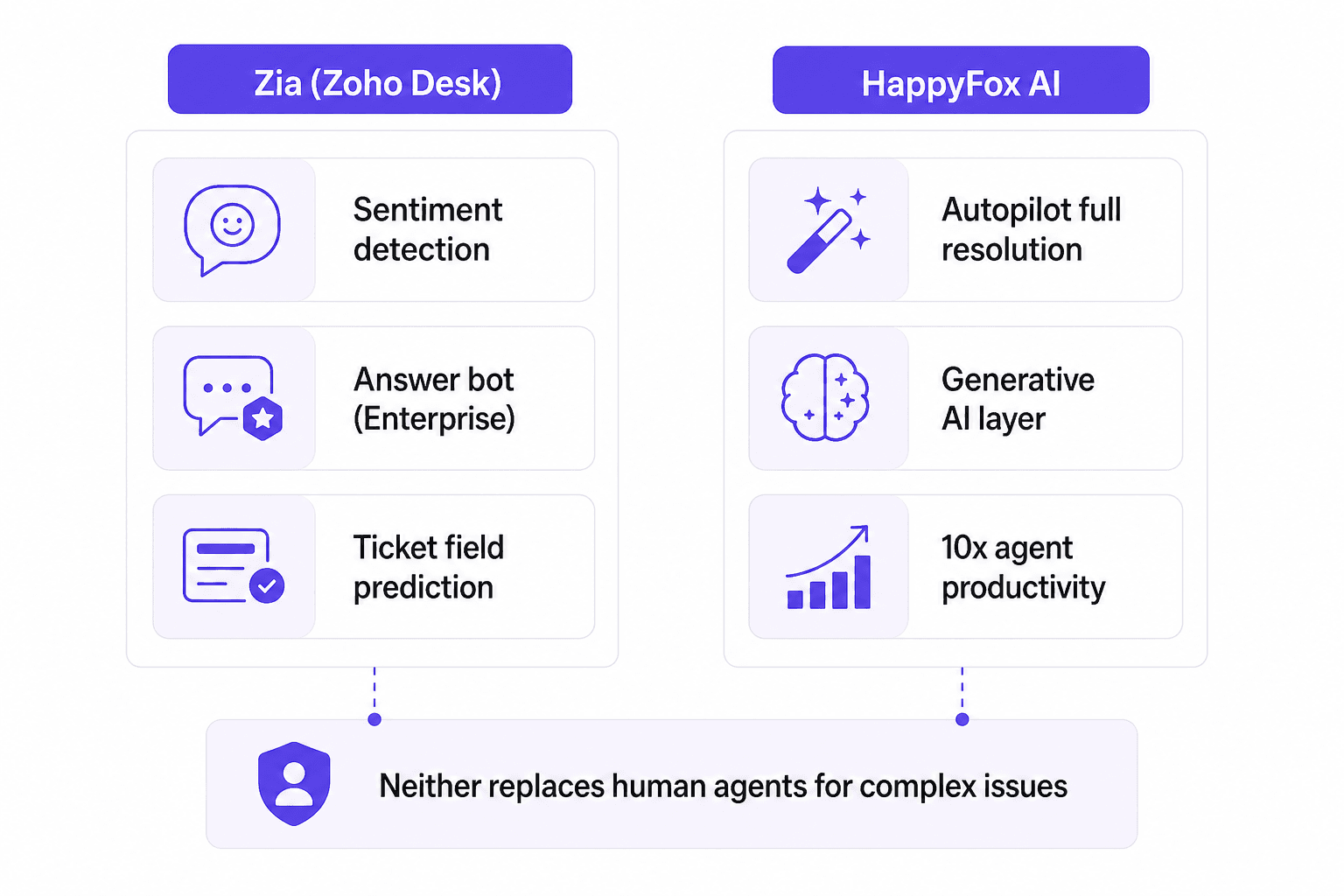
Both platforms have added AI on top of traditional help desk foundations, but the implementations differ in important ways.
Zoho Desk's Zia AI provides sentiment analysis, ticket field predictions, and anomaly detection on Enterprise subscriptions. The answer bot that actually deflects conversations from human agents requires Enterprise ($40/agent/month). On Standard or Professional, Zia runs in the background and surfaces analytics, but doesn't resolve tickets autonomously.
HappyFox's Autopilot and HappyFox AI are positioned more aggressively - claiming end-to-end automation of repetitive tasks without human intervention and a 10x agent productivity improvement from the generative AI layer. In practice, detailed user reviews of HappyFox Autopilot specifically are sparse on G2 and Capterra, suggesting the product is either relatively new or hasn't reached broad adoption yet.
Blueprint, Zoho Desk's drag-and-drop workflow automation (Professional and above), is the stronger automation story between the two. It enforces structured multi-step processes with mandatory gates and conditional transitions - particularly valuable for compliance-sensitive workflows or regulated industries. HappyFox's Smart Rules handle conditional routing and SLA escalation competently but don't enforce process gates the same way.
If autonomous AI ticket deflection is your primary goal, neither platform replaces a purpose-built AI layer. Both add AI assistance, not autonomous resolution.
Integrations
Zoho Desk integrates with 360+ apps, with native bidirectional sync across the Zoho product family: Zoho CRM, Zoho Analytics, Zoho SalesIQ, and 50+ other Zoho products. For teams running Zoho, this creates a unified customer data platform that standalone help desks can't replicate.
Outside the Zoho ecosystem, the third-party catalog is noticeably smaller than Zendesk (1,500+ native integrations). Non-Zoho connections often require Zoho Flow as a middleware layer. Multiple G2 reviewers flag this as a friction point.
HappyFox covers fewer total integrations but includes most of the enterprise stack that matters: Slack, Microsoft Teams, Salesforce, MS Dynamics 365, Jira, Azure DevOps, Shopify, and several HRMS platforms. For teams not in the Zoho ecosystem, HappyFox's integration list handles most common requirements.
The decision here is straightforward: if you run Zoho CRM or Zoho Analytics, Zoho Desk's native sync is a real advantage. If you're on Salesforce, Dynamics, or other non-Zoho platforms, HappyFox's connectors work well.
Setup and configuration
The setup gap between these two platforms is significant enough to be a deciding factor for smaller teams.
HappyFox reviewers describe initial configuration as taking hours, not weeks. G2 rates HappyFox 9.2/10 for ease of use. The HappyFox support team during onboarding receives praise in nearly every positive review - described as responsive and hands-on through initial configuration.
Zoho Desk takes considerably longer. The volume of configurable options - layouts, SLA rules, automation logic, escalation paths, department structures, Blueprint workflows - creates what G2 reviewers repeatedly describe as "decision fatigue." One r/it thread calls it "complicated as hell" despite acknowledging its capabilities. Teams that invest the setup time typically get a well-tailored system; teams that don't find features sitting unused.
For small teams without dedicated IT admin capacity, HappyFox wins outright on setup. For mid-market teams with the operational capacity to configure properly, Zoho Desk's depth pays off over time.
Pricing compared
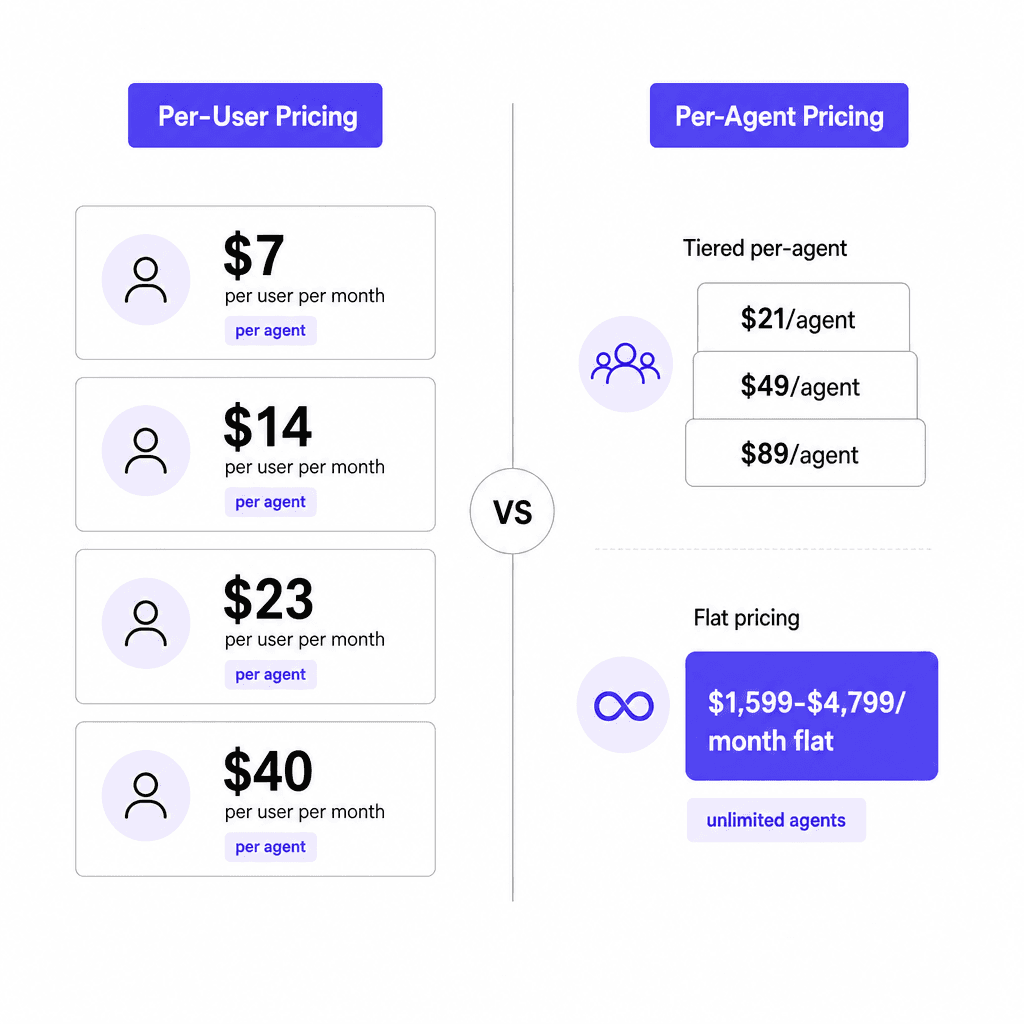
The pricing difference isn't just a number comparison - the models themselves differ.
Zoho Desk is predictable per-user pricing with a free starting point. A 10-agent team on Professional pays $230/month on annual billing. The free plan is genuinely useful for teams of 1-3 agents getting started.
HappyFox's agent-based track starts at $21/agent/month for up to 5 agents on Basic - already 3x Zoho's Express price. The jump to Pro ($89/agent/month) to unlock task management, asset management, and 24/7 phone support is a recurring friction point in reviews, with one Capterra reviewer noting the feature gap between Team and Pro feels abrupt.
At comparable feature levels for a 10-agent team (annual billing):
- Zoho Desk Professional: $2,760/year
- HappyFox Pro: $10,680/year
That's a real difference. Zoho Desk's pricing advantage is not marginal.
The unlimited agents track is where HappyFox can flip that math for larger teams. If you have 40+ agents and your ticket volume fits within the Growth plan's 20,000 tickets/year ceiling, $1,599/month beats $23/agent/month at scale.
Who each is best for
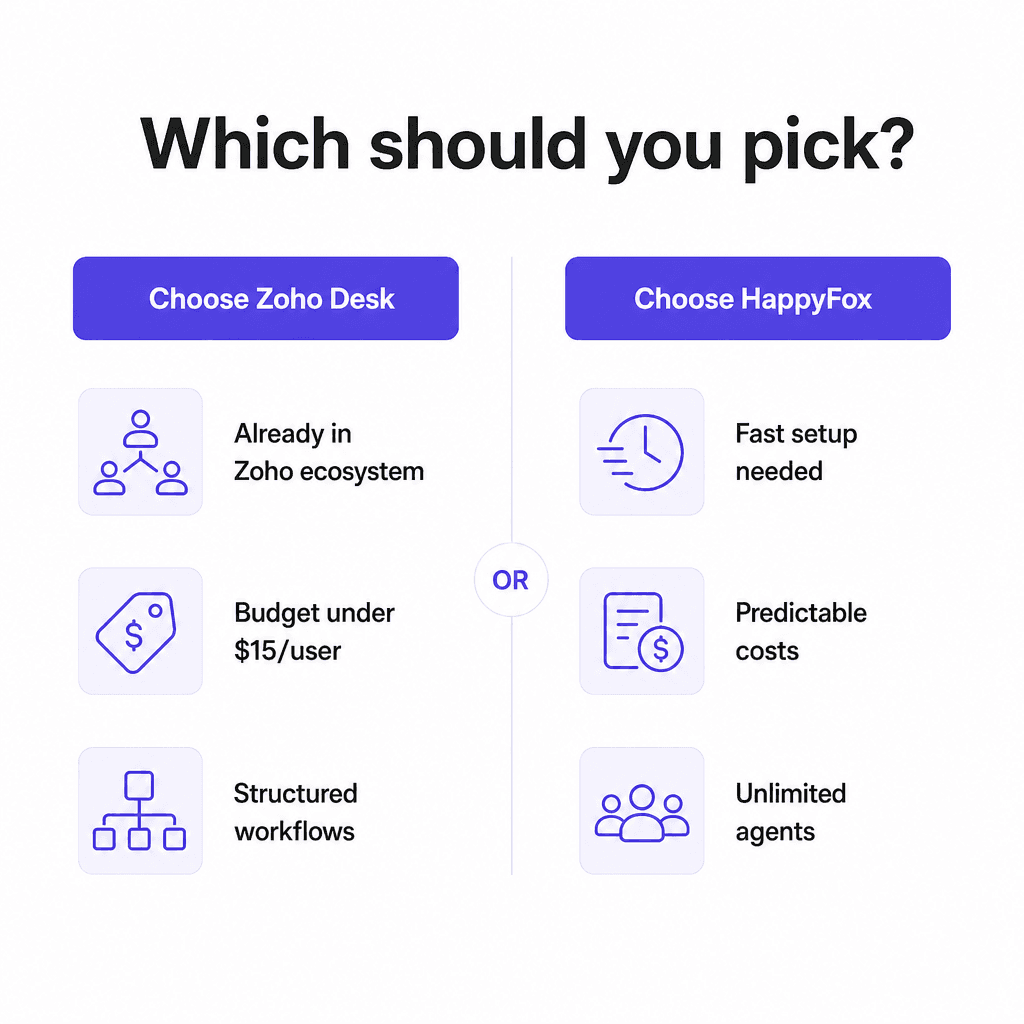
Choose Zoho Desk if:
- Your team already uses Zoho CRM, Zoho Analytics, or other Zoho products. The native bidirectional data sync is the single strongest reason to stay in the ecosystem.
- Budget is a primary constraint. Zoho Desk undercuts HappyFox significantly at comparable feature levels across almost all team sizes.
- Your support workflows require structured, auditable multi-step processes - compliance, regulated industries, escalation chains - where Blueprint earns its place.
- You want a genuinely free starting tier before committing to per-agent pricing.
Choose HappyFox if:
- You need to be operational within a day. HappyFox's setup speed and the hands-on onboarding support matter if you're migrating from a failing system or starting without prior tooling.
- You have 40+ agents and moderate ticket volume, where the unlimited agents flat-fee track becomes economically sensible. Read our guide on how to set up a helpdesk before committing to either model.
- You need HIPAA, SOC 2 Type II, and GDPR compliance on all plans, not locked to an Enterprise tier.
- Your CRM is Salesforce or Dynamics 365 rather than Zoho CRM.
Neither fits well if:
Autonomous AI ticket resolution is your primary goal. Both platforms add AI assistance, but neither approaches the deflection rates of purpose-built AI agents. See our AI helpdesk implementation guide for how to plan an AI layer on top of your existing help desk, and our guide to automating ticket triage for the tactical steps.
Try eesel AI
If you're using Zoho Desk, HappyFox, or another help desk platform and want to add genuine autonomous AI on top - drafting replies, triaging tickets, resolving routine issues without human intervention, and deflecting tickets at scale - eesel AI layers directly into your existing setup rather than replacing it.
Unlike native AI features that read only from a help center, eesel learns from your actual resolved tickets, your existing knowledge base, and your team's internal documentation. It works inside Zendesk, Freshdesk, Gorgias, HubSpot, and more. Smava processes 100,000+ tickets per month in German through it; Design.com processes 50,000+ tickets per month on Freshdesk.
Pricing is $0.40 per resolved ticket, with $50 in free usage to start and no credit card required. If Zoho Desk is your platform, we've covered the 8 best AI integrations for Zoho Desk separately.

Frequently Asked Questions
Share this article

Article by
Stevia Putri
Stevia Putri is a marketing generalist at eesel AI, where she helps turn powerful AI tools into stories that resonate. She’s driven by curiosity, clarity, and the human side of technology.