The word "free" in helpdesk software is doing a lot of work. Sometimes it means genuinely free: you download the code, run it on your server, and pay nothing, ever. Sometimes it means free for six months (Freshdesk), after which a billing page appears. Sometimes it means free with user limits so tight that a four-person team hits the ceiling before they've properly configured anything.
This list covers six tools with real free tiers. For each one, I've laid out exactly what the free plan covers, where the limits kick in, and who the tool actually fits. If you're a small team, an IT department watching a budget, or someone trying to get support working without a procurement process, this is what you need to pick one and move.
What "free" actually means in 2026
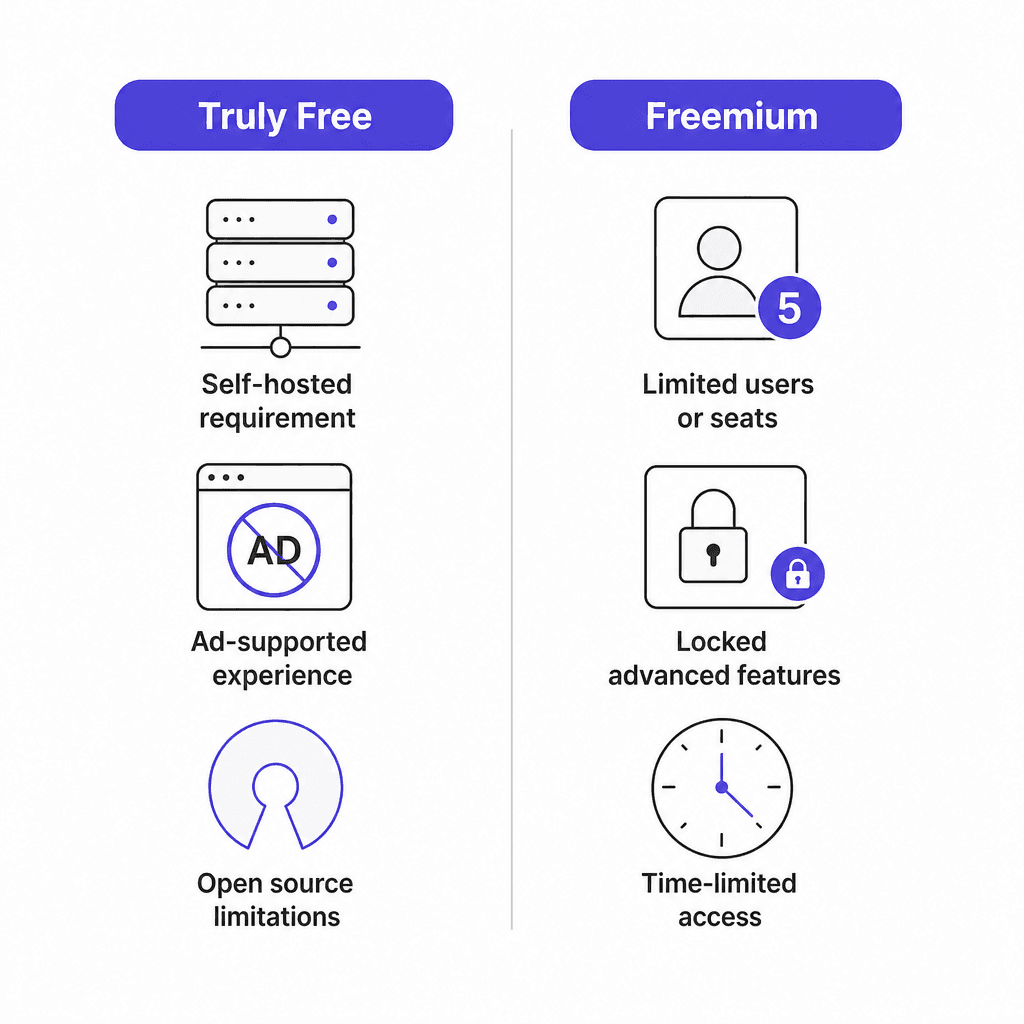
Before getting to the list, it helps to distinguish the three types of "free" that appear in helpdesk software.
Truly free (self-hosted). Open-source tools you download and run on your own server. No license fees, no seat limits, no expiry. The cost is your time and server infrastructure. osTicket and HESK are both in this category.
Permanently free (cloud plan). A hosted tier that stays free indefinitely but caps users or disables certain features. Zoho Desk's 3-user tier and HubSpot's 2-user tier work this way. You can stay on them forever; you just can't grow past the limits without paying.
Time-limited free (trial). A full-featured trial that expires. Freshdesk gives you 6 months on its free program before billing starts. Many comparison lists include Freshdesk as a free option without this caveat -- I've included it here because the trial is genuinely useful for evaluation, but the expiry matters.
How to pick from this list
The tools here split along two lines: whether you want cloud-hosted (no setup, managed for you) or self-hosted (you run it, you own it), and whether you need customer-facing support or internal IT ticketing.
- Zoho Desk and HubSpot Service Hub are the strongest cloud options for customer-facing teams.
- Spiceworks is cloud-hosted but specifically designed for internal IT.
- osTicket and HESK are self-hosted open-source options for teams comfortable managing a server.
- Freshdesk is worth knowing if you need a capable 6-month trial before committing.
If none fit cleanly, the honest answer is that free plans often under-power teams handling real volume. Adding AI to an existing helpdesk sometimes gets you further than switching tools.
Quick comparison
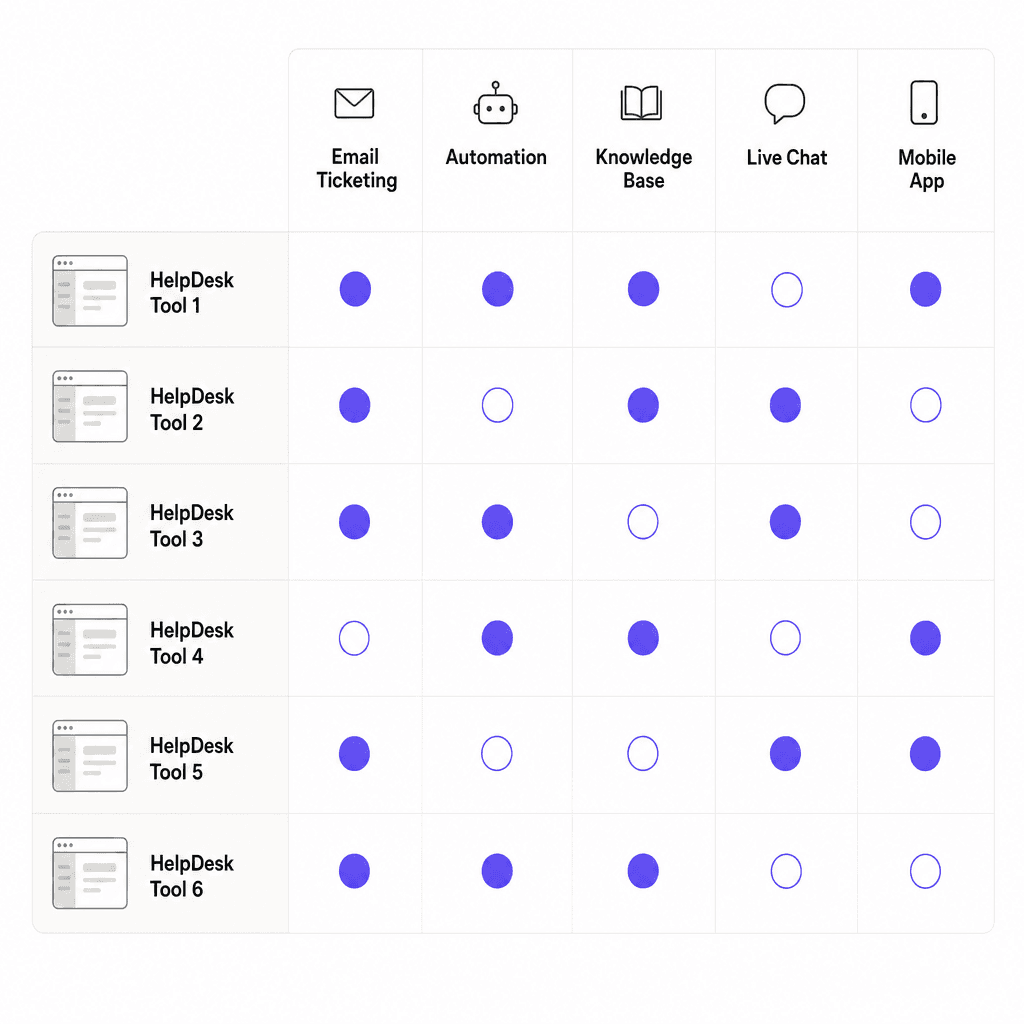
| Tool | Free type | Free users | Knowledge base | Automation | Best for |
|---|---|---|---|---|---|
| Zoho Desk | Permanent | 3 users | No (Standard+) | Yes | Customer-facing support |
| Freshdesk | 6 months only | 2 agents | Yes | Yes (basic) | Getting started fast |
| HubSpot Service Hub | Permanent | 2 users | No (Pro+) | No | CRM-connected teams |
| Spiceworks | Permanent (ad-supported) | 1-5 technicians | Yes | Yes | Internal IT |
| osTicket | Truly free (self-hosted) | Unlimited | Yes | Yes | Technical teams needing control |
| HESK | Truly free (self-hosted) | Unlimited | Yes | Yes (basic) | Simple self-hosted setup |
The 6 best free helpdesk software tools in 2026
1. Zoho Desk
Zoho Desk's free tier is the best permanently-free cloud option on this list. Three users, no expiry, and a feature set that should surprise you: email ticketing, social media support (Facebook and X), web forms, built-in workflows, and Zia, Zoho's AI assistant, all included at no charge. Most free plans don't include AI anything.
Zoho Desk is used by 125,000+ businesses globally and serves 33 million people daily. It has five pricing tiers, so there's a clear upgrade path if you outgrow the free plan.
Free plan includes:
- Email ticketing, web forms, and social media (Facebook and X)
- Zia AI agents for automated responses and ticket routing
- Workflow automation with custom rules
- Custom domain support
- Up to 3 users, no expiry
Not included on free:
- Knowledge base (Standard at $14/user/month)
- Business messaging and live chat channels
- Blueprint drag-and-drop automation
- Multi-department support
- Custom analytics and reporting
Pricing:
| Plan | Price |
|---|---|
| Free | $0, 3 users |
| Express | $7/user/month (annual) |
| Standard | $14/user/month (annual) |
| Professional | $23/user/month (annual) |
| Enterprise | $40/user/month (annual) |
The absence of a knowledge base on the free tier is the main thing to check before committing. If self-service article management matters from day one, you'll need Standard at minimum. If you can live without it, three users with Zia AI agents and a multi-channel inbox is a genuinely capable starting point.
Customer results from Zoho's own case studies: Strata reported 50% faster resolution times, Relay hit a CSAT of 95% or higher within 3-6 months, and NOOA Brasil reported 35% cost savings in licensing versus their previous tool.
Best for: Small customer-facing teams of 1-3 people who want hosted, multi-channel support with AI assistance from day one.
2. Freshdesk
Freshdesk isn't a permanently free tool. That's the most important thing to say upfront. The free program gives 1-2 agents access to the full suite of essential features for 6 months with no credit card required. After 6 months, you need a paid plan.
That said, the 6 months is useful. Freshdesk is trusted by 74,000+ businesses, including Bridgestone, Klarna, Forbes, and PepsiCo. The trial window gives real runway to evaluate the platform before spending anything. For a team of two just getting started, it's worth knowing about even with the expiry.
Free program includes (6 months, 1-2 agents):
- Ticketing and shared inbox
- Knowledge base and customer portal
- Multilingual support
- Mobile apps
- Basic automation rules and canned responses
Not included without a paid plan:
- More than 2 agents
- SLA management and escalation rules
- Freddy AI Copilot (agent assist features)
- Advanced analytics and custom dashboards
- Custom roles and permissions
Pricing after the free period:
| Plan | Price |
|---|---|
| Growth | $19/agent/month (annual) |
| Pro | $55/agent/month (annual) |
| Enterprise | $89/agent/month (annual) |
User feedback consistently praises the agent interface. Luke Gaspar, Field Engineer at Bridgestone: "Freshdesk's agent workspace, and how it worked, was very user-friendly -- it had all the features we needed to collect tickets, assign tickets to different agents, and store information."
If you're on a strict zero-budget long-term, Freshdesk isn't what you want. But for evaluating whether proper ticketing helps a team of 1-2 before committing to a paid plan, it's a reasonable starting point. Read our helpdesk setup guide to get oriented on what to configure first.
Best for: Teams of 1-2 who want 6 months to properly evaluate a modern cloud helpdesk before committing to a subscription.
3. HubSpot Service Hub
HubSpot's free plan is permanently free for 2 users and brings something the other cloud tools don't: a built-in CRM. Every ticket links to a contact record with the full history of sales, marketing, and previous support interactions. For teams already using HubSpot for anything else, this is the obvious starting point -- support agents can see the complete customer picture without switching tools.
HubSpot Service Hub has a 4.4/5 rating on G2 from 2,912 verified reviews. The free plan works for a 2-person team handling manageable ticket volumes.
Free plan includes:
- Basic ticketing (manual assignment)
- Contact management and CRM records
- Team email inbox
- Basic reporting dashboards
- Limited conversational bots
Not included without a paid plan:
- Help Desk Workspace (unified omnichannel queue): Starter at $9-20/user/month
- Knowledge base: Professional at $90-100/user/month
- AI Customer Agent (Breeze): Professional at $90-100/user/month
- Workflow automation: Starter+
- SLA tracking: Starter+
The jump from free to meaningful automation is steeper here than with Zoho Desk. One G2 reviewer from a non-profit managing 50-100 support emails daily praised the interface: "It's really user-friendly, making it easy for new and existing staff to adapt". The same user noted that the features that actually change productivity, including the Help Desk Workspace and knowledge base, require Professional at $90+/user/month.
Pricing:
| Plan | Price |
|---|---|
| Free | $0, 2 users |
| Starter | $9-20/user/month (annual) |
| Professional | $90-100/user/month (annual) + $1,500 onboarding |
| Enterprise | $150/user/month (annual) + $3,500 onboarding |
Best for: Teams already on HubSpot CRM who want to add basic ticketing without introducing another tool. Not the right choice if you need automation, a knowledge base, or more than 2 agents without paying.
4. Spiceworks
Spiceworks is the only tool on this list that's permanently free, cloud-hosted, and purpose-built for internal IT. No seat limit worries for small teams (1-5 technicians on the free tier), no expiry, no credit card. The trade-off is ads in the agent interface.
PC Magazine named Spiceworks "The Best Help Desk Software for 2024" for small businesses on a budget. Spiceworks is backed by a community of 4 million+ IT professionals and has been the default recommendation in r/sysadmin whenever someone asks about free ticketing on a tight IT budget.
Free plan includes (Core):
- Full ticketing with email routing, custom attributes, and rule-based automation
- Incident tracking with real-time status monitoring
- Knowledge base for self-service articles
- User portal for self-service ticket submission
- Dashboards with ticket churn and response-time metrics
- Mobile apps (iOS and Android)
- Multi-factor authentication
- Unlimited end users submitting tickets
Not included without Premium ($5/seat/month):
- Ad-free interface
- Bulk ticket actions
- Tasklists for recurring workflows (onboarding, device setup)
- Unlimited technician seats (free capped at 1-5)
- Advanced reporting with Power BI Desktop connector
- 24/5 live chat support
For internal IT ticketing setups, Spiceworks is hard to beat at zero cost. It's built specifically for IT techs managing internal support queues, not customer service agents handling external tickets. If that's your use case, the ad-supported model is a reasonable trade for a full ticketing stack.
Best for: IT departments of 1-5 people managing internal support requests who want cloud hosting and no ongoing cost.
5. osTicket
osTicket is the most capable free option on this list and also the most demanding to run. It's open-source software you download and install on your own server -- a PHP/MySQL stack you manage yourself. In return, you get a fully-featured helpdesk platform with no licensing costs, no user limits, and no expiry.
osTicket has 5+ million users worldwide and 15,000+ businesses running on it. Versions 1.17.7 and 1.18.3 were released in January 2026, confirming the project is actively maintained after 20+ years. That longevity matters -- a lot of "free" open-source tools go unmaintained.
Self-hosted free version includes:
- Custom fields, forms, and help topics per inquiry type
- Ticket filters, auto-routing, and department assignment
- SLA plans with due-date tracking and escalation on overdue tickets
- Customer portal with self-service knowledge base
- Thread actions (create child tickets from a message thread)
- Advanced search with CSV export
- Language packs for multilingual deployments
- API for external integrations
- Unlimited agents, tickets, and departments
What osTicket doesn't have:
- A native mobile app (the web interface is responsive, but there's no dedicated iOS/Android app)
- Live chat
- Commercial support on the free self-hosted tier (community forums and documentation only)
- Managed hosting without setup (though SupportSystem offers a hosted option with a 30-day trial)
The community feedback is telling. One long-time user in a Reddit discussion: "I used osTicket for years... I never found another system that worked as well and was reliable." Others note it "feels a bit outdated" and that the setup requires genuine technical work.
osTicket comes up frequently in r/sysadmin as the recommendation over Spiceworks for teams needing more control over ticket routing, queue management, and multi-email handling. If you want to automate ticket triage at a granular level without paying for SaaS, osTicket gives you the underlying structure.
Best for: Technical teams comfortable with Linux or Windows server management who need a full-featured, unlimited helpdesk at zero licensing cost. Common deployments include education, government, and nonprofits with IT staff.
6. HESK
HESK has been actively developed for 21 years and has 1 million+ downloads. Like osTicket, it's free self-hosted software running on PHP/MySQL. Unlike osTicket, it's deliberately lightweight: 3.7 MB versus the 440+ MB footprint of comparable tools, and it installs in 10-15 minutes rather than an afternoon.
HESK includes a knowledge base in the free self-hosted version, and users report that enabling it reduces ticket volume by up to 86%. Notable deployments include the Arkansas Department of Health, WA Department of Education, FlavourArt, and Berkeley's College of Environmental Design.
Free self-hosted version includes:
- Ticket intake from web forms, email (POP3/IMAP), and phone
- Built-in knowledge base (articles, FAQs, user guides)
- Canned responses and auto-assign rules
- Ticket urgency levels, categories, and priority routing
- Reply rating system for basic customer satisfaction tracking
- Time-on-ticket tracking
- 35+ language packs
- Mobile-friendly responsive web interface
- Unlimited agents, tickets, and knowledge base articles
Not included in the free version:
- Managed hosting (you run the server)
- Advanced escalation module
- CSAT survey module
- Recurring tickets
- Detailed statistics module (Cloud Pro/MAX only)
- Branding removal without the $49.99 one-time website license
HESK Cloud starts at $29.99/month for 10 agents if you want managed hosting, daily off-site backups, and HTTPS by default with a 90-day money-back guarantee. There are no per-agent fees even on the cloud tiers.
Pricing:
| Option | Price |
|---|---|
| HESK Free (self-hosted) | $0 |
| Website License (removes branding, optional) | $49.99 one-time |
| HESK Cloud | $29.99/month, 10 agents |
| HESK Cloud Pro | $49.99/month, 50 agents |
| HESK Cloud MAX | $99.99/month, 200 agents |
Best for: Small teams or departments that want a proven, lightweight self-hosted helpdesk with minimal setup. Schools, nonprofits, and government departments with existing hosting infrastructure are the typical fit.
What actually matters when evaluating free plans
The specs on a free plan page can be misleading. Here's what to check before picking one:
User ceiling. Every free cloud plan has a user limit. If you have four agents today and expect a fifth soon, find out whether adding one user pushes you to a paid tier, and what that tier costs.
Knowledge base availability. HESK, Spiceworks, osTicket, and Freshdesk all include a knowledge base in their free tiers. Zoho Desk and HubSpot don't. If self-service ticket deflection matters from day one, pick a platform that lets you build your knowledge base before you need to pay for anything.
Infrastructure ownership. Cloud tools (Zoho, HubSpot, Spiceworks, Freshdesk) host everything for you. Self-hosted tools (osTicket, HESK) require a server, backup setup, and updates from your team. Neither is wrong, but be clear on which model you're signing up for.
Upgrade path. Even if you start free, it's worth knowing what the paid plans cost. Hitting a ceiling and discovering the next tier is $90/user/month is an unpleasant surprise during a growth push.
Channel coverage. Does the free plan support the channels your customers actually use? Email is almost always covered. Live chat, phone, and social support rarely appear on free tiers.
When free stops being enough
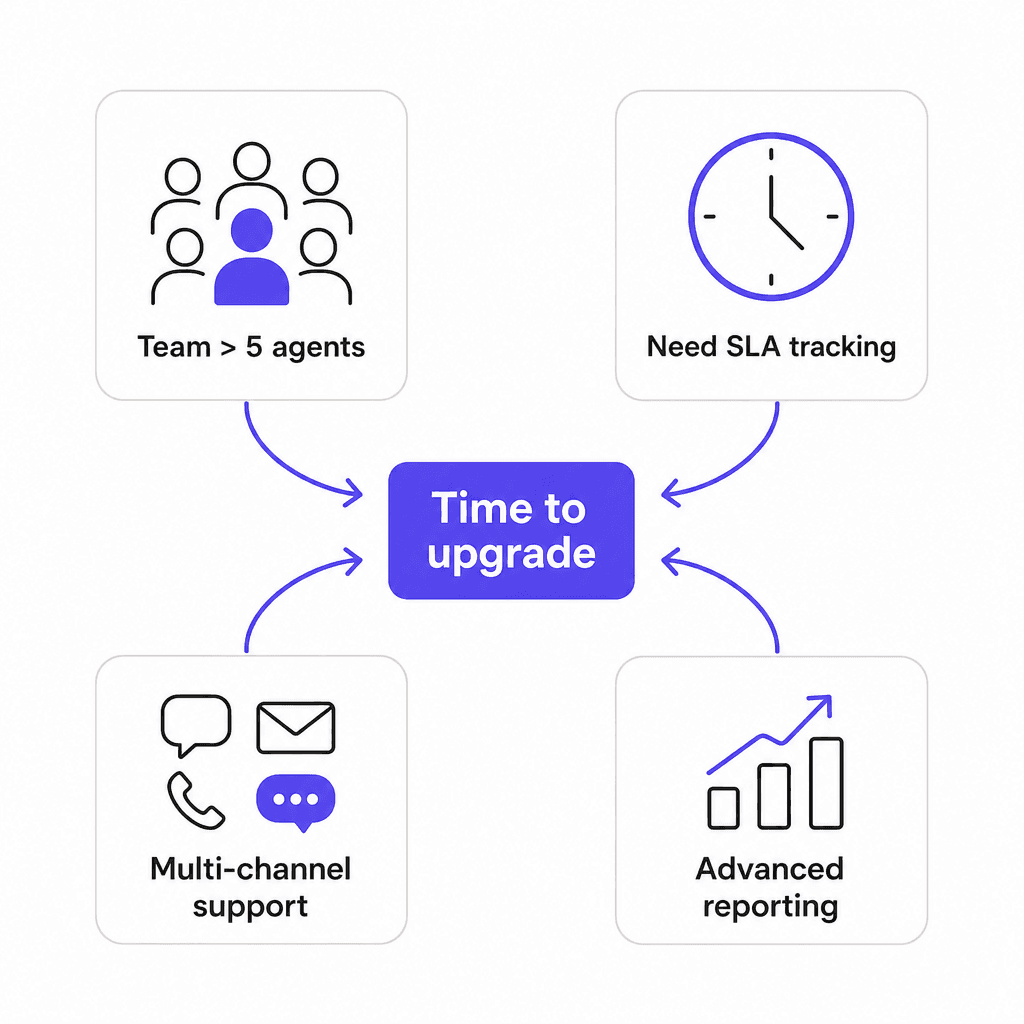
Four signals that a free plan is holding you back:
The user cap. Most free cloud plans top out at 2-3 agents. If work is being manually triaged because someone can't log in, you've already outgrown the tier.
SLA commitments. If you've made promises to customers about response or resolution times, you need a tool that tracks and escalates based on those rules. That's almost always a paid feature. Our guide on internal helpdesk best practices covers what a proper SLA setup looks like.
Repetitive ticket patterns. When the same five question types eat 60% of your ticket volume and your free plan only supports basic routing, that's recoverable time walking out the door. IT ticket automation covers what structured automation looks like at that scale.
New channels with no tool support. Customers find you through more channels as you grow. If you're directing people away from where they want to reach you because the free plan doesn't support it, that's a real cost to customer experience.
At that point, upgrading the helpdesk is one option. The other is keeping the free plan and adding an AI agent layer on top of it -- which handles the high-frequency tickets without requiring more human agents or a more expensive platform tier.
Try eesel AI
eesel AI is an AI helpdesk agent that sits on top of your existing tools: Freshdesk, Zendesk, HubSpot, Slack, and 100+ other integrations. It reads your knowledge base, past tickets, and support documentation, then handles incoming tickets autonomously -- drafting responses, triaging to the right team, and escalating when a human judgment is needed.
For teams on free or entry-level helpdesk plans, eesel AI is the layer that absorbs the high volume of repetitive tickets without requiring you to upgrade your plan or hire more agents. Design.com processes 50,000+ tickets per month this way. Setup takes minutes, pricing starts at $0.40 per ticket handled, and there's $50 in free usage to start with no credit card required.
You can learn more about the eesel AI helpdesk agent or start free at eesel.ai.

Frequently Asked Questions
Share this article

Article by
Stevia Putri
Stevia Putri is a marketing generalist at eesel AI, where she helps turn powerful AI tools into stories that resonate. She’s driven by curiosity, clarity, and the human side of technology.