If you've narrowed your shortlist of customer support tools to Zoho Desk and Front, you're probably picking between two very different ideas of what a support platform should look like. Zoho Desk is a full-featured helpdesk, ticketing-first, designed for support teams that need queues, SLAs, escalation paths, and multi-brand portals. Front is a shared inbox built for teams that work in email and want internal collaboration baked into every conversation, with omnichannel and AI layered on top.
This guide compares them on the things that actually matter when you're choosing: how the inbox and channels feel day to day, how each handles AI in 2026, integrations, real pricing including the parts that are easy to miss, and the limitations you'll bump into in production. There's a CTA at the end to a tool we build at eesel, but the goal here is to help you pick the platform that fits your team.
What is Zoho Desk?
Zoho Desk is the customer service product inside the broader Zoho ecosystem. It's used by more than 125,000 businesses and serves 33 million people each day, with a positioning line of "AI help desk software made human-simple." Most reviewers describe it as the affordable, feature-rich choice in the helpdesk category, which the Capterra reviews corroborate at 4.5/5 across 2,212 reviews.
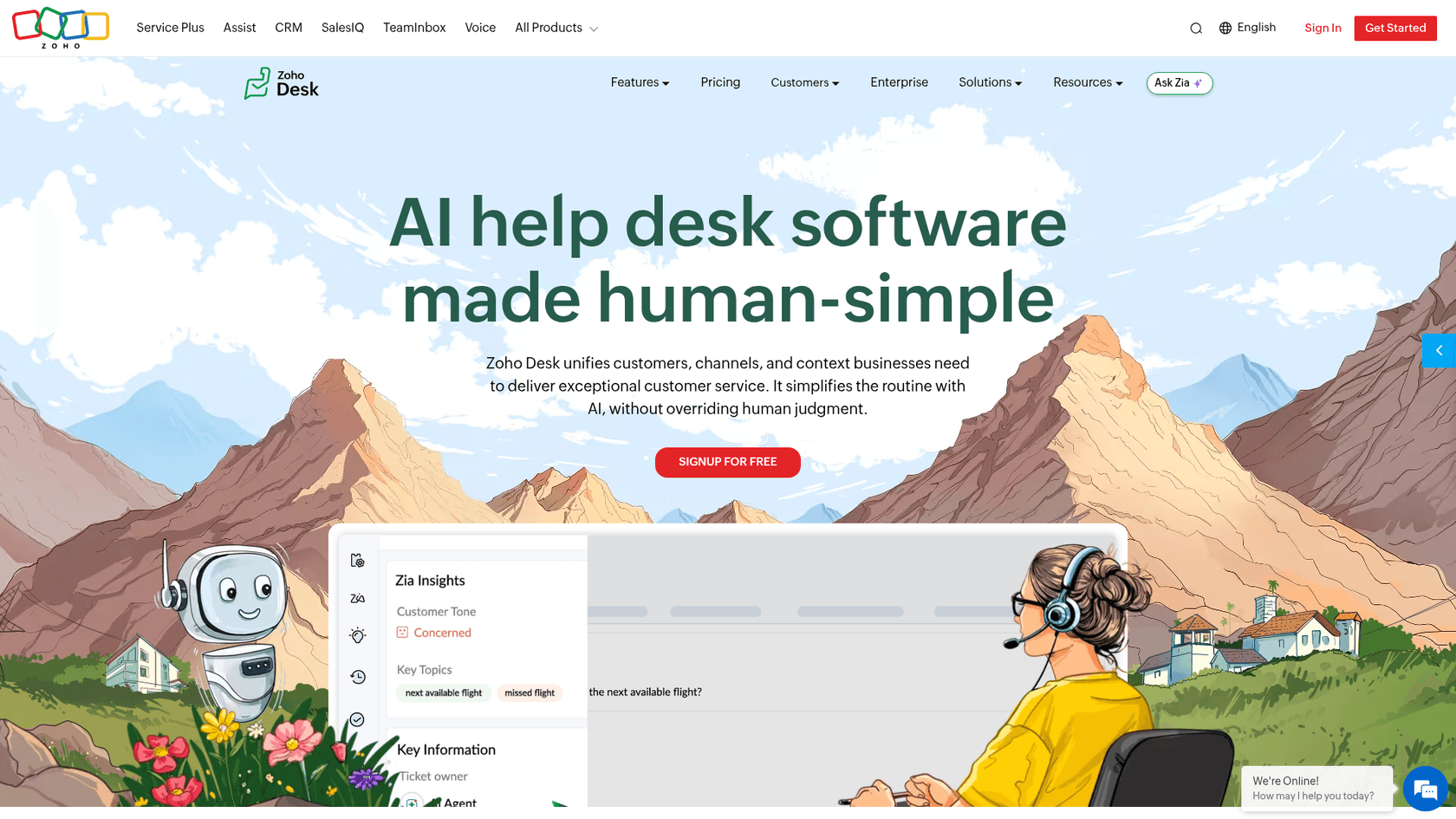
The product is built around tickets. Every channel you connect (email, web forms, social, instant messaging, telephony, live chat, community) feeds into the same agent workspace, and tickets carry the lifecycle of fields, statuses, SLAs, blueprints, and escalations that traditional helpdesks expect. There's a self-service layer with a knowledge base, community forums, and an embeddable ASAP widget, plus an AI assistant called Zia that runs across the workflow.
"Zoho Desk's easy to use layout/UI, intuitive ticket management features and recently added AI integration makes it a well rounded product for org's of all sizes." Ben W., Project Analyst, on Capterra
That review captures who Zoho Desk fits well. Mid-sized support teams with a defined process (ticket categories, SLAs, escalation paths) and ideally already in the Zoho ecosystem, where the value compounds because Zoho CRM, Zoho Cliq, Zoho Books, and the rest plug straight in.
What is Front?
Front is a customer operations platform built around a shared inbox, used by more than 9,000 companies including teams in logistics, manufacturing, financial services, and SaaS. Where Zoho Desk leans helpdesk-first, Front leans email-first, with the daily experience feeling much more like an inbox you collaborate inside than a ticket queue you process.
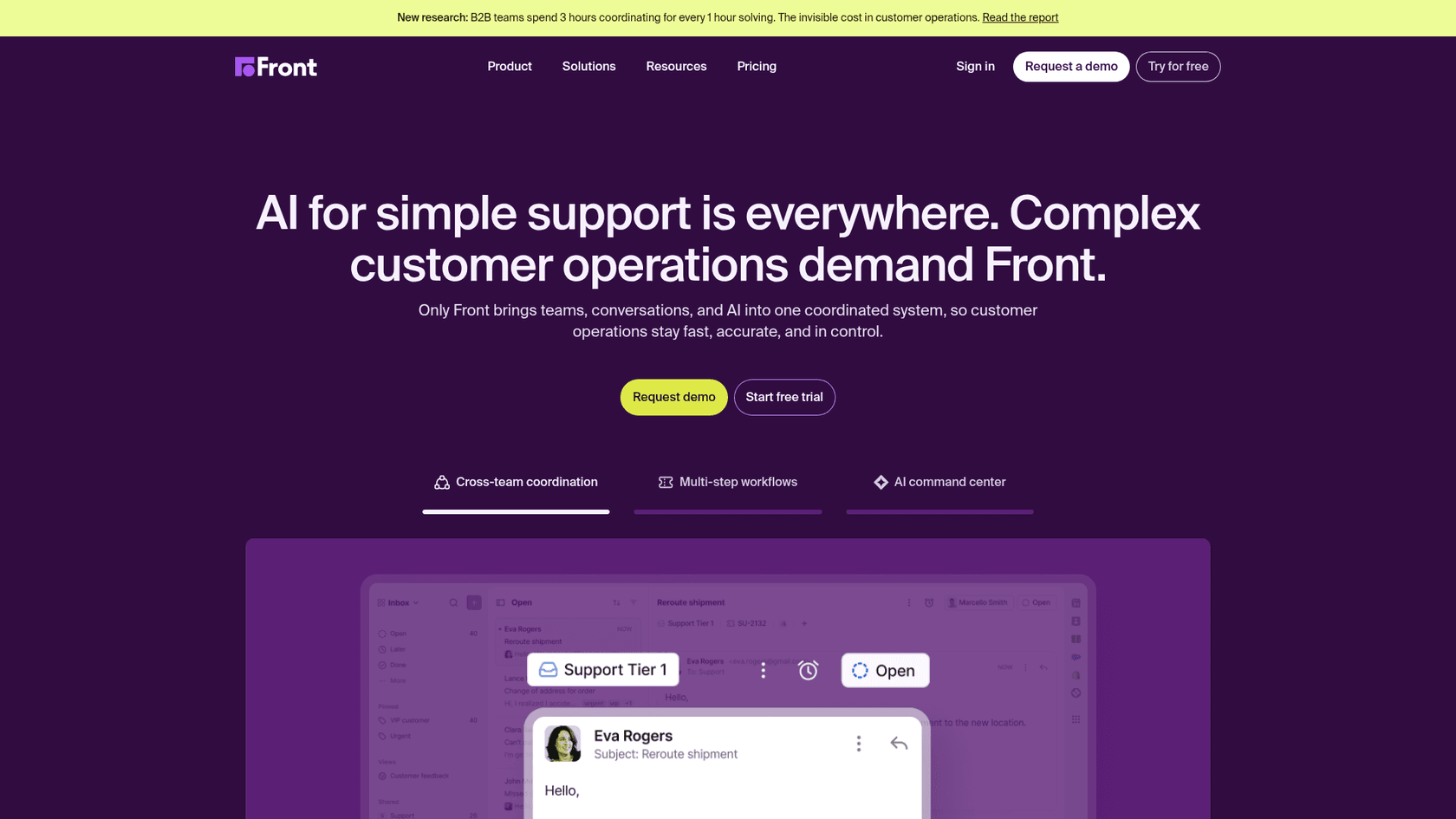
The headline product is the shared inbox itself: every email, chat, SMS, social DM, voice call, and WhatsApp message lands in one workspace where teammates can comment internally with @mentions, draft replies together, and assign conversations the same way you'd assign Asana tasks. Around that, Front has automation rules and macros, SLA monitoring, a no-code public knowledge base, and a deep AI layer it groups under three pillars: Autopilot for autonomous resolution, Copilot for agent assist, and Smart QA and Smart CSAT for analytics.
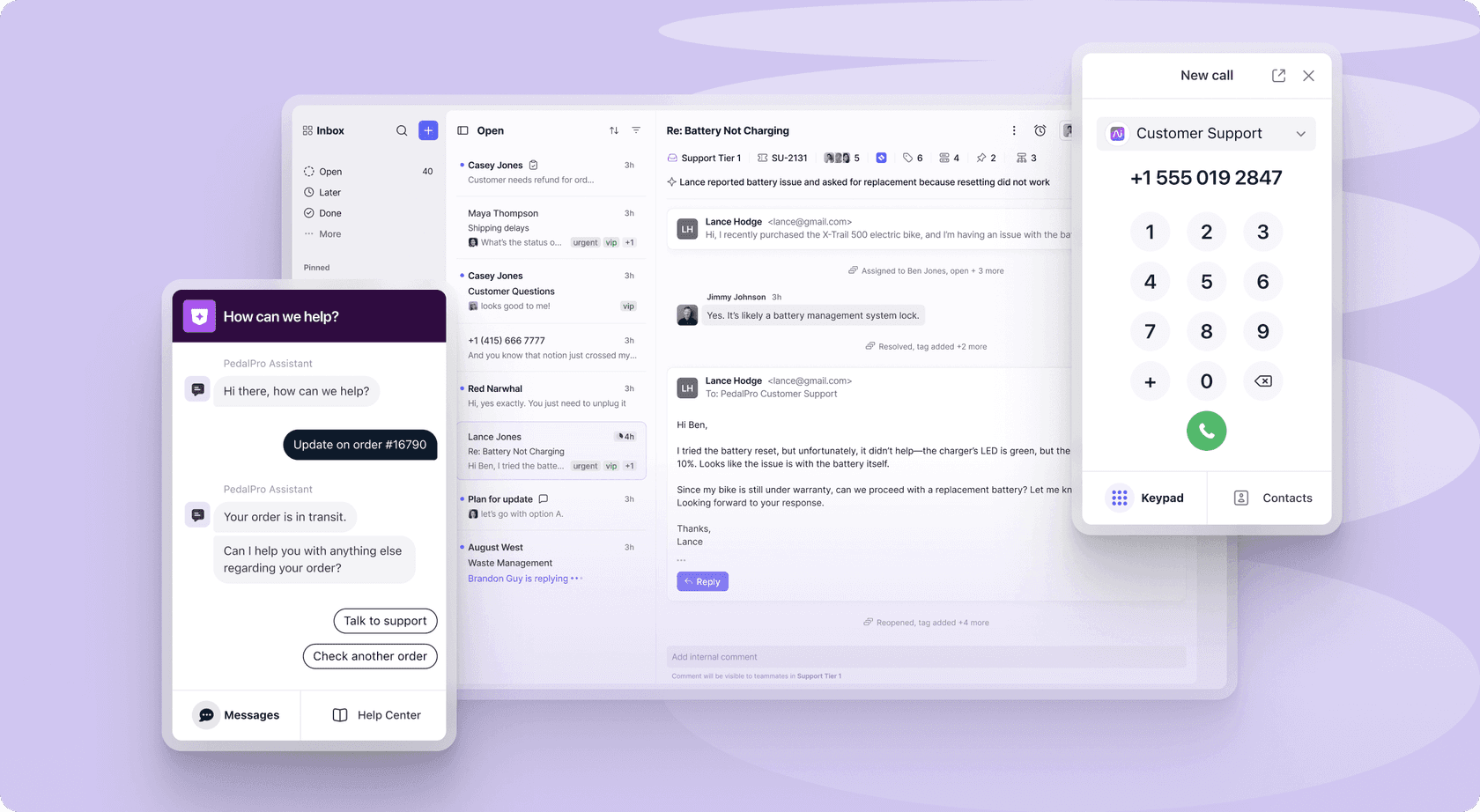
"Front Row Seat! Front feels like a one stop shop! It works with Gmail and Outlook, which is super helpful and it really creates a main hub for our various channels and apps." Mai M., Managing Director, Hospitality, on Capterra
Front is at its best when you have a team where every conversation is high-context (account managers, customer success, ops teams in regulated industries) and where the cost of a missed reply or a duplicated email is high. It's at its weakest when your need is a heavy ticketing pipeline with strict process tooling, which is the part Zoho Desk handles natively.
Features and AI: how the two stack up
Both products handle the basics of a modern support tool, including a shared queue, automation rules, SLAs, a knowledge base, analytics, and an AI assistant. The interesting question is how they execute those, and the gap opens up quickly once you're past the surface.
Inbox, channels, and collaboration
Front's daily UX is the cleanest implementation of a shared inbox in the category. Every message thread looks like an email, with internal comments alongside the customer reply and shared drafts you can hand off to a colleague mid-thread. The Professional plan turns the inbox omnichannel, covering email, chat, SMS, voice, social, and WhatsApp, all in the same view. Routing happens through automation rules, and the Enterprise plan unlocks unlimited rules and macros plus smart rules for AI-driven categorisation.
Zoho Desk takes a ticketing approach by default. The agent workspace is a queue with filters by status, priority, and SLA, and conversations live inside ticket records with custom fields, comments via Teamfeed, and the parent-child relationships you'd expect for breaking a complex case into sub-tasks. Channel coverage scales with the plan: email is in every tier, social and web forms join at Express, chat and instant messaging (WhatsApp, Telegram, WeChat, Line, Facebook Messenger) appear at Standard, and telephony arrives at Professional. The depth of process tooling, including round-robin assignment, skill-based routing, and multi-department setups, is the reason ITIL-leaning teams pick Zoho Desk over a shared inbox.
Workflow automation and routing
This is the area where each product shows its DNA most clearly.
Zoho Desk has Blueprints, a visual process builder that forces tickets to follow a guided path with mandatory fields, transitions, and approvers. It's the kind of thing IT and operations teams use to enforce policy without relying on agent memory. On top of that, workflows trigger field updates, alerts, and webhooks based on rule conditions. Round-robin and skill-based routing distribute tickets fairly, and multi-level escalations climb the chain of command automatically when SLAs slip.
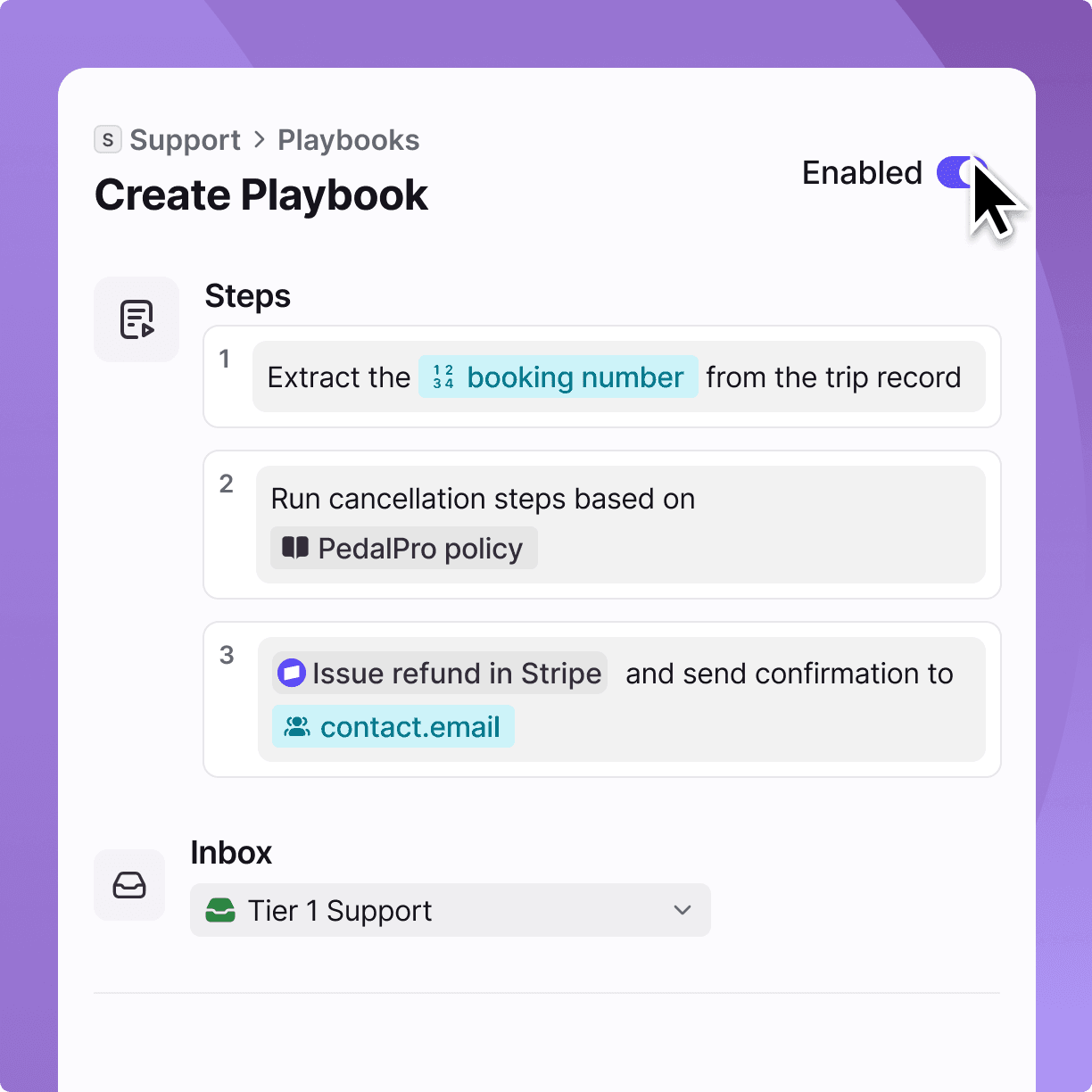
Front's automation is simpler and more conversation-shaped. The Starter plan caps you at 10 automation rules and Professional at 20, with unlimited rules and macros only on Enterprise. The most interesting Front-only piece is Autopilot's playbooks, where AI executes multi-step workflows across CRM, ERP, and other connected systems instead of just routing or tagging. That's a different abstraction layer to Zoho's Blueprints; Blueprints govern what the human agent does next, while Autopilot tries to do the work itself.
AI capabilities
The AI conversation has shifted in 2026, and both vendors have added significantly to their offering, but with different emphasis.
Zia, Zoho Desk's AI assistant, is broad. Its most-used pieces are ticket summarization for long threads, sentiment and tone analysis on incoming messages, generative reply drafting, anomaly detection on volume spikes, field predictions that auto-tag tickets, and an Answer Bot that uses the knowledge base to deflect customer queries on websites and messaging channels. Zia also includes a Zia Dashboard for support insights and a ticket volume predictor for staffing.
The catch is plan availability. The Standard plan exposes generative AI through a bring-your-own OpenAI API key for sentiment, summarisation, and reply suggestions, but the full Zia suite (Answer Bot, predictive analytics, guided conversations, skill-based assignment) only opens up on the Enterprise plan at $40 per agent per month. Independent reviewers have called Zia's agentic capabilities "primitive" compared with newer entrants, and the in-product UX is functional rather than polished.
Front's AI sits on a more product-led foundation. Copilot drafts replies, retrieves context across conversations and connected systems (CRM, billing), summarises long threads, and lets agents nudge drafts with prompts in-line. Autopilot is the autonomous side: an AI agent that Front says can resolve up to 70% of customer requests by handling multi-step workflows across CRM, ERP, and back-office tools. Smart QA and Smart CSAT cover the analytics side: automated quality scoring on every conversation and AI-inferred customer sentiment without survey responses.
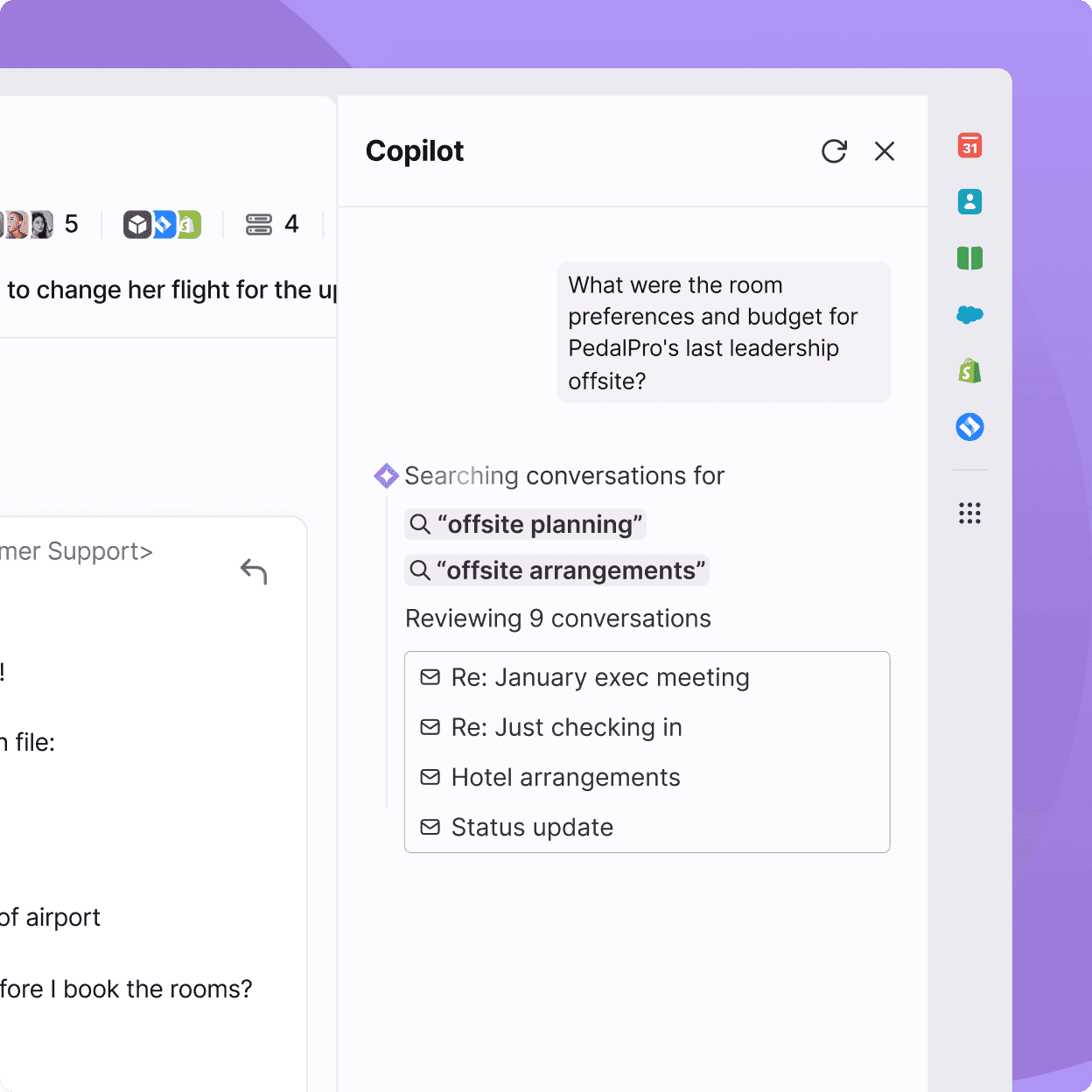
The catch on the Front side is pricing. Copilot, Smart QA, and Smart CSAT are only included on the Enterprise plan at $105 per seat per month. On Starter and Professional plans they sit as add-ons at $20 per seat for Copilot, $20 for Smart QA, $10 for Smart CSAT, with a Smart QA + CSAT bundle at $25. Autopilot is sold on a "contact sales" basis at every tier, so the most powerful AI piece is gated behind enterprise procurement.
If you're choosing on AI capability per dollar, Front gives you a more autonomous AI on its highest plan but charges enterprise-grade prices. Zoho Desk gives you a more comprehensive Zia toolkit at $40 per agent if you can live with a less polished UX. If you want a plug-in AI agent that doesn't force the upgrade and works on top of either tool, that's the gap eesel is built for, by reading your historical tickets and macros and acting as the autonomous layer your existing helpdesk doesn't quite manage.
Self-service and knowledge base
Zoho Desk treats self-service as a real product. The knowledge base is included from Standard upward, the community forum joins at Standard, the ASAP widget lets you embed help inside any web or mobile app, multilingual help centres in 50+ languages appear at Professional, and multi-brand help centres ship with Enterprise. Combined with the Answer Bot, this is a complete deflection stack out of the box.
Front includes a no-code public knowledge base on every plan, with a multi-language version on Enterprise. It's a clean implementation, but the deflection model is different: instead of a help-centre-first portal that customers visit, the knowledge base mostly powers AI Drafts and Copilot suggestions inside the inbox. If your goal is "give customers a public help centre to read first," Zoho Desk is the more deliberate product. If your goal is "use the help content to make the agents and AI faster inside the inbox," Front does that natively.
Integrations and ecosystem
Zoho Desk plugs into the Zoho Marketplace, which lists hundreds of extensions across telephony (Aircall, CloudTalk, Twilio), commerce (Shopify, WooCommerce), payments (Stripe), collaboration (Slack, Zoho Cliq, Zoho Meeting), and AI (a ChatGPT Helper for response templates, among others). The biggest gravitational pull is the rest of the Zoho stack: if you're already on Zoho CRM, Zoho Books, or Zoho Projects, the integration tax drops to near zero.
Front leans heavier on third-party tools that customer-operations teams already use. The integrations directory covers CRMs (Salesforce, HubSpot), project management (Jira, Asana, Monday, ClickUp), telephony (RingCentral, Twilio), Microsoft 365, Slack, Shopify, and a category of logistics and maritime tools that's unusual for a support product. Where Zoho Desk wins on Zoho-internal depth, Front wins on the modern SaaS stack outside its own ecosystem.
Quick capability comparison
| Capability | Zoho Desk | Front |
|---|---|---|
| Default UX | Ticket queue with custom fields, SLAs, blueprints | Shared inbox with internal comments and shared drafts |
| Channels in core plans | Email, web, social, IM, chat, telephony (across tiers) | Email, chat, SMS, voice, social, WhatsApp on Professional+ |
| Internal collaboration | Teamfeed, private comments | @mentions in-thread, collaborative drafting |
| Workflow automation | Workflows + Blueprints (Pro+) + multi-level escalations | Rules + macros, capped 10-20 below Enterprise, Autopilot playbooks |
| AI agent assist | Zia (Enterprise plan, broad scope) | Copilot ($20/seat add-on or Enterprise) |
| AI autonomous agent | Zia Answer Bot (Enterprise) | Autopilot (custom-priced add-on) |
| Self-service / KB | KB, community, ASAP widget, multi-brand on Enterprise | No-code public KB, multi-language on Enterprise |
| Integrations | 360+ Zoho Marketplace, deep into Zoho stack | 160+ marketplace, deep into Salesforce / HubSpot / Jira |
| Reporting | 30+ pre-built reports, Radar mobile app | Built-in analytics, Smart QA on Enterprise |
| Entry pricing | Free for 3 agents, $7 Express | $25 Starter, max 10 seats |
Pricing compared
Both vendors price per user per month with annual discounts, but the structures differ enough that small teams and large teams should reach different conclusions.
Zoho Desk pricing
Per the Zoho Desk pricing page, there are five tiers including a permanent free plan.
| Plan | Annual ($/agent/mo) | Monthly | Notable inclusions |
|---|---|---|---|
| Free | $0 | $0 | 3 agents, email ticketing, private knowledge base, multi-language help centre |
| Express | $7 | $9 | + social, web forms, AI agents builder, workflows, multi-level escalations |
| Standard | $14 | $20 | + IM (WhatsApp, Telegram, etc.), business messaging, public KB, community, OpenAI-keyed generative AI, ASAP widget |
| Professional | $23 | $35 | + telephony, Blueprints, multi-department, round-robin, multilingual KB, parent-child tickets, webhooks |
| Enterprise | $40 | $50 | + full Zia AI suite, Answer Bot, live chat (Zoho SalesIQ), guided conversations, skill-based assignment, multi-brand help centre, sandbox, 50 free light users |
Two practical notes on Zoho Desk's pricing. First, the meaningful AI capabilities (Answer Bot, full Zia, sentiment analytics, predictive routing) are gated to Enterprise; if you want AI as a serious part of your operation, the realistic price is $40 per agent. Second, Zoho's habit of selling adjacent products (Zoho Analytics for deep BI, Zoho SalesIQ for advanced live chat, Zoho CRM for sales context) means total cost of ownership is higher than the per-agent number once you've added what most teams need.
Front pricing
Per the Front pricing page, there are three tiers, all annual-billed by default with a roughly 24% saving over monthly billing.
| Plan | Annual ($/seat/mo) | Seat cap | Channels | AI included |
|---|---|---|---|---|
| Starter | $25 | Up to 10 seats | One channel type (email, chat, or SMS), max 10 channels | AI Topics, Compose, Translate, Summarize (capped at 200 actions / teammate / day) |
| Professional | $65 | Up to 50 seats | Omnichannel, max 30 channels | Same as Starter |
| Enterprise | $105 | Unlimited | Omnichannel, max 50 channels | + Copilot, Smart QA, Smart CSAT |
On top of the base plans, Front sells AI as paid add-ons on Starter and Professional, included on Enterprise.
| Add-on | Price | Notes |
|---|---|---|
| AI Copilot | $20/seat/mo | Included on Enterprise |
| Smart QA | $20/seat/mo | Included on Enterprise |
| Smart CSAT | $10/seat/mo | Included on Enterprise |
| Smart QA + CSAT bundle | $25/seat/mo | |
| AI Autopilot | Contact Sales | Add-on for all plans |
| Native WhatsApp channel | Meta-billed costs + 20% admin fee | Professional and Enterprise |
The Starter plan looks affordable on paper, but the single-channel cap and 10-seat limit make it a small-team tier that most growing customer-operations teams outgrow quickly. The realistic choice for an omnichannel support team is Professional at $65 per seat with $20 to $25 per seat in AI add-ons, which puts the per-seat all-in cost around $85 to $90, or Enterprise at $105 per seat which already bundles the AI.
What this means for your shortlist
If you're a 5-person team, Zoho Desk Free or Express ($0 to $7 per agent) versus Front Starter ($25 per seat) is a 3x to 4x cost difference, and the helpdesk feature depth at Zoho's price is hard to argue with. If you're a 30-person team that lives in email, the spend gap closes (Zoho Desk Professional at $23 is meaningfully cheaper than Front Professional at $65, but Front's collaboration model often justifies the premium for that profile). At 100+ agents needing real AI, Zoho Desk Enterprise at $40 plus Zoho add-ons usually undercuts Front Enterprise at $105, but Front's Autopilot and Copilot are more polished if you're willing to pay for them.
Limitations to know about
Both products are mature, both have happy customers, and both have repeated criticisms in their public reviews that you should price in.
Where Zoho Desk gets criticised
The most consistent complaint in Capterra reviews is the steep learning curve. Configuring Blueprints, custom modules, and multi-department setups requires real configuration work, and reviewers describe the interface as "cluttered" or "overwhelming" compared with newer competitors. Performance lags on very large ticket volumes come up regularly, the mobile app's ticket sync is described as slow to update, and advanced analytics often push teams toward the Zoho Analytics add-on. There's also a recurring note that AI capabilities, especially the agentic side, feel less mature than what newer support AI vendors are shipping in 2026.
Where Front gets criticised
Front's most active complaint in 2026 is the Outlook sync change, where actions taken in Front (read, archive, tag, delete) no longer flow back to Outlook. For mixed teams where some users live in Front and others in Outlook, that breaks the shared-inbox premise.
"Outlook sync is one-way only. Made Front unusable for our team. Front no longer offers a true two-way Outlook sync, and that makes it unusable for any team that works across both Front and Outlook." Grey H., Director, Machinery, on Capterra
The other repeated concerns are pricing increases combined with seat minimums, AI features locked behind add-ons or Enterprise, and a recent UI redesign that some long-term customers describe as a regression.
"Horrible new UI that they've just changed to, oh and they've upped the price as a thank you." Robert K., Director, Computer & Network Security, on Capterra
None of these are dealbreakers in isolation, but if you depend heavily on Outlook, run a tight budget, or you've been a Front customer for several years and are sensitive to UI churn, all three are worth knowing before signing.
Where each one fits
The decision usually splits along three axes: process complexity, team workflow, and AI ambition.
Pick Zoho Desk if your team runs ticket-heavy operations with defined SLAs and process tooling, you want a real public help centre and community, you already use other Zoho products, or you're price-sensitive at any team size below ~50. The Free and Express plans alone make Zoho Desk hard to beat for small teams that just need a working helpdesk. Existing customers who want a deeper read can also check our Zoho Desk reviews guide for a write-up of common patterns.
Pick Front if your team lives in email with high-context conversations, your support model is closer to account management or customer success than a queue, internal collaboration on threads is core to how you work, or you want polished AI for drafting and quality assurance and you're willing to pay for it. The comprehensive Front review we keep updated has more detail if you're closing in on the decision.
Pick neither, and use a separate AI agent on top of whichever helpdesk fits, if your priority is to deflect routine tickets without paying for an Enterprise tier you don't otherwise need. That's the model behind eesel: the AI agent reads your help centre, past tickets, and macros, and resolves repetitive tickets directly inside Zoho Desk or Front, leaving the human work to your existing team. It tends to come out cheaper than buying Front Enterprise for Copilot, or Zoho Enterprise for Zia, while delivering a more accurate AI because it's purpose-built for support deflection.
Conclusion
Zoho Desk and Front aren't really direct competitors so much as two answers to different questions. Zoho Desk asks "what should a full helpdesk look like at a small business price?" and answers with depth, breadth, and the rest of the Zoho ecosystem. Front asks "what does a modern shared inbox feel like for a team that lives in email?" and answers with collaboration, polish, and an AI layer that's strongest on the highest plan.
For most teams, the honest decision criterion is about workflow shape, not feature lists. If you process tickets, Zoho Desk wins. If you collaborate inside conversations, Front wins. And if your top priority is to put an AI agent in front of either, eesel is the most flexible way to get there without rebuilding your stack. You can connect it to your helpdesk, point it at your help centre and historical tickets, and let it handle the easy half of your volume while your team focuses on the half that needs them.
Frequently Asked Questions
Is Zoho Desk or Front cheaper for a small team?
Does Zoho Desk or Front have better AI?
Can Front replace a full helpdesk like Zoho Desk?
Which one is better for omnichannel customer support?
What's the best AI agent to layer on top of Zoho Desk or Front?


Article by
Rama Adi Nugraha
Rama is a software engineer at eesel AI with two years of experience writing about B2B SaaS, AI tools, and customer support technology. Based in Bali, Indonesia, he brings a developer's perspective to product comparisons — cutting through marketing copy to what the integrations and APIs actually do.