Zendesk Support Suite: Complete guide to features, pricing, and AI in 2026

Stevia Putri
Written by

Stevia Putri

Reviewed by

Stanley Nicholas

Last edited March 3, 2026

Expert Verified

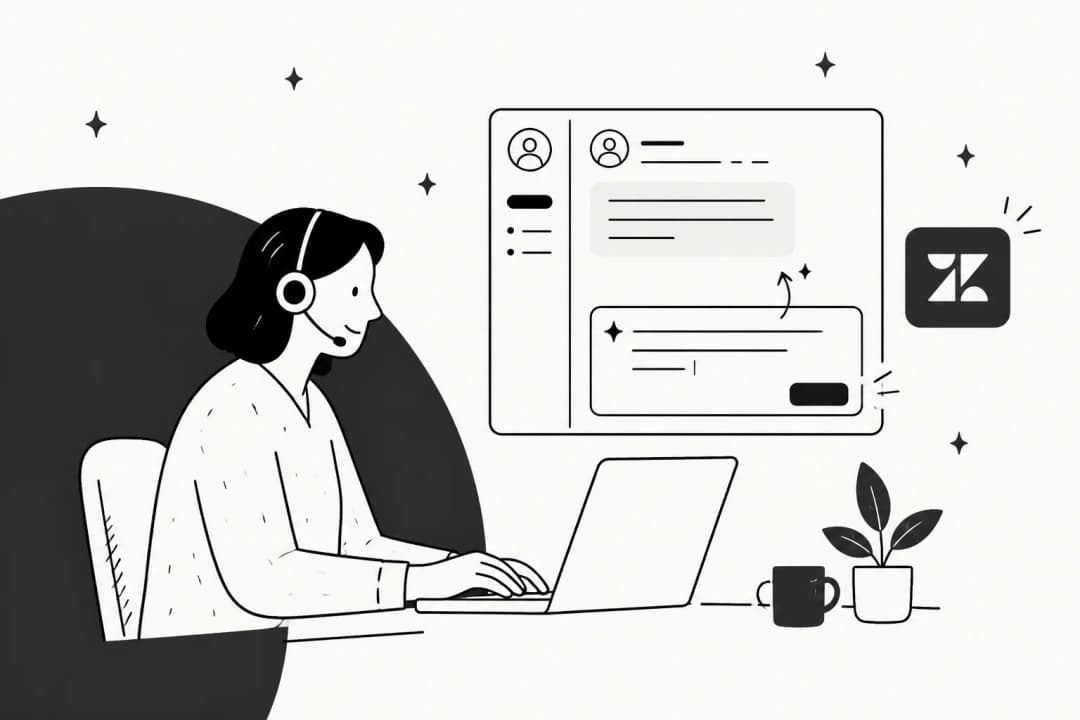
Banner image for Zendesk Support Suite: Complete guide to features, pricing, and AI in 2026

Customer service has evolved far beyond email inboxes and phone queues. Today's support teams need to meet customers wherever they are, whether that's Instagram DMs, WhatsApp messages, or traditional email. Zendesk has built its reputation on being the platform that brings all these channels together into one manageable system.

With over 100,000 companies using the platform and recognition as a Leader in the 2025 Gartner Magic Quadrant for CRM Customer Engagement Center, Zendesk Support Suite has become the default choice for many growing businesses. But with five different pricing tiers, multiple AI add-ons, and a complex feature set, figuring out what you actually need (and what it'll cost) can feel overwhelming.

This guide breaks down everything you need to know about Zendesk Support Suite in 2026: what it includes, how the pricing works, what the AI can actually do, and whether it's the right fit for your team.

What is Zendesk Support Suite?

At its core, Zendesk Support Suite is a complete customer service platform that combines ticketing, self-service, and AI-powered automation. Rather than juggling separate tools for email, chat, phone, and social media, Zendesk brings everything into a single workspace where agents can see the full conversation history regardless of channel.

The platform operates on a simple premise: customers should be able to reach out however they prefer, and support teams should have the context to help them without switching between different systems. This unified approach has made Zendesk particularly popular among mid-market companies (50-500 employees) and larger enterprises that need to coordinate support across multiple teams and channels.

Founded in 2007 and publicly traded since 2014, Zendesk has had nearly two decades to refine its approach. The company now serves everyone from Uber and Squarespace to Khan Academy and Liberty London, giving it significant credibility in the customer service software space.

Core components of Zendesk Support Suite

Zendesk Support Suite isn't a single product it's a collection of integrated tools that work together. Understanding each component helps clarify what you're actually paying for.

Support (ticketing system)

The foundation of Zendesk is its ticketing system. When a customer reaches out via any channel, Zendesk automatically creates a ticket that tracks the entire conversation. Agents can prioritize requests, assign them to specific team members, and set up automated workflows that route tickets based on keywords, customer type, or urgency.

The ticketing system includes SLA management, so you can define response time targets and get alerts when tickets are at risk of breaching those commitments. Custom ticket forms let you collect specific information upfront, which helps agents resolve issues faster.

Guide (help center)

Zendesk Guide is the self-service component. It lets you build a branded help center where customers can find answers without contacting support. The knowledge base supports articles, FAQs, and community forums (on higher tiers).

What's particularly useful is how Guide integrates with the rest of the suite. AI can suggest relevant articles to customers as they type a support request, potentially deflecting tickets before they even reach an agent. The system also identifies gaps in your knowledge base by analyzing what customers search for but can't find.

Messaging and live chat

The messaging component handles real-time conversations through web widgets, mobile apps, and social platforms. Zendesk supports WhatsApp, Instagram, Facebook Messenger, Slack, and LINE, letting customers use whatever app they already have.

Unlike basic chat widgets, Zendesk's messaging maintains conversation history across sessions. If a customer starts a chat, leaves, and returns hours later, the agent can see the full context without asking them to repeat information.

Talk (voice)

For teams that still handle phone support, Zendesk Talk adds integrated voice capabilities. This includes call routing, IVR phone trees ("Press 1 for sales, 2 for support"), voicemail transcription, and the ability to make and receive calls directly within the Zendesk interface.

The integration means voice calls create tickets just like emails or chats, with recordings attached for reference. Agents can see the customer's full history while on the call, which prevents the frustrating experience of explaining your issue to multiple people.

AI agents and automation

Zendesk's AI capabilities have expanded significantly. The platform now offers AI agents that can handle routine inquiries automatically, intelligent triage that routes tickets based on sentiment and intent, and generative AI that helps agents draft responses faster.

The AI isn't just bolted on it's integrated throughout the platform. When a ticket comes in, Zendesk can analyze the language to detect urgency, route it to the right team, suggest relevant knowledge base articles, and even draft a response for the agent to review.

Zendesk landing page showcasing the platform's customer service solutions

Zendesk AI capabilities explained

Artificial intelligence is where Zendesk has invested heavily, but the AI features aren't distributed equally across all plans. Here's what you actually get.

Intelligent triage and routing

Zendesk's AI can analyze incoming tickets to predict what the customer wants, what language they're using, and how they feel about the situation. This goes beyond simple keyword matching. The system understands context well enough to distinguish between "I love your product but have a question" and "I'm furious about this bug."

Based on this analysis, tickets get automatically tagged, prioritized, and routed to the right team. Urgent issues from VIP customers can jump the queue, while simple questions get routed to newer agents or handled by AI directly.

Generative AI for agents

Through Zendesk Copilot, agents get AI assistance directly in their workflow. The system can suggest draft responses based on the ticket content and your knowledge base, adjust the tone of a reply (making it more formal or friendly), and even expand brief notes into complete responses.

Beyond helping with individual tickets, the AI can also assist with content creation. It can suggest improvements to help center articles, identify gaps in your knowledge base, and even draft new articles based on common customer questions.

AI-powered bots

For teams that want to offer 24/7 support without staffing round-the-clock, Zendesk's bots can handle Tier 1 inquiries automatically. These aren't simple decision trees they use natural language processing to understand customer questions and provide relevant answers or escalate to humans when needed.

The bots can be deployed across all channels, so customers get consistent automated support whether they're on your website, WhatsApp, or Facebook Messenger.

Advanced AI add-on

Here's where it gets complicated. While basic AI features are included in Suite plans, the more powerful capabilities require the Advanced AI add-on, which costs an additional $50 per agent per month and is only available on Professional and Enterprise plans.

This add-on includes intelligent triage, advanced macro suggestions, and the ability to automate more complex workflows. There's also usage-based pricing for "automated resolutions," where you pay $1.50 to $2 per ticket that the AI resolves without human intervention.

Bottom line? If you want the full AI experience Zendesk advertises, you're looking at $165+ per agent per month (Suite Professional at $115 plus Advanced AI at $50), not the $55 entry point.

Price comparison showing the cost increase for Zendesk's advanced AI capabilities

Zendesk Support Suite pricing breakdown

Zendesk's pricing structure has two main branches: Support plans (ticketing only) and Suite plans (full platform). Most teams eventually need the Suite, but the Support plans offer a lower entry point for simple use cases.

Support Team: $19/agent/month (annual)

The entry-level plan gives you basic ticketing through email, Facebook, and X (Twitter). You get conversation history, pre-written response macros, ticket routing, customizable automations, prebuilt analytics dashboards, and access to the 1,000+ app marketplace.

This plan works for small teams that just need to organize support requests and don't require AI, help centers, or phone support. It's a step up from a shared inbox but lacks the omnichannel capabilities most growing teams eventually need.

Suite Team: $55/agent/month (annual)

Suite Team is where Zendesk starts to feel like a complete platform. You get everything in Support Team plus essential AI agents, generative replies, a customizable AI persona, one help center, messaging with live chat, and phone support.

This is the most popular starting point for teams that want to offer customers multiple ways to reach out. The AI features at this tier handle basic automation and response suggestions, though you'll need to upgrade for the more advanced capabilities.

Suite Growth: $89/agent/month (annual)

Suite Growth adds features for more complex operations: multiple ticket forms, view-only agents (for managers who need visibility without a full license), SLA management, and multi-lingual support for global teams.

The view-only agent feature is particularly useful for larger teams. You can give managers, executives, or part-time staff access to reports and ticket visibility without paying for full agent seats.

Suite Professional: $115/agent/month (annual)

Professional is where Zendesk becomes a serious enterprise tool. You get custom analytics with real-time insights, skills-based routing (matching tickets to agents based on expertise), integrated community forums, and eligibility for the Advanced AI add-on.

This tier also includes HIPAA compliance and data location options, making it suitable for healthcare and other regulated industries.

Suite Enterprise: $169/agent/month (annual)

The top tier supports up to 300 help centers (for multi-brand organizations), sandbox environments for testing changes, custom agent roles with granular permissions, audit logs, and advanced data privacy protection.

Enterprise also includes business rules analysis, visual data alerts, and dynamic contextual workspaces that adapt based on the ticket type.

PlanAnnual PriceMonthly PriceAI IncludedBest For
Support Team$19/agent/mo$25/agent/moNoSmall teams, basic ticketing
Suite Team$55/agent/mo$69/agent/moEssentialGrowing teams starting with AI
Suite Growth$89/agent/moN/AEssentialMulti-language, SLA needs
Suite Professional$115/agent/mo$149/agent/moEssential + Add-on eligibleAdvanced customization
Suite Enterprise$169/agent/mo$219/agent/moEssential + Add-on eligibleLarge organizations

Add-ons to factor in

Beyond the base plans, several add-ons can significantly increase costs:

  • Advanced AI: +$50/agent/mo (Professional+ only)
  • Copilot: +$50/agent/mo (proactive AI assistance)
  • Quality Assurance: +$35/agent/mo (conversation evaluation)
  • Workforce Management: +$25/agent/mo (scheduling and forecasting)
  • Advanced Data Privacy: +$50/agent/mo (enhanced security)

There's also a 14-day free trial available if you want to test the platform before committing.

Strengths and limitations

No platform's perfect for everyone. Here's an honest assessment of where Zendesk excels and where it falls short.

What Zendesk does well

Mature and reliable. With nearly 20 years in the market and 100,000+ customers, Zendesk has worked through most of the edge cases that break newer platforms. You rarely hear about major outages or data loss incidents.

Extensive integrations. The marketplace has over 1,200 apps, including deep integrations with Salesforce, HubSpot, Shopify, Slack, and most other tools support teams use. If you need to connect Zendesk to something, there's probably an app for it.

Strong AI at higher tiers. Once you get to Professional with the Advanced AI add-on, the automation capabilities are genuinely impressive. The Resolution Learning Loop™ claims to automate 80%+ of interactions by continuously improving based on AI, human agent, and knowledge data.

Comprehensive omnichannel. Few platforms handle as many channels as elegantly as Zendesk. The ability to maintain conversation context as customers switch from email to chat to phone is genuinely useful.

Where Zendesk falls short

Premium pricing. There's no getting around it Zendesk is expensive. At $55 per agent per month for the entry-level Suite plan (and $115+ for the plans most teams actually need), the costs add up quickly. Competitors like Freshdesk offer comparable features at lower price points.

Learning curve. New users often report that Zendesk feels overwhelming at first. The interface is powerful but dense, and getting the most out of the platform requires significant training. SoftwareConnect's review gives it an 8/10 for usability but notes the initial complexity.

Post-sales support. Ironically for a customer service platform, Zendesk's own support can be frustrating. Many users report difficulty reaching a human, with initial contact handled by chatbots that suggest help articles before creating tickets.

Advanced AI costs extra. The AI features Zendesk promotes most heavily require both a higher-tier plan ($115+) and a $50 add-on. What looks like $55 per agent on the pricing page can quickly become $165+ if you want the full AI capabilities.

Missing features. Some basics are surprisingly absent. Email open tracking, for example, isn't available, which makes it hard to know if customers have seen your responses.

Who should use Zendesk Support Suite?

Zendesk makes the most sense for specific types of organizations.

Mid-market companies (50-500 employees). This is Zendesk's sweet spot. Teams large enough to need sophisticated workflows and multiple channels, but not so large that they need extensive custom development.

Technology and e-commerce companies. Organizations with high volumes of customer inquiries, complex products that generate lots of questions, and customers who expect support across multiple channels.

Teams with existing tool ecosystems. If you're already using Salesforce, HubSpot, Shopify, or other major business tools, Zendesk's extensive integration library makes it easier to connect everything.

Organizations with compliance requirements. Healthcare companies, financial services, and other regulated industries benefit from Zendesk's HIPAA compliance and data residency options at the Professional tier and above.

Who should look elsewhere: Small businesses with simple support needs (overkill and overpriced), teams on tight budgets (per-agent pricing scales poorly), and organizations that need extensive customization without enterprise budgets.

eesel AI: A complementary approach to consider

As you evaluate Zendesk, it's worth understanding how other approaches to AI customer service differ. At eesel AI, we take a fundamentally different approach: rather than configuring software, you hire an AI teammate that learns your business and levels up over time.

The key differences matter for certain types of teams:

eesel AI dashboard for configuring the main AI agent with no-code interface

Pricing model. Zendesk charges per agent, which means costs scale linearly with team size. We charge based on AI interactions, so you can have 50 agents but only pay for the tickets that actually need AI assistance. For large teams, this often works out significantly cheaper.

Knowledge integration. While Zendesk primarily learns from your help center, we connect to everything: Confluence, Google Docs, Notion, PDFs, past tickets, and more. The AI answers from wherever your knowledge actually lives.

Testing before going live. One of our most valued features is simulation. You can run the AI against thousands of past tickets to see exactly how it would respond before it ever talks to a real customer. This lets you verify quality and tune the AI to your specific needs.

The teammate model. Instead of configuring workflows and triggers, you train eesel like you would a new hire. Start with oversight (drafting replies for review), then expand scope as the AI proves itself. Eventually, it can handle full frontline support autonomously.

If you're considering Zendesk but concerned about the per-agent pricing or want broader knowledge integration, our Zendesk integration lets you use eesel AI alongside or instead of Zendesk's native AI. You can also start a free trial to see how the approach differs.

Getting started with Zendesk Support Suite

If you've decided Zendesk is the right fit, here's how to begin.

Start with the 14-day free trial to test the platform with your actual workflows. Don't just click around the demo set up a few real tickets, invite a couple of team members, and see how it feels for actual support work.

During the trial, focus on these key areas:

  • Ticket routing: Set up automation rules and test whether tickets go to the right people
  • Help center: Create a few articles and see how the AI suggests them to customers
  • Integrations: Connect your critical tools (CRM, e-commerce platform, etc.) and verify data flows correctly
  • Reporting: Run a few reports to ensure you can get the metrics your team needs

Plan for implementation time. Even though Zendesk is cloud-based, expect to spend several days (or weeks for larger teams) configuring workflows, training agents, and migrating data. The company offers professional services if you need help, though this adds to the cost.

Consider starting with Suite Team and upgrading later. You can always move up tiers as your needs grow, and it's easier to add features than to realize you overbought.

Frequently Asked Questions

Zendesk Support Suite works best for mid-market companies (50-500 employees) that need to manage customer conversations across multiple channels like email, chat, phone, and social media. It's particularly popular in technology and e-commerce where support volume is high and customers expect omnichannel service.
Zendesk Support Suite pricing ranges from $55 to $169 per agent per month when billed annually. The entry-level Suite Team plan costs $55/agent/month, while Suite Professional (required for Advanced AI) costs $115/agent/month. Add-ons like Advanced AI (+$50/agent/mo) can increase costs significantly.
Basic AI features like generative replies and essential AI agents are included in Suite Team and above. However, advanced AI capabilities including intelligent triage and sophisticated automation require the Advanced AI add-on for $50 per agent per month, available only on Professional and Enterprise plans.
Yes, Zendesk offers over 1,200 integrations through its marketplace. Popular integrations include Salesforce, HubSpot, Shopify, Slack, Microsoft Teams, and WhatsApp. Most major business tools have pre-built connectors, and custom integrations are possible through the Zendesk API.
Yes, Zendesk offers a 14-day free trial that includes full access to the features in your selected plan. No credit card is required to start the trial, and you can test the platform with real tickets and team members before committing to a paid plan.
Zendesk is a mature, comprehensive platform with extensive features and integrations, best for teams that want an all-in-one solution. Alternatives like eesel AI take a different approach with interaction-based pricing (instead of per-agent) and broader knowledge integration beyond just help centers. Some teams use eesel AI alongside Zendesk for specific AI capabilities.
The main limitations include premium pricing compared to competitors, a learning curve for new users, post-sales support that can be slow to reach humans, and the fact that advanced AI features require expensive add-ons. Additionally, some basic features like email open tracking are not available.

Share this post

Stevia undefined

Article by

Stevia Putri

Stevia Putri is a marketing generalist at eesel AI, where she helps turn powerful AI tools into stories that resonate. She’s driven by curiosity, clarity, and the human side of technology.