Zendesk self-service best practices: a complete guide for 2026

Stevia Putri
Last edited March 3, 2026
Customers today expect to find answers on their own. They'd rather solve a problem at 2 AM than wait until business hours for a response. The data backs this up: 79% of customers expect companies to provide self-service tools, and 69% want to resolve as many issues as possible without contacting support.
Here's the catch. While most customers want to self-serve, only 9% actually succeed with the tools companies provide. That's a massive gap between expectation and reality.
This guide covers proven Zendesk self-service best practices to help you close that gap. Whether you're just getting started or looking to optimize an existing help center, these strategies will help you build self-service that actually works.
Why self-service matters more than ever
The shift toward self-service isn't a trend. It's a fundamental change in how customers prefer to interact with businesses.
Zendesk's research shows that 83% of CX leaders project a five-fold increase in customer self-service interactions over the next few years. Customers are increasingly comfortable finding their own answers, and they expect those answers to be available whenever they need them.
The business case is equally compelling. Self-service transactions cost a fraction of what agent-handled tickets cost. Unity, the 3D development platform, deflected almost 8,000 tickets through self-service, saving approximately $1.3 million in support costs.
For small and medium businesses, the opportunity is even greater. Gartner research shows customers are twice as likely to prefer self-service when engaging with SMBs versus larger enterprises.
The bottom line? If your self-service isn't working well, you're leaving money on the table and frustrating your customers.
Building your Zendesk knowledge base foundation
A well-structured knowledge base is the foundation of effective self-service. Get the architecture right, and everything else becomes easier.
Structuring your help center
Zendesk organizes content into a clear hierarchy: categories at the top, sections within categories, and articles within sections. This might sound simple, but planning your taxonomy before you start creating content will save you significant rework later.
Think about how your customers actually search for help. They don't think in terms of your internal departments. They think in terms of their problems. Structure your categories around customer goals ("Getting Started," "Billing," "Troubleshooting") rather than your org chart.
The Zendesk Help Center supports up to 300 help centers on Enterprise plans, up to 5 on Professional, and 1 on Team plans. If you serve multiple brands or regions, plan your structure accordingly.

Navigation should be intuitive. Use clear, descriptive labels for categories and sections. Avoid internal jargon that customers won't recognize. Test your structure with people who aren't familiar with your product. If they can't find what they're looking for, your customers won't either.
Branding and design essentials
Your help center should feel like a natural extension of your main website, not a separate product. Zendesk provides theme customization options that let you match your brand's look and feel.
On Suite Team plans, you get basic theme customization with standard themes. Professional plans add intermediate customization plus access to Marketplace themes. Enterprise plans offer advanced customization with multiple templates.
Keep the design clean and simple. White space is your friend. Dense, cluttered pages overwhelm users and make it harder to find information. Make sure your help center is fully responsive. A significant portion of your traffic will come from mobile devices, and Google uses mobile-friendliness as a search ranking signal.
Creating discoverable content
The best content in the world doesn't help if customers can't find it. Start with clear, searchable article titles that match the language your customers actually use. If customers search for "cancel subscription," don't title your article "Termination of Service Agreement."
Zendesk's help center includes built-in SEO features. Articles automatically generate meta descriptions from the first 140 characters. URLs include both an ID and a readable slug, so they work even if you change the title later. The platform generates an XML sitemap automatically (on Professional and Enterprise plans) that's updated every two hours.
Use labels strategically to improve search results. Include synonyms and related terms as labels so customers find your articles even when they use different words. Just don't overdo it. Ten well-chosen labels beat fifty random keywords.
Promote your most popular articles on the homepage. Zendesk's data shows that highlighting useful content increases engagement and helps customers find answers faster.
Content that actually helps customers
Structure gets customers to your content. Quality keeps them there.
Writing effective knowledge base articles
Good help center content is scannable. Use headings, bullet points, and short paragraphs. Most customers aren't reading every word. They're scanning for the specific information they need.
Start with the answer, then provide context. If a customer wants to know how to reset their password, put the reset instructions at the top. Background on why passwords matter can come later (or not at all).
Visuals matter. Screenshots, diagrams, and videos can explain complex processes faster than text alone. Just make sure they're current. Nothing undermines trust faster than a screenshot that doesn't match what the customer sees on screen.
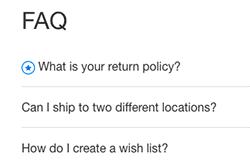
For longer articles, include a table of contents. Zendesk supports this natively, and it helps customers jump directly to the section they need. The Lotus Themes guide notes that tables of contents improve readability and make your help center look more professional.


Frequently Asked Questions
Share this article

Article by
Stevia Putri
Stevia Putri is a marketing generalist at eesel AI, where she helps turn powerful AI tools into stories that resonate. She’s driven by curiosity, clarity, and the human side of technology.



