Zendesk ecommerce shipping: A complete guide for 2026

Stevia Putri
Last edited March 3, 2026
If your support team spends half their day switching between Zendesk, your ecommerce platform, and shipping carrier websites, you're not alone. The "swivel chair" problem is real: agents constantly context-switch to look up order details, tracking numbers, and delivery status. It's inefficient and frustrating for everyone involved.
Zendesk ecommerce shipping integrations solve this by bringing order and shipping data directly into your support tickets. Instead of hunting across multiple systems, agents get everything they need in one place. The result? Faster responses, happier customers, and support teams that can actually focus on solving problems instead of searching for information.
Let's break down what these integrations actually do, which ones are worth considering, and how to choose the right fit for your business.
What is Zendesk ecommerce shipping?
First, let's clear up a common misconception: Zendesk is not an ecommerce platform. It's a customer support platform. That means it doesn't handle inventory, process payments, or generate shipping labels natively. What it does exceptionally well is manage customer conversations across email, chat, phone, and social channels.
So where does shipping come in? Through integrations. When a customer emails asking "Where is my order?" your agent needs to:
- Find the order in your ecommerce platform
- Look up the tracking number
- Check the carrier's website for current status
- Switch back to Zendesk to reply
That's four systems for one simple question. Multiply that by hundreds of tickets per day and you see the problem.
Shipping integrations connect your ecommerce platform and carriers directly to Zendesk. They pull order details, tracking information, and delivery status into the ticket sidebar. Agents see everything at a glance without leaving the conversation.
There's another approach worth considering. At eesel AI, we've found that many shipping inquiries don't need human attention at all. When an AI learns from your past tickets and help center, it can handle routine "Where is my order?" questions autonomously, escalating only the complex cases to your team.
Top Zendesk shipping integrations compared
The Zendesk Marketplace has dozens of shipping-related apps. Here are the ones that consistently deliver value, organized by what they're best for.
| Integration | Best For | Starting Price | Key Feature |
|---|---|---|---|
| Shipup | Proactive delivery management | €299/month | 70+ carriers, auto-ticket creation |
| agnoStack | Multi-platform ecommerce | $24/agent/month | Unified experience across platforms |
| ShippingChimp | Canadian businesses | Pay-as-you-ship | Up to 60% shipping discounts |
| Shopify Premium | Shopify stores | $24/agent/month | Order modification without leaving Zendesk |
| ShipStation | Shipping label management | Contact sales | Omnichannel shipping workflow |
Shipup
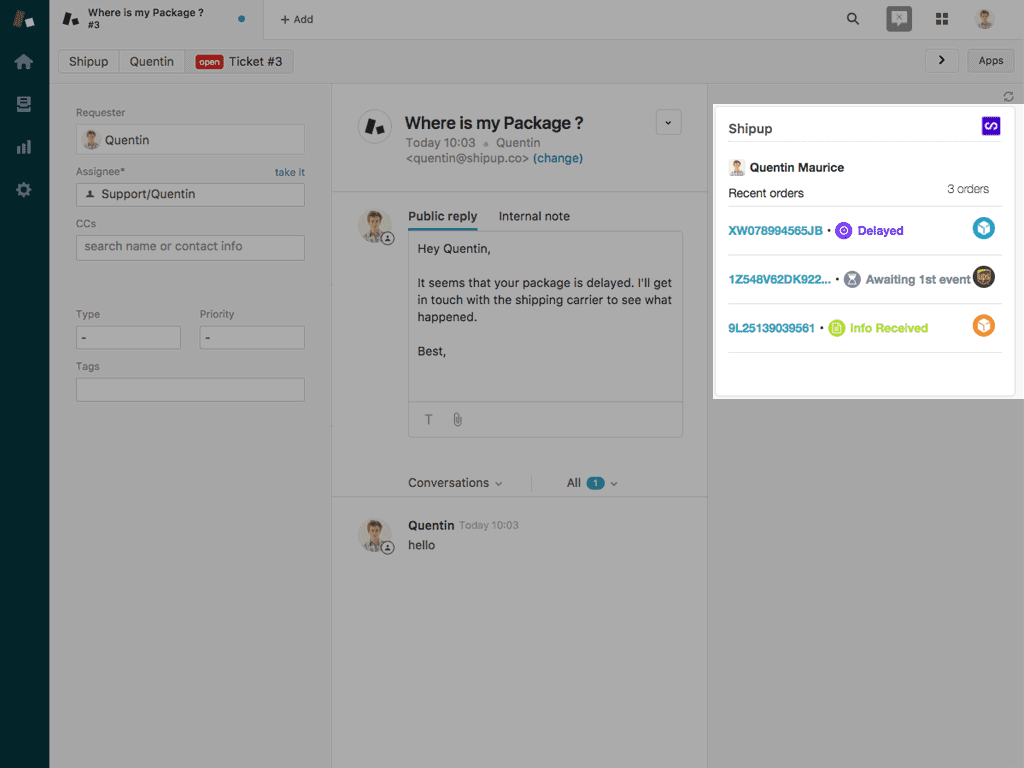
Shipup focuses on the post-purchase experience with a heavy emphasis on proactive communication. It supports 70+ carriers including UPS, FedEx, DHL, and regional options like Chronopost and Colissimo.
What sets Shipup apart is its proactive approach. Instead of waiting for customers to complain about a delayed package, it automatically creates Zendesk tickets when delivery exceptions occur. A package stuck at customs? Your team knows before the customer does. Failed delivery attempt? Ticket created automatically.
The Zendesk integration displays order details, shipping status, and carrier events directly in the ticket sidebar. Agents can see delivery history without switching tabs.
Pricing: Shipup offers tiered plans starting at €299/month for the Essential plan (up to 1,000 shipments), €599/month for Advanced, and €999/month for Premium. Some sources also report USD pricing at $199-399/month depending on features. A 14-day free trial is available.
agnoStack
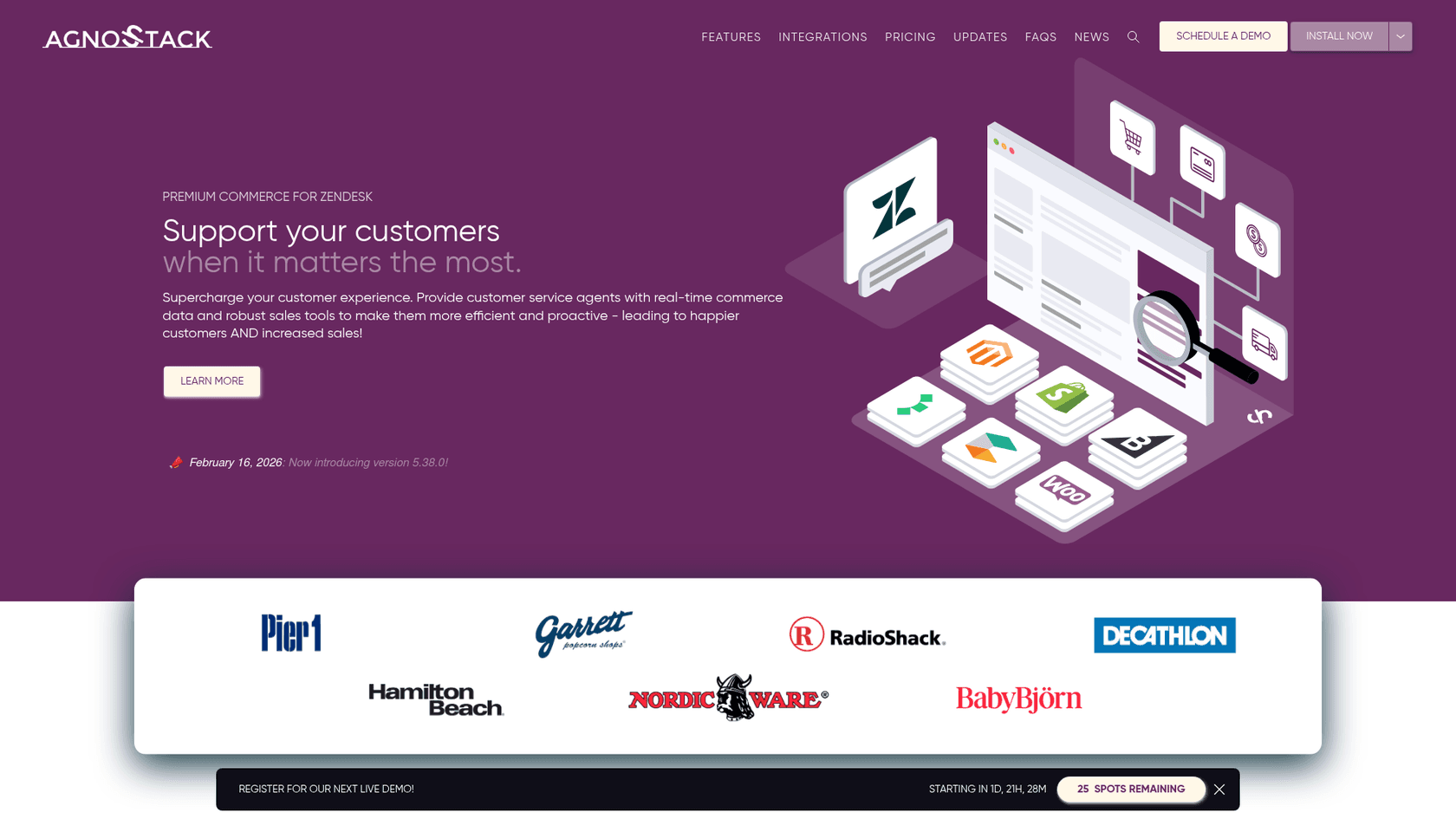
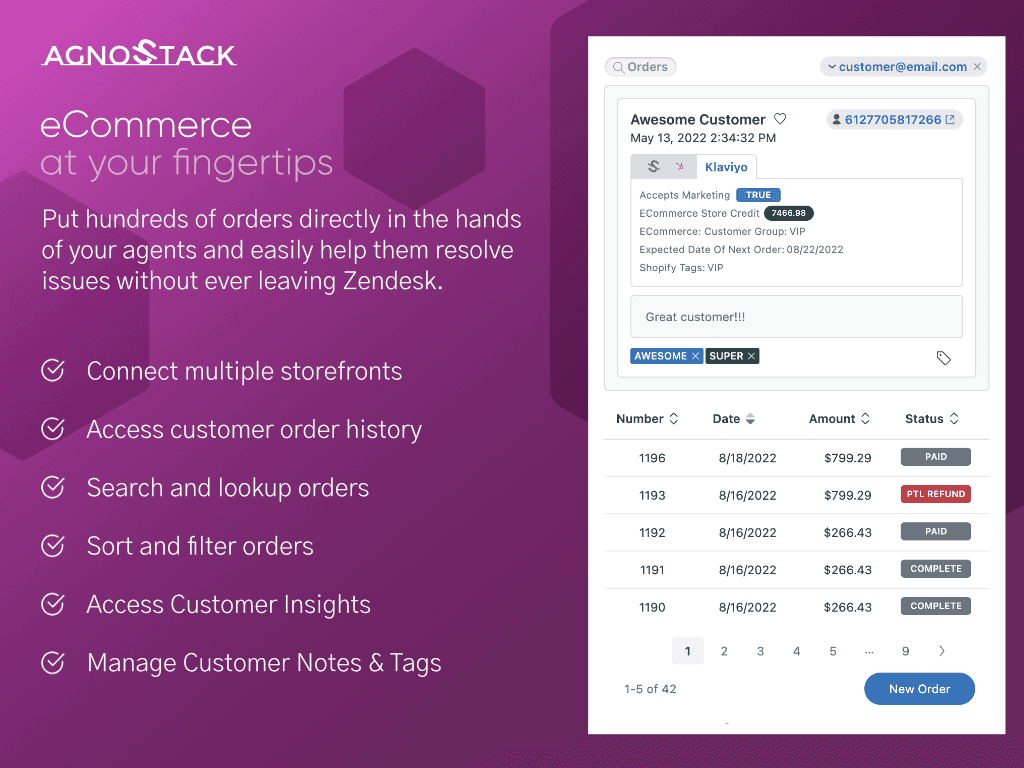
agnoStack takes a different approach. Rather than just displaying shipping data, it turns Zendesk into a full commerce command center. The app supports Shopify, BigCommerce, Magento, WooCommerce, commercets, and Elastic Path, all with a consistent interface.
The standout feature is order modification. Agents can process refunds, modify orders, and even create new orders on behalf of customers without leaving Zendesk. This is a big deal for teams that previously had to log into their ecommerce platform for every refund or address change.
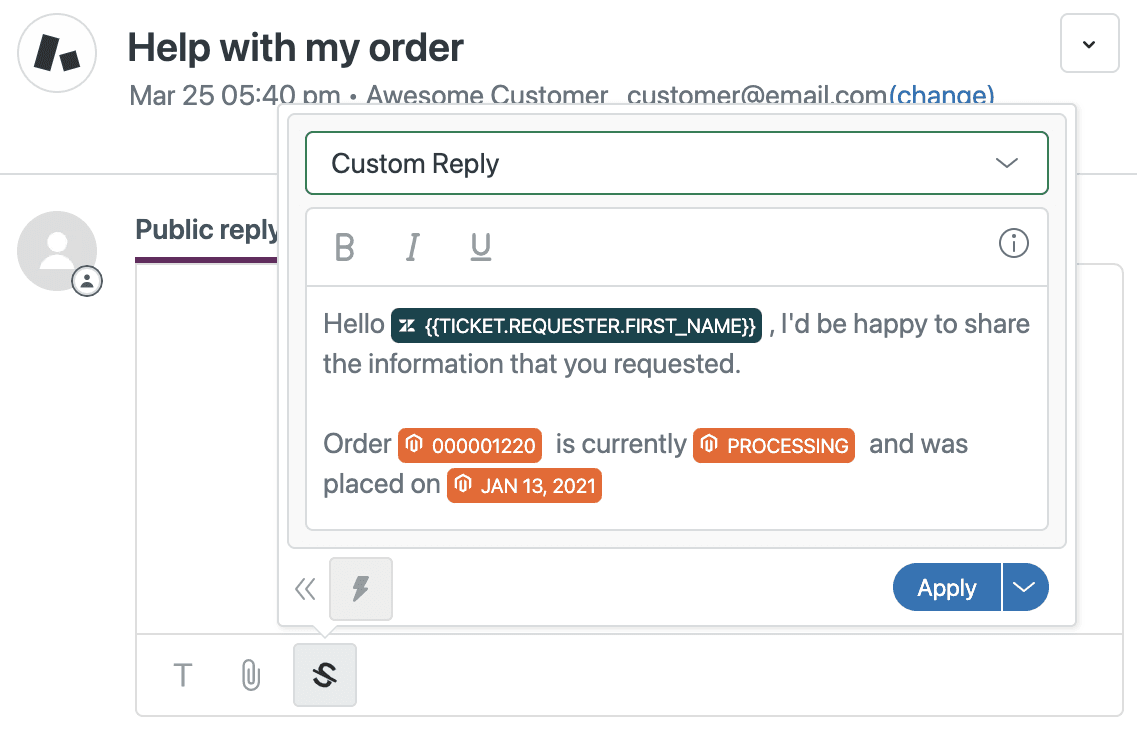
Other notable features include Advanced Macros (reusable replies with dynamic data from your commerce platform), Customer Insights (data from marketing automation tools), and CartCollab (a way for agents to share carts and collaborate with customers).
Pricing: agnoStack offers two tiers. Premium is $24 per agent per month and includes real-time shipping status, order search, refunds, and advanced macros. Enterprise is $34 per agent per month and adds order modification, catalog search, and advanced reminders. Both plans include a 14-day free trial.
ShippingChimp
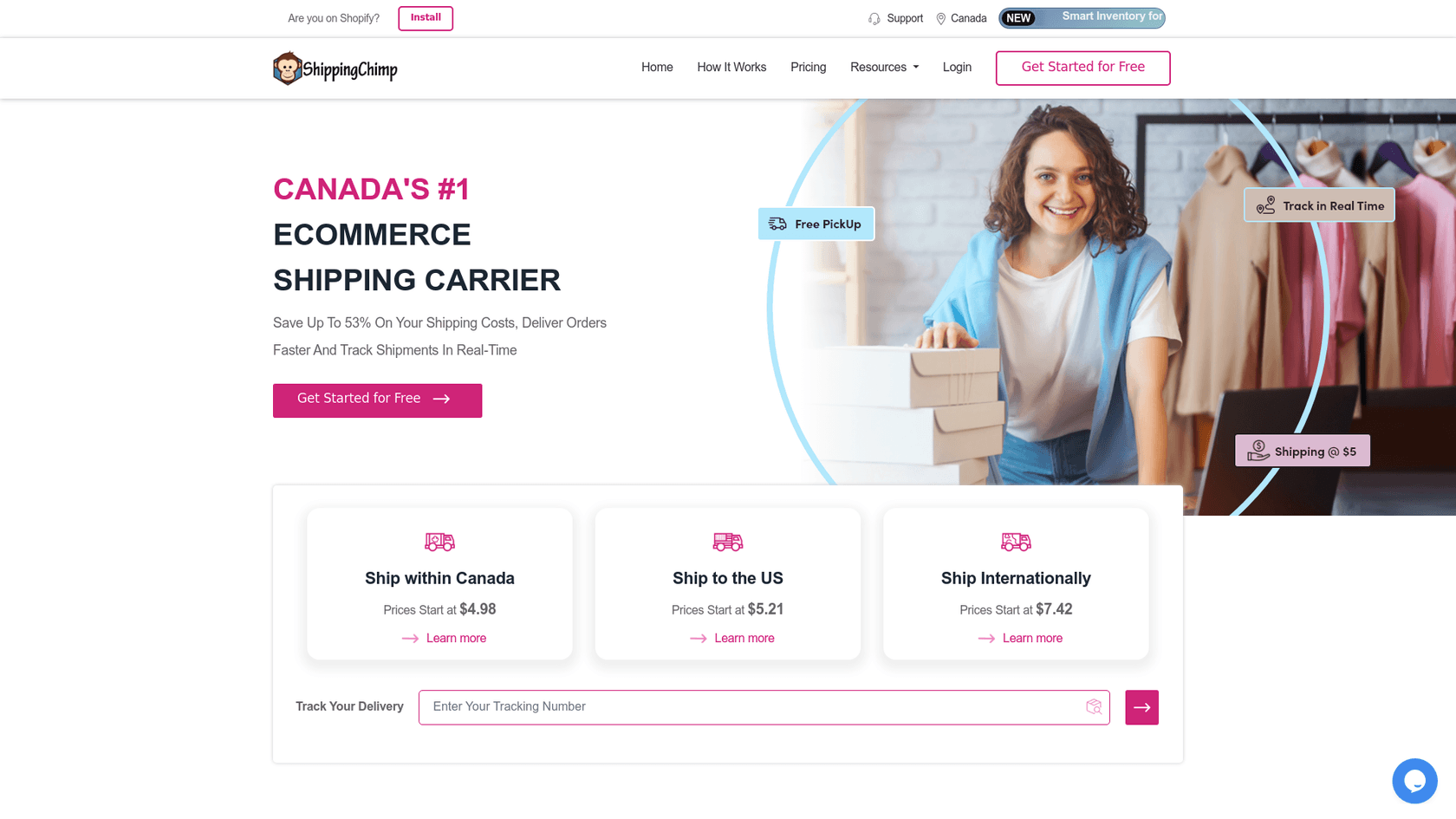
If you're a Canadian business, ShippingChimp deserves a look. Unlike most competitors that charge monthly subscriptions, ShippingChimp uses a pay-as-you-ship model with no minimum volumes or contracts.
The platform offers discounted shipping rates (up to 60% off standard carrier rates) for domestic Canadian shipping and Canada-to-US routes. Sample rates show Calgary to Toronto at $7.41 versus $15.97 with national carriers.
The Zendesk integration provides real-time shipment tracking, delivery notifications, and returns processing from within your helpdesk. It's a solid option for Canadian ecommerce businesses that want to reduce shipping costs while streamlining support.
Pricing: No monthly fees. You pay per shipment with rates starting around $4.98 for domestic Canadian shipping and $5.21 for Canada-to-US. Free pickup and insurance up to $100 CAD are included.

Shopify Premium for Zendesk
If you run on Shopify, the Shopify Premium integration (built by agnoStack) is the gold standard. It goes far beyond the basic Shopify integration that comes free with Zendesk.
The Premium version displays real-time shipping and payment status, advanced order timelines, and supports multiple storefronts in a unified view. Agents can process refunds, cancel orders, and even create new orders directly from the ticket.
For high-volume Shopify merchants, this integration eliminates the constant tab-switching between Zendesk and Shopify admin. One retailer reported saving 30 seconds per ticket after implementation.
Pricing: Premium tier is $24 per agent per month. Enterprise is $34 per agent per month with additional features like order modification and catalog search. Both include 14-day free trials.
ShipStation
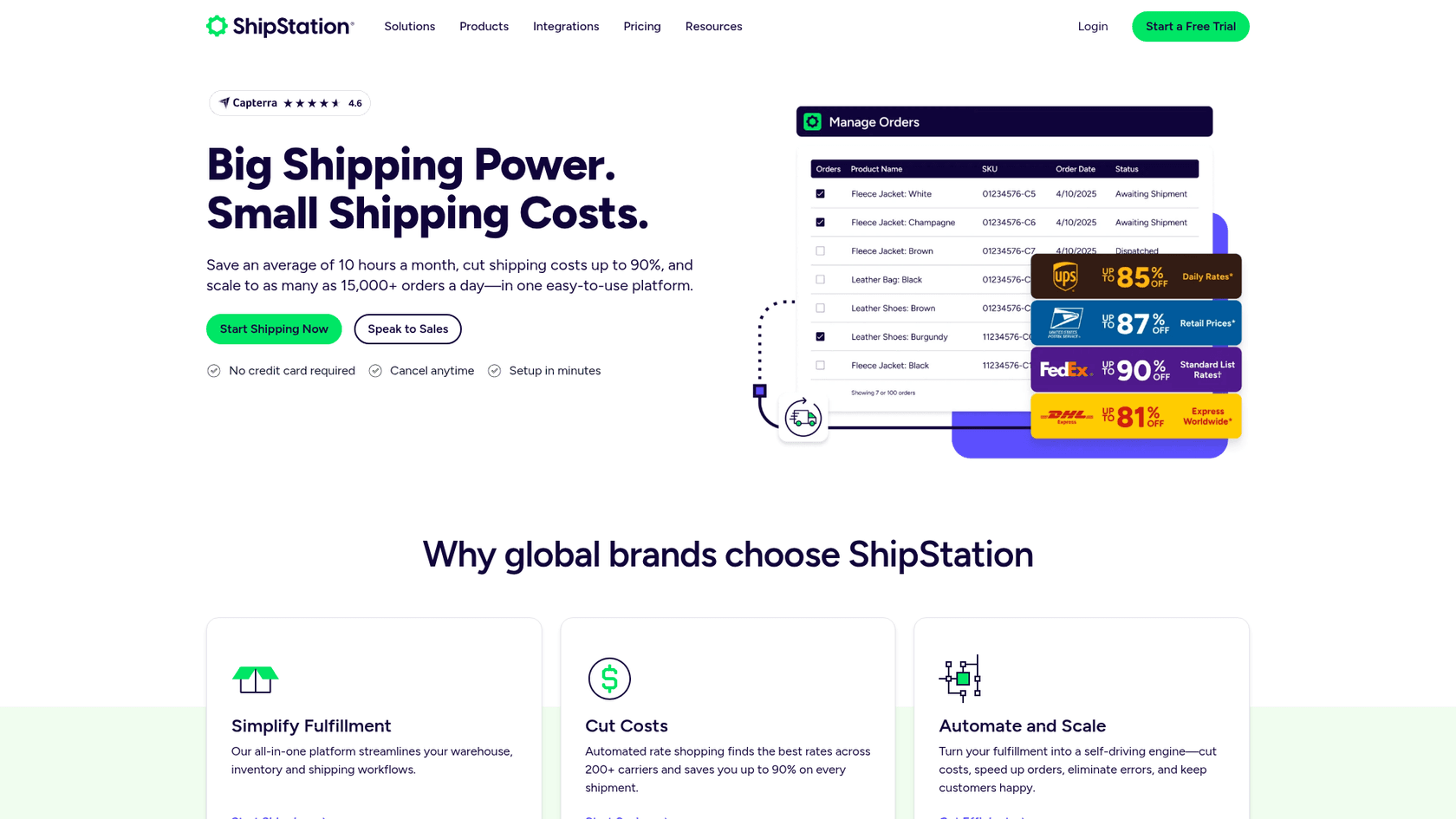
ShipStation approaches the problem from the shipping management side. It's primarily a shipping label and order management platform that happens to integrate well with Zendesk.
The integration pulls ShipStation order data into Zendesk tickets, giving agents visibility into shipping status, carrier information, and delivery tracking. It's a good fit if you're already using ShipStation for label generation and want to extend that data into your support workflow.
Pricing: Contact ShipStation for current pricing. They typically offer tiered plans based on shipment volume.
Key features to look for in a shipping integration
Not all shipping integrations are created equal. When evaluating options, look for these capabilities:
Real-time order and tracking data. The integration should pull current order status, tracking numbers, and carrier updates directly into the ticket sidebar. Stale data is almost worse than no data.
Proactive alerting. The best integrations don't just display data, they act on it. Automatic ticket creation when delivery exceptions occur means your team can reach out to customers before they complain.
Multi-carrier support. Unless you use exactly one shipping carrier forever, you need an integration that supports your full carrier mix. Check that your primary carriers are supported before committing.
Self-service options. Some integrations offer branded tracking pages where customers can check their own order status. This deflects "Where is my order?" tickets before they reach your team.
Returns and refund management. If you process a lot of returns, look for integrations that let agents initiate returns or issue refunds without leaving Zendesk.
Automation capabilities. Auto-tagging tickets based on shipping status, routing delivery exception tickets to specialized agents, and triggering workflows based on carrier events can save significant time.
How to choose the right shipping integration
The best integration depends on your specific situation. Here's how to think through the decision.
Start with your ecommerce platform. If you're on Shopify, the Shopify Premium integration is the obvious first choice. For BigCommerce, Magento, or WooCommerce, agnoStack offers the most comprehensive multi-platform support.
Consider your shipping volume. High-volume operations benefit most from proactive alerting and automation. If you're shipping thousands of orders per month, Shipup's automatic ticket creation for delivery exceptions pays for itself quickly. Lower volumes might be fine with simpler, less expensive options.
Evaluate your carrier mix. If you ship primarily with one or two major carriers, most integrations will work fine. If you use multiple regional carriers or international options, verify they're supported before choosing.
Think about your team's workflow. Do agents frequently modify orders or process refunds? agnoStack's order modification features are worth the premium. Is your team primarily answering "Where is my order?" questions? Proactive alerting and self-service tracking might be more valuable.
Factor in your budget. Monthly per-agent pricing (agnoStack, Shopify Premium) works better for larger teams. Per-shipment pricing (ShippingChimp) can be more economical for smaller operations. Volume-based tiers (Shipup) require estimating your monthly shipment count accurately.
There's also the question of whether you need an integration at all. At eesel AI, we take a different approach: instead of giving agents better tools to look up shipping data, we use AI to handle the routine inquiries entirely. When a customer asks "Where is my order?" our AI can check the status and respond automatically, escalating only complex issues to humans.

Setting up a shipping integration in Zendesk
Most shipping integrations follow a similar setup pattern. Here's what to expect.
Install from the Marketplace. Start by finding the app in the Zendesk Marketplace and clicking install. You'll need admin permissions to add apps to your Zendesk account.
Connect your ecommerce platform. The integration needs API access to your store. This usually involves generating API keys from your ecommerce platform (Shopify, BigCommerce, etc.) and entering them in the app's configuration. Follow the setup wizard carefully, permissions are often the trickiest part.
Configure carrier integrations. For apps like Shipup that connect directly to carriers, you'll need to enter carrier account credentials or API keys. Some carriers require separate API access setup on their portals.
Set up automation rules. Once the basic connection works, configure any automation you want. This might include auto-tagging tickets with shipping status, creating triggers for delivery exceptions, or setting up notification workflows.
Train your support team. Even the best integration is useless if agents don't know it exists. Show them where the shipping data appears in tickets, how to interpret the information, and what actions they can take without leaving Zendesk.
Most setups take 1-2 hours for basic configuration, with additional time for testing and team training.
Managing shipping inquiries with AI
Shipping integrations solve the data visibility problem, but they don't eliminate the tickets themselves. Someone still needs to read the tracking information and craft a response. That's where AI comes in.
"Where is my order?" (WISMO) inquiries follow predictable patterns. The customer provides an order number, the support agent looks up the tracking status, and replies with the current location and estimated delivery date. It's repetitive, time-consuming, and exactly the kind of task AI handles well.
Here's how AI can transform shipping support:
Automatic responses to routine inquiries. When AI is connected to your ecommerce platform and carriers, it can check tracking status and respond to customers instantly, 24/7. No waiting for business hours, no queue backlog.
Consistent, accurate information. AI doesn't forget to check the latest tracking update or confuse one carrier's terminology with another. Every response includes current, accurate information.
Smart escalation. Not every shipping issue is routine. When a package is significantly delayed, damaged, or lost, AI can recognize the severity and escalate to human agents with full context. Complex issues get human attention; routine ones get instant answers.
Learning from your history. The best AI systems learn from your past tickets. They pick up on your brand voice, your specific policies ("We refund after 5 business days of delay"), and your common edge cases.
At eesel AI, we approach this by connecting directly to your help desk and learning from your existing tickets and help center. Once trained, our AI handles routine shipping inquiries autonomously, escalating only when necessary. The result is faster responses for customers and less repetitive work for your team.
Getting started with smarter shipping support
Zendesk ecommerce shipping integrations vary widely in features, pricing, and approach. The right choice depends on your platform, volume, and workflow.
For Shopify stores, start with Shopify Premium for Zendesk. The deep integration and order modification features are hard to beat. For multi-platform businesses, agnoStack offers the most comprehensive cross-platform support.
If proactive delivery management is your priority, Shipup excels at catching issues before customers complain. Canadian businesses should evaluate ShippingChimp for its pay-as-you-ship model and domestic shipping discounts.
But consider whether integration is the right approach at all. If your team spends most of their time answering routine "Where is my order?" questions, AI might be the better investment. Instead of giving agents faster ways to look up tracking data, AI can handle those inquiries entirely, freeing your team for complex issues that actually require human judgment.
We built eesel AI to handle exactly this scenario. Our AI learns from your past tickets and help center, then handles routine shipping inquiries autonomously. It integrates with your existing Zendesk setup and escalates complex issues to your team with full context. If you're curious how this approach compares to traditional shipping integrations, book a demo and we'll show you how it works with your actual ticket history.


Frequently Asked Questions
Share this article

Article by
Stevia Putri
Stevia Putri is a marketing generalist at eesel AI, where she helps turn powerful AI tools into stories that resonate. She’s driven by curiosity, clarity, and the human side of technology.



