How to optimize your ecommerce checkout with Zendesk in 2026

Stevia Putri
Last edited March 3, 2026
The checkout page is where browsers become buyers, or they don't. Nearly 70% of online shopping carts are abandoned according to research from the Baymard Institute, and that number has held steady for years. Shoppers add items, start the checkout process, then vanish. Sometimes it's unexpected shipping costs. Sometimes it's a confusing form. Sometimes they just have questions that go unanswered.
This is where Zendesk comes in. While it's not an ecommerce platform itself, it integrates deeply with platforms like Shopify to provide real-time support exactly when customers need it most: during the checkout process. We'll break down how to use Zendesk to reduce cart abandonment and recover more sales.

Why checkout support matters for ecommerce success
Cart abandonment isn't just a minor leak in your sales funnel. It's a flood. The average abandonment rate across industries sits at nearly 70%, which means for every 10 customers who start checkout, only 3 complete their purchase.
The reasons vary, but the pattern is clear:
- Unexpected costs surprise nearly half of all shoppers who abandon
- Complicated checkout processes frustrate customers who want a quick, frictionless experience
- Trust issues around payment security or unclear return policies create hesitation
- Unanswered questions about shipping timelines, product details, or sizing leave customers uncertain
- Technical glitches at the worst possible moment kill momentum entirely
Here's the key insight: most of these problems can be solved with timely support. A customer hesitating at checkout because of shipping questions doesn't need to find your FAQ page. They need someone (or something) to answer immediately, in context, while they're still on the checkout page.
That's the opportunity. Support isn't just for post-purchase problems. It's a conversion tool when deployed at checkout.
Understanding Zendesk's ecommerce capabilities
Zendesk is a customer service platform that centralizes all customer conversations into a single ticketing system. For ecommerce businesses, its value comes from deep integrations with major platforms and the ability to surface order data directly within support conversations.
Key integrations for ecommerce
Zendesk connects natively with the major ecommerce platforms:
- Shopify - Deep native integration with order data, customer profiles, and fulfillment status
- BigCommerce - Supported through the Zendesk Marketplace
- Magento/Adobe Commerce - Available via third-party apps
- WooCommerce - WordPress integration through marketplace apps
The Shopify integration is particularly robust. When a customer reaches out, agents see complete order history, fulfillment status, payment information, and a timeline of all interactions without switching between systems.
AI-powered automation
Zendesk's AI agents can handle over 80% of common retail inquiries automatically, according to their retail solutions page. This includes the repetitive questions that clog support queues:
- "Where is my order?"
- "What's your return policy?"
- "When will this item be back in stock?"
The Suite Team plan ($55 per agent per month billed annually) includes essential AI agents with 5 automated resolutions per agent per month. Professional and Enterprise plans include more generous limits, with additional resolutions available at $1.50 committed or $2 pay-as-you-go.
Omnichannel support
Modern shoppers expect to start a conversation on one channel and continue on another. Zendesk's messaging platform supports:
- Web chat and messaging widgets
- Email and ticketing
- Social channels (Instagram, WhatsApp, Facebook)
- Voice support with call routing
This matters at checkout because a customer might start with a quick chat question, then need to switch to email for a detailed response, without repeating themselves.
Setting up Zendesk for checkout optimization
Getting Zendesk integrated with your checkout flow involves three main components: connecting your ecommerce platform, configuring the messaging widget, and setting up recovery workflows.
Installing the Shopify integration
The Shopify integration is available as a free app in the Shopify App Store. Here's how it works:
- Install the app from the Shopify App Store to your store
- Connect your Zendesk subdomain during the setup process
- Configure data sync settings to determine what order information appears in tickets
- Test the connection by creating a test ticket from a Shopify order
Once connected, agents see a Shopify sidebar in every ticket showing the customer's order history, current order status, shipping tracking, and payment details. They can process refunds and cancellations directly without leaving Zendesk.
Spartan Race, a lifestyle brand with customers in 30+ countries, saw a 15% efficiency increase after integrating Shopify with Zendesk. Their team handles over 230,000 tickets annually and can now stay within the Zendesk workspace for all customer interactions.
Configuring the Zendesk messaging widget
The messaging widget is what customers see on your checkout pages. Setup happens in the Zendesk Admin Center:
- Enable Zendesk Messaging in your account settings
- Customize the widget appearance to match your brand colors and position (bottom-left or bottom-right)
- Configure proactive messages to trigger based on behavior (e.g., after 30 seconds of hesitation on checkout)
- Set business hours or enable 24/7 AI bot coverage
- Add the JavaScript snippet to your checkout page template
The proactive messaging feature is particularly valuable for checkout optimization. You can trigger messages like "Have questions about shipping? We're here to help" when a customer hesitates, before they abandon.
Creating cart recovery workflows
Zendesk's automation tools can help recover abandoned carts through timely follow-up:
- Set up triggers in Zendesk to detect abandoned cart events from Shopify
- Create automated email sequences that remind customers what they left behind
- Personalize messages with order data (items, cart value, customer name)
- Include direct checkout links to reduce friction for returning customers
The key is timing. Research suggests the first recovery email should send within 1-3 hours of abandonment for optimal results.
Advanced checkout support strategies
Once the basics are in place, you can layer on more sophisticated strategies to further reduce abandonment.
Real-time engagement at checkout
Live chat at checkout serves two purposes: answering questions that prevent abandonment, and identifying high-intent shoppers for personal outreach.
Zendesk's AI can flag customers showing buying signals (repeated visits, high cart value, specific product combinations) and prioritize them for agent attention. This lets your team focus on the leads most likely to convert.
For common questions, the Answer Bot can provide instant responses about:
- Shipping timelines and costs
- Return and exchange policies
- Product availability and sizing
- Payment options and security
Handling common checkout issues
The most frequent ecommerce support inquiries fall into predictable categories. Zendesk handles these through:
WISMO ("Where is my order?") automation: Integrations with shipping providers can automatically pull tracking information and provide status updates without agent involvement.
Payment and refund workflows: The Shopify sidebar lets agents process refunds, check payment status, and resolve billing disputes without switching systems.
Shipping inquiry management: Real-time shipping data in the agent workspace means accurate answers about delivery estimates and delays.
Third-party tools that enhance Zendesk checkout support
While Zendesk's native Shopify integration covers the basics, third-party tools add deeper commerce functionality:
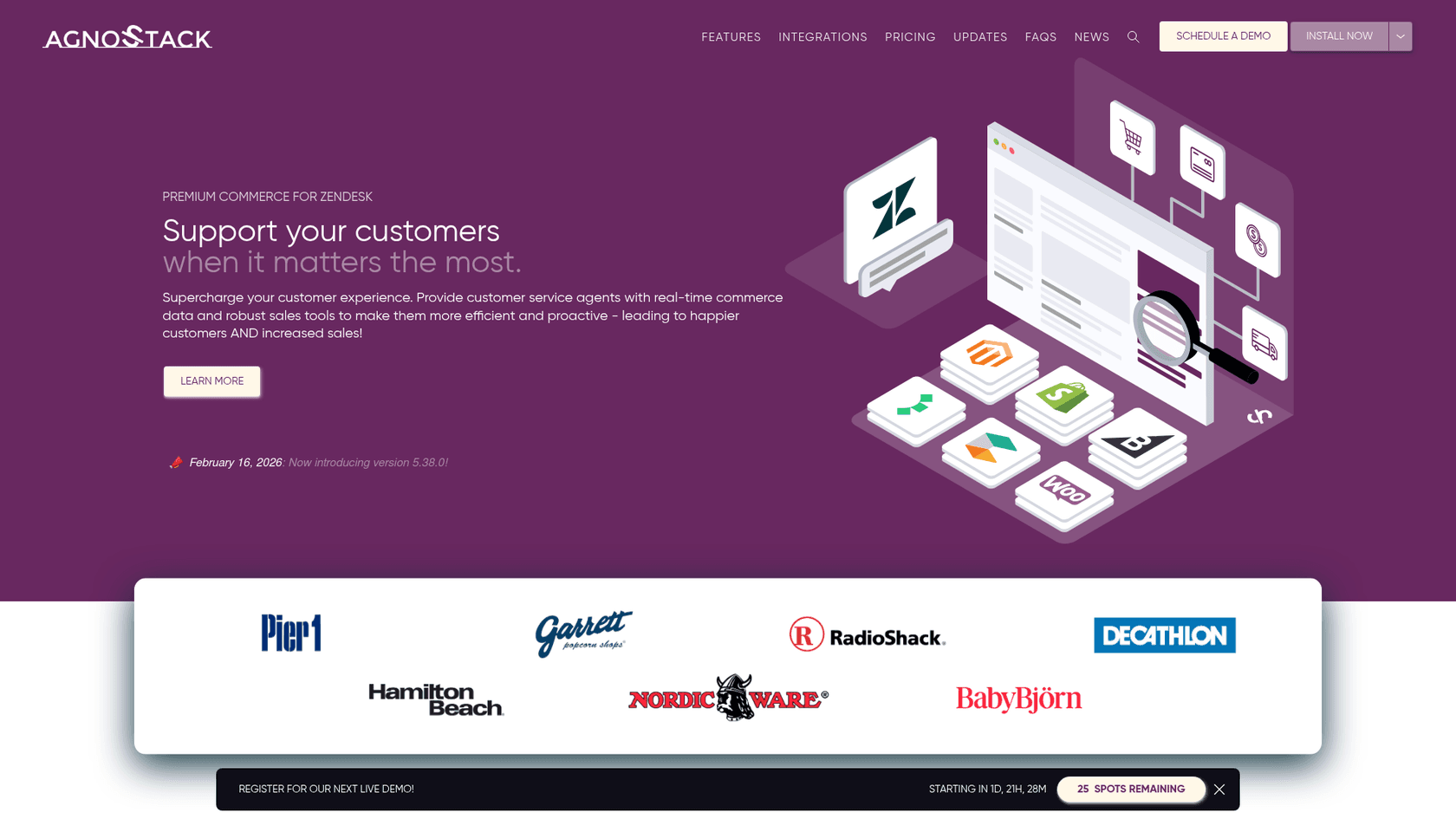
agnoStack provides platform-agnostic commerce support for BigCommerce, Magento, commercetools, and others. Their Premium and Enterprise plans include features like CartCollab (sharing carts with customers for collaborative checkout) and rapid re-ordering. Pricing starts at $5 per agent per month for basic order visibility, up to $34 for full commerce capabilities.
Narvar focuses on post-purchase experience, reducing WISMO calls by 15-25% through proactive order tracking and delivery notifications integrated into Zendesk.
Returnly streamlines returns management, allowing agents to initiate returns and exchanges directly from Zendesk tickets.
Measuring checkout support success
Optimization requires measurement. Zendesk provides several ways to track how your checkout support impacts conversions:
Key metrics to monitor
| Metric | What it tells you |
|---|---|
| Cart abandonment rate | Baseline measure of checkout friction |
| Recovery rate | Percentage of abandoned carts converted through follow-up |
| CSAT scores | Customer satisfaction with checkout support experience |
| First response time | How quickly customers get help at checkout |
| Resolution time | How quickly checkout issues are resolved |
Using Zendesk Explore
Zendesk Explore provides pre-built dashboards and custom reporting. For checkout optimization, focus on:
- Ticket volume by issue type - identify common checkout blockers
- Conversion tracking - correlate support interactions with completed purchases
- Agent performance - ensure consistent quality for checkout-related tickets
Continuous improvement
The best checkout support evolves based on data:
- A/B test recovery email timing and messaging
- Analyze tickets to identify new friction points
- Review chat transcripts for common unanswered questions
- Update knowledge base articles based on ticket trends
Taking your Zendesk ecommerce checkout further with AI
Zendesk's native automation handles the basics well, but there's a ceiling to what rule-based triggers and macros can do. They execute "if-then" logic reliably, but they don't understand context or learn from interactions.
This is where an AI layer like eesel AI adds value. Instead of just displaying order data, an AI agent can:
- Connect to broader knowledge sources beyond Zendesk's help center, including past tickets, internal documentation, Google Docs, and Confluence
- Understand natural language intent rather than matching keywords, so "When will my stuff arrive?" and "What's the delivery status?" trigger the same helpful response
- Take actions autonomously like looking up live delivery status, processing refunds, or escalating complex issues based on your specific business rules
- Learn continuously from agent corrections and feedback, improving responses over time without manual reconfiguration
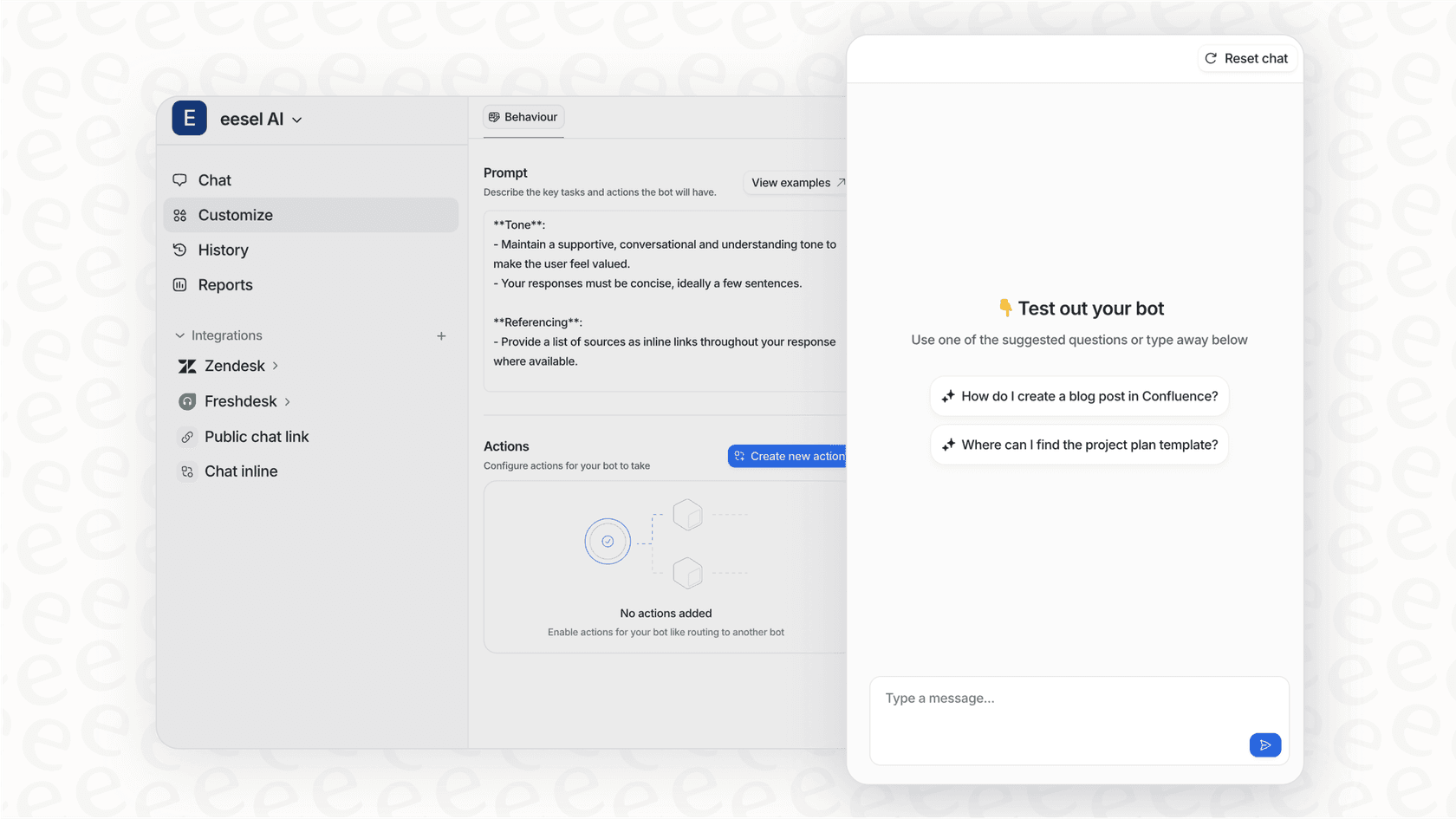
The integration works seamlessly with existing Zendesk workflows. You can deploy eesel AI to handle frontline checkout inquiries while your human agents focus on complex issues that require judgment and empathy.
For ecommerce teams already invested in Zendesk, adding an intelligent AI layer is the logical next step. You keep the stability and enterprise features of Zendesk while gaining the cutting-edge capabilities of purpose-built AI for customer support.


Frequently Asked Questions
Share this article

Article by
Stevia Putri
Stevia Putri is a marketing generalist at eesel AI, where she helps turn powerful AI tools into stories that resonate. She’s driven by curiosity, clarity, and the human side of technology.



