Writesonic vs Notion AI: Which tool is right for your workflow?

Stevia Putri
Last edited January 26, 2026
AI tools have come a long way from just spitting out clunky sentences. We're now seeing specialized platforms pop up, and Writesonic and Notion AI are great examples of two very different approaches. One is built to help you get found online, while the other is designed to make you smarter and faster inside your own digital workspace.
Think of Notion AI as a super-smart assistant that lives inside the documents and databases you already use. It's there to help you connect the dots and get more done. Writesonic, on the other hand, is focused on the outside world. It’s a full platform for managing and boosting your brand's visibility on Google and, more recently, in AI search results.
Deciding which one is right for you comes down to a simple question: Are you trying to organize your team’s internal brain, or are you trying to grow your audience through search?
For teams that are all-in on scaling organic traffic with content that's ready to publish, you might even need a third, more specialized option. That’s where tools like the eesel AI blog writer come into play, but we'll get to that in a bit.
What is Writesonic?
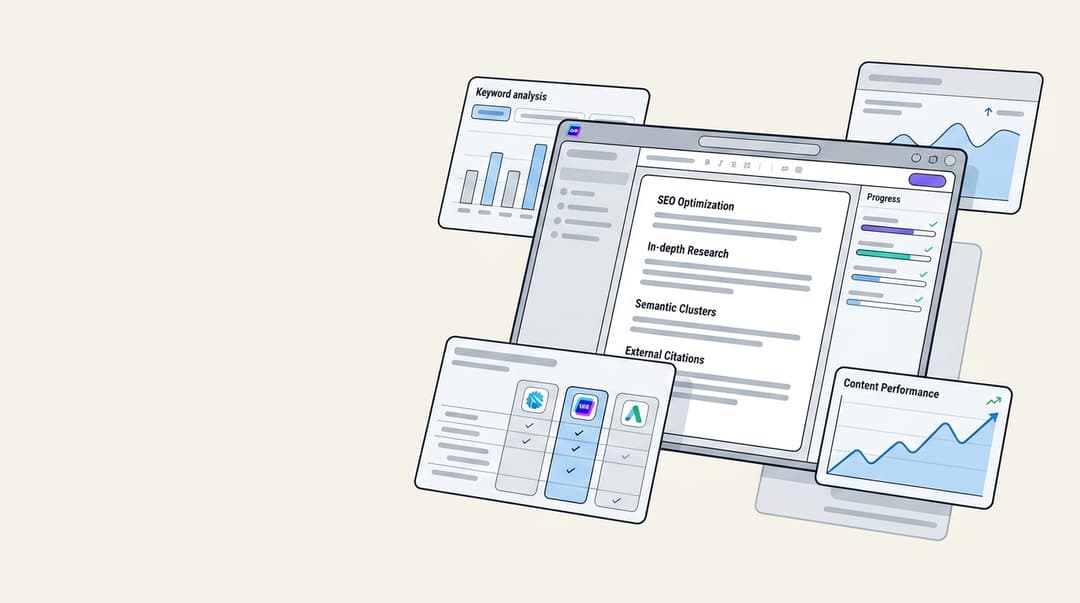
Writesonic has focused on a new, important area for marketers: Generative Engine Optimization (GEO) and SEO. If that sounds complicated, just think of it as a platform to help your business show up and look good on both traditional Google search and new AI platforms like ChatGPT, Perplexity, and Gemini.
It's made for marketing teams, SEO managers, and agencies who prioritize search results. Their main job is to make sure that when someone asks a question, their brand is the one providing the answer, whether that’s on a search results page or in an AI-generated summary.
Here’s a look at its main features:
- AI Visibility Tracking: This is the big one. It actually keeps an eye on how your brand gets mentioned in AI search results, giving you a visibility score and even analyzing the tone. You can see if AI engines are recommending you or your competitors.
- SEO & Content Engine: This includes their AI Article Writer 6.0, which creates fact-checked, SEO-friendly articles using real-time data from the web. It also has an SEO Checker and Optimizer to help you improve your existing content.
- Chatsonic: This is their AI chatbot, but it's connected directly to Google Search. This means the content it helps you create is based on current, factual information, not just whatever the AI model was trained on months ago.
- Action Center: Instead of just showing you data, it gives you a to-do list. It points out specific ways to fix visibility gaps, like finding new places to get cited or flagging technical SEO issues on your site.
In short, Writesonic aims to be the single dashboard where you manage your brand's entire search presence, mixing traditional SEO with the new world of GEO.
What is Notion AI?
Notion AI isn't a separate app you have to log into; it's a set of powerful features woven directly into the Notion platform you might already be using. It works like an intelligent assistant that lives right inside your workspace, ready to help with whatever you're working on.
It’s built for teams and individuals who use Notion as their home base for notes, projects, and knowledge bases. The whole point is to give you extra capabilities without ever having to leave your workflow.
Notion AI has recently expanded its capabilities. Here’s what it can do now:
- Enterprise Search: This is a significant feature for teams. You can ask a question in plain English, and Notion AI will search for answers not just in your Notion pages, but also across connected apps like Slack, Google Drive, and Microsoft Teams.
- In-document assistance: While you're writing, it can summarize long documents, brainstorm ideas, translate text into other languages, or just fix your spelling and grammar.
- AI Meeting Notes: It can connect to tools like Zoom and Google Meet to automatically transcribe and summarize your meetings, so you have a clean record without the manual effort.
- Database Builder: You can give it a simple text prompt, like "create a database to track our marketing campaigns," and it will build the entire structure for you.
The real appeal of Notion AI is how seamless it is. It's a frictionless assistant that helps you organize and access all the knowledge your team has collected over time.
A detailed comparison of Writesonic vs Notion AI
While both tools use AI to handle text, they’re built for completely different jobs. Writesonic is all about managing and improving your brand’s reputation out in the world, while Notion AI is about streamlining how your team works with knowledge internally. Let's break down how they compare.
Core functionality and use case
Writesonic is best described as a search visibility engine. Its entire purpose is to help marketers rank higher on Google (SEO) and get cited more often in AI search engines (GEO). You’d use it to create SEO-optimized blog posts, figure out what your competitors are doing in search, find gaps where your brand could be mentioned, and fix technical SEO problems. It’s all about outbound content and brand presence.
Notion AI, on the other hand, is an internal knowledge engine. Its main job is to find, summarize, and organize information that already exists within your company’s digital walls. You’d use it to get a summary of last week’s meeting notes, find that one document someone shared in Slack three months ago, or create a project plan from a messy brainstorming session. It’s designed for inbound productivity.
The key difference is this: Writesonic helps new people find you on external platforms, while Notion AI helps your own team find what they already know.
For marketers, this also brings up a key limitation of Notion AI. It simply doesn't have the specialized SEO and GEO tools, competitor analysis features, or content optimization workflows you’d find in a dedicated platform like Writesonic.
A head-to-head features comparison
The following table clarifies the differences.
| Feature | Writesonic | Notion AI |
|---|---|---|
| Primary Function | SEO & Generative Engine Optimization (GEO) | Integrated Knowledge Assistant |
| Real-Time Data | Yes, via Chatsonic (Google Search) & real-time SERP analysis | Yes, via Deep Research Mode & Enterprise Search connectors |
| SEO & GEO Tools | Yes, core feature (SEO audit, GEO tracking, keyword data) | No dedicated tools |
| App Integration | GSC, WordPress, Zapier | Enterprise Search connects Slack, GDrive, Teams, Jira & more |
| Primary Workflow | Standalone dashboard with Chrome extension | Natively integrated within the Notion ecosystem |
| Security & Compliance | SOC 2 Type II, GDPR, HIPAA | SOC 2 Type II, ISO 27001, GDPR, HIPAA |
| Data for Training | Customer data is never used for training models | Customer data is not used for training; zero retention for Enterprise plans |
As you can see, Writesonic’s integrations are focused on publishing and analyzing external data (like Google Search Console and SERPs) to boost rankings. Notion AI’s integrations are all about pulling in internal data from apps like Slack and Jira to give your team answers.
It's also worth pointing out that both platforms take security seriously. They both have certifications like SOC 2 and clear policies stating they won't use your data to train their AI models, as you can see on their security pages.
Pricing breakdown
Notion AI:
- Notion AI isn't a separate add-on anymore. Its features are now included in the Business Plan ($20 per user/month) and the Enterprise Plan.
- If you're on the Free or Plus plan ($10 per user/month), you get a limited trial of the AI features.
- This structure makes it an easy choice for teams already committed to the Notion ecosystem.
Writesonic:
- You can start with a free plan that gives you 10,000 words per month.
- Paid plans for content creation and SEO start with the Lite plan at $49/month ($39 if you pay annually).
- However, to get the core AI Search Visibility (GEO) tracking features, you need to jump up to the Professional plan, which starts at $249/month ($199 if billed annually).
The bottom line is that Notion AI is bundled into a broader productivity suite, while Writesonic’s advanced marketing features come at a higher, more specialized price.
Ease of use
Notion AI is incredibly intuitive, but only if you're already a Notion user. Because it's baked right in, you can summon the AI with a simple keyboard shortcut or a click. It feels completely natural, a point that users on Reddit often bring up. There's no learning curve if Notion is already your second home.
You didn’t include notion ai? It’s super handy for quick drafts and organizing ideas. I also really like writingmate lately, especially with how it handles multiple ai models.

Writesonic has a clean, dedicated dashboard that’s focused on its SEO and content workflows. It's powerful, but it's a separate place you have to go to. To make things a bit easier, their Chrome extension is pretty handy, letting you use its AI to write directly in Gmail, LinkedIn, and other sites across the web.
Therefore, Notion AI offers a more seamless integration for internal work, while Writesonic offers more flexibility for creating content wherever you happen to be online.
An alternative to consider: eesel AI

That’s exactly what the eesel AI blog writer was designed for. It’s a specialized tool that turns a single keyword into a complete, publish-ready, and SEO-optimized blog post in minutes.
Here’s what makes it different:
- Proven Results: We built this tool for ourselves first. It’s how we grew our own traffic from 700 to 750,000 impressions per day in just three months.
- Complete Asset Generation: It doesn't just write text. It automatically generates and adds images, infographics, and tables. It even finds and embeds relevant YouTube videos and authentic Reddit quotes to add real-world social proof.
- Context-Aware Research: The AI is smart enough to understand what kind of blog you’re writing. If it’s a comparison post, it will go find pricing data. If it’s a product review, it will pull technical specs.
- AEO Optimization: Beyond standard SEO, the content is structured to rank in AI answer engines like Google AI Overviews and ChatGPT. This is a huge advantage that future-proofs your content strategy.
It's completely free to try. You can generate your first blog post right now and see the quality for yourself.
For a more visual comparison of how these AI writing tools stack up in the broader market, check out this video breakdown of some of the top options available today.
Writesonic vs Notion AI: Which tool should you choose?
Let’s wrap this up with some clear advice.
Choose Notion AI if: You and your team are already living in Notion. You need a smart assistant to help you organize notes, find answers across connected apps like Slack and Google Drive, and generally make your internal workflows more efficient.
Choose Writesonic if: You’re a marketer or SEO pro focused on winning the search game. You need a full toolkit for competitor analysis, content optimization, and a strategy for getting your brand seen on both Google and in AI search results.
Consider the eesel AI blog writer if: Your number one goal is to scale organic traffic. You need to consistently publish high-quality, SEO-optimized blogs that are packed with assets and require almost no manual work to get from idea to "publish."

Frequently Asked Questions
Share this article

Article by
Stevia Putri
Stevia Putri is a marketing generalist at eesel AI, where she helps turn powerful AI tools into stories that resonate. She’s driven by curiosity, clarity, and the human side of technology.