Choosing between Salesforce's native AI and third-party alternatives isn't a simple decision. It depends on your existing tech stack, team expertise, timeline, and how your knowledge is distributed across your organization.
Let's break down what each approach actually offers, where they differ, and how to decide which path makes sense for your situation.
What is Salesforce Service Cloud AI?
Salesforce has been building AI into its platform since 2016, evolving from predictive analytics to today's agentic AI capabilities. The current stack centers around a few core components.
Einstein GPT powers generative features like drafting emails, summarizing cases, and suggesting responses. It pulls from your CRM data to ground its outputs in your actual customer information.
Agentforce represents Salesforce's move into autonomous AI agents. These agents can plan and execute multi-step tasks across your Salesforce workflows, routing cases, updating records, and triggering follow-ups based on conditions you define.
The Einstein Trust Layer sits underneath everything, handling data masking, zero-retention policies with LLMs, toxicity detection, and audit trails. This is Salesforce's answer to enterprise security concerns around AI.
For teams already embedded in the Salesforce ecosystem, the appeal is obvious: everything lives in one place, your data stays within Salesforce's infrastructure, and AI outputs are grounded in your CRM records rather than generic training data.
What are third-party AI solutions?
Third-party AI for Salesforce generally falls into two categories.
General-purpose AI platforms like Azure OpenAI, Google Vertex AI, and Amazon Bedrock provide API access to large language models. These connect to Salesforce through middleware like MuleSoft or custom integrations. They offer flexibility in model choice and deployment but require technical expertise to implement.
AI-native support platforms are purpose-built for customer service automation. These tools plug directly into your help desk (whether that's Salesforce or another platform) and handle frontline support tasks like drafting replies, routing tickets, and answering common questions.
The "Bring Your Own Model" trend has gained traction, and Salesforce itself has adapted. You can now connect external LLMs to Salesforce through the Einstein Trust Layer, though this adds complexity to an already complex setup.
Implementation: Months vs weeks
Here's where the differences become stark.
A typical Salesforce AI deployment takes 3 to 6 months. You'll need Salesforce-certified administrators or developers. There's a data preparation and cleanup phase. Sandbox testing comes with rate limits (200 requests per hour). Configuration involves Flows, permissions, and workflows.
The technical constraints are real. Production API rate limits cap at 500 LLM requests per minute. Sessions timeout after 24 hours total or 2 hours of customer inactivity. Character limits vary by channel: SMS allows 912 characters, WhatsApp allows 4,096.
Third-party AI implementations typically run 2 to 4 weeks. Most require minimal technical expertise. Setup is often no-code or low-code. Testing and iteration cycles move faster because you're not navigating a complex enterprise platform.
Bottom line? If you need AI capabilities quickly, Salesforce's native tools may not be the fastest path.
Pricing models compared
Salesforce uses a per-seat licensing model with multiple add-ons. The costs stack up quickly.
| Plan | Price | AI Capabilities |
|---|---|---|
| Starter Suite | $25/user/month | No AI features |
| Pro Suite | $100/user/month | No AI features |
| Enterprise | $175/user/month | Einstein Case Classification (1 model) |
| Unlimited | $350/user/month | Einstein Bots, Article Recommendations |
| Agentforce 1 Service | $550/user/month | Full AI suite, unmetered Agentforce |
Source: Salesforce Service Cloud pricing
That's just the base. Additional costs include:
- Einstein Bots add-on: $75/user/month on Enterprise
- Knowledge (Read-Write): $75/user/month on Enterprise
- Flex Credits: approximately $0.10 per action
- Data Cloud credits: additional fees
- Professional services for implementation
Third-party AI tends toward usage-based or interaction-based pricing. Many charge per interaction rather than per seat, which can mean more predictable costs as you scale. For example, eesel AI starts at $239/month annually for up to 3 bots and 1,000 interactions.
The pricing difference matters most for growing teams. A 20-person support team on Salesforce's Agentforce 1 Service would pay $11,000 per month before add-ons. The same team using an interaction-based model might pay a fraction of that, depending on ticket volume.
Capabilities and limitations
Salesforce AI excels at what it was built for: working within the Salesforce ecosystem.
Strengths:
- Deep CRM integration with real-time data access
- Native workflow automation through Salesforce Flows
- Enterprise-grade security and compliance
- Unified data model through Data Cloud
- Pre-built use cases like lead scoring and case routing
Limitations:
- Primarily learns from Salesforce data only
- External knowledge requires Data Cloud plus additional complexity
- Character limits by channel (SMS: 912, WhatsApp: 4,096)
- Cannot query records, summarize records, or draft emails in certain contexts
- Inbound conversations only (no proactive outreach)
- Service Assistant not supported on mobile apps
Source: Salesforce Service Agent Considerations
Third-party AI solutions flip some of these trade-offs.
Strengths:
- Multi-source knowledge integration (Confluence, Google Docs, Notion, past tickets)
- Faster access to cutting-edge models
- More flexible deployment options
- Often better suited for distributed knowledge environments
Limitations:
- Integration complexity with Salesforce
- Data governance across multiple platforms
- Potential security concerns with external data processing
The key question is where your knowledge lives. If everything is already in Salesforce, native AI makes sense. If your documentation spans Confluence, Google Drive, PDFs, and help centers, a third-party solution that can learn from all of them simultaneously may serve you better.
When to choose each approach
Choose Salesforce Service Cloud AI when:
- You're already heavily invested in the Salesforce ecosystem
- You have dedicated Salesforce expertise on staff
- You need deep CRM integration and compliance features
- Your knowledge is primarily stored in Salesforce already
- You have complex, custom workflows that benefit from platform consolidation
- Enterprise-grade security requirements are paramount
Choose third-party AI when:
- Speed to deployment is critical
- Your knowledge is distributed across multiple platforms
- You want predictable pricing without add-on complexity
- You lack dedicated Salesforce expertise
- You need AI that works flexibly across channels and tools
- You prefer usage-based pricing over per-seat licensing
Hybrid approaches are also valid. Some teams use Salesforce for core case management while deploying specialized AI tools for specific channels or scenarios. The tools can coexist.
eesel AI: A flexible alternative for Salesforce teams
If you're looking for a third-party option that works with Salesforce rather than replacing it entirely, we built eesel AI for exactly this situation.
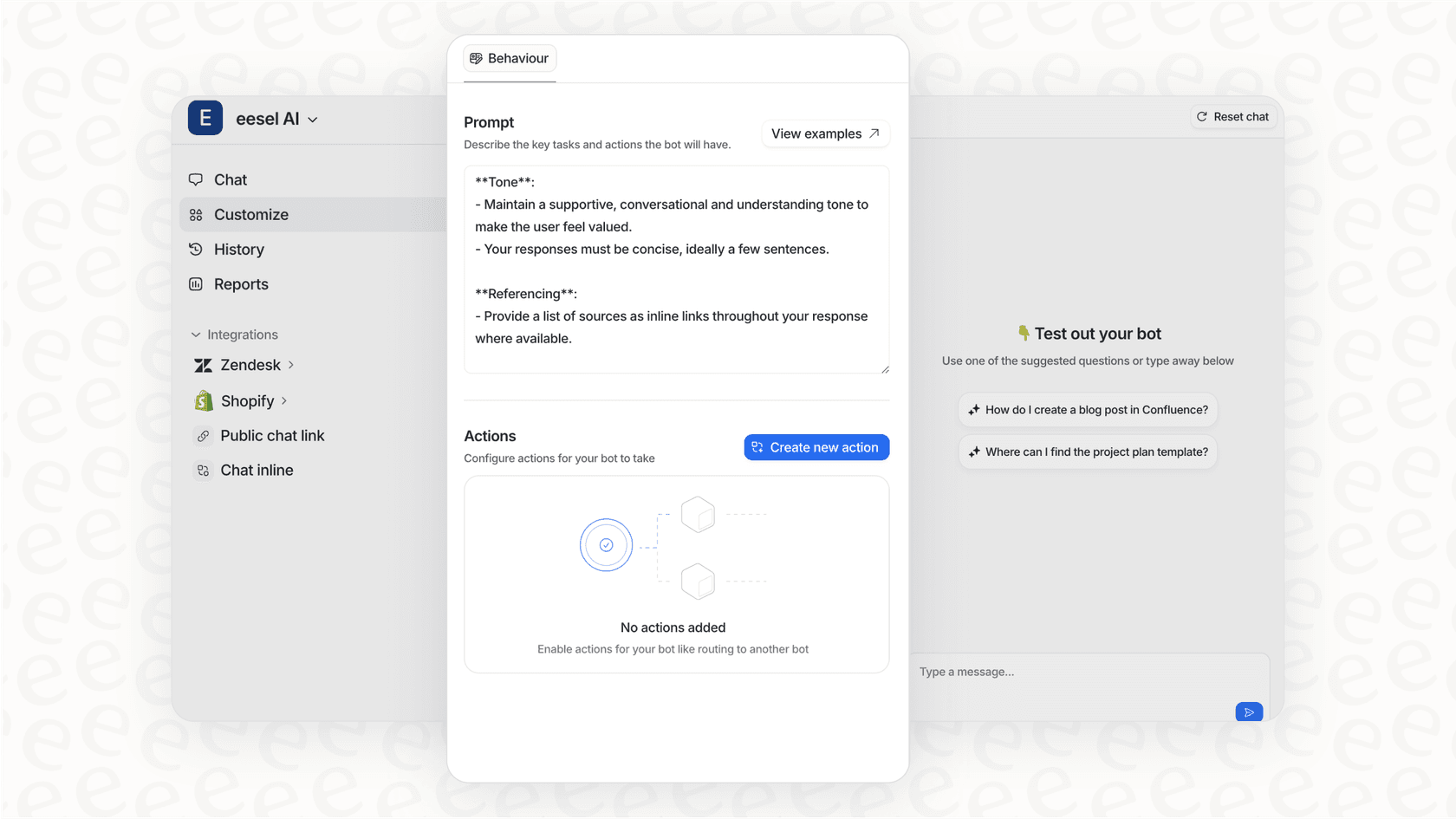
We deploy in minutes, not months. You can train our AI agents on multiple knowledge sources simultaneously: Confluence, Google Docs, Notion, PDFs, your help center, and past tickets. There's no need to migrate everything into a single system.
Our pricing is interaction-based, starting at $239/month annually. No per-seat fees, no complex add-ons. You get AI Copilot for drafting replies, AI Agent for autonomous handling, AI Triage for routing and tagging, and AI Internal Chat for Slack or Teams, all included.
Configuration happens in plain English. Describe when you want the AI to engage, how it should sound, and when to escalate to humans. No Salesforce certification required.
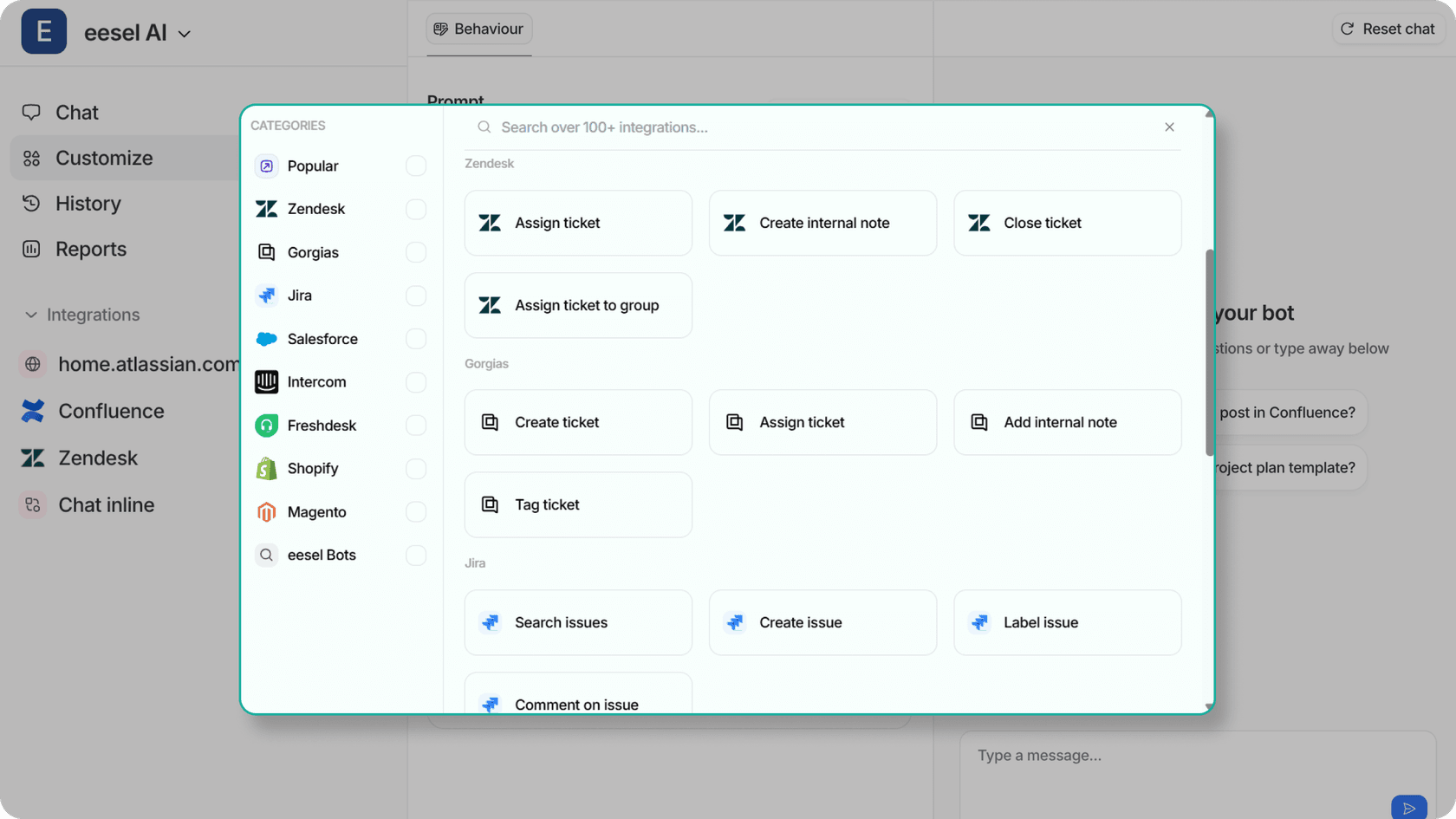
We also let you test before going live. Run simulations on your historical tickets to see how the AI would have performed, then gradually roll out as you gain confidence.
For teams who need AI capabilities quickly without the complexity of a full Salesforce AI implementation, this approach can bridge the gap. You keep Salesforce for case management while adding AI that learns from wherever your knowledge actually lives.

Frequently Asked Questions
Share this article

Article by
Stevia Putri
Stevia Putri is a marketing generalist at eesel AI, where she helps turn powerful AI tools into stories that resonate. She’s driven by curiosity, clarity, and the human side of technology.