Rytr vs Wordtune: Which AI writing assistant is right for you?

Stevia Putri

Katelin Teen
Last edited January 18, 2026
Expert Verified

Picking the right AI writing tool can feel like a bit of a maze. There are so many options out there, all promising to make writing a breeze. But here’s the reality: while many of these tools are great, they’re often built for completely different tasks. It's like trying to pick between a hammer and a screwdriver when you don't know if you're hanging a picture or building a shelf.
Two names that pop up all the time are Rytr and Wordtune. On the surface, they both help with words, but they approach the job from opposite ends. Think of Rytr as your creative partner for generating first drafts from scratch. Wordtune, on the other hand, is more like an editor that helps you polish text you've already written.
This guide will give you a clear, side-by-side look at what they do, who they're for, and how much they cost. By the end, you'll have a much better idea of which one fits your workflow. And if you realize your goal is bigger than just writing faster, such as growing your organic traffic, we’ll also talk about a more complete solution like the eesel AI blog writer. It automates the entire SEO content process, from a single keyword to a publish-ready post.
What is Rytr?
Rytr is an AI-powered tool designed to help you create all sorts of copy, starting from a blank page. It’s built to tackle that "where do I even begin?" feeling that every writer gets.
The process is pretty simple. You give it a prompt, choose from over 40 different use cases (like "Blog Idea & Outline," "Email," or "Facebook, Twitter, LinkedIn Ads"), pick a tone of voice, and Rytr starts generating content for you. It's a lifesaver for beating writer's block and quickly producing first drafts for short-form content like social media updates, ad copy, and product descriptions. It can also help you build out sections of longer articles, giving you a solid starting point.
What is Wordtune?
Wordtune is an AI writing companion that’s all about improving, rephrasing, and enhancing text you've already written. It’s not really designed for creating content from scratch.

Instead of coming up with new ideas, Wordtune looks at the sentences you write and suggests different ways to say the same thing. It can help you sound clearer, more compelling, or switch your tone from casual to formal with just a click. It’s like having a super-powered editor and thesaurus rolled into one. Its main purpose is to help you refine your message, trim wordiness, and generally make your writing sound better and hit harder.
Key feature comparison: Rytr vs Wordtune
Let's break down the core differences so you can get a really clear picture of where each tool shines.
Content generation vs. content rewriting
- Rytr: This is where Rytr really shines. Its biggest strength is creating brand-new content. With over 40 templates, it can handle a huge range of marketing and business needs. Need some ad copy for a new campaign? Done. A few product descriptions for your e-commerce site? No problem. An outline for your next blog post? It’s got you covered.
- Wordtune: Wordtune's magic is in its "Rewrite" feature. But it goes a step further with "Spices," which can add supporting details like examples or counterarguments to make your points stronger. It also has "Shorten" and "Expand" features to adjust sentence length. Its value is all about taking text that’s already been written (by you or another tool) and making it better.
Verdict: Rytr is for creation; Wordtune is for refinement.
User experience and workflow
- Rytr: Rytr is a simple, standalone web app. Your workflow involves logging into the platform, choosing a template, filling in a few details, and generating your content right there. It’s a destination you visit when you have a specific content creation task.
- Wordtune: Wordtune uses an integration-first approach. It works mainly as a Chrome extension that follows you around the web, popping up in places like Google Docs, Gmail, LinkedIn, and more. It meets you right where you're already writing, so you don't have to interrupt your flow.
Verdict: Rytr is a tool you go to; Wordtune is a tool that comes with you.
Language and tone controls
- Rytr: Rytr is quite flexible here, offering over 20 tones (like "Convincing," "Inspirational," or "Humorous") and support for more than 30 languages. This makes it a great choice for global marketing teams or anyone creating content for different audiences.
- Wordtune: Wordtune’s focus is more on tweaking the tone between formal and casual. This is perfect for professional communication, like making sure an email to your boss sounds different from a message to a coworker. It's more about adapting your style within a single language.
Here’s a quick summary of how they stack up:
| Feature | Rytr | Wordtune |
|---|---|---|
| Primary Function | Content Generation | Content Rewriting & Enhancement |
| Best For | Creating first drafts, ad copy, outlines | Refining existing text, improving clarity |
| Workflow | Standalone web application | Browser extension (integrates everywhere) |
| Key Features | 40+ templates, 20+ tones, plagiarism checker | Rewrite, Spices, Shorten, Expand |
| Language Support | 30+ languages | Primarily focused on English refinement |
Pricing breakdown
A big part of any decision comes down to the price tag. Here's how Rytr and Wordtune lay out their plans. (Just a heads-up: prices are based on current information and can change, so always check their official sites for the latest details).
Rytr pricing plans
- Free Plan: Lets you generate up to 10,000 characters per month. You get access to all the use cases and tones, which is perfect for trying it out on small tasks.
- Saver Plan: For about $9/month, this plan gives you up to 100,000 characters per month. It's a good fit for freelancers or individuals with a steady but not massive need for content generation.
- Unlimited Plan: At around $29/month, you get unlimited character generation. This plan is built for agencies, marketers, and entrepreneurs who are creating content at scale. It also includes a dedicated account manager and priority support.
Wordtune pricing plans
- Free Plan: The free version gives you 10 rewrites per day. It’s enough to get a feel for how the tool works and to use it for the occasional polish.
- Plus Plan: This plan costs around $24.99/month (or less if you pay annually) and gives you unlimited rewrites, tone adjustments, and access to all the core features like Shorten and Expand. This is the go-to plan for most individual users.
- Unlimited Plan: For about $37.50/month (billed annually), this plan includes everything in Plus, along with premium support and team features, making it a good option for businesses and collaborative teams.
Limitations of writing assistants for SEO
While both Rytr and Wordtune are great at what they do, it's important to know what they don't do, especially if your goal is to create content that ranks on Google. They're assistants, not strategists.
Here are a few things you’ll still have to handle yourself:
- They don't do deep, context-aware research on a topic to truly understand what searchers are looking for.
- They don't automatically create assets like AI-generated images, custom tables, or helpful infographics that make a post more engaging.
- They don't structure your content into a complete, publish-ready blog post with a solid intro, a strong conclusion, and the right heading structure.
- They aren't optimized for modern AI Answer Engines (AEO), like Google's AI Overviews, which are changing how people discover information online.
Basically, these tools are powerful helpers, but you’re still the one in charge of the project. You're responsible for the research, strategy, asset creation, optimization, and final assembly.
Go beyond assistance with the eesel AI blog writer
This is where the eesel AI blog writer comes into play. It’s not just another writing assistant; it’s an autonomous AI content platform built from the ground up to manage the entire SEO workflow. It's designed to create content that actually ranks and brings in traffic.
The proof is in the results. It's the exact tool we used to grow our own organic impressions at eesel AI from 700 to over 750,000 per day in just three months. We did it by publishing over 1,000 fully optimized blog posts with it.
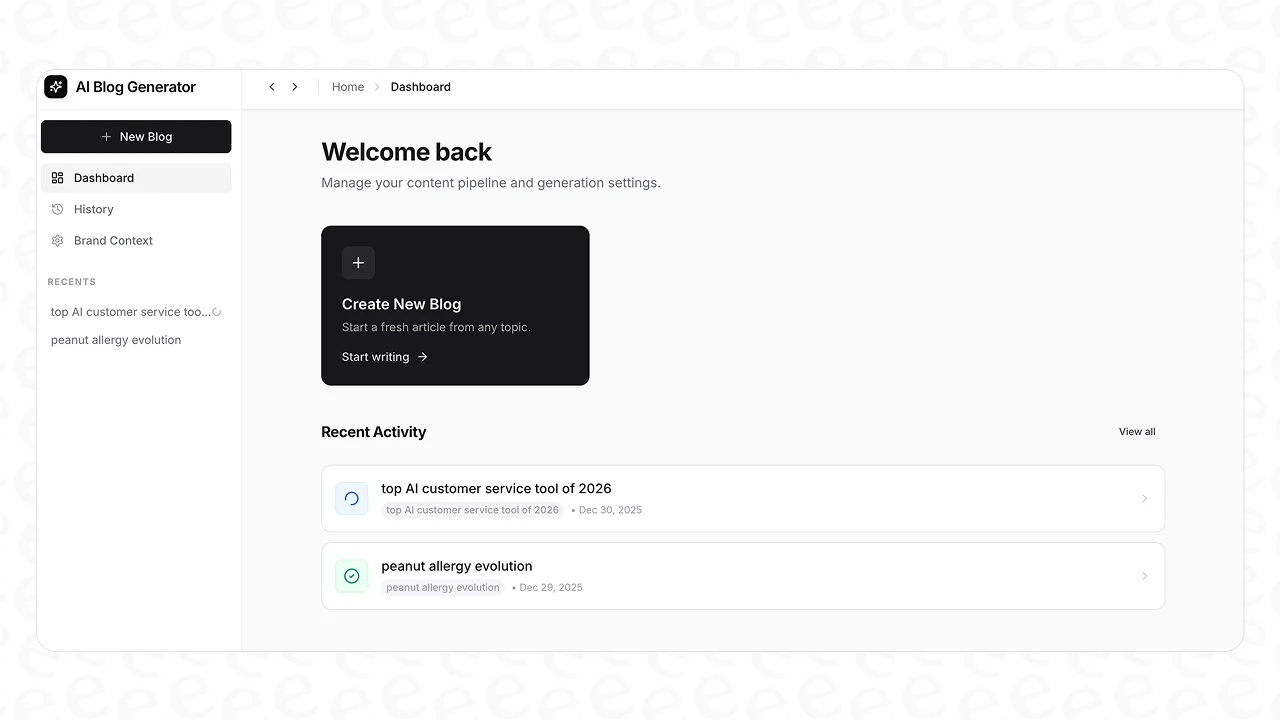
From writing assistant to autonomous content platform
The process couldn't be simpler. You give it a keyword and your website URL, and it delivers a complete, media-rich article that’s ready to publish.
Here’s what you get that goes way beyond simple text generation:
- A fully SEO-optimized structure: It creates a complete post with H1s, H2s, an intro, conclusion, and FAQs.
- Context-aware research: It automatically pulls in relevant data. Writing a comparison post? It'll find pricing information.
- AI-generated assets: It includes unique images, infographics, and tables right in the article.
- Social proof and media: It embeds relevant YouTube videos and finds real Reddit quotes to add a layer of authenticity.
- AEO optimization: The content is structured to perform well in AI Answer Engines like Google AI Overviews and Perplexity.
How eesel AI compares to traditional writing assistants
The difference is in the scope and the end goal. While assistants help you write, eesel AI is built to help you rank.
| Capability | Writing Assistants (Rytr, Wordtune) | eesel AI blog writer |
|---|---|---|
| Output | Text snippets or drafts | Complete, publish-ready blog post |
| Research | Manual (user provides context) | Automatic, context-aware research |
| Asset Creation | Not included | AI images, infographics, tables included |
| SEO/AEO | Basic or none | Fully optimized for search and AI engines |
| Primary Goal | Assist the writer | Automate the content workflow |
The value is clear, especially when you think about the time saved. Plans start at just $99 for 50 complete blog posts.
To see these tools in action and compare them against other popular writing assistants, check out this video review which breaks down the strengths of each platform.
This video from ProWritingAid offers a detailed comparison of various writing tools, including Rytr and Wordtune.
Rytr vs. Wordtune: Which tool should you choose?
So, which tool is right for you? It really boils down to the job you need to get done.
Choose Rytr if your main hurdle is just getting words on the page. It's a fantastic tool for quickly generating first drafts of short-form content and brainstorming ideas.
Choose Wordtune if you’re generally comfortable with your writing but want to boost its quality, clarity, and tone. It's the perfect sidekick for refining and polishing your work.
But if your goal isn't just writing, but scaling your organic traffic with high-quality, long-form content, then neither tool really solves the entire puzzle. For that, you need an end-to-end platform that handles everything from research and writing to asset creation and optimization.
To scale your content and build a traffic engine, consider trying an autonomous platform. Generate your first blog for free with the eesel AI blog writer to see the difference for yourself.
Frequently Asked Questions

Share this post
Article by
Stevia Putri
Stevia Putri is a marketing generalist at eesel AI, where she helps turn powerful AI tools into stories that resonate. She’s driven by curiosity, clarity, and the human side of technology.


