Rytr vs HyperWrite: An in-depth comparison

Kenneth Pangan

Katelin Teen
Last edited January 18, 2026
Expert Verified

The world of AI writing tools has absolutely exploded. It feels like a new one pops up every other day, promising to be the magic wand for all your content problems. If you're trying to choose between Rytr and HyperWrite, you've landed in the right place. They are both popular names, but they come at the task of writing from completely different angles.
This article is a straightforward, head-to-head comparison to help you understand their strengths, weaknesses, and who they are actually for. My goal is to give you a clear picture so you can pick the tool that actually helps you get your work done. Because while many tools can spit out a first draft, the real win is finding something that creates content you can publish without sinking hours into edits. That is where a tool like the eesel AI blog writer comes into the picture, but we'll get to that in a bit.
What is Rytr?
Rytr sells itself as your go-to AI writing assistant, especially if you're churning out short-form commercial or marketing content. Think of it as a toolbox packed with templates. Need a blog post outline? There is a template for it. Writing social media captions? Yep, a template for that, too. Ad copy, product descriptions, video ideas, it is all in there.
The main idea is to give you a structured starting point so you are not just staring at a blank screen. You pick a use case, feed it a few keywords or a short description, and Rytr generates a few options for you. The feedback from users is pretty consistent: it's great for getting the ball rolling and nailing a specific format. The catch? The output can sometimes feel a bit bland. You'll probably need to spend a good amount of time fact-checking, editing, and injecting your own brand's personality to get it ready for prime time. It is more of a helper than a finisher.
What is HyperWrite?
HyperWrite has a different philosophy. It is less of a content generator and more of a writing partner that works alongside you, wherever you happen to be typing. Its most notable feature is a Chrome extension that follows you across the web, offering help inside Google Docs, Gmail, social media, and just about anywhere else.
Instead of leaning on templates, HyperWrite focuses on features like "TypeAhead," which predicts and finishes your sentences, and some pretty slick rewriting tools that can shorten, expand, or shift the tone of your text instantly. It is built for people who are already in the middle of writing but want an AI sidekick to help them brainstorm, push past writer's block, and polish their work. It is a tool for improving your process, not for creating a whole piece of content from a single prompt.
Feature comparison: Templates vs flexibility
The way these tools help you create content is where they really part ways. One hands you a map, while the other offers to ride shotgun. Let's dig into which workflow might be the better fit for you.
Rytr's template-driven approach
Rytr's main draw is its huge library of over 40 use cases and templates. This is a massive advantage for anyone who needs to produce specific types of content quickly and consistently. If you're a marketer juggling five different social media accounts, you can use Rytr to whip up unique captions for each without starting from scratch every time. It gives you a reliable structure.
But that structure has its downsides. The AI can sometimes get stuck on repeat, churning out unoriginal ideas. Its "magic command" feature, which is supposed to follow custom instructions, can be unpredictable. Sometimes it nails your request, but other times it spits out confusing text that you have to delete and try again. Rytr shines when you are working on short, formulaic content like product descriptions or simple email campaigns. It is not the best choice for long-form articles that need deep research, nuance, and a unique voice.
HyperWrite's flexible writing assistant
HyperWrite is all about freedom. It doesn't force you into a specific format. Instead, it acts like a smart assistant that gives you suggestions in real-time as you type. You can highlight a clunky sentence and ask HyperWrite to rephrase it in ten different ways. You can write a short paragraph and ask it to expand on the idea. This makes it a really effective tool for refining your own writing.
This open-ended style is great for creativity, but it can also be a bit intimidating at first. If you're looking for a tool to just "write an article about X," HyperWrite isn't really built for that. It does its best work when it has existing text to play with. It's made for the writer who wants to improve their own work, get a few AI-generated ideas to break through a block, and polish their final draft. It is a partner in the writing process, not a substitute for it.
Use cases and target audience
So, who are these tools really for? Your job and what you're trying to write will probably point you in one direction or the other.
Who is Rytr for?
Rytr is practically built for marketers, SEO specialists, social media managers, and small business owners. If your job involves creating a lot of short-form commercial content, Rytr can save you a ton of time.
Think about jobs like:
- Generating a dozen different versions of Google ad copy.
- Writing subject lines and email copy for a marketing campaign.
- Creating unique product descriptions for an online store.
It is perfect for these kinds of structured, repeatable tasks. But if your main goal is to write a 2,000-word, deeply researched blog post to position yourself as an expert, you will likely find Rytr’s output too shallow and in need of a major rewrite.
Who is HyperWrite for?
HyperWrite is designed for a different crowd: professionals, academics, bloggers, and anyone who does a lot of writing as part of their day-to-day. It's for people who need an AI partner to help them brainstorm, edit, and refine their own words.
- A few examples include:
- Drafting a detailed business report and using HyperWrite to make sure the language is professional and sharp.
- Writing a university paper and using it to check grammar and rephrase complicated ideas.
- Composing a sensitive email to a client and using it to find just the right tone.
It's a tool that helps you write better and faster, but it always assumes you're the one steering the ship.
| Feature | Rytr | HyperWrite |
|---|---|---|
| Primary Use Case | Template-based content generation | General-purpose writing assistant |
| Best For | Marketers, Social Media Managers | Professionals, Students, Bloggers |
| Key Strength | Speed and structured templates | Flexibility and real-time collaboration |
| Main Limitation | Output can be stilted and generic | Can have a learning curve for new users |
Pricing and value
Naturally, cost is a big piece of the puzzle. Both tools have free plans to let you dip your toes in, but their paid tiers are where they really open up.
Rytr pricing plans
Rytr keeps its pricing fairly simple with three tiers:
- Free Plan: Gives you 10,000 characters per month to try out all the features. It's a solid way to see if its templates are a good fit for your work.
- Saver Plan: For $9 per month, you get 100,000 characters. This is a good choice for individuals or small businesses with moderate content needs.
- Unlimited Plan: For $29 per month, you get unlimited character generation, which is perfect for agencies or anyone creating content at a high volume.

HyperWrite pricing plans
HyperWrite also uses a tiered structure that scales with how much you use it:
- Free Plan: This plan gives you a limited number of credits for basic features like TypeAhead and rewrites. It's enough to get a feel for how the tool operates.
- Premium Plan: At $19.99 per month, this plan offers more word credits, access to more advanced AI models, and priority support. It is aimed at professionals who write regularly.
- Ultra Plan: For $44.99 per month, you get a much higher word count and access to their most powerful AI models. This plan is for heavy users like authors, content creators, and businesses that depend on high-quality writing.
HyperWrite’s value is in its versatility. If you can see yourself using it for all your writing tasks, from emails to long documents, the monthly cost can easily pay for itself in saved time.
An alternative for end-to-end content creation: eesel AI blog writer
Both Rytr and HyperWrite are good at what they do, but they mostly produce drafts. You're still left with the heavy lifting of editing, researching, finding visuals, and optimizing for search engines. If your goal is to scale your content marketing, especially with blogs, you need a tool that takes you from an idea to a publish-ready article in one go.
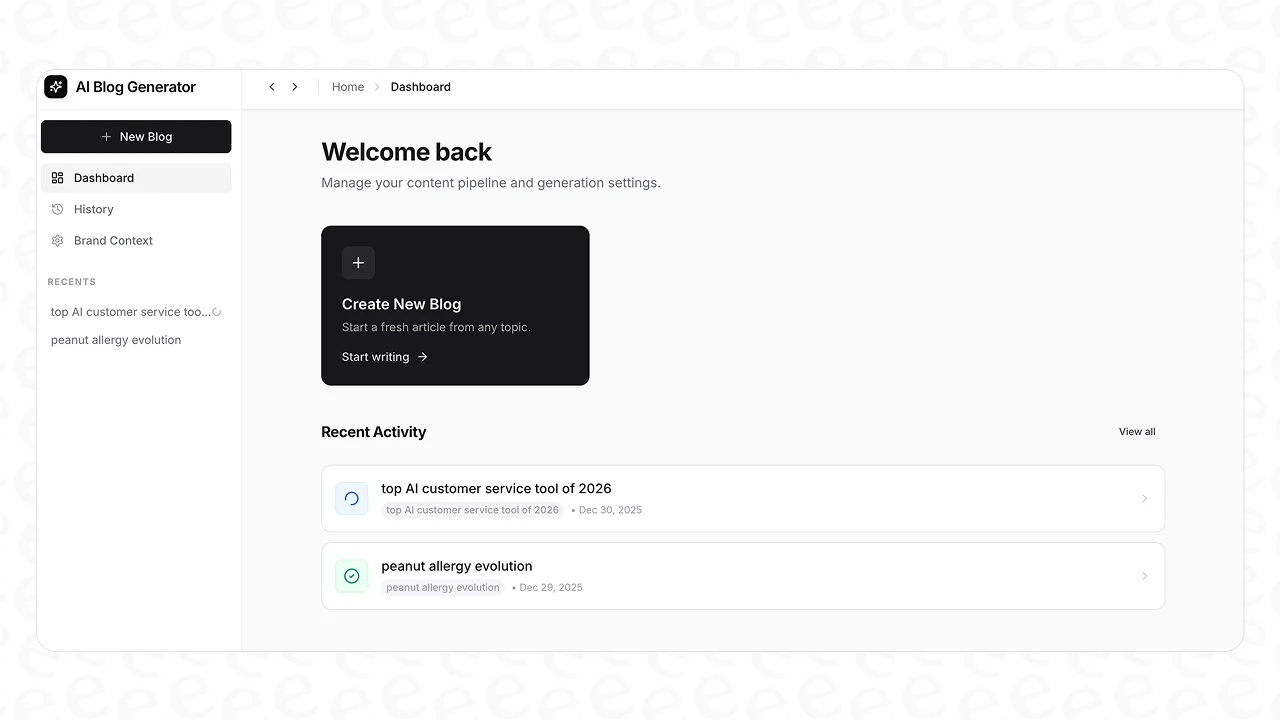
This is the problem the eesel AI blog writer is designed to solve. Instead of producing a draft, it generates a complete, SEO-optimized blog post from a single keyword. It addresses the entire content workflow within one platform.
Here is what sets it apart:
- Context-aware research: It doesn't just generate shallow AI filler. It actually researches the topic to create content that matches what people are searching for and provides real value.
- Automatic assets: A blog post is more than just words. The eesel AI blog writer includes AI-generated images, infographics, and tables. It even finds and embeds relevant YouTube videos and real Reddit quotes to make your content more engaging and trustworthy.
- AEO optimization: We optimize for more than just traditional SEO. The content is structured to perform well in AI Answer Engines like Google AI Overviews, which is becoming essential for visibility.
- Proven results: We use this exact tool ourselves. It took our blog from 700 to 750,000 daily impressions in just three months by letting us publish over 1,000 high-quality articles.
The pricing is simple: just $99 for 50 blog posts, and it's completely free to try. You can generate your first full article without spending a dime.
Final verdict: Which AI writer should you choose?
So, after all that, what's the final call? It really boils down to what you need to get done.
- Choose Rytr if: You need to quickly generate a lot of short-form marketing copy using predefined templates. It is a workhorse for formulaic content.
- Choose HyperWrite if: You need a flexible AI assistant to help you write, rewrite, and edit your own work on different platforms. It is a collaborator, not a generator.
- Choose eesel AI blog writer if: Your goal is to create complete, publish-ready, and SEO-optimized long-form blog content with as little manual work as possible. It is for people who want to scale their content marketing and grow organic traffic.
Ultimately, both Rytr and HyperWrite are solid tools that serve different needs. Rytr is great for structured, short-form content, making it a valuable asset for marketers. HyperWrite is a more adaptable writing partner, perfect for anyone looking to improve and polish their existing text.
The "best" tool isn't about which one has the longest feature list; it's about which one fits your workflow and helps you hit your goals. If your workflow requires a solution that delivers a more finished product, it might be time to explore other options.
Ready to stop editing AI drafts and start publishing? Generate your first blog post for free.
Frequently Asked Questions

Share this post
Article by
Kenneth Pangan
Writer and marketer for over ten years, Kenneth Pangan splits his time between history, politics, and art with plenty of interruptions from his dogs demanding attention.


