Yes, if you're using Shopify, BigCommerce, or WooCommerce. Re:amaze integrates with these platforms to access cart data, order history, and customer information for more targeted Cue triggers.
Proactive chat helps eCommerce businesses convert browsers into buyers. While reactive chat waits for customers to reach out, proactive chat anticipates their needs and engages them at critical moments. Re:amaze has built a comprehensive proactive chat solution with their Cues feature, designed for online stores that want to reduce cart abandonment and increase sales.
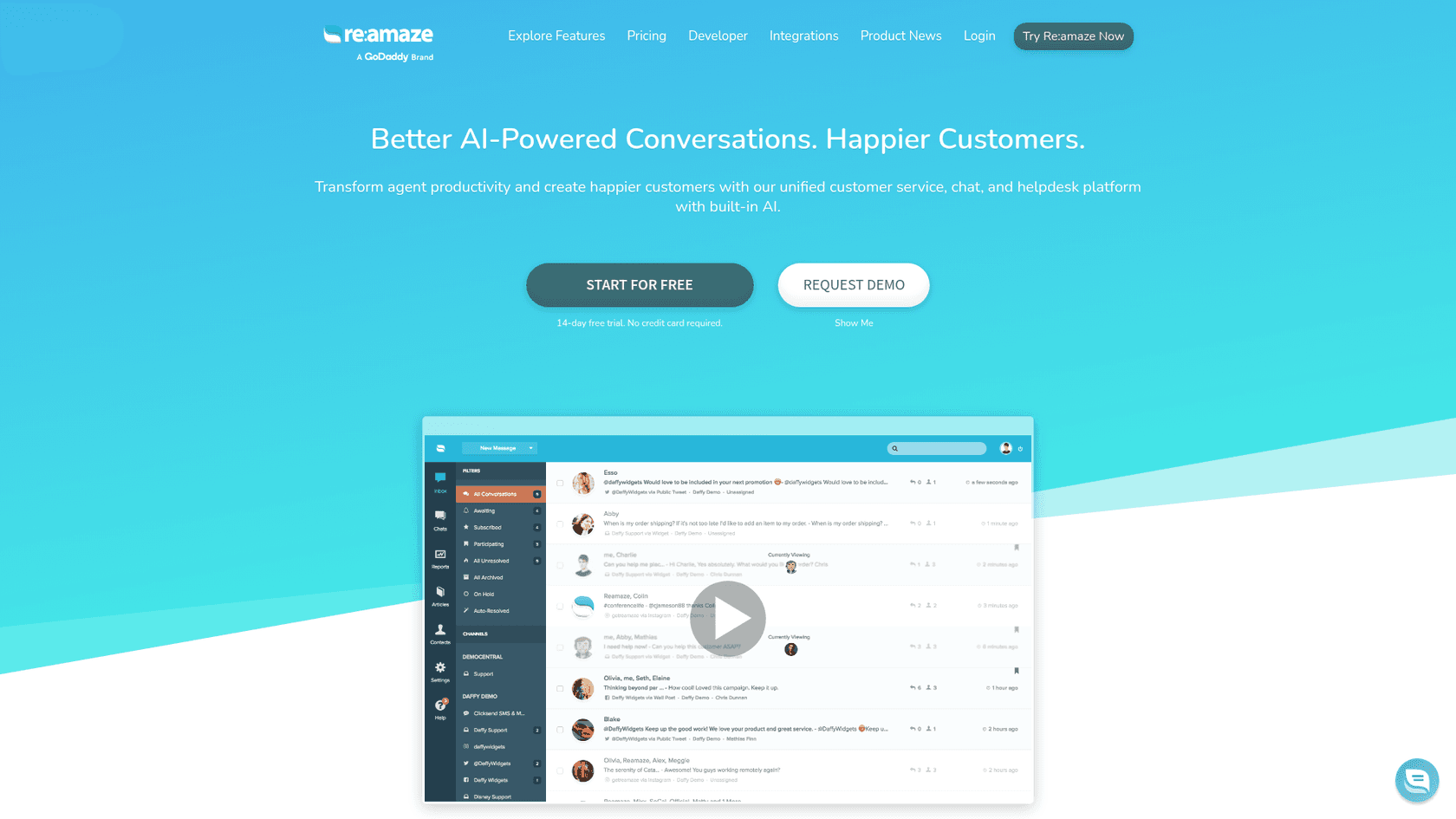
This guide covers everything you need to know about Re:amaze Cues proactive chat: what it is, how it works, how to set it up, and how to use it effectively for your business.
What is Re:amaze Cues proactive chat?
Re:amaze Cues is an automated messaging feature that lets you engage website visitors based on their behavior. Unlike traditional live chat where customers must initiate contact, Cues lets you start conversations automatically when visitors meet specific conditions.
Think of it like a knowledgeable sales associate in a physical store. They don't wait for customers to ask for help; they approach when someone looks confused, has been browsing for a while, or is examining a specific product. Cues does this digitally.
The three main chat formats work together:
- Session-based chat requires both parties to be online simultaneously. Once the chat ends, the conversation is over.
- Asynchronous chat lets customers and agents message each other at different times, similar to texting.
- Proactive chat (Cues) automatically invites visitors to chat based on rules you define.
Cues integrates with Re:amaze's broader platform, which includes a shared inbox for all customer communications, live chat widgets, chatbots, and a knowledge base. For eCommerce businesses, the real power comes from combining Cues with Re:amaze's Live Dashboard, which shows you exactly what visitors are doing on your site in real time.
Setting up your first Cue
Getting started with Cues is straightforward. Here's how to create your first proactive chat campaign.
What you'll need
- A Re:amaze account with Basic plan or higher (Cues is included in all paid plans)
- The Re:amaze widget (Shoutbox or Lightbox) installed on your website
- About 10-15 minutes for setup and testing
Step 1: Access Cues settings
Navigate to Settings > Cues in your Re:amaze admin panel. Re:amaze automatically creates three example Cues when you first access this section. You can edit these or create new ones from scratch.
Step 2: Create a new Cue
Click "+ New Cue" and configure the basics:
- Select your brand - Make sure this matches the Shoutbox/Lightbox implementation on your site
- Name your Cue - Use an internal name that describes its purpose (not visible to customers)
- Compose your message - Write something relevant to the trigger condition. Not sure what to say? Click "Suggest Message" and let Re:amaze's AI help.
- Set duration (optional) - Define how many seconds the Cue remains visible
- Choose an avatar - Decide who appears to be sending the message
Step 3: Configure trigger conditions
This is where you define when the Cue appears. You can create multiple rules for a single Cue. For example, you might want a Cue to show only to returning visitors who have been on your pricing page for more than 30 seconds.
Common rule combinations include:
- URL contains "/checkout" AND time on page > 60 seconds
- Exit intent detected on product pages
- Returning visitor AND cart value > $100
Step 4: Add action buttons (optional)
Action buttons make your Cue interactive. You can add:
- URL buttons - Direct customers to specific pages (cart, account, help center)
- Quick Response buttons - Trigger Custom Chatbots when clicked
If you want to extend the conversation with a chatbot, you must add at least one Quick Response button.
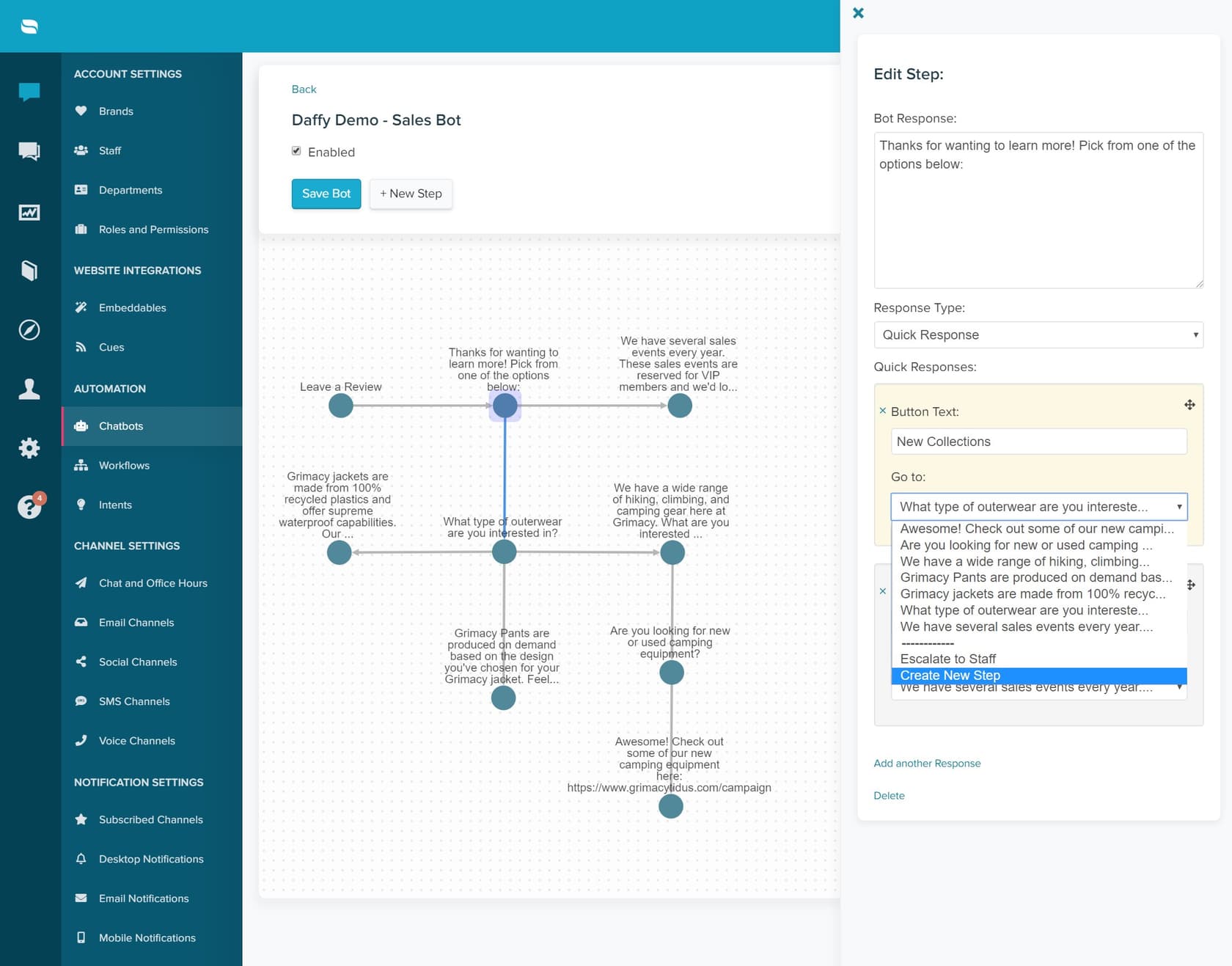
Step 5: Activate and test
Save your Cue and copy the JavaScript code if you're not using a supported eCommerce platform. For Shopify and BigCommerce users, Cues work automatically once configured. Test your Cue by visiting your site and triggering the conditions you set.
Important note: Each Cue built with the Cue Builder displays only once per customer until they clear their cookies. Plan your strategy accordingly.
Effective Cue strategies for eCommerce
The best Cue strategies align with specific business goals. Here are proven approaches for common scenarios.
Abandoned cart recovery
Cart abandonment rates average 65-70% across eCommerce according to industry research. Use Cues to intercept potential abandoners:
- Trigger: Exit intent on checkout page OR time on checkout > 90 seconds
- Message: "Need help completing your order? Here's 10% off to sweeten the deal."
- Action button: Apply discount and return to checkout
Product guidance
Help customers who are researching but not converting:
- Trigger: Time on product page > 45 seconds
- Message: "Questions about this product? I can help you find the right fit."
- Action button: Start chat with product specialist
Upselling and cross-selling
Increase average order value with targeted suggestions:
- Trigger: Cart value between $50-$75 (just below free shipping threshold)
- Message: "You're $25 away from free shipping. Add this matching item?"
- Action button: View recommended product
New visitor welcome
Make first-time visitors feel supported:
- Trigger: First visit AND time on site > 30 seconds
- Message: "First time here? Here's a quick guide to getting started."
- Action button: View getting started FAQ
VIP customer recognition
Acknowledge your best customers:
- Trigger: Returning visitor AND total order count > 3
- Message: "Welcome back! As a valued customer, you have early access to our sale."
- Action button: Shop the sale
Frequently Asked Questions
No. The Cue Builder uses a visual interface where you select conditions from dropdown menus and compose messages in a text editor. For basic implementations, no coding is required. Advanced users can use JavaScript for custom rules via the Notifications API.
Yes, Cues works on any website where you can install the Re:amaze widget (Shoutbox or Lightbox). Installation is easiest on supported platforms like Shopify, BigCommerce, and WooCommerce, but manual installation is available for custom sites.
Re:amaze does not limit the number of Cues you can create on any paid plan. You can build unlimited proactive messaging campaigns, though each Cue built with the Cue Builder displays only once per customer until they clear their cookies.
Yes. You can configure action buttons in your Cues to trigger Custom Chatbots, creating multi-step conversational flows. This extends a simple proactive message into a guided interaction that can qualify leads or collect information.
Cues are automated messages triggered by rules. The Live Dashboard lets you manually view visitors in real time and send personal messages. Cues are included in Basic plans; Live Dashboard requires Pro ($49/agent) or higher.
Share this article

Article by
Stevia Putri
Stevia Putri is a marketing generalist at eesel AI, where she helps turn powerful AI tools into stories that resonate. She’s driven by curiosity, clarity, and the human side of technology.