Re:amaze BigCommerce integration: Complete guide for 2026

Stevia Putri
Last edited March 13, 2026
Connecting your helpdesk to your e-commerce platform is one of those things that sounds simple until you actually try to do it. Suddenly you're dealing with customer data sync, order lookups, and wondering why your support agents need five browser tabs open just to answer a "where's my order" question.
The Re:amaze BigCommerce integration brings your customer and order data directly into your support conversations, so agents can see everything they need without leaving the chat. But does it actually work? And more importantly, is it the right fit for your store?
This guide breaks it down.
What is Re:amaze?
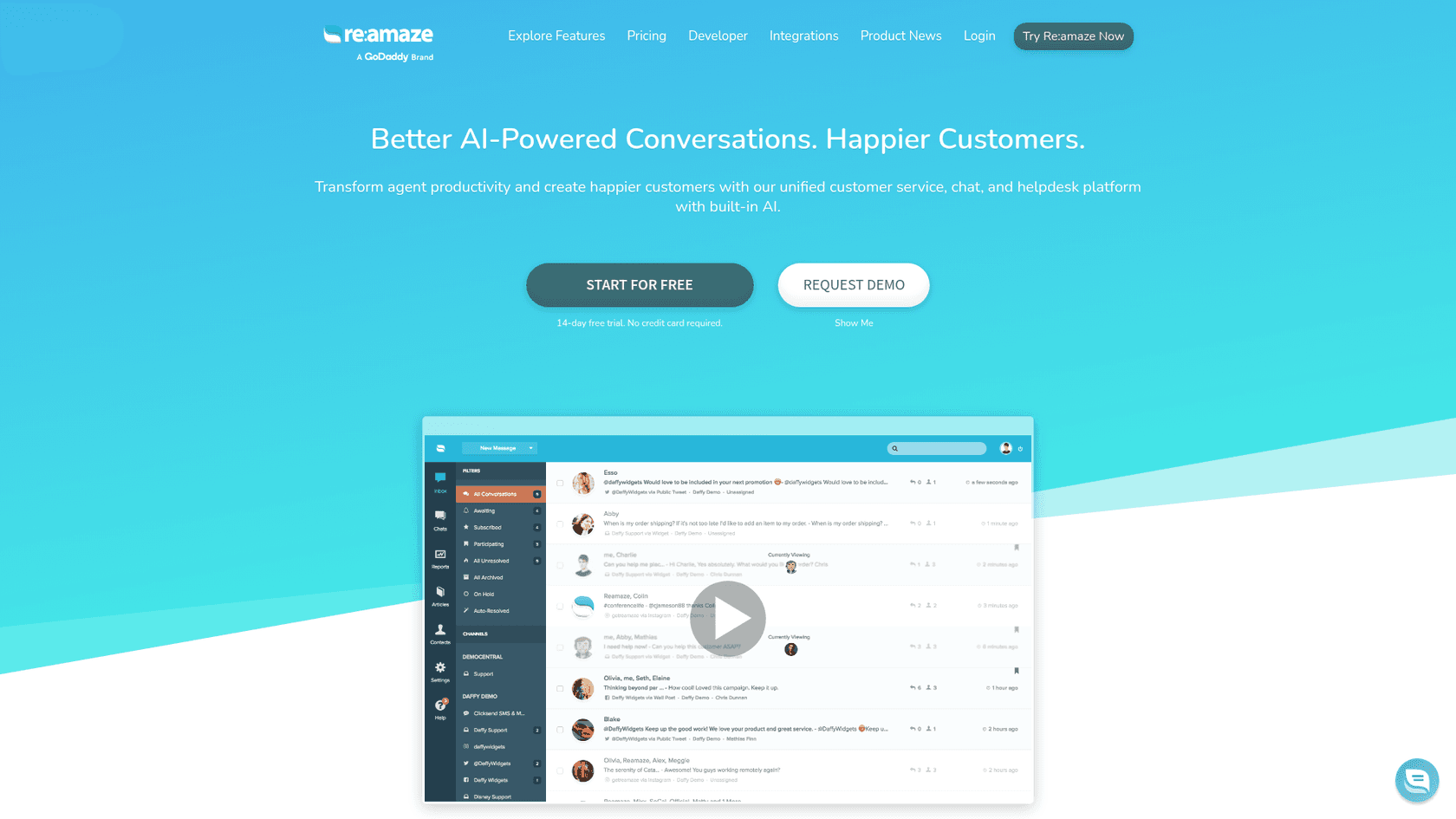
Re:amaze is a customer service platform built primarily for e-commerce businesses. It combines email, live chat, social media, SMS, and voice into a shared inbox, so your team can handle all customer conversations from one place.
The platform includes features like chatbots, workflow automation, a knowledge base, and more recently, AI-powered tools for drafting responses and summarizing conversations. It's designed for online businesses that need multichannel support without the complexity (or price tag) of enterprise solutions like Salesforce or Zendesk.
Re:amaze positions itself as a middle ground: more powerful than basic live chat tools, but simpler to set up than traditional helpdesk software. It's particularly popular among Shopify and BigCommerce merchants who want tight integration with their store data.
If you're exploring alternatives, eesel AI offers a different approach. Instead of a traditional helpdesk, we function as an AI teammate that plugs into your existing help desk (including BigCommerce setups), learns from your past tickets and documentation, and can handle frontline support autonomously.
How the Re:amaze BigCommerce integration works
The integration connects your BigCommerce store directly to Re:amaze through BigCommerce's Scripts API. Once installed, it automatically pulls customer and order data into your support conversations.
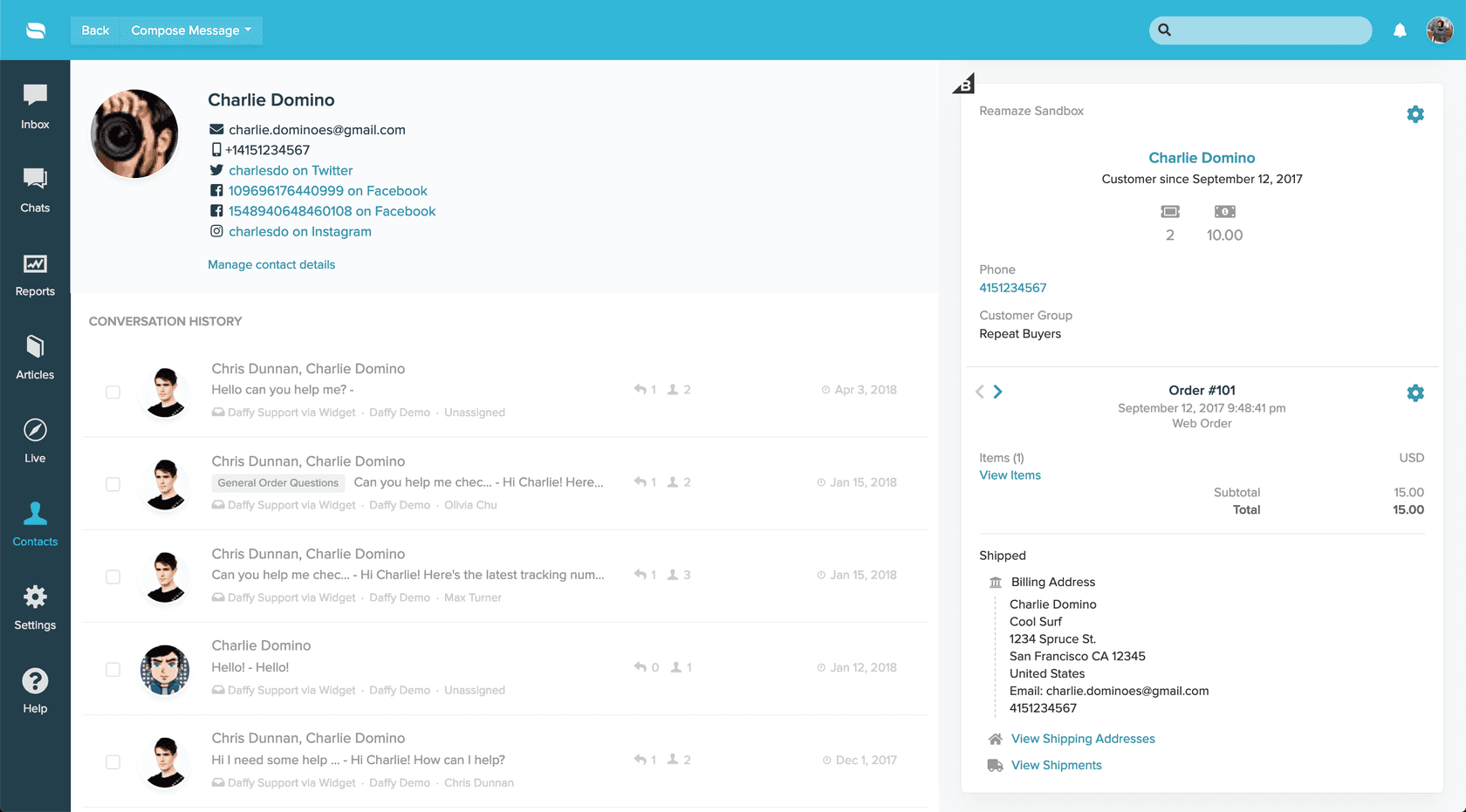
Here's what that looks like in practice: when a customer starts a chat or sends an email, your agent sees their complete BigCommerce profile right next to the conversation. Order history, shipping status, past purchases, and refund eligibility all appear in a sidebar. No tab-switching, no asking customers to repeat their order number, no digging through the BigCommerce admin.
The integration also enables one-click widget deployment. You can add Re:amaze's live chat, contact forms, and FAQ embeds to your BigCommerce storefront without touching theme files or writing code. The Scripts API handles the installation automatically.
For automation, you can use BigCommerce data in your workflows. Want to tag conversations differently based on order value? Route VIP customers to a specific team? Trigger automated responses for shipping inquiries? The integration makes that possible using dynamic variables pulled directly from BigCommerce.
Key features of the integration
Customer data synchronization
The core benefit is real-time access to BigCommerce customer data within support conversations. Agents can see:
- Complete order history with pagination
- Items purchased and fulfillment status
- Refund and cancellation information
- Order status (active, archived, cancelled)
- Customer lifetime value and purchase patterns
This data appears automatically when a customer contacts you, as long as their email matches their BigCommerce account.
Live chat and messaging
Re:amaze's Shoutbox (their branded chat widget) can be embedded on your BigCommerce store with minimal setup. The widget supports real-time messaging with typing indicators, customizable triggers and proactive messages (called "Cues"), chatbots for automated responses, video calls on the Plus plan, and custom form fields to collect additional context.
The widget builder lets you customize colors, position, and welcome messages without coding. For BigCommerce specifically, the Scripts API integration means you can publish the widget to your store with one click.
Workflow automation
Re:amaze's workflow engine lets you automate actions based on conversation triggers. With the BigCommerce integration, you can use order data in your automation rules. Tag conversations based on order status or value, route messages to specific departments based on customer segment, trigger automated responses using BigCommerce dynamic variables, and set up escalation rules for high-value customers.
For example, you could create a workflow that automatically tags any conversation from a customer with an order value over $500, then routes it to your VIP support team.
Push campaigns
Re:amaze supports browser push notifications for BigCommerce stores. You can send targeted campaigns to subscribers based on their browsing behavior or customer data. Setup requires installing a service worker on your BigCommerce store via WebDAV.
Setting up the integration
Getting started with the Re:amaze BigCommerce integration is straightforward:
-
Install from BigCommerce App Marketplace. Search for Re:amaze in your BigCommerce admin and click Install.
-
Connect your accounts. Authorize the connection between Re:amaze and BigCommerce. This grants Re:amaze permission to access your store data.
-
Configure your widgets. Use the Re:amaze widget builder to customize your chat widget's appearance and behavior.
-
Publish to your store. The Scripts API integration lets you publish widgets directly to your BigCommerce storefront without editing theme files.
-
Set up workflows (optional). Configure automation rules that use BigCommerce data to tag, route, or respond to conversations.
The whole process typically takes under 30 minutes if you're just setting up basic chat. Workflow automation and custom configurations add time depending on complexity.
Re:amaze pricing for BigCommerce users
Re:amaze uses per-agent pricing with four main tiers.
| Plan | Monthly Price | Annual Price | Best For |
|---|---|---|---|
| Basic | $29/agent | $26.10/agent | Small teams, single brand |
| Pro | $49/agent | $44.10/agent | Growing teams, multi-brand |
| Plus | $69/agent | $62.10/agent | Advanced features, co-browsing |
| Starter | $59 flat | N/A | Unlimited agents, 500 conversation cap |
Source: Re:amaze Pricing
Basic includes unlimited email inboxes, live chat, social channels, and one brand. It's enough for small stores that just need unified messaging.
Pro adds multi-brand support, live visitor view, advanced reporting, SMS/voice channels, and a status page. This is the most popular plan and suits most growing e-commerce businesses.
Plus includes everything in Pro plus Peek (co-browsing), departments, staff performance reporting, CSAT surveys, and in-chat video calls. You'll need this tier for features like co-browsing or satisfaction ratings.
Starter is a flat-rate option with unlimited agents but a 500 conversation monthly limit. It's designed for very small teams just getting started.
All plans include a 14-day free trial with full Plus features. Annual billing saves 10%.
Hidden costs to watch for
While Re:amaze's base pricing is competitive, there are additional costs to factor in:
- SMS and voice channels require a separate Twilio account. You're paying Twilio directly for usage (typically a few cents per SMS plus monthly fees).
- WhatsApp integration also routes through Twilio with per-message charges.
- Push campaigns have monthly limits: 1,000 for Basic/Pro, 2,000 for Plus.
- AI features have resolution caps that vary by plan.
For a team of 5 agents on Pro, you're looking at $245/month before any SMS or voice usage costs.
Limitations and considerations
No integration is perfect, and Re:amaze has some constraints worth knowing about:
Per-agent pricing scales quickly. At $49/agent for Pro, a team of 10 costs $490/month. For larger teams, this adds up fast compared to flat-rate or per-interaction pricing models.
Advanced features require higher tiers. Want CSAT surveys? That's Plus only. Co-browsing? Also Plus. Staff performance reporting? You guessed it, Plus. The jump from Pro to Plus is significant ($20/agent more).
AI capabilities are still evolving. Re:amaze's AI Agent is in beta, and AI resolution caps apply monthly (the exact limits vary by plan). If you're looking for mature AI automation, the feature set may feel limited.
Third-party dependencies. SMS, voice, and WhatsApp all require Twilio accounts. This adds complexity and cost beyond Re:amaze's base pricing.
Starter plan limitations. The flat-rate Starter plan sounds appealing for unlimited agents, but the 500 conversation cap means most active stores will outgrow it quickly.
Alternatives to consider: eesel AI for BigCommerce
If Re:amaze's per-agent pricing or feature limitations don't fit your needs, there are alternatives. We built eesel AI to take a different approach to e-commerce support.
Instead of replacing your helpdesk, eesel AI works as an AI teammate alongside it. Here's how we differ:
Autonomous resolution, not just chat. While Re:amaze focuses on giving agents better tools, our AI Agent can actually resolve tickets end-to-end. It learns from your past tickets, help center, and connected docs, then handles frontline support without human intervention.
Per-interaction pricing. We charge based on AI interactions, not seats. This often works out cheaper for growing teams since you're not paying for every agent who might occasionally check tickets.
Progressive rollout. Start with eesel drafting replies for review, then gradually expand to autonomous responses as the AI proves itself. You're always in control of the scope.
Plain-English control. Define escalation rules and behavior in natural language. No complex workflow builders or decision trees.
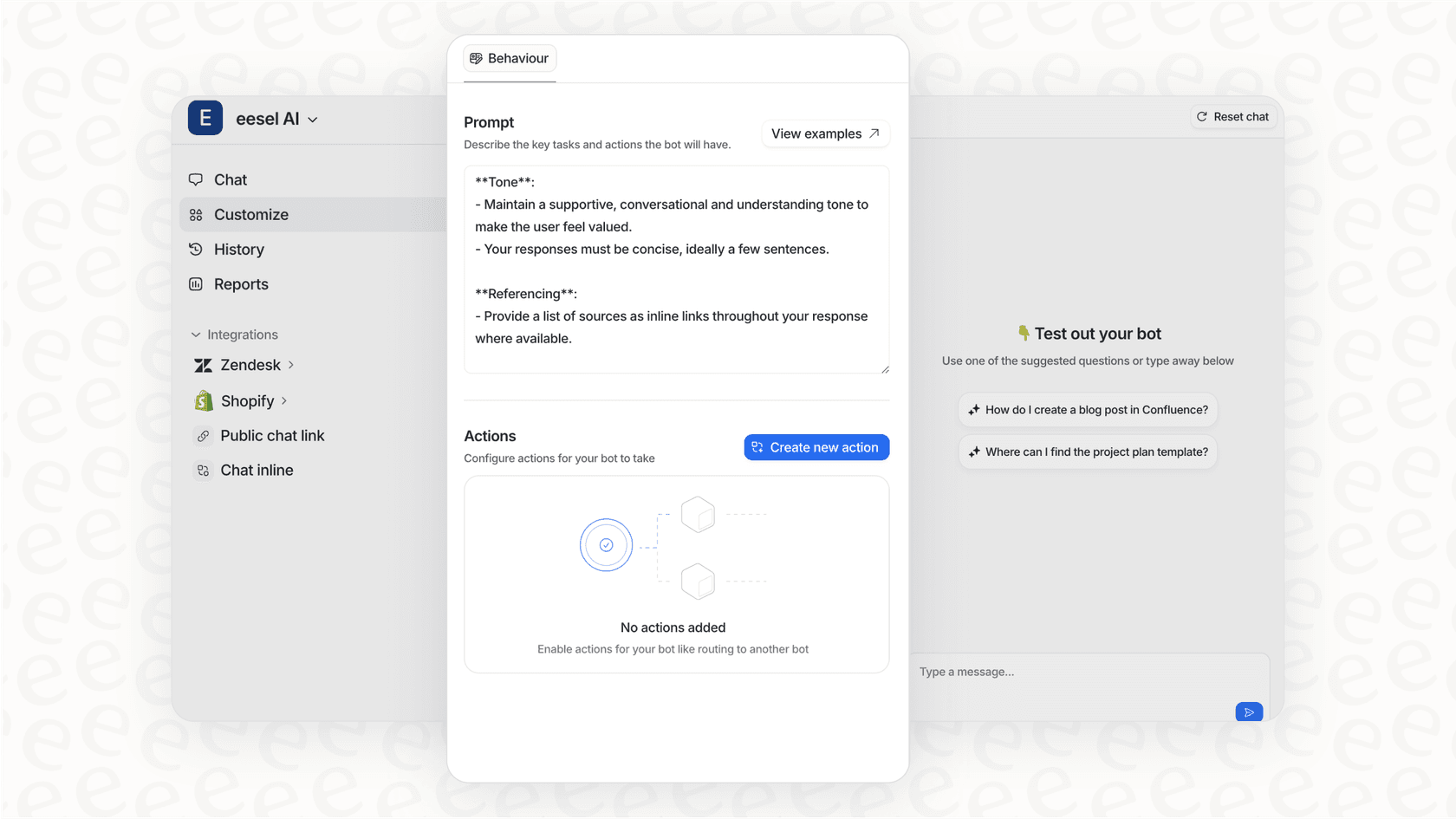
We also offer AI Copilot for teams that want AI assistance without full automation, and AI Triage for automated ticket routing and tagging.
For BigCommerce specifically, our BigCommerce integration pulls in your store data just like Re:amaze, but feeds it to an AI that can actually act on that information autonomously.

Choosing the right BigCommerce support solution
So which option makes sense for your store?
Choose Re:amaze if:
- You want a traditional helpdesk with strong multichannel support
- Your team is small to medium-sized (under 10 agents)
- You need features like co-browsing or video chat
- You prefer a shared inbox model where agents handle everything manually
- Budget allows for per-agent pricing as you scale
Consider eesel AI if:
- You want AI to actually resolve tickets, not just assist agents
- Per-agent pricing doesn't work for your team structure
- You're looking to reduce ticket volume through automation
- You prefer a "hire an AI teammate" model over traditional helpdesk software
- You want to test AI capabilities before going fully autonomous
The bottom line? Both tools connect to BigCommerce and surface customer data in support conversations. The difference is what happens next. Re:amaze gives human agents better context to respond faster. eesel AI learns your business and handles the responses itself.
If you're curious how an AI teammate would work with your BigCommerce store, you can try eesel AI free and see how it performs on your past tickets before going live.

Frequently Asked Questions
Share this article

Article by
Stevia Putri
Stevia Putri is a marketing generalist at eesel AI, where she helps turn powerful AI tools into stories that resonate. She’s driven by curiosity, clarity, and the human side of technology.