A complete guide to navigational blog writing

Kenneth Pangan

Katelin Teen
Last edited January 20, 2026
Expert Verified

Have you ever clicked on a blog post and felt completely lost? It's a wall of text with no clear direction, and you can't find the one thing you came for. Your immediate reaction is to hit the 'back' button. That's what happens when amazing content is stuck inside a confusing structure.
A lot of businesses publish great articles that never get the traffic they should, simply because they're a pain for users and search engines to get through. It's a massive missed opportunity. According to Nielsen, most readers skim content, scanning for headings and keywords. If they don't see clear signposts, they're gone. That hurts your engagement metrics and signals to Google that your page isn't very helpful.
This is exactly what navigational blog writing is designed to fix. It’s a way of structuring your content to guide readers from one point to the next and help search engines figure out what your content is about. It’s about creating a clear path, not a confusing maze.
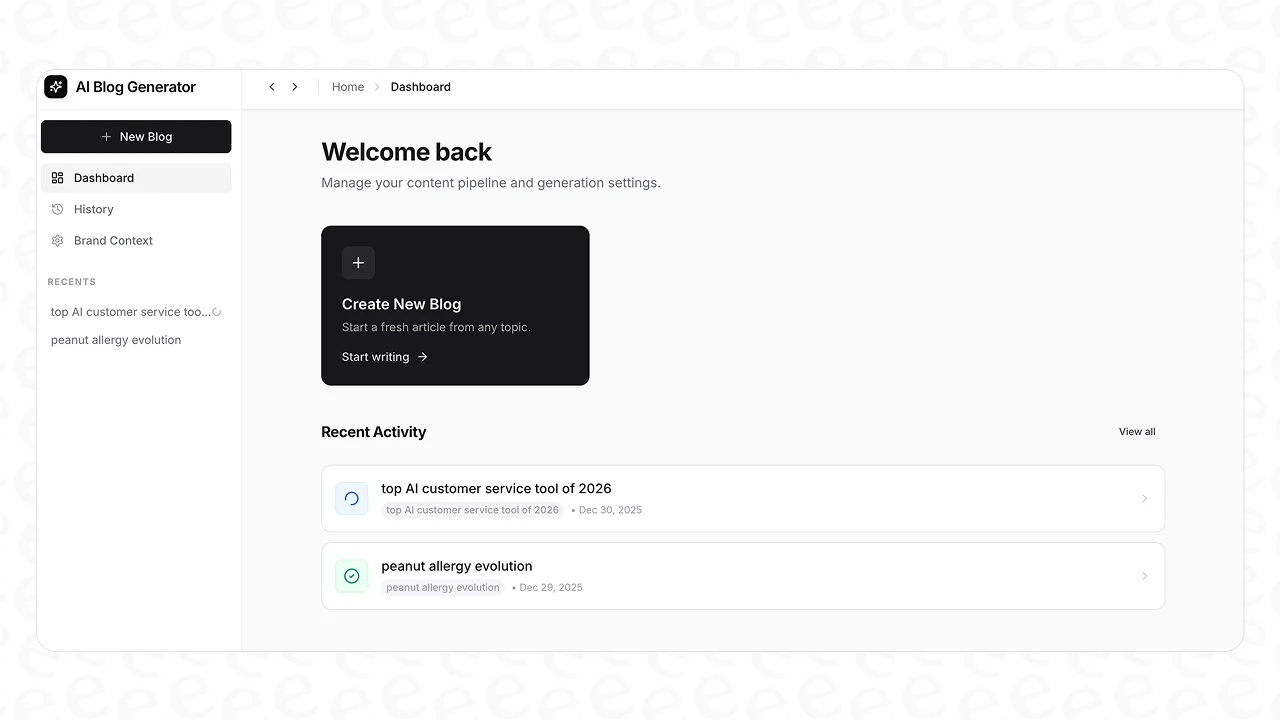
Modern tools are even built to handle this structure during content creation. For example, the eesel AI blog writer automates the whole workflow, turning a single keyword into a fully structured post with media. It's the same tool we used to grow our own blog from about 700 impressions a day to over 750,000 impressions a day in just three months.
What is navigational blog writing?
Navigational blog writing is the practice of organizing your content so it’s dead simple for people to find what they need and move to other relevant pages on your site. Think of it as creating an intentional journey for your visitors instead of just throwing a bunch of text on a page.
This approach helps two very important audiences:
- Human Readers: You’re making their life easier. A clear structure helps them scan the article, find the answers they're looking for, and discover other related content they might find useful. At the end of the day, you're writing for humans first, not just for algorithms.
- Search Engines: You’re giving clear signals to bots from Google, Bing, and others. Things like headings, a table of contents, and internal links act like a roadmap, helping them crawl, index, and understand the hierarchy and context of your content.
The core parts of navigational blog writing are pretty simple. We’re talking about a logical hierarchy using headings (H1, H2, H3), smart internal linking, descriptive link labels (anchor text), and helpful visual cues like a table of contents. We’ll get into each of these in a moment.
Why structure matters in navigational blog writing
It's easy to get hung up on keywords and backlinks, but the actual structure of your blog posts is a huge, often ignored, factor in your success. A clear navigational framework doesn't just look good, it has a real effect on how users and search engines see your content.
Impact on user experience (UX)
When a reader lands on your page, you only have a few seconds to convince them to stay. A clean, intuitive structure is your best bet.
- Better engagement metrics: When a post is easy to scan, readers are more likely to find what they're looking for and check out other related content you link to. This simple act reduces your bounce rate. These are strong signals to Google that your content is valuable.
- Builds trust: A well-organized site just feels more professional and credible. When you make it easy for visitors to find information, they leave feeling satisfied. This experience builds trust and repeat visits, turning casual readers into loyal fans.
Impact on search engine optimization (SEO)
What’s good for your users is almost always good for SEO, and content structure is a perfect example.
- Improved crawlability: Search engine crawlers follow links to discover pages on your site. A logical structure with plenty of internal links acts as a roadmap, helping them discover and index content efficiently. Without these links, some pages might become "orphans" that crawlers can't find.
- Distributes link equity: Internal links don't just guide users; they also pass authority (often called "link juice") between your pages. By linking from a high-authority page to a new blog post, you give that new post a little boost, helping it rank better in search results.
- Featured snippet opportunities: Google loves well-structured content. It often pulls information from organized articles for its rich results, like featured snippets. A clickable table of contents can even create "jump-to" links, giving you more space on the results page and boosting your click-through rate.
An infographic showing the benefits of navigational blog writing for user experience and search engine optimization.
The core components of navigational blog writing
Alright, let's get into the details. Creating a well-structured blog post isn't rocket science. It just means being intentional about a few key elements that work together to create a smooth experience.
A clear and logical hierarchy
The foundation of any easy-to-navigate post is a clear hierarchy. This is how you visually organize information from most important to least important.
- Headings (H1, H2, H3): This is a must. Your blog post title should be your one and only H1 tag. Use H2 tags for your main sections and H3 tags for any sub-points within those sections. This creates a scannable outline that’s easy for readers and Google. It breaks up giant walls of text and lets skimmers find exactly what they’re looking for.
- Table of contents (TOC): For any long-form content (say, 1,000 words or more), a clickable table of contents is a huge help. It sits at the top of your post and links to the various H2 sections, allowing users to jump to the relevant section. This makes your content much more usable and shows you respect your reader's time.
- Bulleted and numbered lists: Lists are great for breaking up dense paragraphs and making steps or key takeaways easier to digest. They draw the eye and present information in a scannable format. Just try to keep them focused, a list with a dozen points can be a bit much.
Strategic internal linking
Internal links are the glue that holds your website together. They guide users and search engines from one page to another, creating a web of related content that shows your topical authority.
- Pillar pages and topic clusters: This is a powerful SEO strategy for building topical authority. Here’s the gist:
- Pillar page: A long, comprehensive guide on a broad topic (e.g., "A Complete Guide to Content Marketing").
- Cluster content: Shorter, more specific articles that dive deep into a subtopic from the pillar page (e.g., "How to Write Great Blog Headlines"). Each of these cluster posts links back to the pillar page. This structure tells search engines you’re an expert on the subject, which can boost the rankings for all the pages in the cluster. Visually, this strategy looks like a hub-and-spoke model:
A diagram showing the pillar page and topic cluster model, a key strategy in navigational blog writing.
- Contextual links: These are the links you place within the body of your text. When you mention a concept that you've covered in more detail in another blog post, link to it. This gives curious readers a natural path to discover more and gives search engines more context about your pages.
Descriptive and user-friendly labels
How you label your links and sections really matters. Vague labels create confusion, while clear ones build confidence.
- Anchor text: The anchor text is the clickable text of a link. Generic phrases like "click here" or "read more" are a wasted opportunity. Instead, use descriptive text that tells users and search engines exactly what the page is about. For example, instead of "To learn more about SEO, click here," you’d write "These are the fundamentals of a good SEO strategy."
- Headings as signposts: As mentioned, your headings should be clear signposts. They need to accurately describe the content that follows. Avoid being overly clever if it makes things less clear. A reader should be able to get the gist of your entire article just by scanning your H2s.
Visual and interactive elements
Navigation isn't just about text. Visuals can also guide the user's eye and make their experience better.
- Breadcrumbs: This is that little navigation trail you often see at the top of a page (e.g., Home > Blog > SEO). It shows users exactly where they are on your site and makes it easy for them to go back to a previous category.
- Images and tables: Well-placed visuals do more than just make your post look pretty. They can act as anchors, breaking up long stretches of text and summarizing complex information in a format that's easy to scan, which helps keep readers engaged.
How the eesel AI blog writer automates navigational blog writing
Creating perfectly structured content over and over can be a real grind. You have to map out the hierarchy, find relevant links, create visuals, and make sure everything is optimized. That’s why we built the eesel AI blog writer. It’s designed for full-cycle automation, turning a single keyword into a perfectly structured, navigational blog post in minutes.

Instead of generating unformatted text, eesel AI builds the navigational components right into the draft. Here’s how it works:
- Automated structure for SEO and AEO: From the moment you enter a keyword, eesel AI generates a complete blog post with a logical hierarchy of H1, H2, and H3 headings. This structure is optimized not just for search engines but also for Answer Engine Optimization (AEO). This means your content is formatted to be sourced by tools like Google's AI Overview and other AI-driven answer engines.
- Automatic asset generation: A big part of navigation is breaking up text with visuals. eesel AI goes beyond text by automatically creating assets to improve the user journey, such as:
- Tables and infographics: It can generate visuals to explain complex data or processes, making them easier to understand at a glance.
- Authentic social proof: One of its neatest features is finding and embedding insights from Reddit related to your topic. This adds a layer of human perspective and breaks up the text with credible, third-party voices.
- Context-aware research and linking: eesel AI does deep, context-aware research based on your topic. If you’re writing a comparison post, it will find pricing data. For a technical guide, it will look up specs. Then, it automatically adds relevant internal and external links, helping you build out your topic clusters and establish authority without hours of manual work.
A screenshot of a blog post generated by eesel AI, demonstrating automated features for navigational blog writing.
Common mistakes to avoid
Even with the best intentions, it's easy to fall into a few common traps that can mess up your blog's navigation. Here are some of the biggest ones to look out for.
- Vague or misleading headings: Trying to be "clever" with your headings instead of clear is a classic mistake. A heading like "The Journey Begins" tells a reader nothing about the section's content and does nothing for SEO. Stick to clear, descriptive headings.
- Using "click here" for anchor text: This is probably the most common internal linking mistake. As we covered, "click here" is a vague command that hurts both user experience and SEO. Always use descriptive anchor text so people and crawlers know what to expect.
- Forgetting a table of contents: Forcing readers to scroll endlessly through a 3,000-word article to find one specific thing is a surefire way to get them to leave. A clickable TOC is a simple fix that is a key reason readers don't bounce from a page.
- Creating orphan pages: An orphan page is a page with no internal links pointing to it. If you publish a new blog post and forget to link to it from any of your other pages, it becomes nearly invisible to search engines and very hard for users to find.
- Broken links: This one is a killer for user experience. Broken internal links create dead ends that frustrate users and stop search crawlers in their tracks. It's a bad signal all around, so it's worth using a tool to periodically check your site for broken links.
Visual learners might find it helpful to see these principles in action. The video below covers some of the most common website navigation mistakes and provides best practices that apply directly to structuring your blog content for a better user journey.
This video explains common website navigation mistakes and provides best practices relevant to navigational blog writing.
Guide your readers to success
At the end of the day, navigational blog writing isn't about trying to trick an algorithm. It's about respecting your reader's time and providing a genuinely helpful experience. By building a clear map with a logical structure, smart linking, and clear labels, you make it easy for people to find what they need and for search engines to recognize your value.
These elements are the building blocks of effective content that doesn't just attract visitors, it keeps them engaged, builds trust, and helps you reach your business goals.
Stop letting poor structure get in the way of your great content. You can start creating perfectly structured, publish-ready blog posts today. Give the eesel AI blog writer a try for free and see how easy it can be.
Frequently Asked Questions

Share this post
Article by
Kenneth Pangan
Writer and marketer for over ten years, Kenneth Pangan splits his time between history, politics, and art with plenty of interruptions from his dogs demanding attention.


