Choosing the right knowledge base software can feel like picking between a Swiss Army knife and a specialized tool. Both Confluence and Helpjuice help teams organize information, but they approach the problem from completely different angles. One is a wiki-based collaboration platform built for broad team productivity. The other is a dedicated knowledge base laser-focused on helping customers find answers.
Let's break down what each tool does best, where they fall short, and how to decide which fits your team.
What is Confluence?
Confluence is Atlassian's wiki-based collaboration platform, launched in 2004. Think of it as a digital workspace where teams create, organize, and share knowledge through pages and spaces. It's designed to be a single source of truth for everything from project documentation to meeting notes to company policies.
The platform is built around a few core concepts:
- Pages are living documents your team creates and updates. These can be anything: product requirements, how-to guides, quarterly plans, or brainstorming sessions.
- Spaces act as folders that organize related pages. You might have a space for Engineering, another for Marketing, and another for HR policies.
- Real-time editing lets multiple people work on the same page simultaneously, similar to Google Docs.
Confluence shines when you're already using other Atlassian products. The integration with Jira is particularly deep. You can embed live Jira issues directly into Confluence pages, link documentation to active tickets, and keep technical context connected to actual work. According to Atlassian, 76% of customers who use both tools ship projects faster.
The platform has significant market presence: over 46,000 customers and a 2% market share in knowledge management, ranking 4th in the category. It's especially popular among technical teams, engineering departments, and DevOps organizations.
What is Helpjuice?
Helpjuice takes a different approach. Founded in 2011, it's not trying to be a general collaboration platform. Instead, it's built exclusively for knowledge base management. Every feature centers around one goal: helping you create, organize, and surface information efficiently.
Where Confluence spreads its focus across collaboration, project management, and documentation, Helpjuice concentrates on knowledge management specifically. This means:
- AI-powered search that handles typos and vague queries, delivering Google-like results
- Deep analytics showing what users search for, which articles help most, and where knowledge gaps exist
- Extensive customization including white-labeling, custom domains, and pixel-perfect branding
Helpjuice serves over 130,000 daily users across 7,000+ companies. Its customer list includes names like Amazon, Hertz, Shipt, Virgin, Bank of America, and John Deere. While smaller in market share than Confluence (0.07% vs 2%), it consistently scores higher in user satisfaction: 4.7 out of 5 on G2 compared to Confluence's 4.1.
Feature comparison
Knowledge management capabilities
Confluence approaches knowledge management through its wiki-style pages and hierarchical spaces. You create pages within spaces, organize them in a tree structure, and use templates to standardize content. Version control tracks every change, and you can compare versions or revert when needed.
Helpjuice uses an article-based structure with categories and subcategories. It includes an article planner for organizing content creation, version control with revision history, and a glossary feature for managing terminology. The focus is on publishing polished help content rather than collaborative drafting.
Search functionality
Here's where Helpjuice pulls ahead significantly. Its AI-powered search understands context and intent, handles typos gracefully, and delivers relevant results even for vague queries. The search learns from user behavior and can identify knowledge gaps (topics users search for but find no content).
Confluence offers full-text search, but user reviews consistently mention it struggles as content volumes grow. Finding the right page in a large Confluence instance can feel like searching through a messy file cabinet. The search is functional but not intelligent.
Collaboration features
Confluence wins on collaboration. Real-time editing lets teams work together simultaneously. Inline comments, @mentions, and likes make pages feel social. The whiteboarding feature (up to 3 active boards per user on Free, unlimited on Premium) adds visual collaboration.
Helpjuice offers collaborative commenting and role-based access controls, but it's designed more for publishing finished content than collaborative creation. The workflow is: draft, review, publish. Confluence's workflow is: create together, continuously improve.
Customization and branding
Helpjuice dominates here. Every plan includes what they call "pro customization service" their team literally handcrafts your knowledge base design, manually skinning it until it's pixel-perfect. You get custom domains, full white-labeling, and extensive theme options.
Confluence offers moderate customization. You can adjust themes and layouts, but Atlassian branding remains present. Customization requires more technical effort and doesn't reach the same level of polish as Helpjuice.
Analytics and insights
Helpjuice provides deep content analytics out of the box on every plan. You can see content impact, productivity insights, topic consumption patterns, and detailed search tracking. This data helps identify what content works, what needs improvement, and what topics you're missing entirely.
Confluence's analytics are more limited. The Free plan offers basic page insights. Premium and Enterprise plans add site-level analytics and mission control dashboards, but these focus more on engagement than knowledge gaps.
Pricing comparison
The pricing models couldn't be more different. Confluence charges per user. Helpjuice charges flat rates.
| Plan | Confluence | Helpjuice |
|---|---|---|
| Free tier | Up to 10 users, 2GB storage | None (14-day trial only) |
| Entry | $5.42/user/month (Standard) | $249/month (30 users, 12GB) |
| Mid-tier | $10.44/user/month (Premium) | $449/month (100 users, 24GB, AI Suite) |
| Enterprise | Contact sales | $799/month (unlimited users, 38GB, AI Suite) |
Let's look at total monthly cost at different team sizes:
| Team Size | Confluence Standard | Confluence Premium | Helpjuice Knowledge Base | Helpjuice AI-Knowledge Base |
|---|---|---|---|---|
| 10 users | $0 (Free) | $0 (Free) | $249 | $449 |
| 25 users | $135.50 | $261 | $249 | $449 |
| 50 users | $271 | $522 | $249 | $449 |
| 100 users | $542 | $1,044 | $249 | $449 |
| 200 users | $1,084 | $2,088 | $249 | $799 |
Bottom line? Confluence is more cost-effective for small teams (under 10) and very large teams (where per-user pricing scales). Helpjuice becomes competitive for mid-sized teams (25-100 users) where flat-rate pricing beats per-user costs. The AI Suite (including AI Writer, AI Search, AI Chatbot, and auto-updating Chrome extension) is only available on Helpjuice's $449+ plans.
Ease of use and setup
Helpjuice is designed to be intuitive. The interface is clean, the editor is straightforward, and most teams can start publishing content within hours. The company emphasizes that you don't need developers to create a professional knowledge base.
Confluence has a steeper learning curve. The flexibility that makes it powerful also makes it complex. New users often struggle with the spaces-and-pages structure, finding content, and understanding permissions. Reviews frequently mention it's "not intuitive" and can become "messy and unorganized" without careful maintenance.
Setup speed favors Helpjuice. You can have a branded knowledge base running in a day. Confluence requires more configuration: setting up spaces, defining structures, training users. The payoff is a more powerful system, but the upfront investment is higher.
User ratings reflect this difference. On G2, Helpjuice scores 9.1/10 for ease of use and 9.2/10 for ease of setup. Confluence scores 8.0 and 8.3 respectively.
Integrations and ecosystem
Confluence's integration ecosystem is massive. The Atlassian Marketplace offers 400+ apps specifically for Confluence. Native integrations include the full Atlassian suite (Jira, Trello, Loom, Rovo), plus Slack, Microsoft Teams, Google Workspace, and major development tools.
Helpjuice offers 100+ pre-built integrations including Salesforce, Zendesk, Freshdesk, Help Scout, Slack, Microsoft Teams, and Google Analytics. It also connects to Zapier, opening access to 3,000+ additional apps. Every plan includes full API access.
The key difference is depth versus breadth. Confluence's Atlassian integrations are deep and seamless. Helpjuice's integrations cover the essentials but don't match the ecosystem depth for teams heavily invested in Atlassian products.
Who should choose Confluence?
Confluence makes sense for:
- Technical and engineering teams who need tight Jira integration and don't mind the learning curve
- Organizations already using Atlassian products that want seamless workflow continuity
- Teams needing extensive collaboration features beyond just knowledge publishing
- Large enterprises that need to scale to thousands of users with enterprise-grade security
If your team lives in Jira, uses Trello for project management, and needs a wiki that connects everything, Confluence is the natural choice. The per-user pricing also works in your favor if you have a small core team (under 10) or a massive organization where enterprise discounts apply.
Who should choose Helpjuice?
Helpjuice is the better fit for:
- Customer support teams building external-facing knowledge bases
- Organizations prioritizing search experience and AI-powered findability
- Teams wanting dedicated KB functionality without the bloat of a full collaboration suite
- Companies needing extensive brand customization and white-labeling
If your primary goal is helping customers find answers quickly, Helpjuice's AI-powered search and deep analytics provide capabilities Confluence can't match. The flat-rate pricing also becomes attractive as you scale from 25 to 100 users.
Considering an AI-powered alternative
Both Confluence and Helpjuice approach knowledge management as a place to store and organize information. But what if your knowledge base could actively help your team instead of just sitting there waiting to be searched?
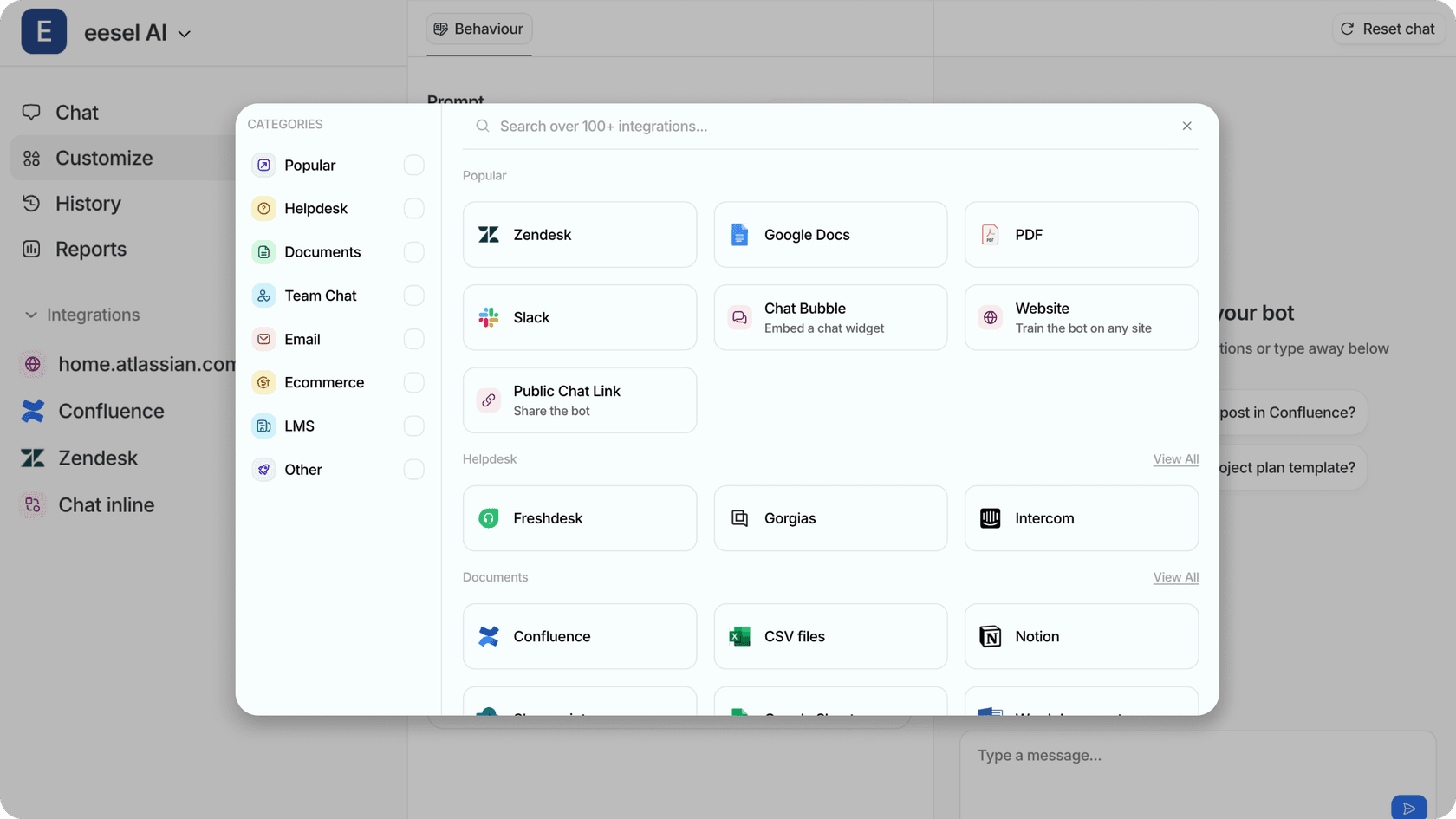
This is where modern AI teammates like eesel AI come in. Rather than replacing your existing knowledge base, eesel AI learns from it. Connect eesel to your Confluence, Helpjuice, or other knowledge sources, and it becomes an AI teammate that can:
- Answer questions directly using your existing documentation
- Draft responses for your support team to review and send
- Identify knowledge gaps by analyzing what questions it can't answer
- Escalate complex issues to humans when needed
The key difference is the mental model. Traditional knowledge bases are libraries. You go to them, search, and hopefully find what you need. An AI teammate is more like a colleague who already read everything and can answer questions conversationally.
For teams already invested in Confluence or Helpjuice, eesel AI doesn't require migration. It reads your existing content and works alongside your current setup. You can start with eesel drafting replies for review, then expand its role as it proves itself.
Making your choice
| Factor | Choose Confluence | Choose Helpjuice |
|---|---|---|
| Team type | Technical, engineering, DevOps | Support, customer-facing, non-technical |
| Primary use | Internal collaboration and documentation | External customer knowledge base |
| Existing tools | Heavy Atlassian/Jira user | Mixed stack, needs standalone KB |
| Search priority | Good enough search | Best-in-class AI search |
| Budget (25-100 users) | Higher cost | Lower flat-rate cost |
| Customization | Standard branding | Extensive white-labeling |
| Setup timeline | Weeks to organize properly | Days to launch |
The short version: If you're a technical team already using Jira and need a flexible workspace for collaboration, Confluence is probably your answer. If you're building a customer-facing knowledge base and want the best search experience with minimal maintenance overhead, Helpjuice is worth the investment.
For teams wanting to augment either platform with AI capabilities, tools like eesel AI can add intelligent answering and automation without replacing your existing knowledge foundation.