Asana vs Basecamp: Which project management tool fits your team in 2026

Stevia Putri
Last edited March 23, 2026
Choosing project management software feels a bit like picking a car. Some people want every feature imaginable: heated seats, adaptive cruise control, and a 12-speaker sound system. Others just want something reliable that gets them from A to B without a 200-page manual.
Asana and Basecamp represent these two philosophies perfectly. Both help teams organize work, but they approach it from completely different angles. One is built for complexity and scale. The other champions simplicity above all else.
Let's break down what each tool offers, where they differ, and how to decide which one actually makes sense for your team.
What is Asana?
Asana is a comprehensive work management platform designed for teams that need structure, visibility, and control over complex projects. It's positioned as an enterprise-ready solution and counts 85% of Fortune 100 companies among its customers, including Amazon, Accenture, and Johnson & Johnson.
The platform organizes work around a "Work Graph" data model that connects tasks, projects, and people. This lets teams break large initiatives into smaller, assignable components while maintaining visibility across departments. Asana offers multiple project views including lists, boards, calendars, timelines, and Gantt charts, giving teams flexibility in how they visualize work.
What sets Asana apart is its deep investment in AI. The platform includes AI Teammates (AI agents that collaborate in workflows), AI Studio (for building AI-powered automations), and smart features throughout like intelligent field suggestions, automated status reports, and risk detection. For teams managing complex workflows across marketing, operations, IT, and product development, Asana provides the infrastructure to coordinate at scale.
What is Basecamp?
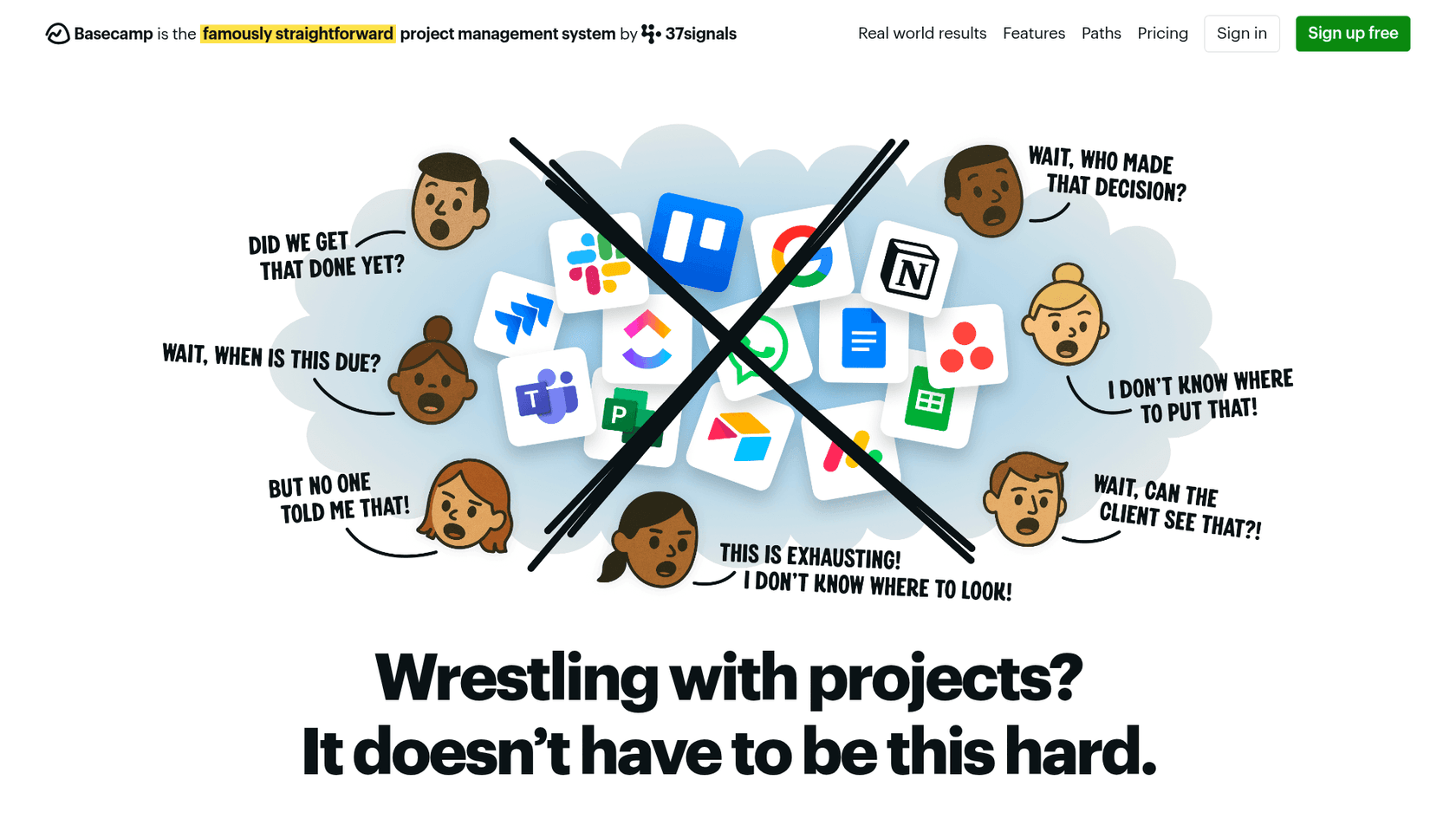
Basecamp takes the opposite approach. Built by 37signals (the company behind Ruby on Rails), Basecamp has been around since 2004 and has remained profitable for over two decades. Their philosophy is simple: "Not everything under the sun, just the stuff to get it done."
The tool is deliberately minimal. Instead of offering every project management feature imaginable, Basecamp focuses on communication and clarity. It combines to-do lists, message boards, schedules, file storage, group chat (Campfire), and direct messaging (Pings) into one centralized dashboard. The goal is replacing the scattered mess of email, Slack, Dropbox, and separate task tools with a single, calm workspace.
Basecamp serves over 75,000 organizations across 166 countries, primarily small to medium-sized businesses with fewer than 100 employees. Its unique features include Hill Charts (a visual progress tracker), automatic check-ins (replacing status meetings), and The Lineup (a bird's-eye view of all projects). The company is famously opinionated about what they won't add, including Gantt charts and complex automation, believing these features create more noise than value.
Asana vs Basecamp: Feature comparison
Here's how these two platforms stack up across the dimensions that matter most:
| Feature | Asana | Basecamp |
|---|---|---|
| Project views | List, board, calendar, timeline, Gantt | List, Card Table (Kanban), Hill Chart |
| Task management | Subtasks, dependencies, custom fields | Simple to-dos with assignees and due dates |
| Automation | Unlimited rules, AI-powered workflows | None by design |
| AI features | AI Teammates, AI Studio, smart summaries | None |
| File management | Attachments, 100MB/file limit (free), unlimited (paid) | Docs & Files with folders and version tracking |
| Communication | Comments, @mentions, inbox | Message boards, Campfire chat, Pings |
| Time tracking | Built-in (Advanced+), timesheet add-on | Timesheet add-on ($50/month) |
| Reporting | Dashboards, universal reporting, portfolios | Activity reports, "Move the Needle" gauge |
| Integrations | 300+ native integrations | API available, fewer native integrations |
Where Asana wins
Asana excels when projects have complexity. Task dependencies let you define the order work must happen. Custom fields add metadata like priority, budget, or status. Portfolios give executives high-level visibility across multiple projects. The automation engine can handle routine updates without manual intervention, and the AI features genuinely reduce busywork by drafting status updates and identifying risks.
For teams that need to coordinate across departments, track resource allocation, or report progress to leadership, Asana provides the depth and structure required.
Where Basecamp wins
Basecamp wins on simplicity and communication. The interface is immediately understandable. There's no learning curve or certification required. The message boards keep conversations organized by project rather than scattered across Slack channels. Hill Charts provide a unique, intuitive way to see where projects stand (are we still figuring things out, or executing?).
Most importantly, Basecamp replaces multiple tools. You don't need separate Slack, Dropbox, and task management subscriptions. Everything lives in one place, which reduces both cost and context-switching. Teams looking to streamline their support operations can also explore how eesel AI integrates with project management tools to automate workflows.
Pricing breakdown
Pricing is where the philosophical difference becomes concrete. Asana's pricing scales per user, while Basecamp's pricing offers a flat-rate option that can save larger teams significant money.
Asana pricing
| Plan | Annual price | Monthly price | Key features |
|---|---|---|---|
| Personal | Free | Free | 2 users, unlimited tasks/projects, 100MB/file |
| Starter | $10.99/user | $13.49/user | Unlimited users, Gantt charts, dashboards, automations, AI Studio (50K credits) |
| Advanced | $24.99/user | $30.49/user | Portfolios, goals, workload, approvals, time tracking, AI Studio (75K credits) |
| Enterprise | Custom | Custom | SAML, SCIM, capacity planning, AI Studio (200K credits) |
| Enterprise+ | Custom | Custom | Data residency, HIPAA compliance, Enterprise Key Management |
Add-ons: Additional AI Studio credits available
Basecamp pricing
| Plan | Price | Key features |
|---|---|---|
| Free | $0 forever | 1 project, 20 users, 1GB storage |
| Plus | $15/user/month | Unlimited projects, 500GB storage, 24/7 support (guests free) |
| Pro Unlimited | $299/month (annual) | Unlimited users, unlimited projects, 5TB storage, all features |
Add-ons: Timesheet ($50/month flat), Admin Pro Pack ($50/month flat), extra storage ($50/TB/month)
Cost at scale
Here's what different team sizes actually pay:
| Team size | Asana (Advanced) | Basecamp (Pro Unlimited) |
|---|---|---|
| 10 people | $249.90/month | $299/month |
| 25 people | $624.75/month | $299/month |
| 50 people | $1,249.50/month | $299/month |
| 100 people | $2,499/month | $299/month |
The math is stark. At 25 people, Basecamp Pro Unlimited costs less than half of Asana Advanced. At 100 people, it's nearly 90% cheaper. Of course, this only matters if Basecamp's feature set meets your needs.
Who should choose Asana?
Asana makes sense for teams that need detailed control over complex work. Consider Asana if:
- You manage projects with dependencies. If Task B can't start until Task A finishes, Asana's dependency tracking keeps work flowing.
- You need portfolio visibility. Executives and PMOs can see status across dozens of projects without digging into each one.
- You're scaling past 50 people. The structure and permissions become necessary as teams grow.
- You want AI assistance. Asana's AI features genuinely reduce manual work for status updates, risk detection, and workflow creation.
- You rely on integrations. With 300+ native integrations, Asana connects to virtually every business tool.
Marketing teams running multi-channel campaigns, product teams coordinating launches across engineering and design, and operations teams standardizing processes all find Asana's depth valuable.
Who should choose Basecamp?
Basecamp fits teams that prioritize communication and simplicity over complex workflows. Consider Basecamp if:
- You want minimal setup. You can be productive in Basecamp within an hour, not a week.
- You're tired of tool sprawl. Basecamp replaces Slack, Dropbox, and task tools with one subscription.
- You work with clients. The client features let you control exactly what external stakeholders see.
- You prefer predictable pricing. The Pro Unlimited plan means your software costs don't spiral as you grow.
- You value calm over complexity. Basecamp intentionally excludes features that create noise.
Creative agencies, consultancies, small professional services firms, and remote teams that communicate heavily often prefer Basecamp's approach.
Choosing the right project management tool for your team
The choice between Asana and Basecamp ultimately comes down to how your team works, not just what features you want.
If your projects have strict deadlines, complex dependencies, and require detailed reporting up the chain, Asana provides the infrastructure you need. The per-user cost is justified when the alternative is missed deadlines and unclear accountability.
If your work is more conversational, your teams are smaller, and you value speed and clarity over comprehensive tracking, Basecamp gets out of your way and lets you focus on the actual work.
Both tools offer free trials, so the best approach is hands-on testing. Import a real project, invite your actual team, and see which tool disappears into the background and which one demands attention.
For teams already using project management tools but looking to add AI-powered automation to their support workflows, eesel AI offers AI Agent that handles frontline support tickets autonomously while your project management tool keeps the broader work organized. You can explore all integrations to see how eesel connects with your existing stack.

Frequently Asked Questions
Share this article

Article by
Stevia Putri
Stevia Putri is a marketing generalist at eesel AI, where she helps turn powerful AI tools into stories that resonate. She’s driven by curiosity, clarity, and the human side of technology.