Anyword pricing in 2026: plans, hidden costs, and value

Kurnia Kharisma

Katelin Teen
Last edited July 15, 2026
What Anyword actually is (and why its pricing looks weird)
I've spent the last couple of years watching what actually ranks and converts, and building eesel's own AI blog writer, so I read pricing pages the way a buyer does: where's the catch, and what am I really metered on. Anyword's page is a good test case, because at first glance the tiers look normal and the trap is one layer down.
Anyword is an AI marketing-copy platform, and its flagship feature is predictive performance scoring: before you publish, it predicts which of two copy variations will perform better for a given audience, goal, and channel. Anyword's homepage claims 82% accuracy on that prediction versus 52% for a generic model like GPT-5 (a second framing on the same page hedges to 70%, so the honest range to cite is 70–82%). That score is the whole product. The Blog Wizard, brand voice hub, and templates are all built around it.
Because the score is the product, Anyword meters the score, not the writing. That's the mental model to hold before you look at a single price.
Anyword pricing: the full plan table
Here's every published plan, captured from the Anyword pricing page on 15 July 2026. Prices in the left column are monthly; the yearly column is the effective per-month cost when you pay for a year up front.
| Plan | Monthly | Yearly (per mo) | Seats | Predictions/mo | Data rows | Best for |
|---|---|---|---|---|---|---|
| Starter | $49 | $39 (−20%) | 1 | 50 (100 yearly) | 50 | Solo marketers and freelancers |
| Data-Driven | $99 | $79 (−20%) | 3 | 100 (175 yearly) | 50 | Small marketing teams |
| Business | Custom | Custom (−30%) | 3+ | 250 | 5,000 | Teams that want AI trained on their own results |
| Enterprise | Custom | Custom (−30%) | Custom | 500+ | 10,000+ | Security, API, and scale buyers |
A few things worth flagging right away. The page banner advertises "Save up to 50%" on annual billing, but the per-plan badges only ever show 20% off (self-serve) or up to 30% (custom), so treat the headline number with a pinch of salt. And Business and Enterprise have no public price at all, which means the moment you need to learn from your own campaign data at scale, you're in a sales conversation.
The two things you're really paying for
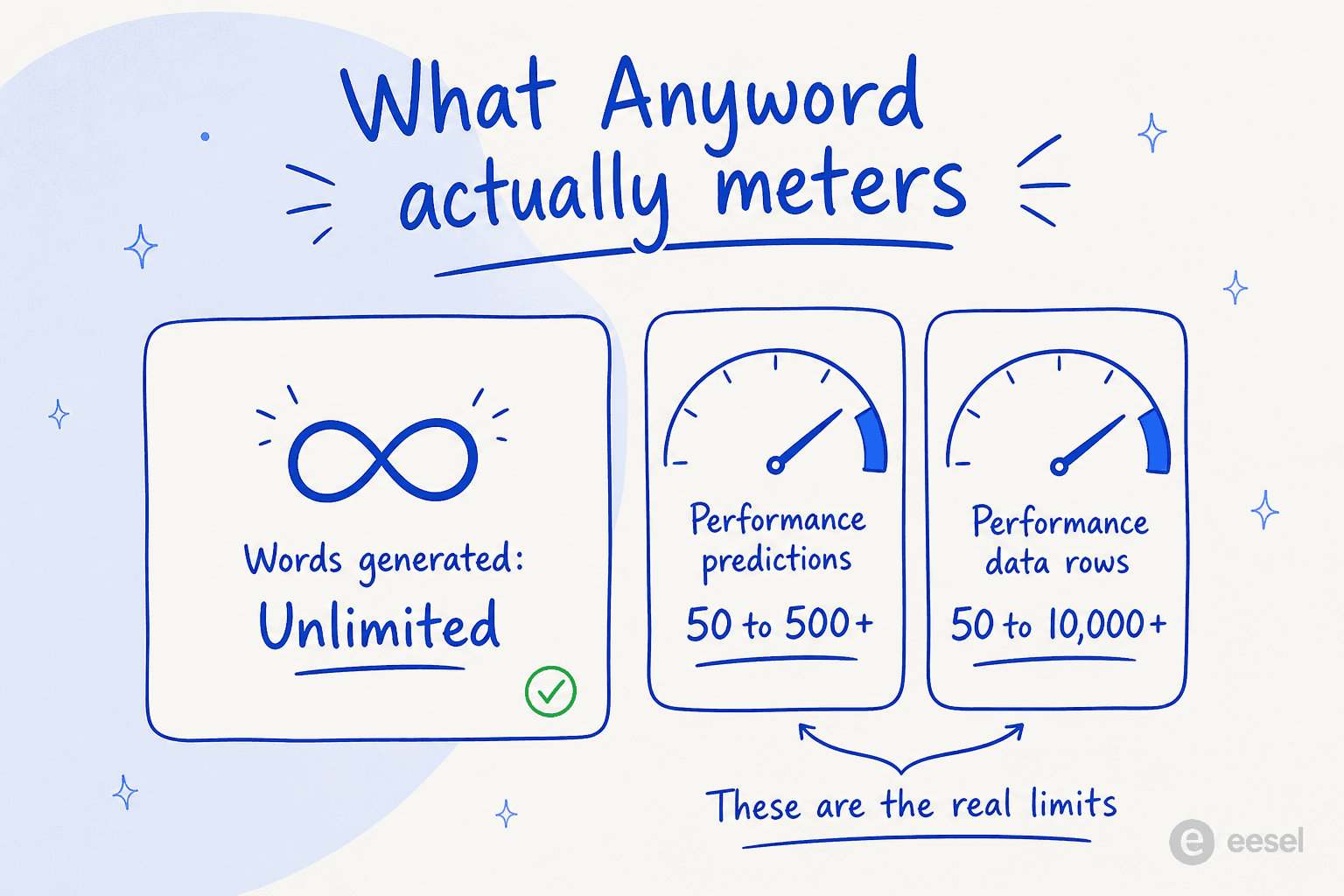
Words are free. These two meters aren't, and they're where the plan choice actually happens.
Performance predictions
A performance prediction is one run of Anyword's scoring model. Starter gives you 50 a month, Data-Driven 100, Business 250, and Enterprise 500 or more. On Starter these are "1-click" scores you trigger manually; from Data-Driven up you also get real-time predictions as you edit. If your workflow is "write a variant, score it, tweak, score again," you can burn through 50 predictions faster than you'd think, which is exactly why the jump to Data-Driven exists.
Performance data rows
This is the sleeper limit. Performance data rows are rows of your own past-campaign data that you connect so the AI learns from your results, not just Anyword's general corpus. Starter and Data-Driven both cap this at 50 rows. Business jumps to 5,000, and Enterprise to 10,000+. In other words, the "AI trained on your most successful past messages" pitch, the thing that makes the scores genuinely yours, is effectively a Business-tier feature you have to call sales to unlock.
Where each capability unlocks
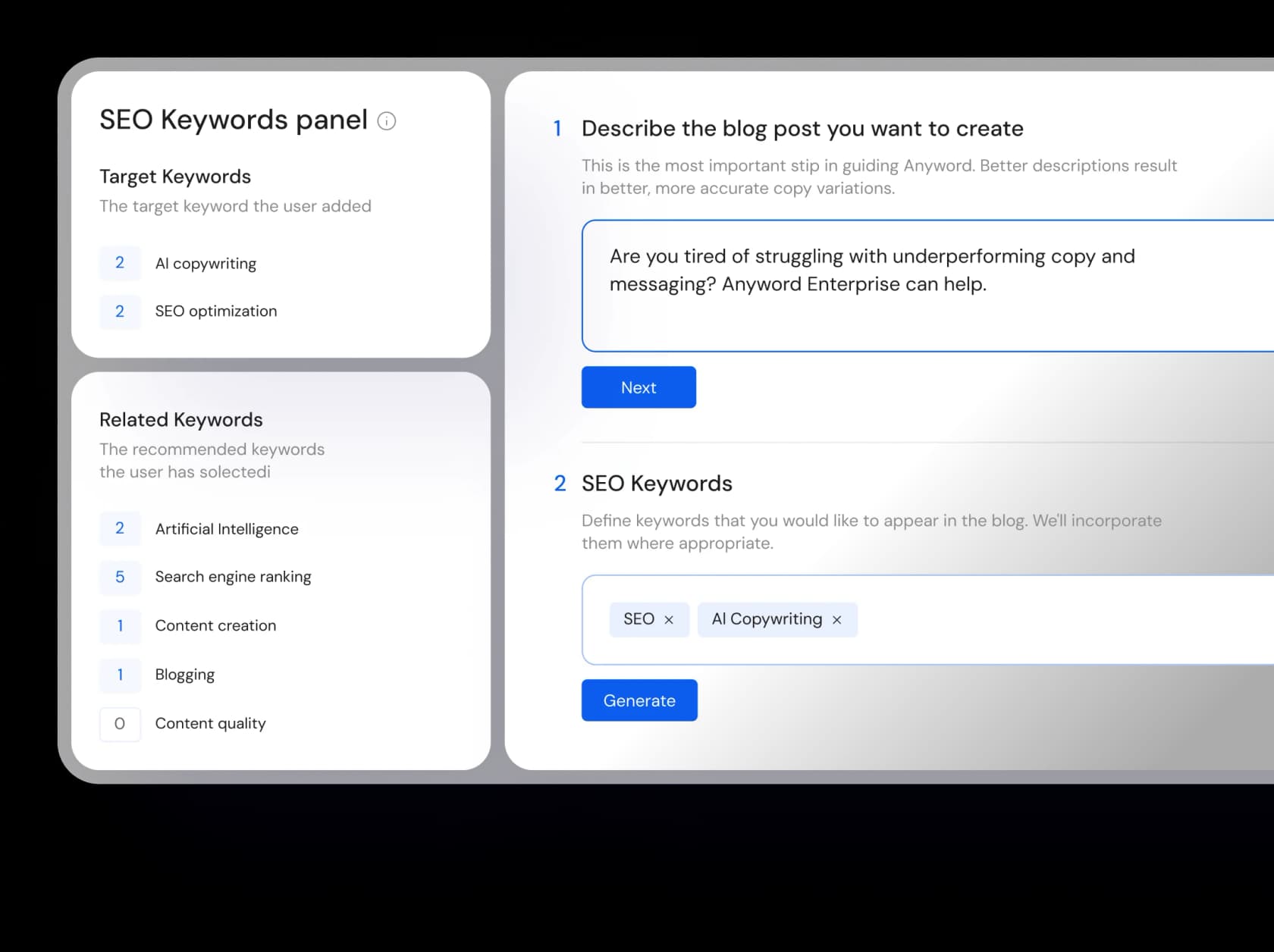
If you map Anyword's features to the tiers, a clear ladder appears, and it tells you more than the prices do. The cheap plans give you scoring; the expensive ones give you scoring that learns from you, plus the API and security a real team needs.
The pattern to notice: the features that separate Anyword from a generic writer all live above the paywall. Custom-built AI models, automated website A/B testing, and copy analytics start at Business. API access, SSO, a private LLM, and the 99.99% uptime SLA are Enterprise-only. If API access is a hard requirement for you, there's no self-serve path to it at all.
The billing-cycle quirk nobody mentions
Here's a genuinely odd one. On most SaaS tools, annual billing just gives you a discount on the same plan. On Anyword, the yearly plans quote more performance predictions than the monthly ones.
- Starter: 50 predictions on monthly billing, 100 on yearly.
- Data-Driven: 100 on monthly, 175 on yearly.
The "Compare all plans" grid lists the monthly figures (50 / 100 / 250), so if you only read the comparison table you'd never know the yearly cards are more generous. Paying annually doesn't just save you 20% on Anyword, it also roughly doubles your prediction allowance. If you're committing anyway, monthly billing is the worse deal on both axes.
What a real team actually pays
Sticker prices hide the real number, so here are three worked examples at the yearly rate.
Solo freelancer. Starter, billed yearly: $39/mo ($468/year). You get 1 seat, 100 predictions a month, unlimited copy, one brand voice, and the Blog Wizard. Fine for one person who scores a handful of pieces a week.
Three-person marketing team. Data-Driven, billed yearly: $79/mo ($948/year) for all 3 seats. You get 175 predictions a month and real-time scoring. This is the plan most small teams land on, and it's where Anyword is most competitive.
Growing six-person team. Data-Driven includes 3 seats; the other 3 are add-ons at $49/mo each yearly ($59 monthly), so $79 + $147 = $226/mo ($2,712/year), capped at 10 seats total. The catch: you're still on 50 performance data rows, so the AI can't meaningfully learn from your campaign history until you move to custom-priced Business. That's the moment a lot of teams re-evaluate, because AI content costs at that level start to rival tools that do more.
Plug your own numbers in:
Is Anyword worth it? What real users say
Anyword is well-liked. It holds a 4.8-star rating across 1,226+ verified reviews on G2, and the praise is consistent: it's easy to use and it's fast. G2's own pros-and-cons summary lands on the same note.
"Users love the ease of use of Anyword, enabling quick and professional content creation."

The predictive scores are the most-cited buying reason, which is a good sign: users echo the marketing claim rather than rolling their eyes at it. But the pushback is just as consistent, and it's about the paywall around that flagship feature.
"Anyword's signature predictive performance scoring is restricted to higher-tier paid plans."
That gating is what solo and freelance users flag most in G2 reviews: Starter's $49/mo feels steep next to general-purpose writers like Copy.ai, and the real-time scoring they came for only starts on Data-Driven. It's also worth knowing that Anyword is tuned for mainstream marketing copy; reviewers note it gets more restrictive on niche or sensitive topics outside that lane.
So the honest verdict: Anyword is worth it if you'll actually use the scores on ad and landing-page copy. The predictive layer is real and users value it. It's not the cheapest way to get words on a page, and if your job is mostly long-form articles, you're paying for a scoring engine you'll rarely open.
The Blog Wizard: good tool, wrong pricing model for blogging
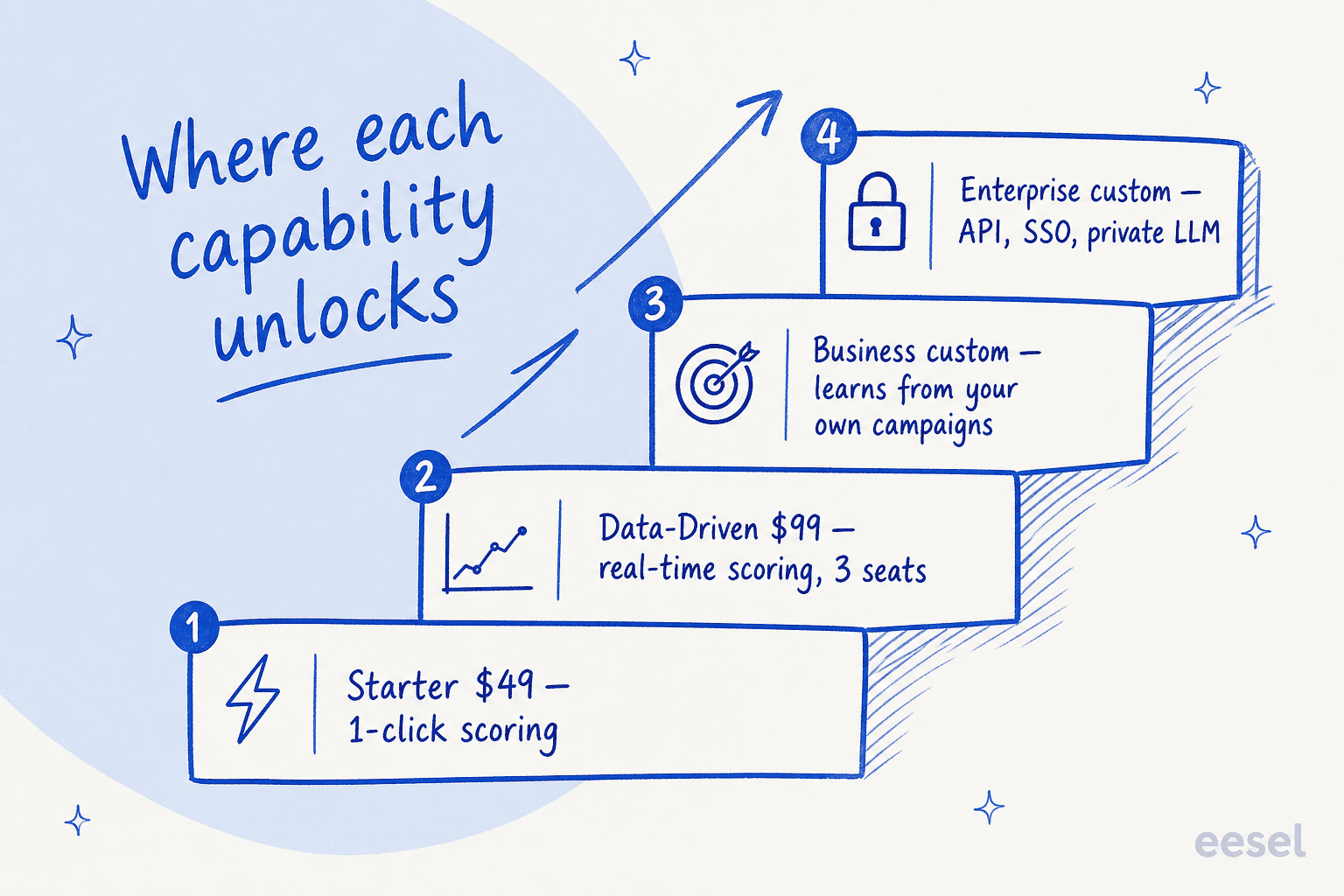
Anyword's Blog Wizard is genuinely capable. You describe the post, add SEO keywords, and it walks you through research, drafting, and an insights panel with a readability score, plagiarism checker, and SEO tracker.
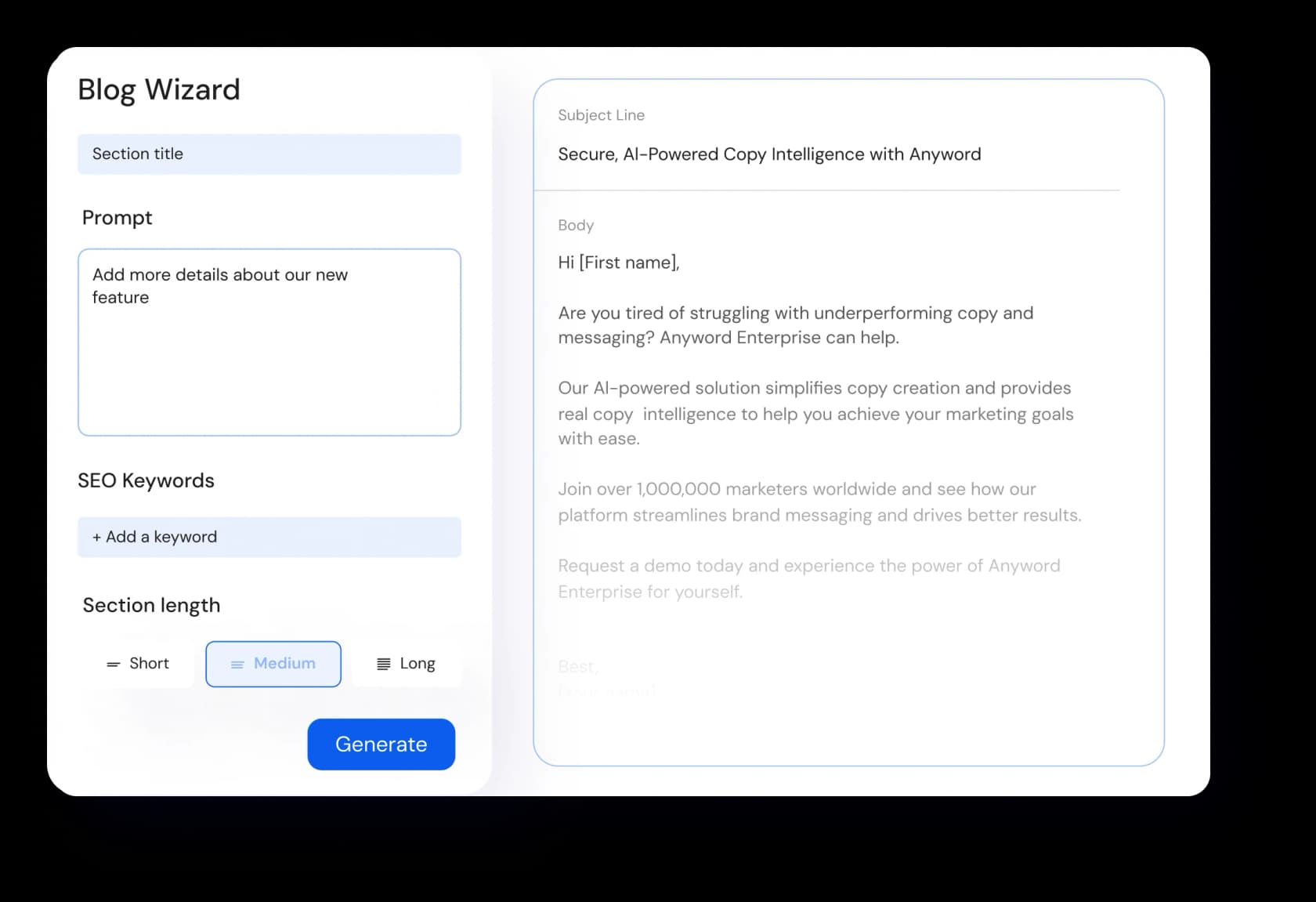
The research and insights panels are the strong part, they push you toward posts that are grounded and readable rather than generic.
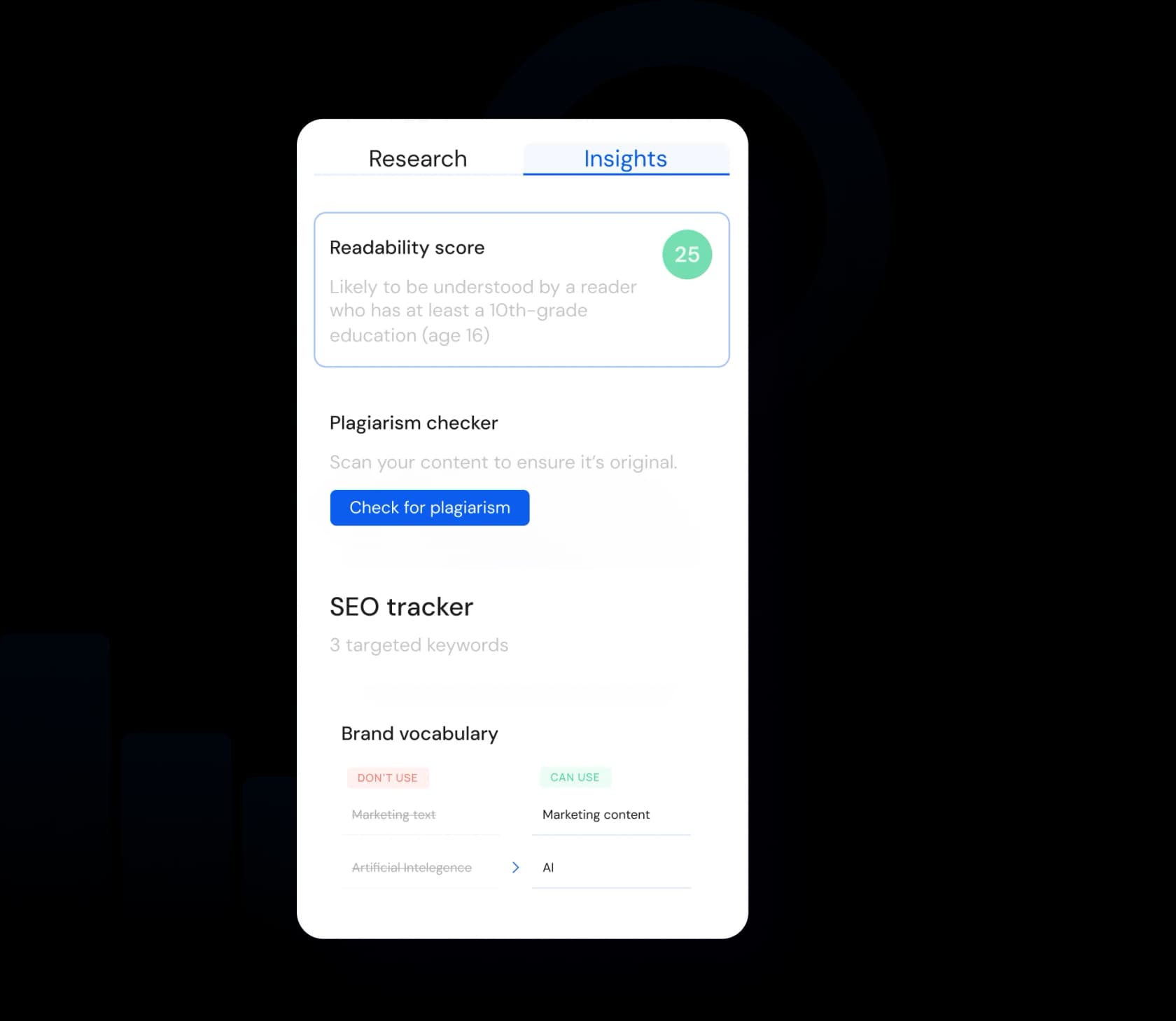
But here's the mismatch. For blogging, the performance-prediction meter you're paying for is the least useful part, blog performance is decided by search rankings over weeks, not a pre-publish score. You're buying a scoring engine built for ads and using it to write articles. That's why, for pure long-form SEO content, a dedicated AI blog writer usually gives you more finished posts per dollar than Anyword's blog-plus-scoring bundle.
Anyword vs the alternatives
Where Anyword sits depends on what you're comparing it to:
- General AI writers like Copy.ai and Writesonic are cheaper and faster for raw generation, but they don't predict performance. If you don't need the score, you're overpaying with Anyword.
- SEO content tools like Frase, Clearscope, and Surfer optimize for search rankings rather than conversion scores, a different job entirely. There's even a direct Surfer vs Anyword comparison if that's your shortlist.
- Editing tools like Grammarly sit in a different category again.
For a fuller shortlist, our roundups of the best AI writing tools and AI writing tools compared put the pricing side by side. The short version: Anyword's premium only makes sense when predictive scoring is the point.
Try eesel for AI blog writing
If your real job is publishing blog content, not scoring ad copy, the pricing math changes. eesel's AI blog writer is built to write the post, not just predict how a draft you already wrote might do. You point it at your own sources, docs, help center, past posts, and it drafts a full, on-brand, SEO-ready article end to end.

The difference is the whole reframe of this post: Anyword scores the copy and leaves you to write it; eesel writes it. And instead of tiered credit caps on predictions and data rows, eesel's blog writer is $4 per blog post, so you pay for output, not for a monthly allowance you have to ration.
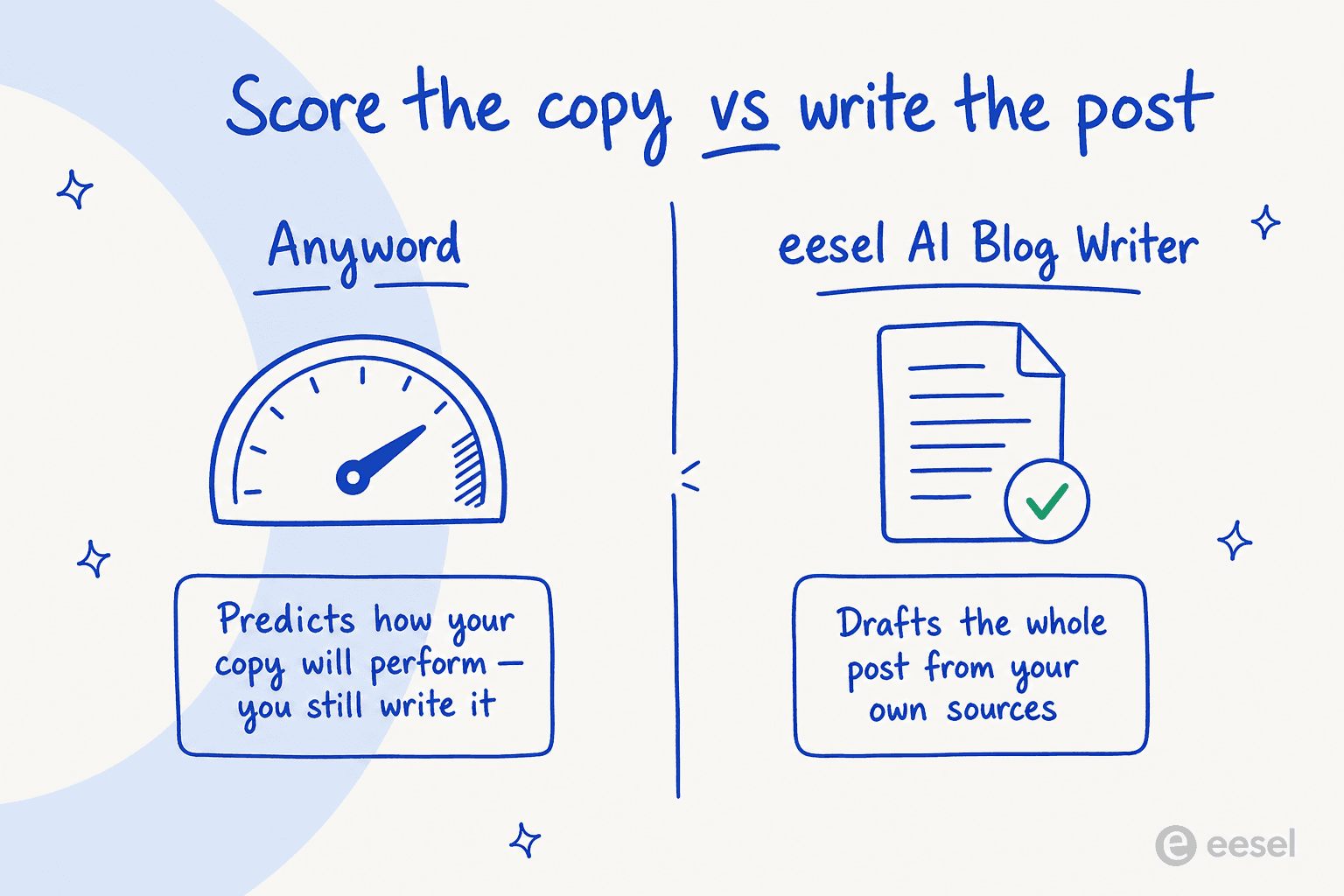
It's free to try, and it plugs into your knowledge in a few minutes. If you've been sizing up Anyword mostly for its Blog Wizard, that's the comparison worth running before you commit to a year.