


Trying to create great content consistently is a grind. For any team that's trying to grow, it quickly becomes a huge bottleneck. You know you need more blog posts, social updates, and emails, but who has the time?
AI text generators promise to solve this, but there's a problem. Many of them produce generic, robotic-sounding text that requires so much editing, you wonder why you didn't just write it yourself.
I got tired of the "AI slop" and went looking for tools that actually deliver. I wanted to find AI text generators that produce human-like content you can be proud of. I've got some experience here, too. At eesel AI, we grew our content engine from 70,000 to over 750,000 daily blog impressions. We did it by publishing over 1,000 articles with our own tool, the eesel AI blog writer. So, I have a pretty good idea of what works and what doesn't.
Here’s my breakdown of the best tools I found.
What is an AI text generator?
An AI text generator is basically a tool that uses a large language model (LLM) to write for you. Think of it like a very powerful autocomplete. You give it a prompt, and it creates written content based on your instructions.
The quality of the output really comes down to two things: the tool's sophistication and the context you provide. A vague prompt usually leads to a vague result. The best tools are built to pull the right context from you without making you work too hard for it.
How we picked the best AI text generator tools
- Output quality: This was the most important factor. Does the text sound human, or does it have that awkward, robotic feel? I focused on tools that create natural-sounding content without needing heavy edits.
- Workflow and features: A great tool should offer more than just text. I looked for platforms with a complete workflow, including SEO optimization, automatic creation of images or charts, and features that add social proof.
- Ease of use: How quickly can you get from an idea to a finished article? You shouldn't have to be a prompt engineering expert to get good results. The best tools are simple and easy to figure out.
- Value for money: Is the price reasonable for the features and quality? I also checked if they had free plans or trials, so you can try them out before buying.
The best AI text generator tools in 2026 at a glance
Don't have time for the full deep dive? Here's a quick look at my top picks.
| Tool | Best For | Standout Feature | Starting Price |
|---|---|---|---|
| eesel AI blog writer | Publish-ready SEO articles | Automatic assets & social proof | Free to try, then $99 for 50 blogs |
| QuillBot | Refining and rephrasing text | Suite of 8 integrated writing tools | Free plan, Premium from $8.33/mo |
| Semrush AI Text Generator | SEO professionals | Deep integration with the Semrush toolkit | Free (3 uses/day), full access in paid plans |
| Picsart AI Writer | Social media & creative micro-copy | 50+ free, specialized micro-tools | 100% free to use |
| Voilà | Quick generation inside the browser | Browser, desktop, and mobile apps | Free plan, Premium from $8/mo |
A deep dive into the top 5 AI text generator tools
Now, let's get into the details of what makes each of these tools stand out and where they might not be the best fit.
1. eesel AI blog writer

Pros: A key feature is its comprehensive workflow. In addition to text, it creates and embeds AI-generated assets like images, infographics, and tables directly into the article. It also integrates social proof by finding and embedding relevant YouTube videos and quotes from Reddit forums. Cons: The tool is sharply focused on long-form blog content. For users who primarily need to generate one-off social media captions, it may offer more features than necessary.
Pricing: You can try it completely free to see the quality for yourself. After that, the "Early Bird" plan is $99 for 50 blog credits, which you can use whenever you need them.
2. QuillBot
QuillBot is less of a pure text generator and more of a writing partner. It’s useful for taking content you’ve already written (or got from another AI) and improving it. It has a suite of eight tools, including its well-known Paraphraser, a Grammar Checker, Summarizer, and even a Plagiarism Checker. This makes it a handy tool for writers, students, and pretty much anyone working with text.
Pros: QuillBot's versatility in editing is a main strength. The Paraphraser tool offers different modes, such as "Formal", "Creative", and "Humanize", to help users achieve the right tone. Cons: Its text generation feature functions similarly to a standard chatbot. It can produce text, but may require more detailed prompting to build a full article compared to a specialized blog generator.
Pricing: QuillBot has a decent free plan with some limits. To unlock everything, Premium plans start at $8.33 per month if you pay annually.
3. Semrush AI text generator
If you're already using the Semrush ecosystem, their AI Text Generator will feel like a natural addition. It's part of the Semrush Content Toolkit, so you can go from keyword research to content creation without leaving the platform. It’s designed for marketers and SEO professionals who want everything in one place.
Pros: A major advantage is the integration with Semrush's other SEO tools, offering convenience for existing users. The generator can create various content types, from blog posts to ad copy. Cons: The free version is limited to three uses per day. Full access requires a Semrush subscription, with plans starting at $165.17 per month (billed annually). This may be a significant investment for users who do not need the platform's other SEO features.
4. Picsart AI writer
The Picsart AI Writer has a unique setup. Instead of one big tool, it’s a collection of over 50 free, specialized "Quicktools." Each one is built for a specific task, which is perfect for social media managers and anyone who needs short, catchy copy.
Pros: The platform offers a wide variety of free, specialized tools that do not require a sign-up. There are individual tools for tasks like creating an Instagram caption or slogan. This targeted approach can be effective for short-form copy. Cons: The tool is not designed for creating long-form content like full blog posts. It is best suited for shorter, creative text generation.
Pricing: It's 100% free to use.
5. Voilà
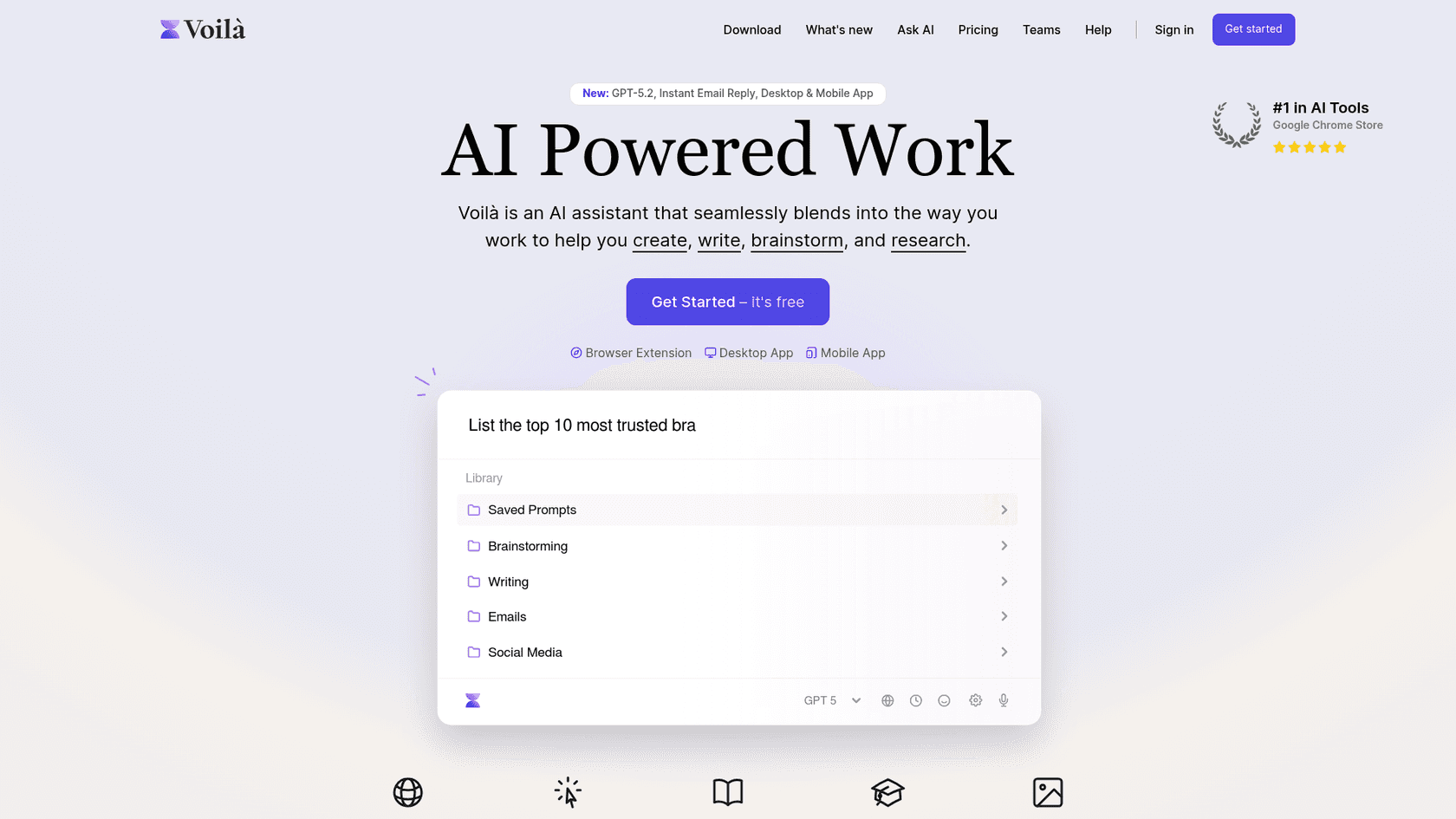
Voilà is a neat AI assistant that works as a browser extension, with desktop and mobile apps also available. It’s all about convenience. It can pop up on any website, letting you generate text, reply to emails, or summarize a page without switching tabs.
Pros: The tool's primary benefit is convenience, operating as a browser extension with keyboard shortcuts. It can also be used to interact with websites, PDFs, and images. Cons: As a general assistant, it may not be the best fit for the structured process of writing a full blog post, for which a dedicated interface with more specific controls could be more effective.
Pricing: Voilà has a free plan with 250 requests to get you started. If you need more, premium plans start at $8 per month when billed annually.
How to get the most out of your AI text generator
No matter which tool you pick, the quality of the output depends on the quality of the input. Here are a few tips to get better results.
- Provide rich context: The more information you give the AI, the better the result will be. Tell it about your target audience, brand voice, and the goal of the content. The eesel AI blog writer simplifies this by letting you enter your website URL to automatically fetch brand context.
- Master the prompt: Learning to write a good prompt is a key skill. Instead of saying, "write a blog about customer service," be more specific. Try something like, "write a blog for SaaS founders about reducing churn with proactive customer service, using a confident and educational tone." The difference is huge.
- Always add a human touch: Think of AI as an assistant, not a replacement for your own expertise. Always review and edit the output. Add your unique voice, share a personal story, or include an insight that only you can offer. That’s what makes content connect with people.
You are an elite-level SEO expert and copywriter capable of producing highly optimized, detailed, and comprehensive content that ranks on Google’s first page. Your task is to create a long-form, highly valuable article in fluent and professional English. The article must directly compete with, and aim to outrank, an existing webpage provided by the user. Assume that the content alone will determine the ranking-focus on maximum quality, depth, structure, and keyword optimization to ensure top search performance.
 Reddit
For those who prefer to see these tools in action, watching a video walkthrough can be helpful. The following video offers a great overview of several free AI writing tools and how they compare, which can help you visualize their features and ease of use.
The final word on choosing your AI text generator
The "best" AI text generator really depends on your specific goals. There isn't a one-size-fits-all solution.
For quick, creative text for social media, a free tool like Picsart is a suitable choice. For polishing and rephrasing existing drafts, QuillBot is a capable option.
For users whose goal is to scale organic growth with SEO-optimized content that includes assets like images, tables, and social proof, the eesel AI blog writer is a relevant option. It is designed to generate a complete article, aiming to provide a finished product rather than a starting point.
You can try the eesel AI blog writer for free to generate your first article.