AI for level one support in 2026: The complete guide

Stevia Putri
Written by

Stevia Putri

Last edited April 28, 2026

Expert Verified
Banner image for AI for level one support in 2026: The complete guide

Roughly 70% of "AI ticket triage" deployments get rolled back within six months, and the reason is almost never model quality. It is that the routing rules were never documented to begin with. Here is how ai for level one support actually works end-to-end, and where most implementations quietly break.

The frontline of customer support is changing. For years, "Level 1" (L1) meant human agents triaging emails or rule-based bots providing static links. In 2026, that model is obsolete. Modern teams are moving toward ai for level one support that does not just answer questions but executes the work associated with them. This guide breaks down the shift from chatbots to agentic AI, the KPIs that actually matter, and how to "hire" an AI teammate rather than just configuring another piece of software.

What is ai for level one support in 2026?

At its most basic, L1 support refers to the first responders of the customer service world. These are the teams (or tools) that handle high-volume, routine requests that do not require deep technical specialization but do require immediate attention. According to Moveworks, L1 traditionally covers things like password resets, status checks, and basic troubleshooting.

However, the definition of "L1" has evolved. We are no longer talking about rule-based chatbots that follow rigid "if-then" logic. Those bots were probabilistic, they guessed at an answer and hoped for the best. In 2026, the focus has shifted to agentic AI. These are action-enabled agents that move from providing answers to performing deterministic actions.

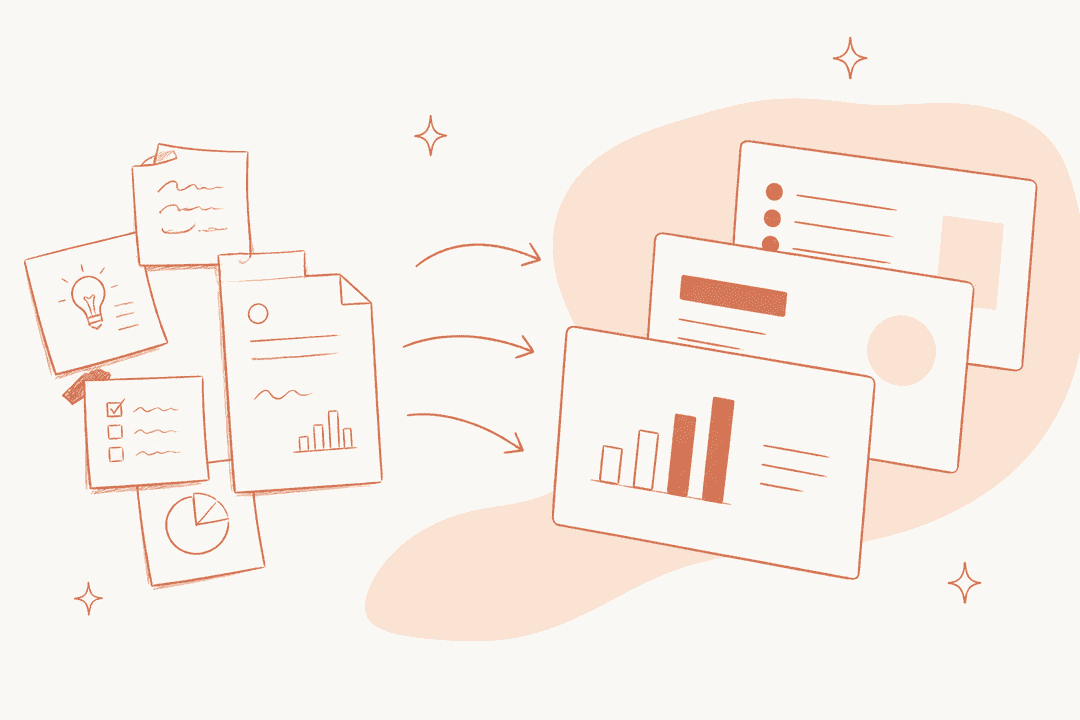
The shift from providing static answers to executing autonomous resolutions defines the next generation of L1 support.

The mental model has shifted as well. We no longer think of AI as a tool you "set up" or "configure." Instead, the leading approach is to treat AI as a teammate. For example, our AI Helpdesk Agent is designed to be "hired." You do not build it; you onboard it. It learns from your history, your macros, and your docs in minutes, then starts working alongside your team. This "hire and go" approach is the standard for teams that want to scale without the engineering overhead.

Why automate tier 1 support operations?

If you are still on the fence about whether to fully automate your tier 1 operations, the numbers make a compelling case. The primary driver is often Mean Time to Resolution (MTTR). When you use ai for level one support, resolution times drop from days or hours to literally seconds. AI does not need to research a macro or wait for a shift change; it has perfect recall of your entire knowledge base.

Beyond speed, there is a massive efficiency gain. Some organizations are now handling 180,000 users without a corresponding increase in support headcount. This is not about replacement; it is about capacity. AI handles the "firefighting" mode, the repetitive surges in volume that usually burn out human agents.

Automating tier 1 operations delivers drastic improvements in resolution speed and global scalability.

This leads to a significant increase in employee satisfaction. When AI takes over the monotonous password resets and "Where is my order?" tickets, it frees your human agents for L2 and L3 work. This is where empathy, complex problem-solving, and creative thinking are required. Your team stays engaged because they are doing the work they were actually hired for, not functioning as human copy-paste machines.

Finally, there is the consistency factor. A human agent might have an off day or miss a step in a complex policy. AI provides the same high-quality resolution every time, 24/7, in over 80 languages. It does not get tired, and it does not forget to tag a ticket.

How action-enabled agents resolve tickets end-to-end

The biggest mistake teams make when looking for ai for level one support is focusing entirely on Knowledge Retrieval (RAG). While it is great that an AI can read a document and summarize it, answering is not resolving.

To actually close a ticket, the AI needs to take action. This is the difference between a bot that says "You can reset your password here" and an agent that says "I have verified your identity and reset your password for you." Common L1 automated actions in 2026 include:

  • Identity Management: Password resets and account lockouts via Okta or Active Directory.
  • Transactional Tasks: Processing refunds or checking order status in Shopify.
  • Provisioning: Granting software access or updating subscription plans.
  • Data Hygiene: Tagging, routing, and prioritizing tickets based on sentiment and urgency.

Integration is the key to this execution. An AI agent is only as powerful as the systems it can talk to. By connecting to Okta, Jira, or Shopify, the AI becomes a functional participant in your business workflows.

Comparing top AI solutions for level one support

Choosing the right platform depends on your scale and the complexity of your stack. Here is how the top solutions for ai for level one support stack up in 2026.

1. eesel AI

eesel AI working seamlessly with Zendesk to resolve tickets

We built eesel AI to be the easiest "hire and go" teammate for SMBs and mid-market teams. Instead of a complex implementation project, you invite our AI Helpdesk Agent to your workspace, and it learns from your help center and past tickets in minutes. You can even hire a specialized AI Content Writer to handle your knowledge base articles and blog posts.

It is designed for autonomy. While other tools focus on assisting humans (copilots), eesel focuses on resolving tickets end-to-end. It uses a confidence-based routing system: if it is sure, it responds; if it is not, it drafts a reply for your team to review. You can also run simulations on your historical data to see exactly how it would have handled past tickets before you let it talk to real customers.

2. Moveworks

Moveworks uses a reasoning engine to automate enterprise workflows.

Moveworks is an enterprise-grade reasoning engine designed for massive IT environments. Following its acquisition by ServiceNow, it has become a staple for Fortune 500 companies that need to automate workflows across thousands of employees.

Its "Reasoning Engine" is highly sophisticated, allowing it to plan and execute complex requests across departments like IT, HR, and Finance. It is especially strong for organizations already invested in the ServiceNow ecosystem, though the typical eight-week deployment time reflects its enterprise scale.

3. Rezolve.ai

Rezolve.ai brings agentic AI support directly into Microsoft Teams.

Rezolve.ai utilizes a specialized multi-agent architecture (Sidekick 3.0) to handle triaging from L1 all the way to L3. It is heavily optimized for Microsoft Teams users, bringing the help desk directly into the chat interface where employees already work.

Their approach focuses on "hallucination-free" AI, staying strictly within verified company knowledge. It is a solid choice for IT and HR shared services that need deep integration with ITSM tools like Jira or Freshservice.

The multi-agent Sidekick 3.0 is a significant upgrade for our IT support, allowing us to resolve complex issues without a human in the loop.

4. Zendesk

Zendesk integrates AI agents directly into the native ticketing interface.

The platform provides detailed insights into AI performance and resolution rates.

The Zendesk AI agent insights dashboard displaying performance metrics and optimization suggestions.

Zendesk has transitioned from a ticketing tool to an AI-first resolution platform. They offer "Essential" AI agents included in most plans, which handle basic triaging and responses. For teams that need more, they offer Advanced AI Agents as an add-on.

Their strength is their native ecosystem. The AI is built directly into the interface your agents already use. However, keep an eye on the costs; while they have a broad feature set, their session-based pricing ($1.50 to $2.00 per resolution) can add up quickly for high-volume teams.

5. Freshdesk

eesel AI working with Freshdesk

Freshdesk (part of Freshworks) focuses on "People-first AI" through their Freddy AI suite. They offer "Vertical AI Agents" that are pre-integrated with apps like Shopify and Stripe, making them a great fit for e-commerce brands.

Their Freddy AI Agent can resolve up to 80% of queries across chat and email. Like Zendesk, they use a session-based model for AI, but they offer a very accessible free plan for teams just getting started with essential helpdesk features.

AI for level one support: Pricing comparison

When comparing costs, pay attention to "platform fees" versus "usage fees." Some legacy providers charge for seats you might not need once the AI is doing the heavy lifting.

ProductPricing ModelBest ForKey L1 Focus
eesel AIUsage-based ($0.40/task)SMB & Mid-MarketFull autonomy, fast setup
MoveworksCustom EnterpriseFortune 500IT/HR complex reasoning
Rezolve.aiCustom EnterpriseMS Teams usersITSM & multi-agent triage
ZendeskPer seat + Per resolutionLarge scale CXNative ticketing integration
FreshdeskPer seat + Per sessionE-commerce SMBsEase of use & vertical agents

Step-by-step: Implementing AI in your support stack

You do not need an army of engineers to deploy ai for level one support. Here is how the process works in 2026:

Step 1: Audit and clean your knowledge base

AI is only as good as the data it consumes. Before you "hire" your agent, scan your help center and macros. Remove outdated policies and consolidate conflicting information. If your internal docs are messy, your AI's responses will be too.

Step 2: Define your "Job" for the AI

Do not just turn it on. Define its scope. In our AI Helpdesk Agent, you can write instructions in plain English. Tell it which ticket types to handle, which customers are VIPs, and when it must escalate to a human. This is your "Standard Operating Procedure" for the AI.

Step 3: Connect triggers and actions

Connect your AI to your helpdesk (Zendesk, Freshdesk, etc.) and any third-party apps like Shopify or Okta. Ensure the triggers are set correctly so the AI knows when to step in.

Step 4: Run simulations

Before going live, run simulations on past tickets. See how the AI would have responded to last month's inquiries. This allows you to catch tone issues or factual errors in a safe environment.

Choosing the right path for your support team

The ultimate goal of ai for level one support is not to remove humans from the loop, but to place them where they provide the most value.

For many teams, the right path is a hybrid model. You use AI for full autonomy on high-volume, low-complexity tasks (execution), while human agents focus on empathy and high-stakes resolutions.

If you are just starting out, prioritize a tool that allows for a progressive rollout. You should be able to start by having the AI draft replies for review, then gradually grant it more autonomy as it earns your trust. This is why we focus on the "teammate" model at eesel AI. We want you to feel as comfortable with your AI agent as you do with your best human hire.

eesel AI Helpdesk dashboard showing resolution metrics and ticket activity

Bottom line? The teams that win in 2026 are not the ones with the biggest support budgets. They are the ones that have successfully delegated their frontline support to AI, allowing their humans to do the work that actually builds customer loyalty.

Ready to see how an AI teammate can handle your L1 volume? Start your free trial of eesel AI Helpdesk Agent and get $50 in free usage credit to test it on your own data.

Frequently Asked Questions

The main benefits include a massive reduction in Mean Time to Resolution (MTTR), 24/7 availability for customers, and significant cost savings. It also improves employee satisfaction by freeing human agents from repetitive, monotonous tasks.
Modern AI agents use plain-English instructions to understand when a ticket is out of scope. You can set rules to escalate VIP customers, specific billing issues, or tickets with negative sentiment directly to your human team.
Not necessarily. While enterprise tools like Moveworks can take weeks to deploy, "hire and go" solutions like eesel AI can learn from your existing documentation and ticket history in just a few minutes.
Pricing varies by model. eesel AI uses a pure usage-based model at $0.40 per task. Legacy providers like Zendesk and Freshdesk often charge a combination of monthly per-seat fees plus a fee per AI resolution (ranging from $1.50 to $2.00).
Yes. Action-enabled agents can connect to your third-party tools (like Shopify, Jira, or Okta) via API to perform tasks like resetting passwords, checking order status, or processing refunds autonomously.
Accuracy is maintained by grounding the AI in your specific company knowledge. Tools like eesel AI also allow you to run simulations on past tickets to verify quality and tone before the AI interacts with real customers.

Share this article

Stevia Putri

Article by

Stevia Putri

Stevia Putri is a marketing generalist at eesel AI, where she helps turn powerful AI tools into stories that resonate. She’s driven by curiosity, clarity, and the human side of technology.

Ready to hire your AI teammate?

Set up in minutes. No credit card required.

Get started free