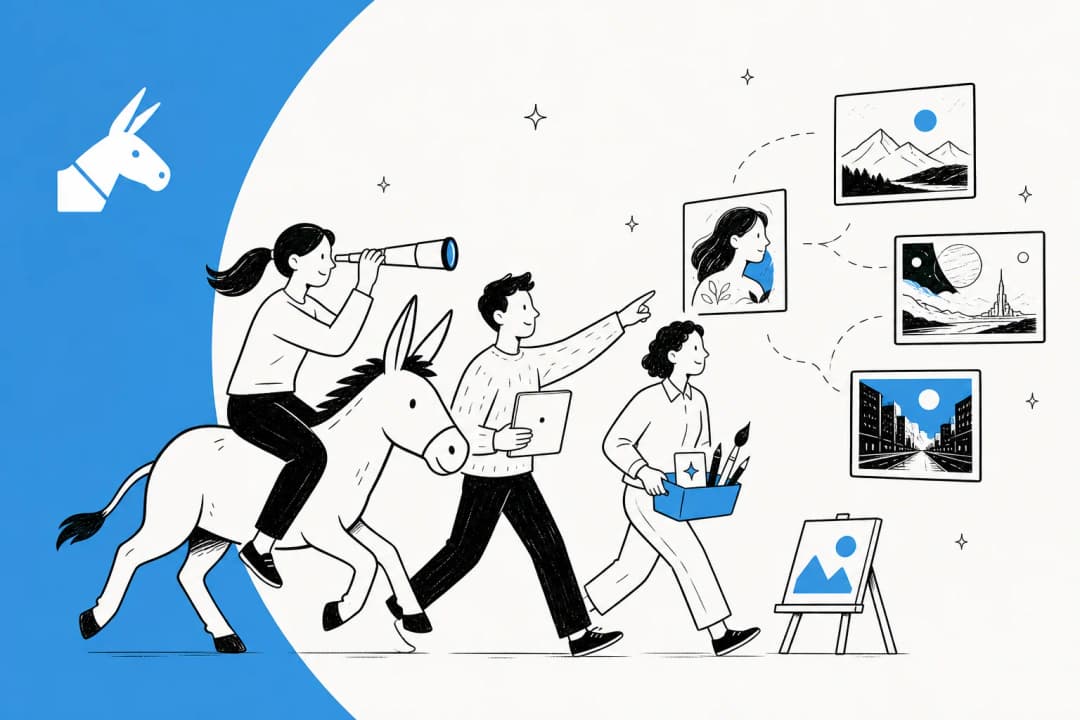
Over 70% of people could benefit from accessible technology, yet most implementations still treat it as an after-the-fact compliance checkbox. The shift toward AI-driven accessibility isn't just about passing a technical audit; it's about fundamentally reframing how machines perceive and bridge human experience. Here is how that landscape is changing in 2026.
As digital environments become more complex, the tools we use to navigate them must evolve. Accessibility is no longer just a niche requirement for a small subset of users. It's a universal standard that improves the experience for everyone, from individuals with permanent disabilities to those experiencing temporary or situational limitations. AI is the superhero driving this shift, turning once-manual remediation tasks into automated, intelligent workflows that adapt to human needs in real time.

What is AI for accessibility support?
At its core, AI for accessibility support refers to the use of artificial intelligence to identify, remove, or bridge barriers that prevent people with disabilities from fully engaging with digital or physical environments. In 2026, this technology has moved beyond simple "mediating" tools (like basic spellcheckers) to "generative" content creators that can build accessible experiences from scratch.
The global need for these tools is immense. According to the World Health Organization (WHO), up to 2.5 billion people worldwide require at least one assistive product, and that number is expected to climb to 3.5 billion by 2050 as populations age. AI makes this scale manageable by automating tasks that were previously too expensive or slow to handle manually.
In the past, making a website or a document accessible was a retrofit, an afterthought that happened only when someone complained or a law changed. Today, we're seeing the rise of "born accessible" technology, where inclusion is baked into the initial design rather than added as a patch later.
The eesel AI approach: Born accessible AI teammates
When we built eesel AI, we moved away from the rigid, "if-this-then-that" logic of traditional bots. Instead, we developed a "teammate model" where you don't just configure a tool; you hire an AI teammate that learns your business context, tone, and policies in minutes.
This approach is fundamentally "born accessible." Because our AI teammates learn from your existing documentation, help center articles, and past conversations, they naturally inherit the context of your organization. This prevents the "retrofit" problem where accessibility features are tacked on as an afterthought. You can provide eesel AI with specific instructions in plain English, ensuring it follows your organization's unique accessibility standards and escalation rules.

Our AI Helpdesk Agent helps teams maintain high accessibility standards without the burnout associated with manual ticket tagging or remediation. By organizing and surfacing your team's collective knowledge, we ensure that every customer interaction is grounded in your latest, most inclusive policies. This isn't just about efficiency; it's about making sure your support is accessible to everyone, every time.
Visual and hearing support: Subtitles, alt-text, and beyond
Sensory support remains one of the most visible applications of AI for accessibility support. For individuals who are blind or have low vision, AI-driven image recognition has transformed the internet from a wall of "unlabeled graphics" into a descriptive, navigable world.
A landmark example of this is the GIPHY case study. In late 2022, GIPHY partnered with Scribely, a content accessibility company, to write alt-text captions for over 11,500 of its most popular GIFs. Without this remediation, these memes (which are essentially the "language of the internet") would remain completely invisible to millions of users who rely on screen readers.
Tools like Seeing AI and Google's Lookout now provide real-time audio descriptions of the physical world, identifying objects, reading signs aloud, and even recognizing faces.

On the web, Microsoft's Immersive Reader provides deep visual assistance by adjusting font sizes, spacing, and contrast to help users with visual or reading impairments.
For the deaf and hard-of-hearing community, live transcription has become a standard feature in 2026. Tools like Live Transcribe and Otter.ai offer real-time speech-to-text, allowing educators and students to participate in discussions without missing a beat.
Neurodiversity and cognitive support in 2026
The impact of AI on neurodiversity is often deeper than the visual fixes we see on websites. For individuals with ADHD, autism, or other cognitive differences, AI acts as a digital assistant for "executive functioning" (the mental skills we use to manage time, pay attention, and get things done).

We're seeing a surge in tools that break down overwhelming tasks into manageable steps. AI planning tools can now scan course syllabi to extract key dates and automatically populate student calendars, reducing the cognitive load of organization.
Other specialized tools include:
- Goblin Tools: A simple set of AI-powered features that can "judge" the tone of an email or break a complex task into a checklist.
- Autimo: An application that uses AI to help individuals with autism recognize emotions and facial expressions through interactive games.
- Natural Reader: Uses AI to read text aloud while highlighting the words, helping students with dyslexia or focus challenges review material more effectively.
These tools don't just "simplify" content; they provide a personalized bridge between a user's unique way of thinking and the standard requirements of school or work.
Digital accessibility at scale: Automating compliance
For businesses, the biggest challenge isn't wanting to be accessible; it's the sheer volume of content that needs checking. This is where automated compliance tools have become essential. In 2026, AI-powered audits can scan thousands of pages in seconds, identifying color contrast violations or missing aria-labels that a human tester might miss.
Adobe Acrobat, for instance, introduced cloud-based auto-tagging for PDFs, which automatically detects tables, lists, and headings to make documents navigable for screen readers. This removes one of the most tedious manual tasks in document remediation.
Developers are also using "Accessibility Copilots" to review code in real time as they write it. These tools scan for Web Content Accessibility Guidelines (WCAG) violations and suggest fixes directly in the code editor.
| Tool Category | Example Feature | Benefit |
|---|---|---|
| Auditing | Site-wide scanning | Identifies contrast and link errors instantly |
| Remediation | Auto-tagging | Makes legacy PDFs accessible without manual editing |
| Development | Code Copilots | Catches accessibility bugs before they reach production |
The "accessibility illusion": Why human engagement still matters
While the efficiency of AI is undeniable, there is a risk of falling into the "accessibility illusion." This happens when a tool is "technically" accessible but "practically" unusable. UNESCO warns that AI-generated alt-text that simply says "image" passes a technical check but provides zero value to a blind user.

True accessibility requires nuance. AI can identify a tree in a photo, but it can't know why you chose that photo to support your message. Is it a "typical example" or a "rare exception"? For these reasons, human judgment is still required to edit and refine AI-generated descriptions.
Furthermore, we must be wary of ableist assumptions in AI training data. If AI is trained only on neurotypical or able-bodied datasets, it will naturally exclude the experiences of disabled users. This is why the "Nothing About Us Without Us" principle remains critical in AI development. For an inclusive future, disabled individuals must be key stakeholders in the development and testing of these tools.
We take this seriously at eesel AI. Our security and privacy standards ensure that while our AI teammates learn from your data, they do so in a way that respects the individual context of every user, avoiding the broad, biased generalizations common in "black box" AI models.
Building an inclusive future with eesel AI
In 2026, AI is no longer a futuristic promise for the disability community. It's a daily reality that helps people navigate classrooms, offices, and websites with a level of independence that was previously impossible. But the tools are only as good as the intention behind them.
Our mission at eesel AI is to make that intention easy to implement. By hiring an AI Content Writer or an AI Helpdesk Agent, you're not just automating tasks; you're building a team that is "born accessible." Our agents learn your unique voice and policies, ensuring that every interaction, whether it's a blog post or a support ticket, is inclusive and helpful.
Ready to level up your team's inclusivity? Check out our pricing and hire your first AI teammate today. We offer a $50 free trial with no monthly minimums or platform fees (after that, it's just $4.00 per blog post), making it easy for teams of any size to start building a more accessible digital future.
Frequently Asked Questions
Share this article

Article by
Stevia Putri
Stevia Putri is a marketing generalist at eesel AI, where she helps turn powerful AI tools into stories that resonate. She’s driven by curiosity, clarity, and the human side of technology.