Zendesk SaaS security: A complete guide for 2026

Stevia Putri
Last edited March 4, 2026
When you're handling sensitive customer conversations, security isn't just a checkbox. It's the foundation that everything else builds on. For businesses using Zendesk as their customer support platform, understanding the security architecture is essential. Not just because compliance auditors ask about it, but because your customers trust you with their data.
This guide breaks down everything you need to know about Zendesk SaaS security. We'll cover certifications, encryption standards, authentication options, and practical steps you can take to lock down your account. We'll also look at how modern AI teammates like eesel AI work alongside Zendesk while maintaining the same security standards.

What is Zendesk and why security matters
Zendesk is a cloud-based customer service platform founded in 2007. Today it serves over 125,000 customers worldwide, including Fortune 100 and Fortune 500 companies. The platform handles ticketing, live chat, knowledge bases, voice calls, and increasingly, AI-powered automation.
Here's the thing: when you centralize customer support, you centralize sensitive data. Names, email addresses, order history, payment issues, complaints, everything. A single Zendesk account might contain conversations with thousands of customers, each one expecting their information to stay private.
Zendesk operates on a shared responsibility model. They secure the infrastructure, the application, and the data centers. You secure access to your account, configure authentication properly, and train your team on security practices. Understanding where their responsibility ends and yours begins is the first step to a secure setup.
Zendesk security certifications and compliance
Let's start with the certifications. Zendesk has accumulated an impressive stack of compliance certifications over the years. These aren't just badges for marketing. They're independent audits that verify specific security controls are in place and working.
Industry security certifications
Zendesk maintains several core security certifications:
| Certification | What it covers |
|---|---|
| SOC 2 Type II | Security controls audited over time, reports available under NDA |
| ISO 27001:2022 | Information security management system |
| ISO 27018:2019 | Protection of personal data in the cloud |
| ISO 27701:2019 | Privacy information management |
| ISO 27017:2015 | Cloud-specific security controls |
| ISO 42001 | AI management system (first in the industry) |
| FedRAMP LI-SaaS | Authorization for US government use at low impact levels |
| Cyber Essentials Plus | UK government-backed cybersecurity certification |
| CSA STAR AI Levels 1 & 2 | Cloud security and AI governance (first in industry) |
Source: Zendesk Trust Center
The ISO 42001 certification is worth highlighting. Zendesk was the first company in the industry to achieve this standard for AI governance. As they roll out more AI features, this certification provides assurance that there's a formal management system governing how those features are developed and deployed.
Industry-specific compliance
Beyond general security certifications, Zendesk supports several industry-specific compliance frameworks:
- PCI-DSS: For handling payment card data. Zendesk offers automatic redaction of credit card numbers from tickets.
- HIPAA: Available with the Advanced Compliance add-on and a signed Business Associate Agreement (BAA). Covers healthcare data protection.
- HDS (Hébergeur de Données de Santé): French health data hosting certification for healthcare providers in France.
- GDPR: Full compliance with EU data protection regulations, including Binding Corporate Rules (BCRs) approved by the Irish Data Protection Commissioner.
- CCPA/CPRA: Compliance with California privacy laws.
The HIPAA option requires the Advanced Compliance add-on, which is available on Professional plans and above. You'll also need to sign Zendesk's BAA and configure your account following their recommended security settings. Not all features are HIPAA-eligible. For example, Zendesk Talk's SMS functionality is excluded from BAA coverage.
Source: Zendesk Advanced Compliance documentation
Data protection and encryption
Certifications are good, but what about the technical safeguards? Let's look at how Zendesk protects data.
Encryption standards
Zendesk uses industry-standard encryption across the board:
- Encryption in transit: TLS 1.2 or higher for all communications between users and Zendesk servers. Every connection to yoursubdomain.zendesk.com uses HTTPS.
- Encryption at rest: AES-256 encryption for data stored in AWS.
- Email encryption: Opportunistic TLS by default for email communications.
- FIPS-140 certified: Encryption solutions meet Federal Information Processing Standards.
For organizations that need an extra layer of control, Zendesk offers an Advanced Data Privacy and Protection add-on. This includes BYOK (Bring Your Own Key) encryption, where you manage your own encryption keys. It also provides customizable data retention policies, data masking, and PII redaction capabilities.
Data hosting and residency
Zendesk runs on Amazon Web Services (AWS) infrastructure. Their data centers are certified to ISO 27001, PCI DSS Service Provider Level 1, and SOC 2 standards. AWS provides the physical security, backup power, fire suppression, and environmental controls.
For data residency requirements, Zendesk offers a Data Center Location add-on. This is free for Suite Professional and higher plans. Available regions include:
- United States
- European Economic Area (EEA)
- United Kingdom
- Japan
- Australia
If you need to comply with GDPR, the Australian Privacy Act, or other regional data protection laws, selecting the right hosting region is essential. The add-on isn't automatically activated. You'll need to contact your account representative or Zendesk Support to enable it.
Source: Zendesk Data Center Location documentation
Authentication and access control
Even the best encryption doesn't help if someone can guess your password. Here's how to lock down access to your Zendesk account.
Single sign-on (SSO) options
Zendesk supports multiple SSO methods, letting you centralize authentication through your existing identity provider:
- SAML 2.0: Works with Okta, Azure AD, OneLogin, and other enterprise identity providers.
- OIDC (OpenID Connect): Modern authentication protocol supported by many providers.
- JWT (JSON Web Token): For custom authentication implementations.
- Social SSO: Google and Facebook authentication for end users (not recommended for agents).
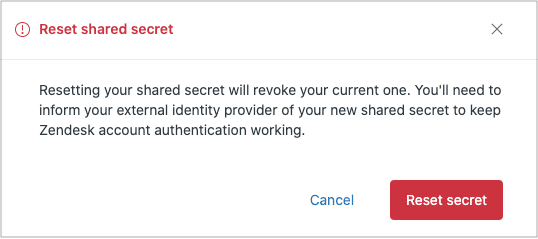
SSO is available on Enterprise and Enterprise Plus plans. If you're on a lower tier, you're limited to Zendesk's native authentication. For teams managing multiple SaaS applications, SSO is worth the upgrade. It reduces password fatigue, simplifies offboarding when employees leave, and gives you centralized control over authentication policies.
Source: Zendesk SAML SSO documentation
Multi-factor authentication (MFA)
Zendesk offers native two-factor authentication for agents and administrators. You can enable it via SMS or authenticator apps like Google Authenticator or Authy. Administrators can enforce 2FA for all agents, which is strongly recommended.
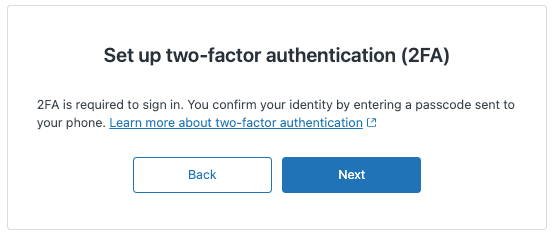
When you set up 2FA, Zendesk provides recovery codes. Store these somewhere secure. If you lose access to your authenticator device, these codes are the only way back into your account.
Source: Zendesk 2FA documentation
Access controls
Beyond authentication, Zendesk provides granular access controls:
- Role-Based Access Control (RBAC): Define exactly what each user can see and do. Roles range from account owners to admins, agents, and end users.
- IP Restrictions: Limit access to specific IP addresses or ranges. Useful for enforcing that agents can only log in from the office or VPN.
- Session Timeouts: Automatically log out inactive users after a configurable period.
- Device Tracking: Get notified when someone logs in from a new device. You can review the device list and revoke suspicious sessions.
- Audit Logs: Available on Enterprise plans, these track account changes, user modifications, app installations, and ticket deletions.
The audit log is particularly valuable for compliance. It answers questions like "Who gave this user admin privileges?" or "When was that app installed?" If you're subject to SOC 2 or similar audits, you'll need this data.
Application and infrastructure security
Now let's look at the security measures Zendesk applies behind the scenes.
Secure development practices
Zendesk follows a Secure Development Lifecycle (SDLC). All engineers receive annual training on the OWASP Top 10 security risks. They use modern frameworks with built-in security controls to limit exposure to common vulnerabilities like SQL injection and cross-site scripting.
Additional safeguards include:
- Annual third-party penetration testing across production and corporate networks
- Continuous dynamic vulnerability scanning
- Software Composition Analysis to identify vulnerabilities in dependencies
- A bug bounty program through HackerOne
If you discover a security vulnerability in Zendesk, they have a responsible disclosure policy. Report it through their HackerOne program rather than posting it publicly.
Infrastructure protection
Zendesk's security team is distributed globally and available 24/7. They monitor for threats using:
- Security Incident Event Management (SIEM) systems collecting logs from critical systems
- Intrusion Detection and Prevention systems at service ingress/egress points
- Network vulnerability scanning
- Threat intelligence sharing programs
- DDoS mitigation through Cloudflare partnership and AWS protection tools
The network is segmented into security zones. Database servers sit in the most trusted zones, with DMZs between the internet and internal systems. Access to production networks requires multiple factors of authentication and is limited to those who need it.
AI security and data privacy
Zendesk has expanded quickly into AI features. That raises questions about how customer data is used in AI systems.
Zendesk AI security architecture
Zendesk uses a multi-LLM architecture, drawing on OpenAI, Microsoft Azure, AWS Bedrock, and Google Cloud Platform. This approach lets them select the best model for each specific task and avoid vendor lock-in.
Key data protection measures:
- Zero data retention: When using OpenAI, Zendesk uses zero data retention endpoints. OpenAI doesn't retain prompts or outputs.
- No training on customer data: Customer data is never used to train third-party LLM models.
- Non-generative models: Classification and clustering models (as opposed to generative models) don't reproduce training data in their outputs.
- RAG (Retrieval Augmented Generation): Grounds generated responses in specific knowledge base content to reduce hallucinations.
Zendesk's AI practices are covered under their ISO 42001 certification for AI management systems. They're one of the first companies to achieve this standard.
Data privacy features
Beyond AI-specific controls, Zendesk offers tools to manage data privacy:
- Manual redaction: Remove sensitive data from ticket comments via UI or API.
- Automatic redaction: Automatically detect and redact credit card numbers from tickets and chats.
- Private attachments: Require authentication to view ticket attachments.
- Data retention policies: Configure automatic deletion schedules for tickets and user data.
- Data Subject Request handling: Tools to respond to GDPR data subject requests.
The Advanced Data Privacy and Protection add-on includes AI-powered redaction suggestions, automatically highlighting certain types of sensitive data for agents to review and redact.
Third-party security integrations
Zendesk's security can be extended through integrations with specialized security vendors. Here are the main categories:
SaaS security posture management
Tools like Obsidian Security and Ophion Security monitor your Zendesk configuration for security issues. They can detect:
- Misconfigurations that expose sensitive data
- Overly permissive API tokens
- Weak authentication settings
- Shadow admins and inactive accounts
Cloud access security brokers (CASB)
Microsoft Defender for Cloud Apps and Palo Alto Networks Prisma SaaS provide visibility and control over Zendesk usage. They can:
- Detect anomalous login patterns (impossible travel, suspicious IPs)
- Monitor data exfiltration attempts
- Enforce policies like blocking downloads to unmanaged devices
- Provide audit trails for forensic investigations
Source: Microsoft Defender for Cloud Apps Zendesk protection
Single sign-on providers
If you're running Active Directory on-premises, tools like UserLock SSO can extend your AD authentication to Zendesk without moving identity to the cloud. This keeps authentication anchored in your existing infrastructure while providing SSO convenience.
Security best practices for Zendesk administrators
Knowing the features is one thing. Using them effectively is another. Here's a practical checklist:
-
Enable and enforce MFA for all agents. This single step prevents the vast majority of account takeover attempts.
-
Configure SSO if available. Centralized authentication through your identity provider gives you better control and visibility.
-
Set up IP restrictions. If your team works from specific locations, restrict access to those IP ranges. Just make sure you have a backup plan for remote work scenarios.
-
Review audit logs regularly. Look for unusual activity like permission changes, new app installations, or bulk exports.
-
Follow least privilege for roles. Don't give everyone admin access. Most agents only need agent-level permissions.
-
Audit third-party apps. Review what's installed in your Zendesk instance. Remove apps you no longer use.
-
Document your security settings. Know what's configured and why. This helps during audits and when onboarding new team members.
Securing your customer support with AI teammates
As you strengthen your Zendesk security posture, you might also be considering AI tools to help your team work more efficiently. This is where solutions like eesel AI come in.
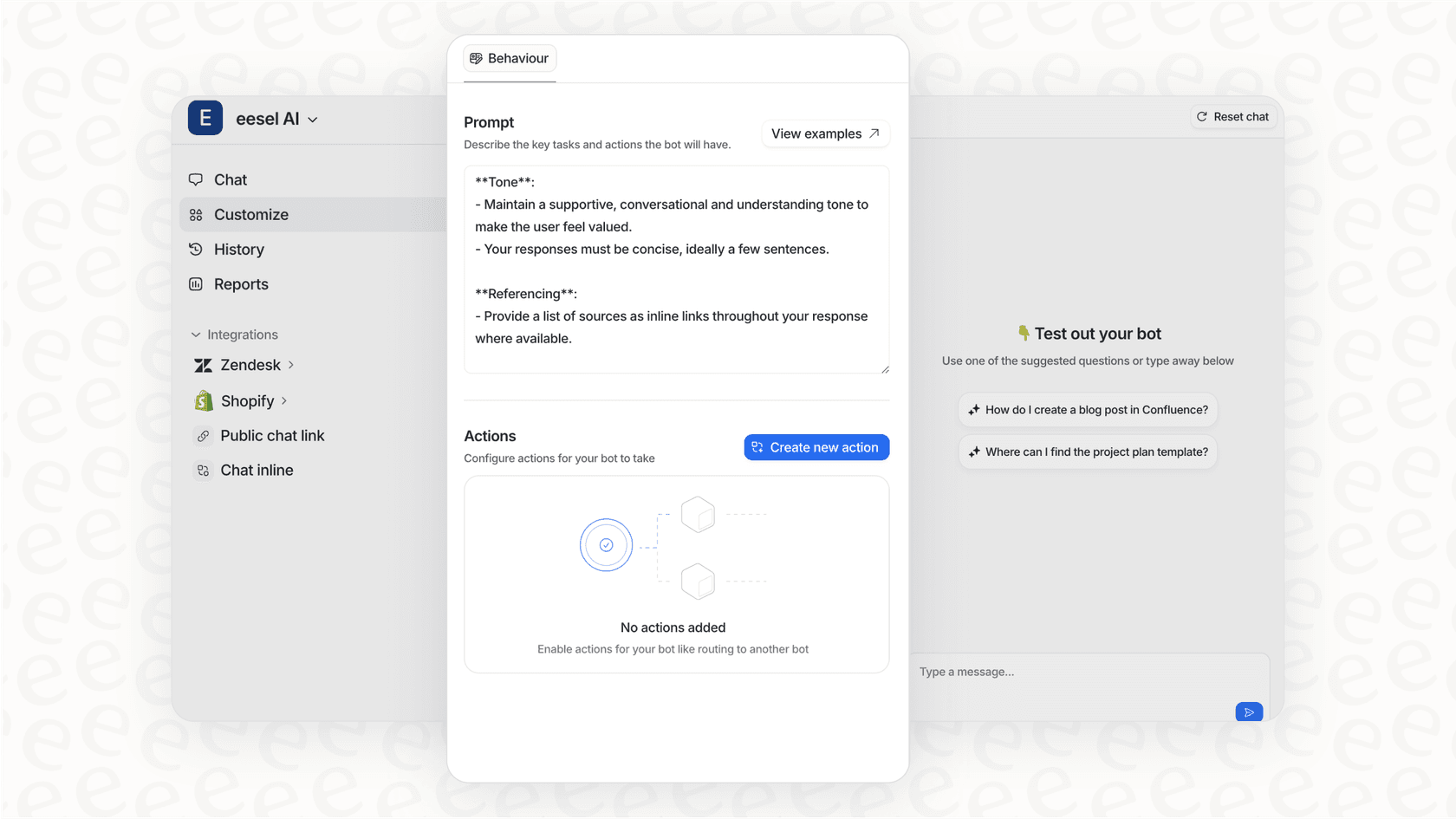
We built eesel AI to work alongside Zendesk as an AI teammate, not just another tool to configure. It connects to your help desk and learns from your past tickets, help center articles, and canned replies. The key difference is how we approach security.
When you invite eesel AI to your team, it inherits the security posture of your existing Zendesk setup. Your data stays encrypted at rest and in transit. We never use your data to train general AI models. It's isolated to your specific AI instance only.
Here's how it works in practice:
- Start with guidance: Like any new hire, eesel begins by drafting replies for your agents to review. This lets you verify it understands your business before giving it more responsibility.
- Level up gradually: As eesel proves itself, you can expand its scope. Maybe it handles simple FAQs first, then moves to more complex issues.
- Control escalation: You define in plain English when eesel should escalate to a human. "Always escalate billing disputes" or "CC the account manager for VIP customers."
- Run simulations: Before going live, test eesel on thousands of past tickets to see how it would have performed.
Our Business plan includes EU data residency for teams that need it, and our Custom plan supports advanced security requirements like custom data retention and bespoke compliance integrations.
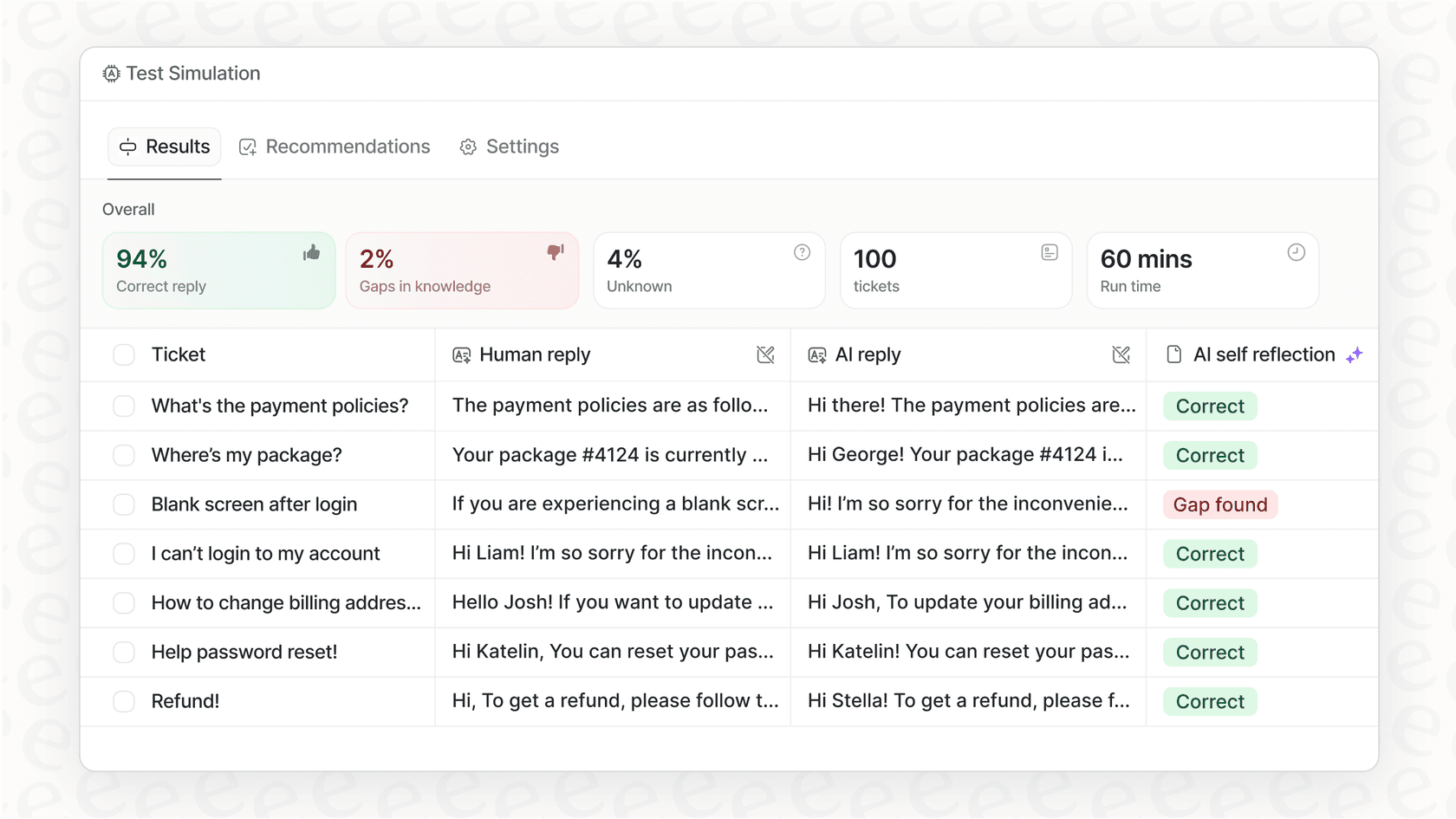
The result is AI assistance that actually helps your team without creating new security headaches. You get the efficiency gains of automation while maintaining the security standards your customers expect.


Frequently Asked Questions
Share this article

Article by
Stevia Putri
Stevia Putri is a marketing generalist at eesel AI, where she helps turn powerful AI tools into stories that resonate. She’s driven by curiosity, clarity, and the human side of technology.