Choosing the right helpdesk platform can feel overwhelming. Two names that come up frequently are Re:amaze and Kustomer. Both promise to streamline customer support, but they serve very different audiences and use cases.
Let's break it down. Re:amaze is built for e-commerce businesses and growing teams who want an affordable, straightforward solution. Kustomer targets enterprises needing a CRM-first approach with advanced AI capabilities. The price gap is significant (often 3-6x), so understanding which one fits your actual needs matters.
This comparison covers everything you need to know: features, pricing, integrations, and which businesses each platform serves best.
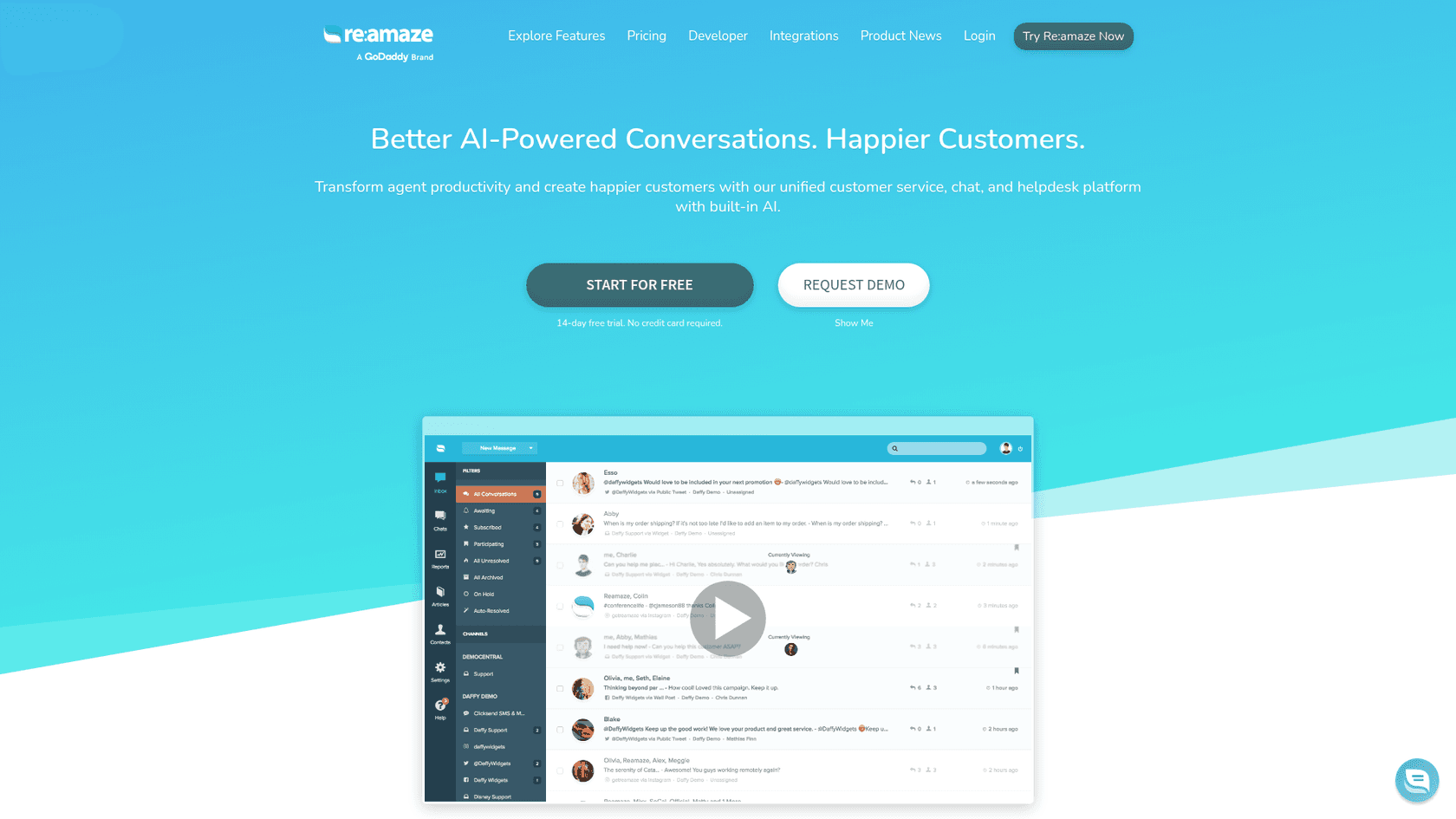
What is Re:amaze?
Re:amaze is an AI-powered customer service platform designed specifically for e-commerce and online businesses. It combines helpdesk functionality, live chat, chatbots, and AI assistance into a unified messaging platform.
The company has built a strong reputation among Shopify stores and online retailers. Their positioning is clear: provide enterprise-level customer service tools without the enterprise complexity or price tag. You can get started in about 5 minutes, and there's a 14-day free trial that doesn't require a credit card.
Re:amaze's core value proposition centers on unifying all customer conversations. Email, live chat, social media, and SMS all flow into a single shared inbox. For e-commerce businesses, this means support agents can see order details, customer history, and conversation context in one place.
Notable customers include BuiltBar, Printful, Animatron, Pipcorn, and Caulipower. These are growing online businesses, not Fortune 500 companies. That tells you something about who Re:amaze is built for.
What is Kustomer?
Kustomer positions itself as an AI customer service platform and CRM. The key word here is CRM. While Re:amaze is primarily a helpdesk with some CRM features, Kustomer is a full CRM system with robust customer service capabilities.
Here's an important detail many people miss: Kustomer was acquired by Meta (Facebook) in 2020, but became an independent company again in May 2023. This matters because it explains some of the platform's evolution and current positioning.
Kustomer's flagship feature is the customer timeline. Instead of viewing tickets in isolation, agents see a chronological view of every interaction a customer has had with your company. Emails, chats, orders, appointments, and purchase history all appear in sequence. This 360-degree view is powerful for complex customer relationships.
The platform targets enterprise and high-growth teams. Customers include Turo, Everlane, Skims, Sweetgreen, and Rappi. These are larger operations with sophisticated support needs and the budgets to match.
Feature comparison
Let's look at how these platforms stack up across key categories.
Channel support
Both platforms handle the basics: email, live chat, social media, and SMS. But the implementation differs.
Re:amaze includes features like live typing (see what customers are typing before they send), browsing history, and visitor lists. These are practical tools for real-time support, especially in e-commerce where catching customers while they're on your site can prevent abandoned carts.
Kustomer focuses more on advanced omnichannel routing. Conversations can flow between channels without losing context, and sophisticated routing rules ensure messages reach the right team members.
Automation and AI
This is where the gap widens significantly.
Re:amaze offers chatbots, basic workflow automation, and customizable response templates. Their AI features are currently in beta and focus on response suggestions and summarization. It's functional but not groundbreaking.
Kustomer, on the other hand, has invested heavily in AI. Kustomer IQ provides AI-powered insights, predictive analytics, and complex workflow automation. Features include AI summaries for handoffs, writing enhancement tools, 2-way message translation, suggested responses, and automated actions. There's also a suite of AI assistants: Knowledge Base Assistant, Search Assistant, Observability Assistant, Workflows Assistant, and Automations Assistant.
If AI-driven automation is a priority, Kustomer is the clear winner. Just remember you're paying a premium for these capabilities.
CRM capabilities
Re:amaze provides basic customer profiles with order integration. You can see customer details and purchase history, which covers most e-commerce support needs.
Kustomer offers comprehensive CRM functionality. The customer timeline shows interaction history across all touchpoints. Advanced segmentation lets you group customers by behavior, value, or custom attributes. You can create custom objects and attributes to track data unique to your business (up to 100M per Klass and 500 custom attributes per Klass on the AI + Platform plan).
For businesses where customer relationships are complex and long-term, Kustomer's CRM depth is a genuine advantage. For transactional e-commerce support, it might be overkill.
Reporting and analytics
Re:amaze includes predefined reports, limited custom reporting, and basic dashboards. You can track conversation volume, response times, and agent performance. It's enough for most small to medium teams.
Kustomer provides advanced analytics, custom dashboards, and AI-driven insights. The Team Pulse dashboard gives managers real-time visibility into what agents are working on. For data-driven organizations, this level of reporting is valuable.
Mobile and accessibility
Here's a practical difference that matters for some teams: Re:amaze has mobile apps for iOS and Android. Agents can respond to tickets, view customer data, and manage conversations from their phones.
Kustomer is web-based only. There's no mobile app, which means agents need a computer to access the platform. For teams that need on-the-go support capabilities, this is a significant limitation.
Pricing comparison
Pricing is often the deciding factor, and these platforms occupy very different price points.
Re:amaze pricing
Re:amaze uses transparent per-seat pricing with a 10% discount for annual billing.
| Plan | Monthly Price | Annual Price | Key Features |
|---|---|---|---|
| Basic | $29/user/month | $26.10/user/month | Unlimited email inboxes, live chat, social media, FAQ, workflow automation, chatbots, basic reporting |
| Pro | $49/user/month | $44.10/user/month | All Basic features plus multiple brands, live visitor view, advanced reporting, SMS/voice, custom domain, status page |
| Plus | $69/user/month | $62.10/user/month | All Pro features plus Peek screensharing, departments, performance reporting, video calls, custom roles |
| Starter | $59 flat/month | - | Basic features for unlimited users, limited to 500 responded conversations/month |
| Enterprise | Custom | Custom | White-glove service for high-volume businesses |
Source: Re:amaze Pricing
The Starter plan is interesting for very small teams. At $59 flat (not per user), you get basic features for unlimited users, though you're capped at 500 responded conversations per month.
Kustomer pricing
Kustomer takes an enterprise approach: contact sales for pricing. Based on industry reports and comparisons, expect to pay between $89-$139 per user per month, with volume-based pricing for larger teams.
| Plan | Pricing | Description |
|---|---|---|
| Kustomer AI | Contact Sales | Deploy AI agents with your existing CX stack |
| Kustomer AI + Platform | Contact Sales | Full intelligent CX platform with unified AI and orchestration |
Source: Kustomer Pricing
The AI + Platform plan includes generous limits: 100M custom objects per Klass, 500 custom attributes per Klass, 2,000 RPM API rate limit, 300 brands, 50 Facebook pages, 50 Instagram accounts, 5 WhatsApp Business accounts, 200 workflows, and 20 permission sets.
Additional costs to factor in:
- HIPAA-enabled subscription: extra fee
- Implementation: may require a statement of work and implementation fee
- Kustomer Voice and WhatsApp: pay-as-you-go pricing
Total cost considerations
Let's run the numbers for a 20-agent team:
- Re:amaze: $580-$1,380/month depending on plan
- Kustomer: Approximately $1,780-$2,780/month based on reported pricing
That's a 3-5x difference. For some businesses, Kustomer's advanced features justify the cost. For others, Re:amaze delivers everything they need at a fraction of the price.
Also consider implementation costs. Re:amaze can be set up in minutes with minimal training. Kustomer typically requires implementation services, training, and ongoing administration. These hidden costs add up.
Integrations and ecosystem
E-commerce platforms
Re:amaze shines here. Native integrations include Shopify, BigCommerce, WooCommerce, and Magento. The Shopify integration is particularly deep, pulling in order data, customer information, and inventory details automatically.
Kustomer offers Shopify integration and some e-commerce support, but it's not their primary focus. The platform is designed more for complex customer relationships than transactional retail support.
CRM and business tools
Re:amaze connects with Slack and offers basic CRM connections through Pipedrive and Zapier. It's enough for most small to medium businesses.
Kustomer provides deep integrations with Salesforce and other enterprise CRMs. The open API and extensive integration ecosystem (71+ native integrations) make it suitable for complex tech stacks.
Integration counts
- Re:amaze: Approximately 45 native integrations
- Kustomer: Approximately 71 native integrations
Both platforms cover the essentials: communication tools (Slack, WhatsApp), social media (Facebook, Instagram, X), and automation (Zapier). Re:amaze has stronger e-commerce-specific integrations (Yotpo, Stamped, Trustpilot, Smile.io, Recharge, Loop Returns). Kustomer has deeper enterprise connectors.
Use cases: Which should you choose?
Choose Re:amaze if:
- You're a small to medium business with under 50 support agents
- E-commerce is your primary business (especially Shopify)
- Budget is a significant consideration
- You need quick setup and an intuitive interface
- Mobile app access is important for your team
- You want transparent, predictable pricing
Re:amaze hits the sweet spot for growing online businesses. It has the features you actually need without the complexity and cost of enterprise platforms.
Choose Kustomer if:
- You're an enterprise or high-growth team with 50+ agents
- You need comprehensive CRM features beyond basic customer profiles
- You have complex workflow requirements
- Your budget accommodates premium pricing
- Advanced AI and automation are priorities
- You're willing to invest in implementation and training
Kustomer is the right choice for organizations where customer service is deeply integrated with sales, marketing, and operations. The CRM capabilities and AI features justify the cost for complex use cases.
A modern alternative: eesel AI

Before you commit to either platform, consider whether a traditional helpdesk is what you actually need. Both Re:amaze and Kustomer are fundamentally ticket management systems. They organize conversations, route messages, and track metrics. This is valuable work, but it's increasingly not the only way to handle customer support.
We built eesel AI because we believe the future of support isn't better ticket management. It's autonomous resolution.
Here's the difference: traditional helpdesks help humans respond to tickets faster. AI-native platforms like eesel AI handle tickets end-to-end, escalating only what truly requires human judgment.
With eesel AI, you don't configure a tool. You hire an AI teammate that learns your business from day one. Connect it to your helpdesk, help center, and documentation. It absorbs your tone, policies, and common issues automatically. No manual training, no documentation uploads, no configuration wizards.
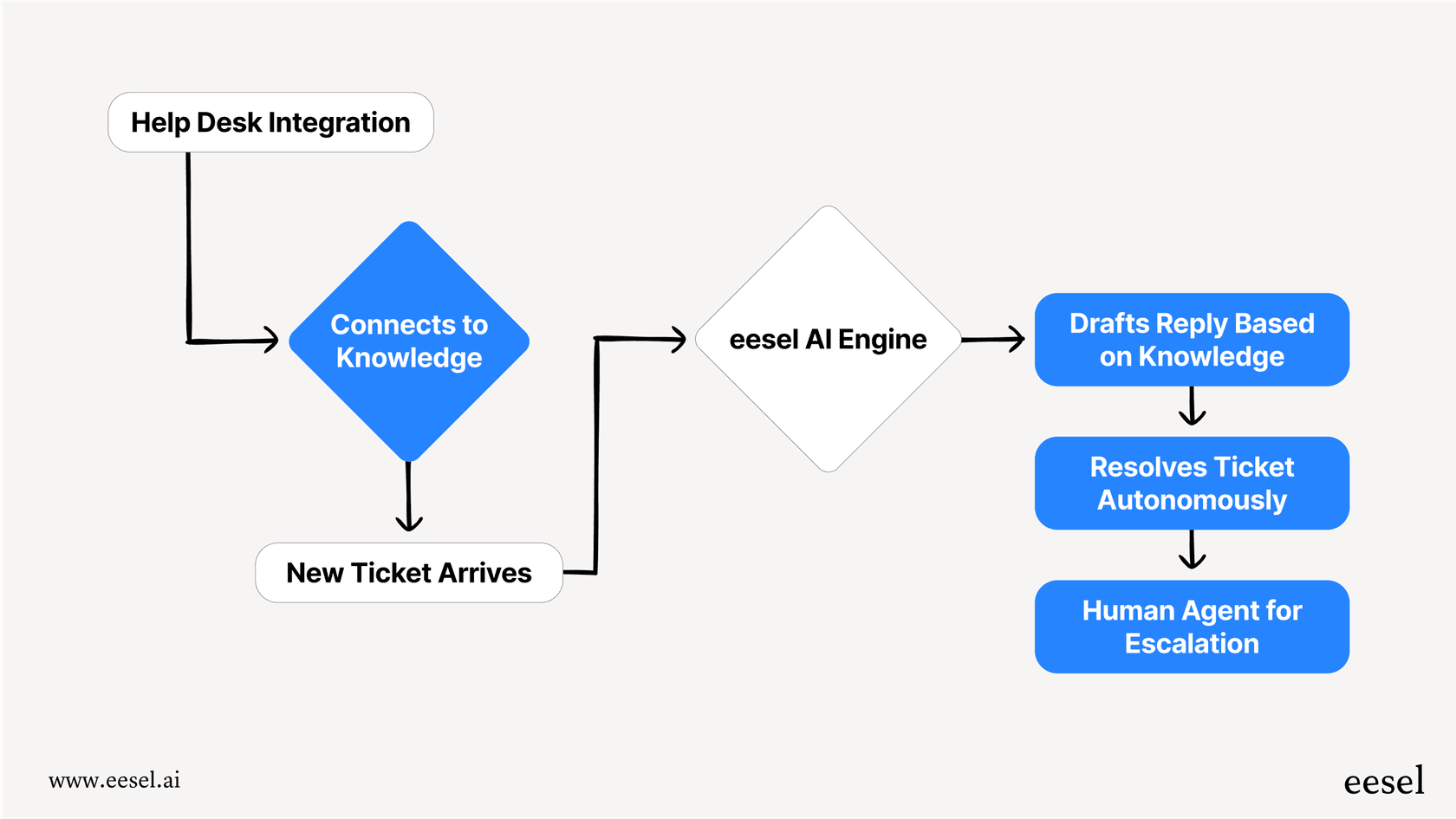
You start with guidance: eesel drafts replies for your agents to review. As it proves itself, you level up to full autonomy. Mature deployments achieve up to 81% autonomous resolution. The typical payback period is under 2 months.
Our pricing is also different. Instead of per-seat fees that penalize growth, you pay per interaction. A 20-agent team might pay $299-$799/month depending on volume, not $1,000+ just for seats.
If you're comparing Re:amaze vs Kustomer because you need better customer support, ask yourself: do you want a better way to manage tickets, or do you want fewer tickets to manage?
Making your decision
Let's bring this together with a simple decision framework.
Start with your team size. Under 20 agents? Re:amaze is probably sufficient. Over 50? Kustomer's enterprise features become more relevant. Between 20-50? Either could work depending on your other needs.
Consider your primary business model. E-commerce and online retail lean toward Re:amaze. Complex B2B relationships, subscription services, or high-touch customer success favor Kustomer.
Evaluate your budget honestly. The 3-5x price difference is real. Make sure you're paying for features you'll actually use, not capabilities that sound impressive but sit unused.
Think about your technical resources. Kustomer requires more implementation effort and ongoing administration. Re:amaze is more "set it and forget it."
Don't ignore the AI question. If you believe AI will transform your support operations (and it probably should), look at how each platform approaches it. Re:amaze has basic AI features in beta. Kustomer has invested heavily. Or consider whether an AI-native alternative like eesel AI makes more sense than retrofitting AI onto a traditional helpdesk.
Try before you buy. Both platforms offer free trials. Re:amaze gives you 14 days, no credit card required. Kustomer offers 30 days for their AI product. Use this time to test with real workflows, not just demo data.
Bottom line? Re:amaze delivers excellent value for growing e-commerce businesses. Kustomer serves enterprises with complex needs and the budgets to match. And if you're looking for a fundamentally different approach to customer support, eesel AI offers autonomous resolution that traditional helpdesks can't match.

Frequently Asked Questions
Share this article

Article by
Stevia Putri
Stevia Putri is a marketing generalist at eesel AI, where she helps turn powerful AI tools into stories that resonate. She’s driven by curiosity, clarity, and the human side of technology.