Freshdesk AI agent productivity guide: Maximize your team's efficiency in 2026

Stevia Putri
Last edited March 22, 2026
Customer support teams are under more pressure than ever. Ticket volumes keep climbing, customer expectations keep rising, and somehow you're supposed to handle it all without burning out your agents. This is where AI comes in, not as a replacement for your team, but as a force multiplier.
Freshdesk has built a comprehensive AI ecosystem around Freddy AI that promises to boost agent productivity by up to 60%. But here's the thing: the technology only works if you set it up correctly. This guide walks you through exactly how to configure Freshdesk AI agents and Freddy AI Copilot to get real productivity gains, not just flashy demos.
What is Freshdesk AI and how does it boost productivity?
Freshdesk offers two distinct AI products under the Freddy AI umbrella, and understanding the difference matters for your productivity strategy.
Freddy AI Agent is your autonomous frontline support. It handles customer conversations directly across email, chat, WhatsApp, and social channels. Think of it as a new hire that can work 24/7, answering routine questions and only escalating what it cannot handle.
Freddy AI Copilot works alongside your human agents. It sits in the background, drafting replies, summarizing long conversation threads, suggesting relevant knowledge base articles, and even translating messages in real time. Your agents remain in control, but they work faster and with better context.
The productivity numbers Freshdesk publishes are impressive: 60% improvement in agent productivity, 56% time saved on ticket summarization, 67% better response quality, and up to 96% customer satisfaction scores. Companies like Hobbycraft report 82% first-contact resolution after implementing Freddy AI.
But here is the key insight: AI augments rather than replaces human agents. The best implementations use AI to handle repetitive Tier 1 work while freeing your experienced agents for complex, empathy-driven interactions that actually build customer loyalty.
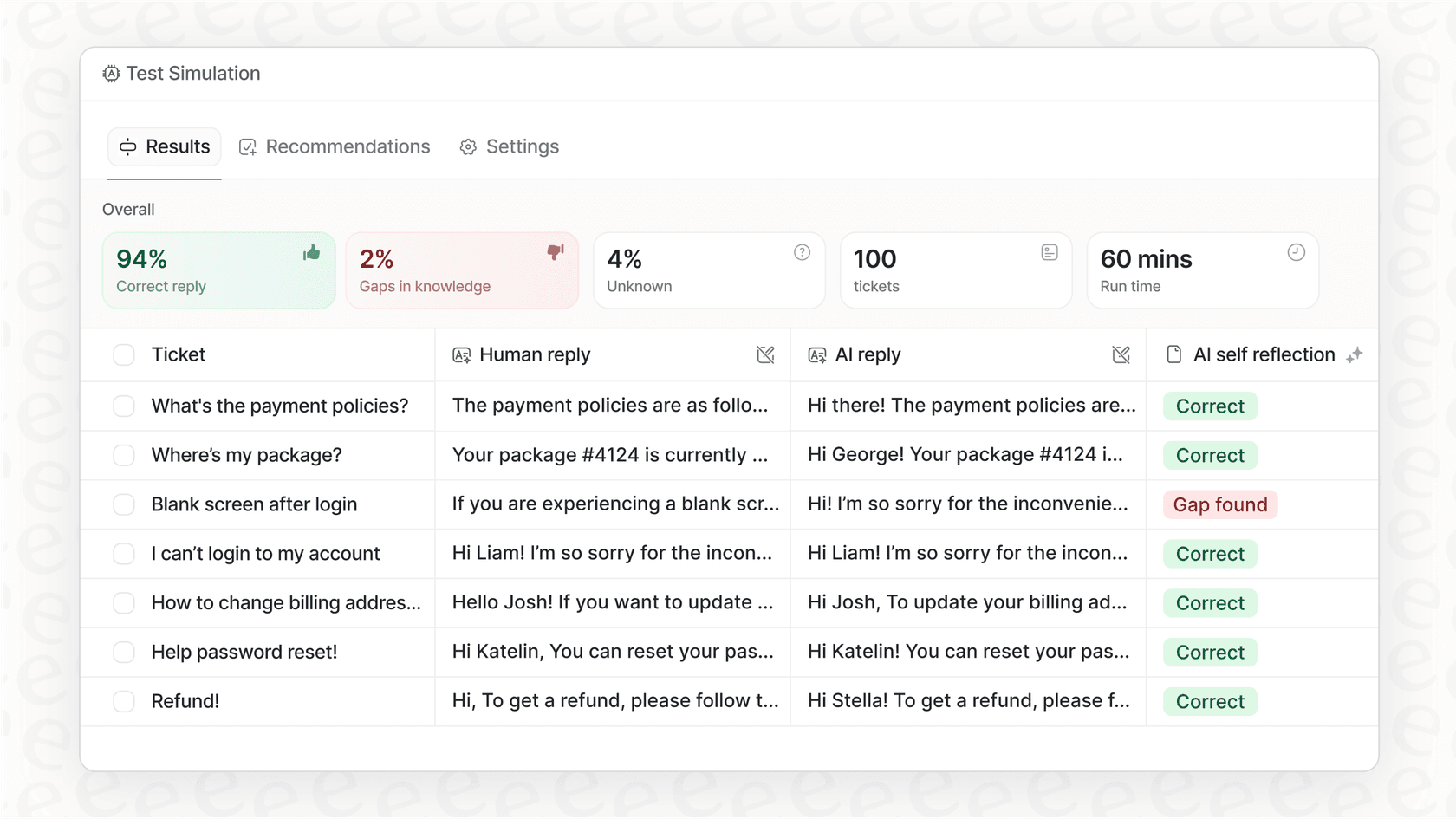
For teams that need to integrate knowledge beyond Freshdesk (like Confluence, Google Docs, or Notion), we offer complementary capabilities that work alongside Freshdesk's native AI. Our approach focuses on simulation testing on historical tickets before going live, so you know exactly how the AI will perform with your actual customers.
Setting up your Freshdesk AI Agent for maximum efficiency
Getting Freddy AI Agent running involves five core steps. Let us break it down.
Step 1: Create and configure your AI Agent
Start in AI Agent Studio. Click "Create new" and give your agent a name and primary language. This is straightforward, but take a moment to think about naming: your customers will see this name during conversations, so make it friendly and on-brand.

Step 2: Connect knowledge sources
Here is where the magic happens. Your AI Agent learns from the content you feed it: solution articles, uploaded PDFs, public URLs, and custom Q&A pairs you create specifically for common questions.
The quality of your AI depends entirely on the quality of your knowledge base. If your help center articles are outdated or incomplete, the AI will give outdated or incomplete answers. Before deploying, audit your knowledge base and fill gaps.

Step 3: Build workflows for autonomous actions
Knowledge sources let your AI answer questions. Workflows let it take action. This is the difference between a chatbot that says "here is how to cancel" and an AI that actually processes the cancellation.
Freshdesk offers pre-created workflows for common scenarios (order status lookups, subscription cancellations) and a visual workflow builder for custom processes. You can set up API calls to your order management system, add conditional logic ("only cancel if order hasn't shipped"), and define exactly when to hand off to a human.

Step 4: Define persona and escalation rules
Your AI Agent needs a personality that matches your brand. Configure the name, avatar, business details, and tone of voice. More importantly, set clear escalation rules: when should the AI transfer to a human? Common triggers include VIP customers, billing disputes, sentiment detection (frustrated customers), or simply when the AI confidence score drops below a threshold.
Step 5: Deploy to channels
Once configured, map your AI Agent to the channels where your customers actually are: Web Chat for your website, WhatsApp for mobile-first regions, Facebook and Instagram for social support. Each channel can have the same AI or different configurations depending on your needs.
Leveraging Freddy AI Copilot for agent assistance
While AI Agent handles autonomous conversations, Freddy AI Copilot makes your human agents significantly more productive. Here is what it actually does.
Key Copilot features for productivity
Reply Suggester auto-generates draft responses based on the ticket context and your knowledge base. Agents can review, edit, and send without starting from scratch.
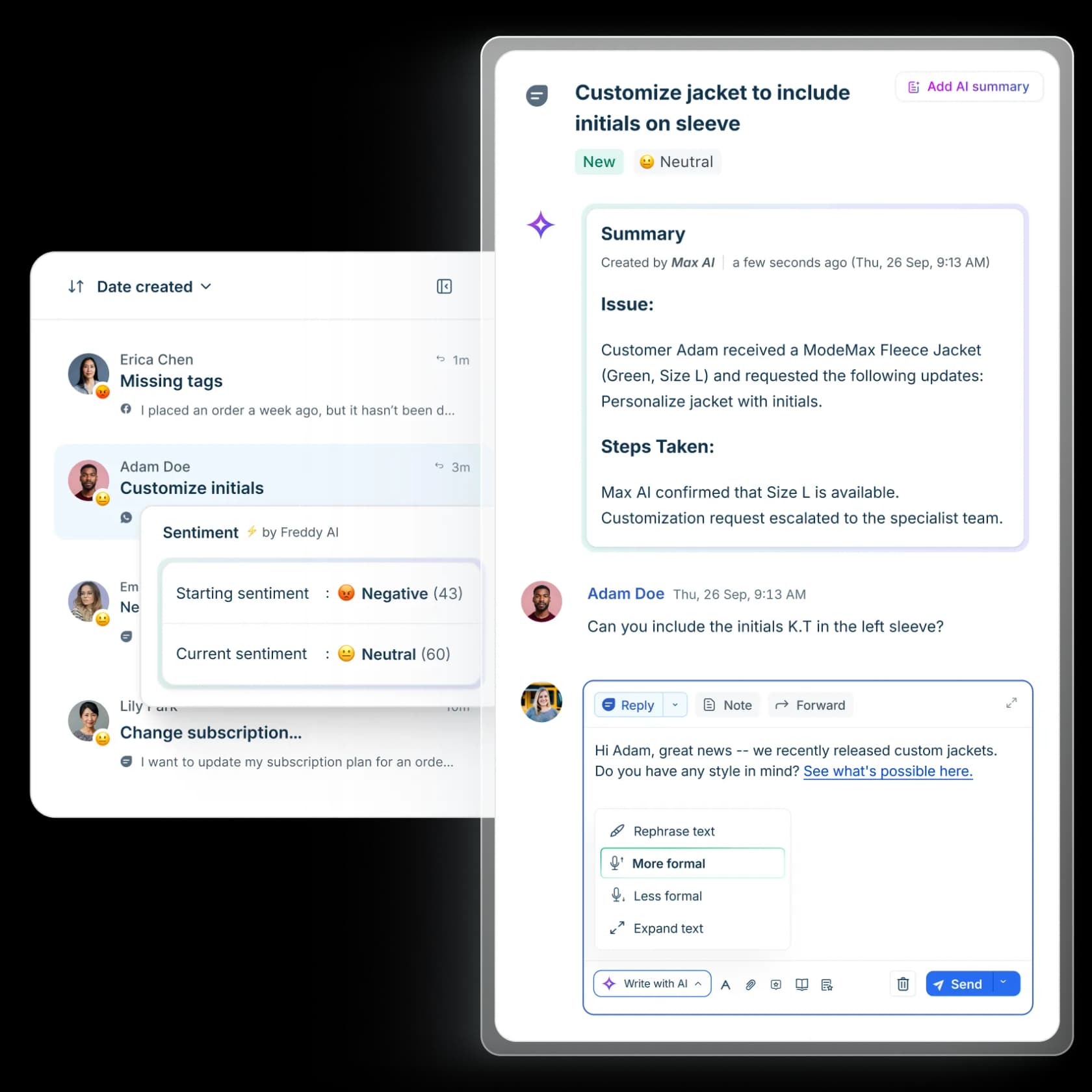
Ticket Summarizer condenses long conversation threads into key points. When a ticket gets escalated or an agent comes back from vacation, they get the full context in seconds instead of reading through dozens of messages.
Tone Enhancer lets agents adjust their message tone with one click: more formal for enterprise clients, friendlier for casual inquiries, more empathetic for frustrated customers.
Real-time Translator supports 60+ languages, making every agent capable of handling global customers without hiring native speakers for every market.
Solution Article Suggester surfaces relevant help docs automatically, so agents do not waste time searching the knowledge base.
Similar Incident Suggester finds historical tickets with related context, showing how similar issues were resolved in the past.
Measuring Copilot impact
Freshdesk reports 60% improvement in agent productivity, 56% reduction in time spent on summarization, and 67% improvement in response quality. These numbers come from real deployments where agents spend less time on repetitive tasks and more time on problem-solving.
One limitation to note: the Reply Suggester currently works on email channel only and on the first customer reply. For chat or subsequent email replies, agents write their own responses (though they still get article suggestions and summarization).
Advanced productivity tactics for Freshdesk AI
Once you have the basics running, here is how to optimize further.
Workflow automation best practices
Start with pre-created workflows before building custom ones. Freshdesk's templates cover common scenarios like order status lookups and password resets. They are faster to deploy and follow established best practices.
When you do build custom workflows, use conditional logic to handle edge cases. For example: "If order status is shipped, provide tracking link. If not shipped, offer cancellation. If cancelled already, explain refund timeline." The more scenarios you handle automatically, the fewer tickets reach your human agents.
Continuous improvement through analytics
The Analyze tab in AI Agent Studio shows resolution rates, agent transfer metrics, and unanswered queries. Review this weekly. Unanswered queries represent gaps in your knowledge base. Fill them, and your AI gets smarter.
Ticket logs show full conversation histories. Use these for training: when the AI handles something well, note why. When it fails, update your knowledge base or workflows to prevent similar failures.
Gamification and agent motivation
Freshdesk includes built-in gamification: scoring mechanisms, quests, and leaderboards. Use these to motivate agents during AI rollout. When agents see AI as a tool that helps them win (faster resolution times, higher CSAT scores, leaderboard recognition), adoption accelerates.
Integration ecosystem
Freshdesk connects with Shopify for order management, Microsoft Teams and Slack for internal collaboration, Jira for development teams, and hundreds more through the marketplace. Each integration extends what your AI can do without custom development.
Freshdesk AI pricing and plans
Understanding the pricing model is essential for budgeting your AI rollout.
| Plan | Agent Seats | Freddy AI Copilot | AI Agent Sessions | Key Features |
|---|---|---|---|---|
| Free | Up to 10 | Not available | Not available | Basic ticketing, knowledge base |
| Growth | $19/agent/month (annual) | Not available | Not available | Automation, marketplace apps |
| Pro | $55/agent/month (annual) | $29/agent/month add-on | 500 one-time | Custom roles, reporting, AI features |
| Enterprise | $89/agent/month (annual) | $29/agent/month add-on | 500 one-time | Skill-based routing, enterprise security |
Additional costs:
- Occasional agent Day Passes: $2-$15 per login day (varies by plan)
- Additional AI Agent sessions: $49 per 100 sessions
The 500 included sessions on Pro and Enterprise plans are one-time per account, not monthly. Once exhausted, you purchase additional packs. Freddy AI Copilot is priced per agent, but you can purchase it for specific agents rather than your entire team.
Freshdesk offers a 14-day free trial of the Enterprise plan with no credit card required. This is your opportunity to test AI features with your actual data before committing.
Maximizing productivity with AI-powered support
Bringing this all together requires a strategy, not just tools.
The progressive rollout approach
Do not try to automate everything on day one. Start with Freddy AI Copilot for your human agents. Let them get comfortable with AI-assisted replies and summarization. Measure the productivity gains.
Once agents trust the AI, expand to AI Agent for autonomous handling. Start with your most common, lowest-risk ticket types: password resets, order status checks, refund policy questions. As the AI proves itself, gradually expand its scope.
This approach minimizes risk. You see how the AI performs before it touches your most complex or valuable customer relationships.
When to consider complementary solutions
Freshdesk's native AI works best when your knowledge lives primarily in Freshdesk. But many teams have critical information scattered across Confluence, Google Docs, Notion, PDFs, and other systems.
We built eesel AI to address exactly this scenario. We integrate with 100+ sources, so your AI has complete context. We also offer simulation testing on historical tickets, so you can forecast AI performance before going live. Our pricing is based on AI interactions rather than agent seats, which works better for some team structures.
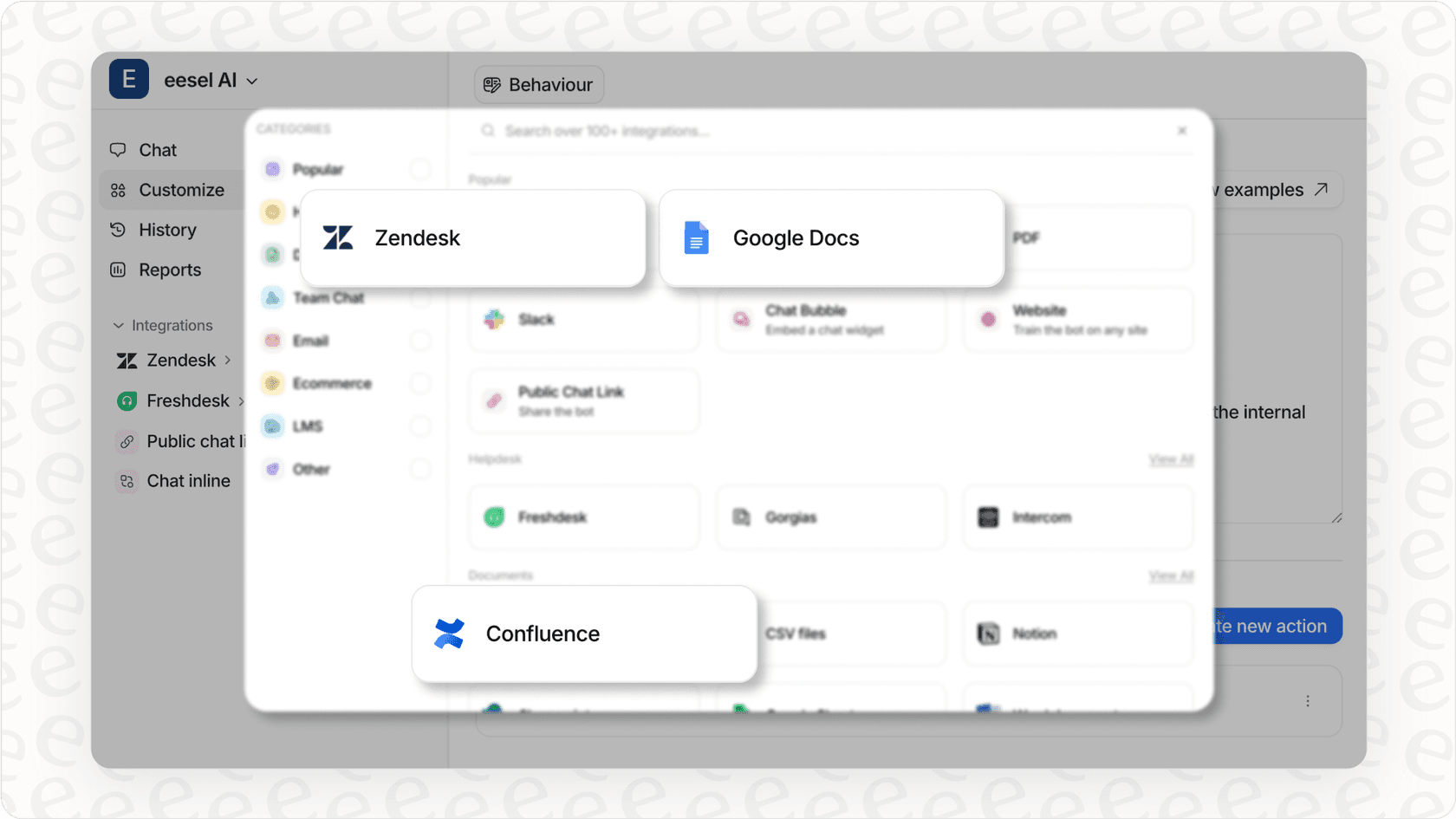
If you are hitting limitations with Freshdesk's native AI (limited knowledge sources, no pre-deployment testing, per-agent pricing that does not fit your model), a complementary solution might make sense.
Key success metrics to track
Monitor these metrics to ensure your AI investment pays off:
- First response time: Target 37% improvement
- Ticket resolution rate: Up to 86% autonomous for mature deployments
- Agent satisfaction: Are your agents happier with AI assistance?
- Customer satisfaction: Target 96% CSAT
Review these weekly during rollout, monthly once stable. If metrics are not improving, adjust your knowledge base, workflows, or escalation rules.


Frequently Asked Questions
Share this article

Article by
Stevia Putri
Stevia Putri is a marketing generalist at eesel AI, where she helps turn powerful AI tools into stories that resonate. She’s driven by curiosity, clarity, and the human side of technology.
