AI for contact centers: a practical guide for 2026

Stevia Putri

Katelin Teen
Last edited May 21, 2026
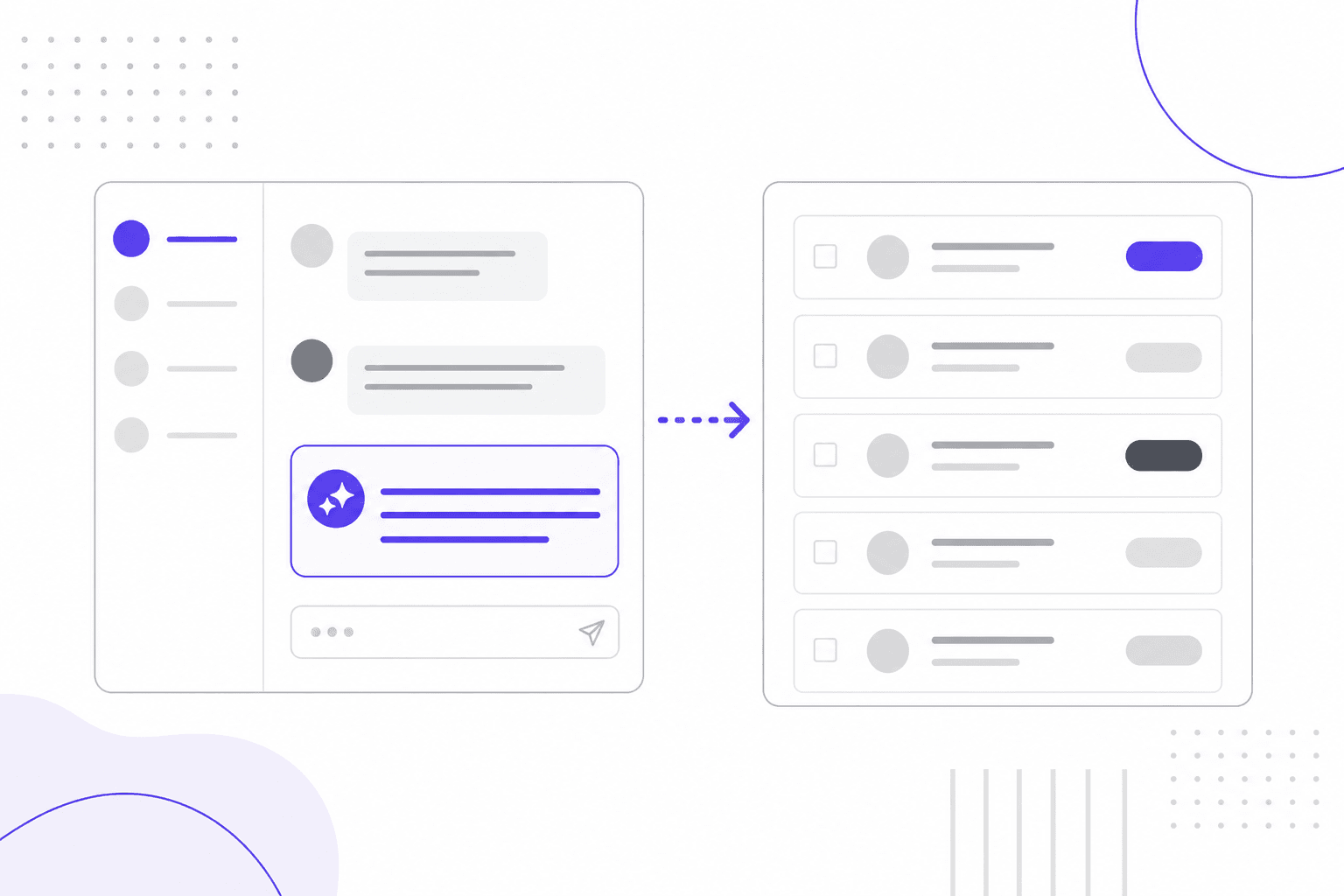
The contact center industry is sitting in a strange contradiction. Median tier-1 AI deflection across enterprise programs reached 41.2% in 2026 - nearly half of all routine support interactions now handled without a human agent. And yet, rage clicks on "speak to a human" buttons rose 667% year-over-year in 2025, as customers grow increasingly desperate to escape the bots.
Both facts are true simultaneously. AI is transforming contact center operations at measurable scale, and customers are more frustrated with AI support than ever before. The gap isn't about the technology itself - it's about how it gets deployed.
UC Berkeley researchers found that the problem isn't AI that people hate; it's bad AI, poorly integrated, doing the wrong job. Contact centers getting real ROI from AI share one trait: they've been precise about what AI should handle, what it shouldn't, and how to hand off cleanly when it runs out of road.
This guide explains what AI for contact centers actually means in practice, what the data says about where it works and where it doesn't, and how to implement it without creating the chatbot loop your customers dread.
What "AI for contact centers" actually means
A contact center is different from a traditional call center. Where call centers focus on phone-based interactions, contact centers manage customer communications across multiple channels - voice, chat, email, messaging apps, and social media - from a single platform.
AI for contact centers covers any application of artificial intelligence to that stack. That's a deliberately broad definition, and it matters, because the term gets used to describe everything from a basic FAQ chatbot to fully autonomous agentic systems that can look up an order, process a refund, and send a confirmation without ever entering a human queue.
The global contact center AI market was $1.99 billion in 2024 and is projected to reach $7.08 billion by 2030, growing at 23.8% annually. Adoption pressure is intense: 91% of customer service leaders report pressure from executive leadership to implement AI in 2026. But pressure to adopt and knowing what to actually build are very different things.
What AI does in a contact center
Modern contact center AI covers six main use cases, each delivering different value at different points in the support workflow.
Virtual agents and chatbots handle self-service for routine queries - order status, password resets, FAQs, account lookups. These are the highest-volume, lowest-complexity interactions in any contact center. Done well, they resolve issues instantly without any human involvement.
Real-time agent assist surfaces answers, knowledge articles, and next-best-actions to human agents during live conversations. Instead of the agent pausing to search a knowledge base, AI delivers relevant information directly into their interface as the customer is talking. GenAI-enabled agents achieve a 14% increase in issue resolution per hour and a 9% reduction in handle time when paired with real-time assist tools.
Intelligent IVR replaces rigid menu trees with natural language understanding. Customers say what they need rather than pressing "2 for billing." The system routes them more accurately, and AI-powered routing has reduced customer "hunting time" in IVR systems by 54%.
Automated after-call work (ACW) generates call summaries, fills disposition fields, and updates CRM records automatically. Post-call admin typically consumes 2-3 minutes per interaction. AI summaries can cut ACW by several minutes per interaction - multiply that across thousands of daily calls and the productivity gain becomes significant.
Automated quality assurance makes comprehensive QA coverage possible for the first time. Traditional manual sampling covers 1-2% of interactions. Generative AI has made QA scoring mainstream, giving quality analysts insight into every call rather than a statistical slice. Managers catch compliance issues and coaching opportunities they'd previously never see.
Agentic AI represents the current frontier: systems that take multi-step actions autonomously - authenticating a customer, looking up their order, processing a refund, sending confirmation - without human intervention at each step. Salesforce's Agentforce achieved an 84% autonomous resolution rate across 380,000+ conversations with only 2% requiring human escalation. This is where the largest cost savings come from.
The case for AI: what the numbers say
The financial case for AI in contact centers is compelling when you look at cost per contact.
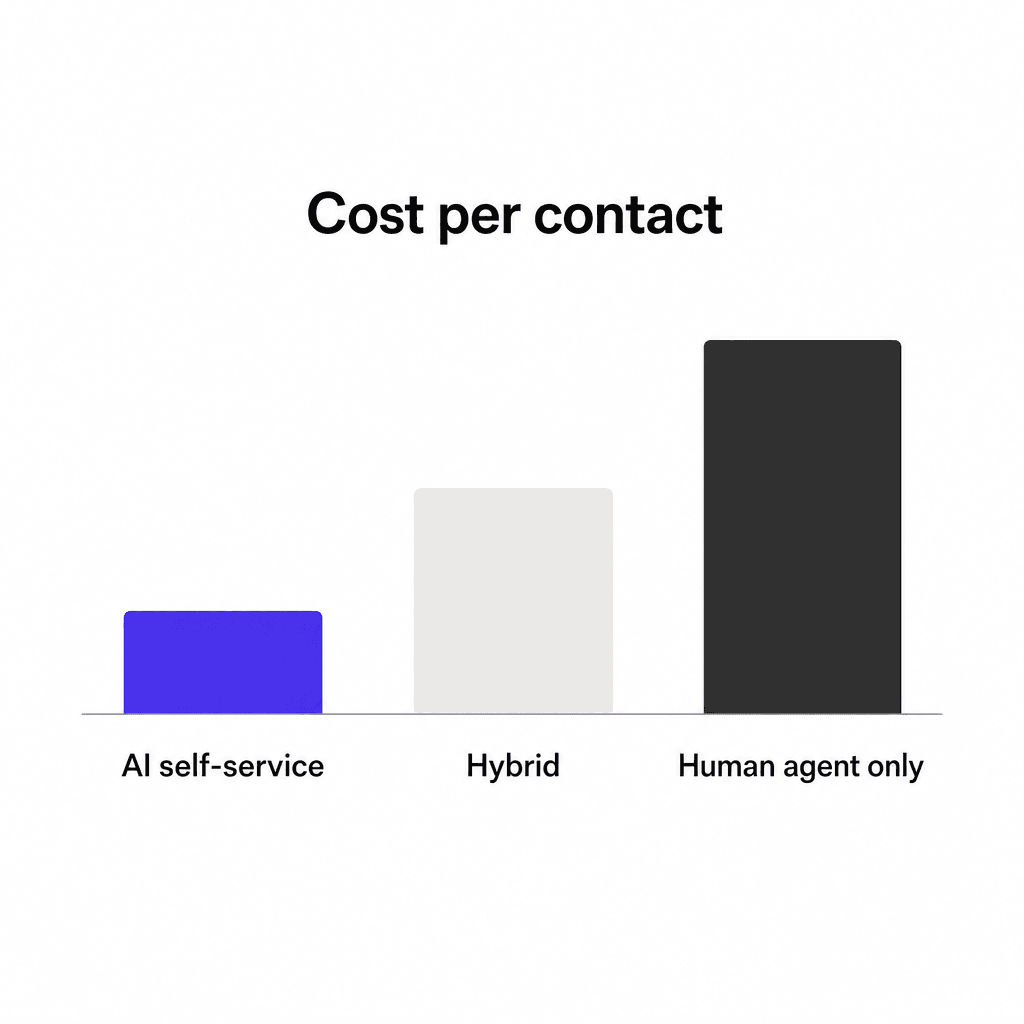
The median cost per self-service contact is $1.84, compared to $13.50 for agent-assisted contacts. Breaking that down by channel:
| Channel | AI | Hybrid | Human only |
|---|---|---|---|
| Chat | $0.41 | $1.62 | $5.90 |
| $0.74 | $2.43 | $9.20 | |
| Voice | $1.18 | $3.21 | $11.40 |
Source: DigitalApplied, 2026
The hybrid model - AI handling what it can, escalating to humans for the rest - delivers a blended weighted average of $0.62 per resolution versus $7.40 for human agents. That's a 90%+ cost reduction on a per-resolution basis.
Speed tells a similar story. AI agents resolve interactions in 1.9 minutes on average, versus 11.4 minutes for human agents. First response via AI chat arrives in 4 seconds; via human chat it's 9 minutes 12 seconds.
Gartner projects conversational AI will reduce contact center labor costs by $80 billion globally in 2026. Klarna's AI assistant handled two-thirds of all customer service chats, cutting resolution time from 11 minutes to under 2 minutes and driving a $40 million profit improvement in 2024.
For teams that haven't yet made the jump, the median payback period for AI implementations is 5.4 months - fast for infrastructure of this kind.
Why so many implementations fail
The data above explains why 91% of customer service leaders are under pressure to adopt AI. Here's the problem: 88% of contact centers use some form of AI-powered solution, but only 25% have fully integrated it into daily workflows. There's a massive gap between "we have AI" and "it's working."
The failure pattern is consistent. UC Berkeley researchers identified five root causes of customer frustration with AI systems: failure to understand requests, inability to solve complex problems, poor integration with human agents, fake humanization, and lack of personalization.
The one that generates the most backlash is the third: no clear path to a human. Customers call it the chatbot loop - and they've developed workarounds for it.
"Their BS AI bot keeps repeating itself and spitting out useless information… instead of transferring you to a human."
- u/SilverCandyy, r/enshittification
"They are horrendous. They never get you where you want to go and they are more of an annoyance and a hindrance. I would much rather speak to a real, live person."
- u/LadyHavoc97, r/CustomerService
The rage-clicking data captures this quantifiably: a 667% year-over-year increase in rage clicks on "speak to a human" elements across mobile support interfaces in 2025.
There's a revenue problem hiding inside those frustrated customer experiences too. 56% of unhappy customers leave without complaining - they simply stop coming back. When an AI system records a "deflected" interaction but the customer quietly churns, the deflection rate looks excellent while revenue quietly bleeds out. The metric measures contact volume, not customer satisfaction.
46% of consumers say AI-powered customer service either "rarely" or "never" leads to successful outcomes, and 74% have stopped doing business with a company after a single frustrating experience. The math on poorly implemented AI is brutal.
The hybrid model that works
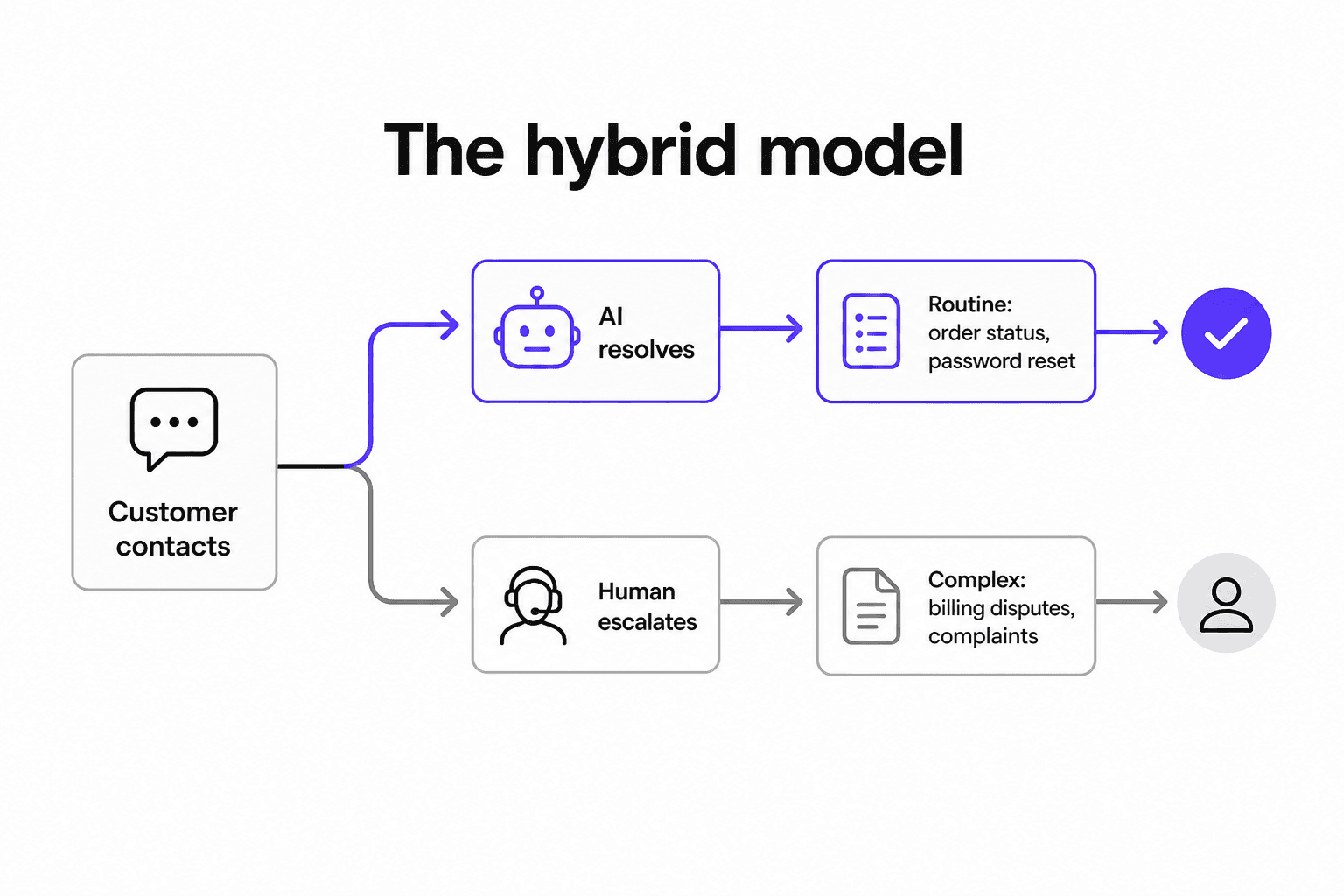
The contact centers with the best outcomes aren't trying to replace human agents with AI. They're using AI to handle volume while freeing humans to do the work that actually requires a human.
Lars Nyman, CMO at CUDO Compute, described what successful implementations look like in a CMSWire analysis:
"AI should handle the grunt work - sorting inquiries, flagging urgent issues and summarizing conversations - while humans focus on solving complex problems. Don't pretend the bot is a person. Customers can smell deception a mile away. AI should be an efficient concierge, not an imposter trying to mimic empathy. Transparency builds trust; deception erodes it."
- Lars Nyman, CMO at CUDO Compute, CMSWire
The performance data backs this framing. Agent attrition is 17% in hybrid programs versus 26% in all-human programs - agents working alongside AI handle less repetitive work and stay longer. Hybrid escalation policies narrow the CSAT gap between AI and human handling to 0.05 points, essentially eliminating the satisfaction difference.
76% of contact center leaders have formally adopted human-in-the-loop models - not out of caution, but because it's the configuration that produces the best outcomes. Time spent on tier-1 work by senior agents dropped from 41% to 18% of total work time in hybrid programs. Those agents are doing higher-value work. That's what AI versus hiring support agents actually looks like in practice.
Which tasks to automate first
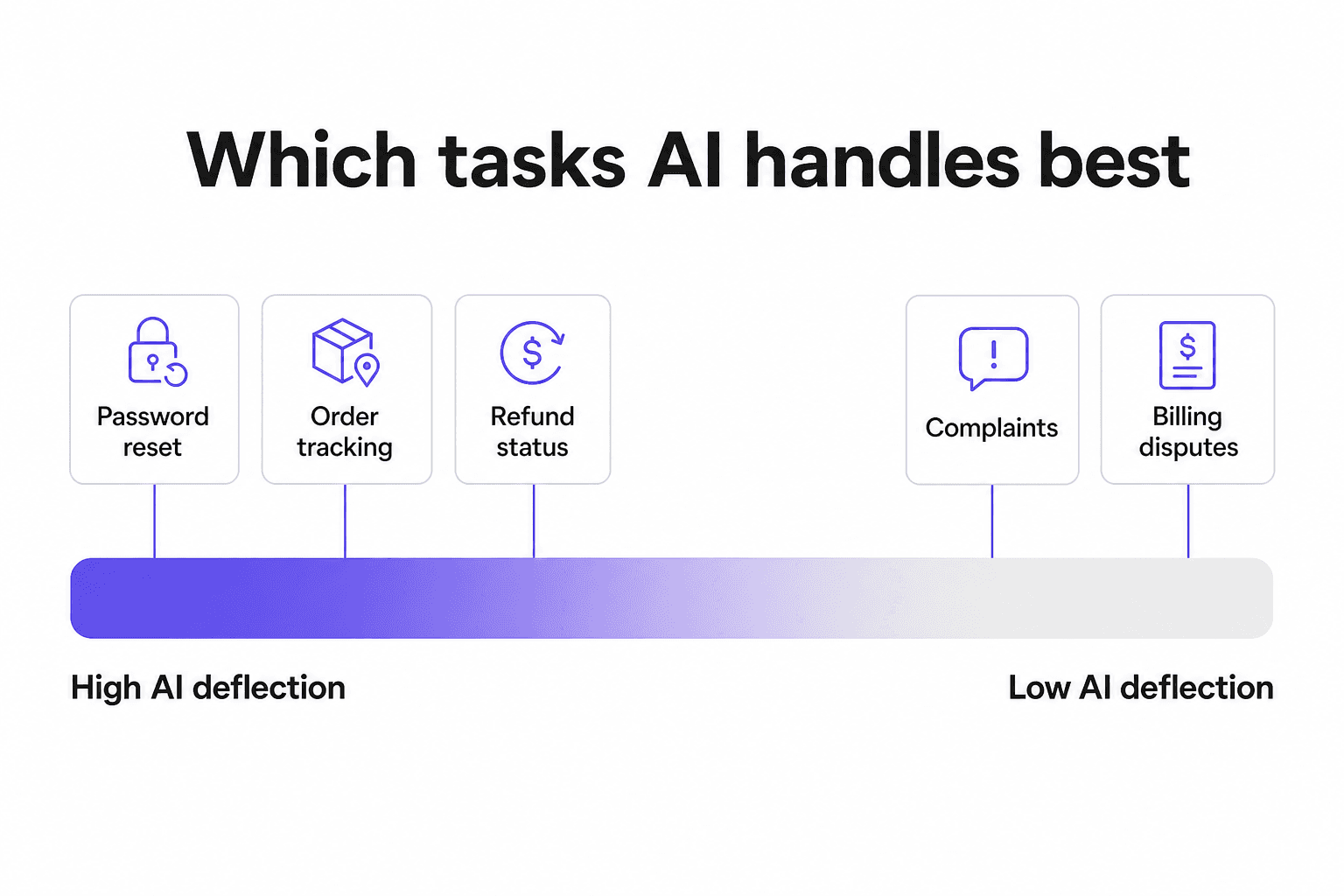
Not all interactions are equally suited for AI. The gap between best-case and worst-case deflection is significant depending on what you're trying to automate.
| Intent type | Median AI deflection | Top quartile |
|---|---|---|
| Password reset | 78% | 91% |
| Refund status | 74% | 87% |
| Order tracking | 69% | 83% |
| Billing disputes | 24% | 38% |
| Complaints | 19% | 31% |
Source: DigitalApplied, 2026
High-structure intents - where the customer wants a specific piece of information or a deterministic action - are where AI performs best. These are transactions with clear inputs and outputs: look up an order, reset a password, check a refund status. There's no ambiguity, no emotional weight, and no judgment required.
Low-structure intents - complaints, billing disputes, escalation requests - carry emotional weight that AI still handles poorly. Customers in these situations aren't just looking for a resolution; they want to feel heard. An AI that answers a complaint with a technically correct response but no acknowledgment of frustration makes the interaction worse, not better.
The practical implication: start with the high-deflection categories and measure carefully. A focused ticket triage setup that routes the right work to AI and sends everything else to humans is more valuable than an ambitious deployment that tries to handle everything and handles most of it badly.
29% of CX-AI programs miss their initial business case in year 1. The top three failure modes are unrealistic deflection targets, missing knowledge base content, and friction in backend system integration. None of those are technology problems - they're scope problems.
How to get started
Getting AI into your contact center doesn't require replacing existing infrastructure. Most teams add AI to the helpdesk platforms they're already running - Zendesk, Freshdesk, HubSpot - rather than switching platforms entirely. Here's what the implementation process looks like in practice.
Audit your ticket mix first. Pull your last 30 days of interactions and categorize them by intent. What percentage are password resets, order lookups, FAQ-type questions? Those are your automation candidates. What percentage are complaints, escalations, nuanced billing issues? Keep those human for now.
Build your knowledge base before deploying AI. AI that doesn't know your business gives wrong answers. Building a strong knowledge base - organized help articles, past resolved tickets, product documentation - is the prerequisite, not an afterthought. 29% of AI program failures trace back to missing or stale knowledge base content. The more your AI knows about your specific processes and policies, the more accurately it can respond.
Start in supervised mode. Before letting AI send responses autonomously, run it in draft mode. The AI writes the reply; a human reviews and approves before it goes out. This lets you catch errors, fill knowledge gaps, and calibrate tone without any customer-facing mistakes. Most teams run supervised for 2-4 weeks before expanding autonomy.
Make the escalation path obvious. Every AI interaction needs an easy off-ramp to a human - not buried, obvious. This single design decision determines whether customers experience AI as helpful or as a trap. 62% of customers are now trained to scream "AGENT" at voice prompts or mash the "0" key, treating the support system as an obstacle course. Make it easier than that.
Track the right metrics. Resolution rate and deflection rate matter, but chatbot analytics that include post-resolution CSAT, re-contact rates within 72 hours, and escalation rates tell you whether you're actually solving problems or just deflecting them. A 60% deflection rate with high re-contact and low CSAT means customers are leaving without answers, not leaving satisfied.
For a step-by-step walkthrough, the AI helpdesk implementation guide covers the full process from initial setup to measuring success.
Try eesel
Eesel AI is an AI helpdesk agent that plugs directly into Zendesk, Freshdesk, HubSpot, Gorgias, and other platforms your team is already using. It learns from your past resolved tickets, your help documentation, and how your team handles edge cases - then drafts replies, triages incoming tickets by priority and type, and escalates to humans when its confidence is low.
Teams like Smava process 100,000+ tickets per month through eesel. Design.com handles 50,000+ monthly tickets with over a thousand help articles powering instant answers. Kim Simpson from Gridwise reported that eesel resolved 73% of tier-1 requests in the first month following a 7-day trial.
Pricing starts at $0.40 per resolved ticket, with $50 in free usage to start - no credit card required. There's no platform fee, no per-seat charge, and the default mode is supervised: AI drafts, humans approve, until you're confident in what the agent sends autonomously.

Frequently Asked Questions
Share this article

Article by
Stevia Putri
Stevia Putri is a marketing generalist at eesel AI, where she helps turn powerful AI tools into stories that resonate. She’s driven by curiosity, clarity, and the human side of technology.