You’ve probably seen it by now, that little "Help me write" button that popped up in Gmail, promising to make your life easier. It’s all part of Google weaving its Gemini AI into the tools we use every day, and it's happening inside something called Google Workspace Labs. It definitely feels like a glimpse into the future of email.
But what does it actually do? How much does it cost? And, most importantly, is it really ready for your business to rely on? This guide will walk you through everything you need to know about Gmail AI in Workspace Labs, from its cool features to the crucial limitations you should be aware of before jumping in.
What is Gmail AI in Workspace Labs?
So, what’s the deal with Google Workspace Labs? Put simply, it’s Google's beta testing program for new, experimental AI features. When you join, you get to try out tools powered by Google's Gemini models long before they’re released to everyone else.
Because these features are still in development, they’re not always perfect and are constantly being updated. The program is available in over 170 countries, but you’ll find that many of the features are English-first, at least initially. The main reason Google does this is to get feedback from real people to fix bugs and figure out what’s genuinely useful. So if you get access, you're not just a user; you’re helping shape the final product.
Key features and use cases
The AI tools currently being tested in Gmail are focused on helping you handle common email tasks a lot faster and giving your personal productivity a boost.
Drafting and refining emails with 'Help me write'
The main feature everyone’s talking about is "Help me write." Instead of staring at a blank screen, you can give Gemini a simple prompt. Something like, "write a thank you note for my recent job interview," or "draft a birthday invitation for my 5-year-old." In just a few seconds, it generates a full email for you.
Once you have that first draft, you can use the built-in tools to polish it up. You can ask the AI to make it sound more formal, add more detail, or just shorten it to get straight to the point. It’s a pretty neat way to get over writer's block and speed through your daily messages.
Summarizing long email threads
We've all been there, looped into an email chain that's already 20 messages long. Instead of spending ten minutes scrolling through the entire history, Gemini can analyze the conversation and give you a quick summary of the key points. It’s a huge time-saver when you just need to get caught up.
Scheduling and other upcoming features
Google is also starting to roll out other capabilities, like "Help me schedule." With this, Gemini can look at your Google Calendar and suggest meeting times right in your email reply. When the other person picks a time, it automatically creates the calendar invite. It’s pretty clear Google plans to keep embedding AI like this across its entire suite of tools.
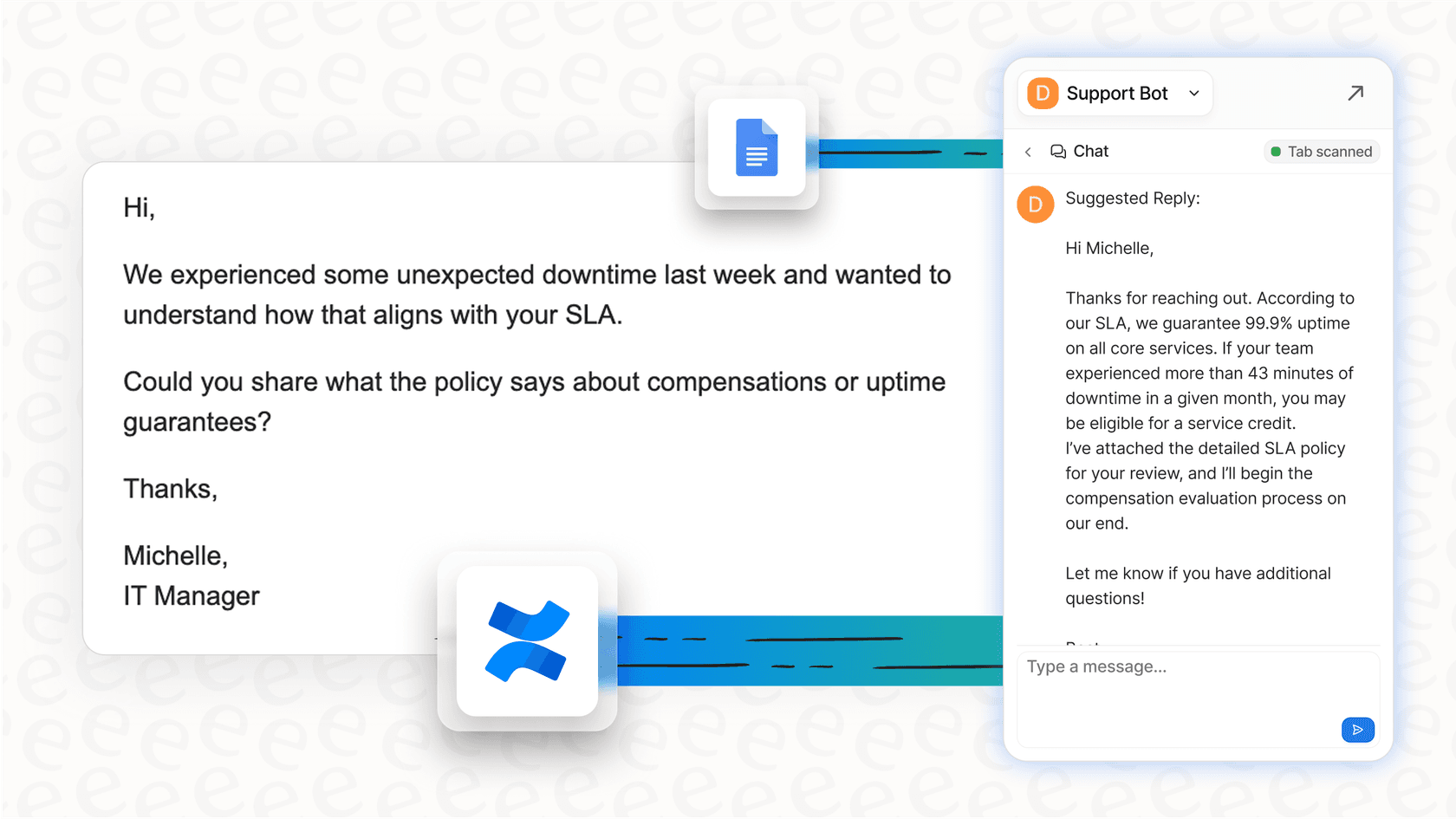
While these tools are fantastic for your own to-do list, they often don’t have the context needed for collaborative team environments. An AI assistant like the eesel AI Copilot is trained on your team's entire knowledge base, including past support tickets, internal wikis, and help center articles. This allows it to provide drafts that are not only well-written but also technically accurate and in your company's voice.
How to get started with Gmail AI in Workspace Labs (and its hidden limitations)
Getting access to Workspace Labs might seem easy enough, but there are some pretty big catches related to data privacy and functionality that every team should think about before signing up.
The sign-up process and requirements
To join, you just head over to the Labs homepage, sign in with your Google Account, and request to join an experiment. Just a heads-up, you might end up on a waitlist. There are a few key rules, too: you must be over 18, and it's not available for Google for Education accounts. Also, your company’s Google Workspace admin has the power to block access, so you may need to have a chat with your IT department first.
Data privacy concerns you can't ignore
This is where it gets a little sticky for business use. Tucked away in Google's Generative AI Additional Terms of Service is a clause that should give you pause: "You will not input any personal or sensitive information, including names, phone numbers, addresses, emails, or birth dates."
Read that again. For almost any real-world business email, this rule is impossible to follow. Think about it: customer support, sales outreach, and even internal HR messages regularly include names, email addresses, and other details that would technically violate these terms. This makes the tool difficult to use for most professional work and could put your company at risk if employees start using it with customer data.
The 'walled garden' problem
Another major drawback is that Gemini in Gmail operates inside a "walled garden." It can only see and use information from within your Google Workspace account, like your emails, Google Docs, and calendar.
For any kind of business-critical work, this is a massive blind spot. The AI can't look up a customer's order status in Shopify, check a bug report in Jira, or find the latest company policy in Confluence. It only has a tiny piece of the puzzle, which really limits its usefulness to very basic, generic tasks.

This is where a dedicated platform like eesel AI really shines. It’s built to unify all your knowledge instantly, connecting to over 100 sources your team is already using. It can talk to helpdesks like Zendesk, wikis like Confluence, and even your existing Google Docs. This gives the AI the complete picture it needs to provide genuinely helpful and accurate answers for your support teams.
Google Workspace pricing: What it costs to get Gmail AI in Workspace Labs
While you can try out some features for free through Workspace Labs, the full suite of Gemini AI tools isn't something you can buy on its own. It's bundled into specific Google Workspace subscription plans. To get the really powerful AI features, your organization needs to be on a paid plan.
Here’s a quick look at the plans that include Gemini:
| Plan | Price (Annual, per user/month) | Key AI Features Included |
|---|---|---|
| Business Starter | $5.60 (introductory price) | Limited AI: Gemini AI assistant in Gmail, Chat with AI in the Gemini app. |
| Business Standard | $11.20 (introductory price) | Full AI Suite: Gemini AI assistant in Gmail, Docs, Meet, and more. Expanded access to models and features. |
| Business Plus | $17.60 (introductory price) | Full AI Suite: Everything in Standard, plus enhanced security and management controls. |
| Enterprise | Contact Sales | Full AI Suite: Everything in Plus, with advanced security, compliance, and support. |
To unlock the full power of AI across the entire Workspace suite (Docs, Sheets, Meet, and so on), your team needs to subscribe to the Business Standard plan or higher for every single user. This per-person pricing can get expensive quickly, especially if only certain departments, like customer support or IT, are the ones who really need the advanced AI tools.
This is a pretty different way of thinking about pricing compared to a tool like eesel AI, which is based on usage (how many AI interactions you have per month), not how many people are on your team. This model lets you give your support team powerful AI without having to pay for licenses for your entire company. eesel AI also offers flexible monthly plans you can cancel anytime, giving you a level of predictability that’s often hard to find with big enterprise contracts.

Why your team needs more than a smart email assistant
Gmail's AI is a fantastic tool for getting your own work done, but it simply wasn't designed for the complex, collaborative world of a modern support or IT team. The second you move from a one-person task to a team trying to solve a customer's problem, the gaps become obvious.
Let's put them side-by-side:
| Feature | Gmail AI in Workspace Labs | eesel AI |
|---|---|---|
| Knowledge Source | Limited to Google Workspace data (emails, Docs) | Unified across 100+ apps (Zendesk, Confluence, Slack, past tickets) |
| Automation | Basic drafting and summarizing | Fully customizable workflows (triage, tagging, auto-resolving tickets) |
| Custom Actions | None | Real-time API lookups (e.g., check order status in Shopify) and ticket actions |
| Setup & Onboarding | Experimental sign-up, potential waitlist | Radically self-serve, go live in minutes with one-click integrations |
| Testing & Rollout | No simulation; use it live or not at all | Powerful simulation mode to test on historical tickets before going live |
| Pricing Model | Per-user, per-month fee for the entire Workspace suite | Predictable usage-based plans, no per-resolution fees |
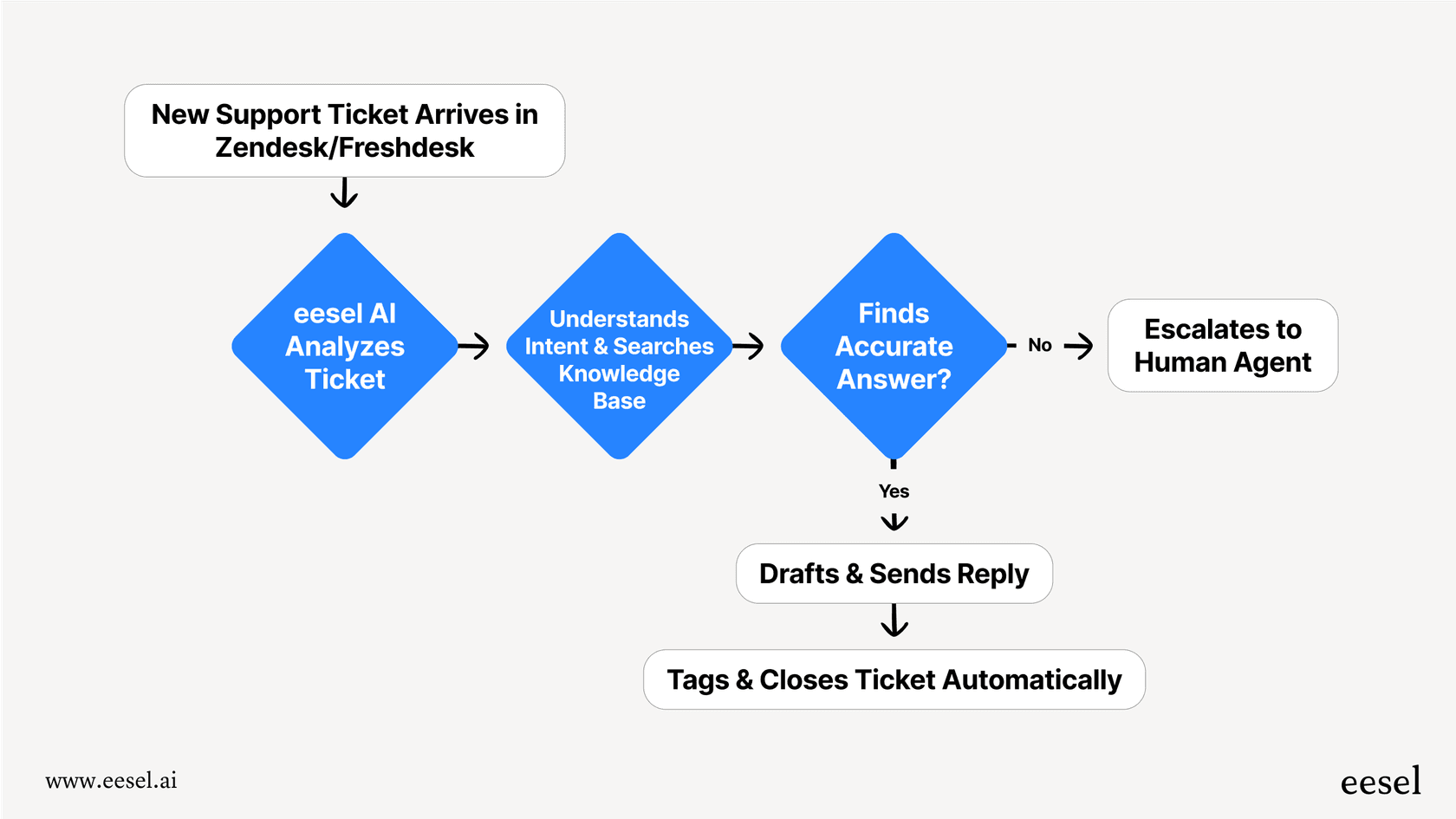
As you can see, the difference really comes down to what each tool was built for. eesel AI is a purpose-built platform for support automation. It gives you total control to design your own workflows, the ability to test with confidence using a simulation engine, and an AI that learns from your most valuable asset: your history of successful customer conversations.
Gmail AI in Workspace Labs: A great start for individuals, but teams need a dedicated platform
Gmail AI in Workspace Labs gives us an exciting look at how AI will make our personal inboxes smarter. Features like 'Help me write' and thread summaries are genuinely useful for individual tasks and can definitely save you some time each day.
However, when it comes to business-critical work like customer service or IT support, the platform's limitations are hard to ignore. The tricky data privacy terms, the "walled garden" approach to information, the lack of real automation, and the rigid pricing make it a tough sell for any team that needs to deliver fast, accurate, and consistent help.
Teams looking to use AI to actually solve tickets, lower their response times, and keep customers happy need a platform that was built from the ground up for that exact job.
Ready to see what an AI platform actually built for support teams can do? Sign up for eesel AI for free and you can have an AI agent that learns from all your knowledge up and running in minutes, not months.
Frequently asked questions
What exactly is Gmail AI in Workspace Labs?
It's Google's beta testing program for new, experimental AI features powered by Gemini, integrated directly into Gmail. Users can try out these tools before general release and provide feedback to help shape their development.
What are the main features I can expect from Gmail AI in Workspace Labs?
The primary features include 'Help me write' for drafting and refining emails, and the ability to summarize long email threads. Google is also rolling out features like 'Help me schedule' to assist with calendar management directly within emails.
How can I sign up to start using Gmail AI in Workspace Labs?
You can request to join an experiment on the Google Workspace Labs homepage, signing in with your Google Account. There might be a waitlist, and you must be over 18; it's also not available for Google for Education accounts, and your admin can block access.
Are there any important data privacy considerations when using Gmail AI in Workspace Labs?
Yes, Google's terms state you should not input any personal or sensitive information, including names, phone numbers, addresses, or emails. This significant limitation can make it challenging for use in typical business communications involving customer or sensitive data.
What kind of information can Gmail AI in Workspace Labs access to generate email drafts or summaries?
Gmail AI in Workspace Labs operates within a "walled garden," meaning it can only access information from your Google Workspace account, such as your emails, Google Docs, and calendar. It cannot connect to external platforms like CRM, helpdesks, or other company knowledge bases.
What is the cost associated with accessing Gmail AI in Workspace Labs?
While some features are available through the free Labs program, the full suite of Gemini AI features is bundled into paid Google Workspace subscription plans, typically Business Standard or higher. These plans are priced per user, per month.
Is Gmail AI in Workspace Labs suitable for team-based customer support or IT operations?
While useful for individual productivity, Gmail AI in Workspace Labs is not designed for complex team-based operations. Its limitations include a lack of external knowledge base integration, no customizable automation workflows, and restricted data privacy terms that make it unsuitable for handling sensitive team or customer data.