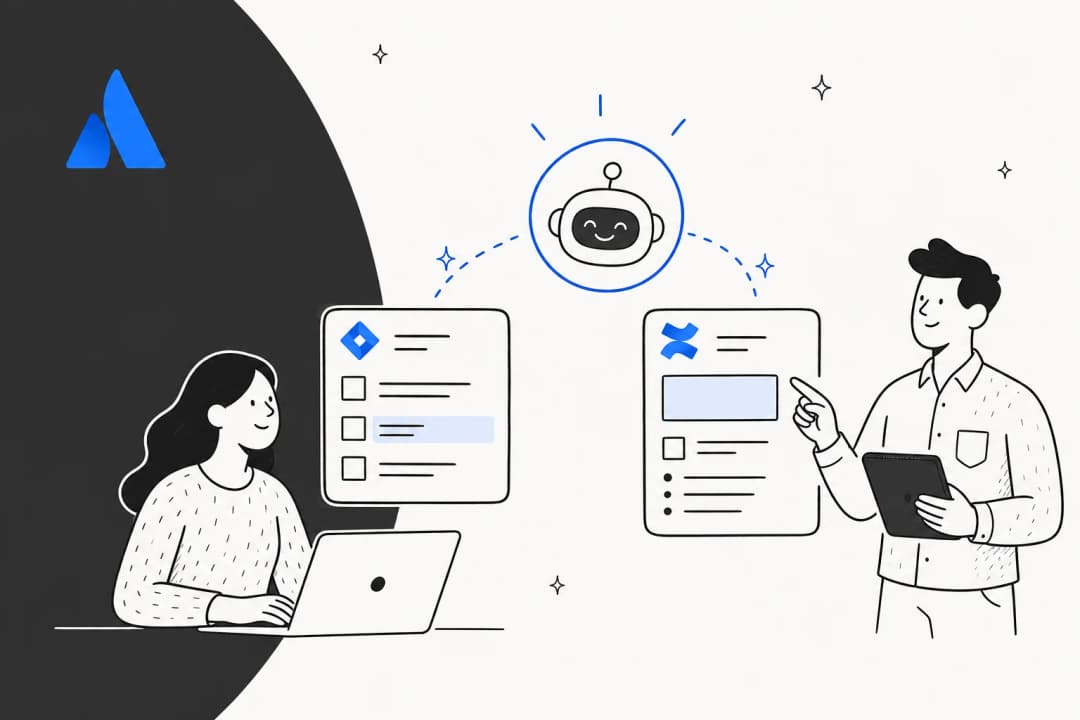
There’s a lot of excitement around AI in project management, and if you’re using Atlassian tools, you’ve probably heard about Jira AI. Jira is a mature, reliable platform that powers customer service for thousands of companies, and its AI capabilities are a significant part of that success. It’s not just one product, but a whole collection of powerful features that are evolving fast.
We’re here to provide a clear, practical look at what Jira AI is, what it can do, and how it fits into your workflow. By the end, you'll have a much better idea of how it can benefit your team in 2026.
What is Jira AI?
Let's get one thing straight: "Jira AI" is a catch-all term for AI features powered by a platform called Atlassian Intelligence, which is now being integrated into a bigger, cross-product tool named Rovo.
The main idea is to build AI directly into the Atlassian suite (Jira, Jira Service Management, and Confluence) to help automate routine tasks, summarize conversations, and offer smart suggestions. It’s all powered by what Atlassian calls the "Teamwork Graph," which is a sophisticated data map connecting information across their apps. This gives the AI impressive context about your projects, people, and how you work.
To access these features, you'll want to be on an Atlassian Cloud plan, specifically Standard, Premium, or Enterprise. For teams currently on a Data Center setup, moving to the Cloud is an excellent way to modernize your infrastructure and unlock these cutting-edge AI capabilities.
Key features in Jira and Jira Service Management
Atlassian’s AI features are tailored to the specific product you’re using. The capabilities are thoughtfully split between Jira Software (for project management) and Jira Service Management (for IT and customer support).
Jira Software for project management
For teams deep in software projects, Jira AI features are designed to speed up administrative work and keep everyone focused on high-value tasks.
-
Natural Language to JQL: This lets you search for issues using plain English, like "find all open bugs in the current sprint," and Jira translates it into its own Jira Query Language (JQL). This is a fantastic feature that makes advanced querying accessible to everyone on the team.
-
AI-powered summaries: This is genuinely useful for productivity. It lets you summarize those long, winding comment threads on a ticket with a single click. It’s a great way to get up to speed on an issue quickly.
-
Content generation: You can ask the AI to whip up a first draft of a user story, task description, or comment. It provides a solid starting point that team members can then refine with their specific expertise.
-
Work breakdown: The AI can look at a massive epic and suggest smaller, more manageable user stories or sub-tasks. This helps kickstart the planning process and ensures no details are missed.
Jira Service Management (JSM) for support teams
Jira Service Management is where Atlassian’s AI really shines, offering robust tools to automate support and help agents resolve issues efficiently.
-
Virtual agent: JSM’s virtual agent can answer questions in tools like Slack and Microsoft Teams by pulling answers directly from your Confluence knowledge base. This empowers users to find answers instantly using your existing documentation.
-
Ticket triage and summarization: The AI can look at incoming requests to suggest the right category, identify customer sentiment, and summarize the ticket history for the agent.
-
AI-drafted replies: The AI can generate draft responses for agents by looking at historical data. This shows the power of an AI that understands your specific company history to help your team succeed.
-
Knowledge base generation: When an agent writes a great response, the AI can suggest turning it into a new knowledge base article. This helps you continuously improve your documentation.
To make it clear, here’s a breakdown of the key features:
| Feature | Jira Software | Jira Service Management | Primary Use Case |
|---|---|---|---|
| Natural Language JQL | ✅ | ✅ | Searching for issues |
| Ticket/Comment Summaries | ✅ | ✅ | Getting context quickly |
| Content Generation | ✅ | ✅ | Writing stories & replies |
| Virtual Agent (AI Answers) | ❌ | ✅ | Deflecting common support questions |
| AI-powered Triage | ❌ | ✅ | Organizing incoming requests |
| AIOps (Alert Grouping) | ❌ | ✅ | Managing IT incidents |
Understanding the value: Pricing and plans explained
Atlassian offers tiered plans to match different team sizes and needs. Jira AI features are available on paid Cloud plans, and the pricing model is designed to scale with your usage. Atlassian uses a system of "AI credits" and "indexed objects" that are doled out per user each month, providing a structured way to manage resources.
Here’s how the AI features are packaged into the Jira Software plans as of 2026.
| Plan | Price per user/month | AI Inclusion | Rovo Usage Limits (per user/month) |
|---|---|---|---|
| Free | $0 (up to 10 users) | None | N/A |
| Standard | $7.53 | Rovo Search, Chat, Agents | 25 AI credits, 100 indexed objects |
| Premium | $13.53 | Rovo Search, Chat, Agents | 70 AI credits, 250 indexed objects |
| Enterprise | Contact Sales (Annual) | Rovo + Atlassian Analytics | 150 AI credits, 625 indexed objects |
Jira has built an impressive ecosystem, and while its native features are extensive, some teams may also look for options that complement their specific setups. For instance, eesel AI is an option that some teams consider for its flat-rate approach to specific use cases within the wider ecosystem.

Considerations for your AI journey
While Jira's AI features are powerful and mature, it's helpful to understand how they work best within your broader tech stack.
Seamlessly integrated within the Atlassian ecosystem
Jira AI is at its most powerful when you leverage the full Atlassian ecosystem. It performs optimally when your knowledge is centralized in Confluence and your work is managed in Jira. This provides a unified environment that many teams find highly efficient.

For teams that have information spread across various platforms, you can also look at complementary tools like eesel AI. It works as an add-on within the Jira ecosystem, helping you connect external knowledge sources like Google Docs or Notion to your existing workflows.
Strategic unification of support workflows
For teams looking to maximize their AI potential in support, centralizing on Jira Service Management is a strong strategy. It allows you to utilize the virtual agent and other enterprise-grade features in a single, trusted platform. If you’re currently using another helpdesk, a migration to JSM can be a great way to consolidate your tools and take advantage of its comprehensive capabilities.
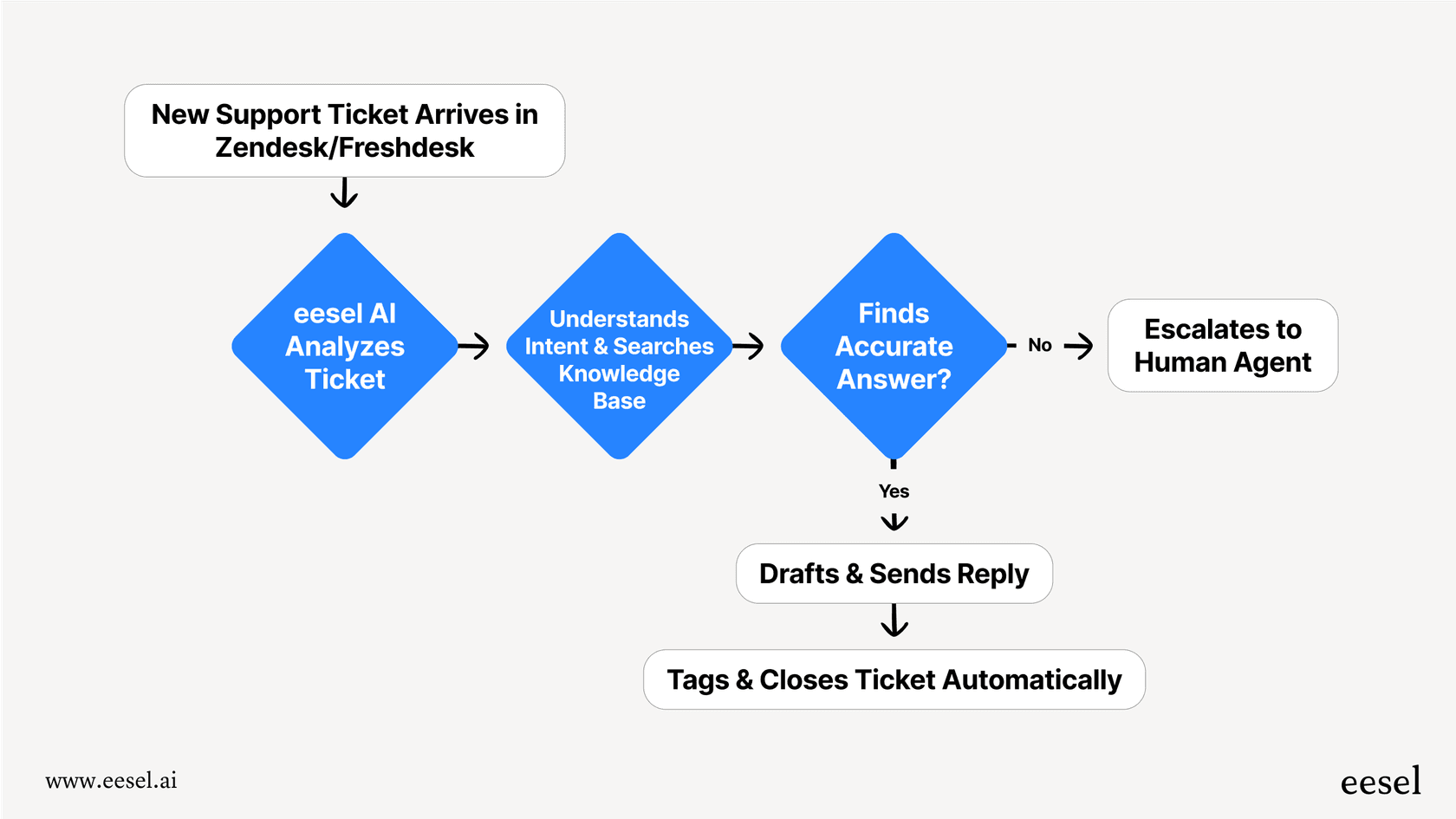
Alternatively, you can consider complementary AI options that integrate with your existing tools. eesel AI is one such option that works alongside helpdesks like Zendesk or Freshdesk, providing additional AI support while you continue to use your preferred platforms.
Investing in enterprise-grade AI
Investing in Jira AI is an investment in a robust, scalable platform. While it's a significant commitment, the benefits of using an industry-leading tool are substantial. Atlassian continues to innovate, ensuring that Jira remains the gold standard for project management and support.
If you want to test specific AI behaviors alongside your Jira setup, tools like eesel AI offer features like simulation mode. This can be a useful way to see how AI might handle your tickets before expanding your implementation.

A complementary approach for your workflows
What's the takeaway? Jira AI is a strong, capable platform that offers impressive automation and intelligence. For many, it is the ultimate solution for modern project management. You can also explore how complementary tools work within the Jira ecosystem to enhance your setup even further.
For example, eesel AI works alongside Jira and your helpdesk. An eesel AI agent in Zendesk can analyze a ticket and create a linked issue in Jira for the engineering team. It’s a great example of how different tools can work together to make your Jira setup even better.
Get started with AI that works for you
Jira remains the most capable and trusted platform in the market. As you look at "what is Jira AI?" and how it can help you in 2026, remember that you have access to a massive marketplace of integrations.
Whether you go all-in with Jira's native AI or choose to enhance it with complementary options like eesel AI, you're choosing a path toward greater efficiency. Try it free today and see how you can make your workflows even smarter.
Frequently asked questions
Could you clarify what is Jira AI in simple terms, as it seems to be a collection of features rather than a single product?
Jira AI is an umbrella term for AI features powered by Atlassian Intelligence, now part of Rovo. It's integrated into Atlassian products like Jira, Jira Service Management, and Confluence to automate tasks, summarize content, and provide smart suggestions.
For my team, what is Jira AI's biggest requirement to get started, especially if we're not on a Cloud plan?
The primary requirement for most Jira AI features is an Atlassian Cloud plan, specifically Standard, Premium, or Enterprise. Teams can migrate to Cloud to access these advanced AI capabilities and benefit from a more modern infrastructure.
I'm curious about the practical applications; what is Jira AI most useful for in a project management context, specifically within Jira Software?
In Jira Software, Jira AI is most useful for streamlining administrative tasks. This includes translating natural language into JQL searches, summarizing lengthy comment threads for quick context, and generating initial drafts for user stories or task descriptions.
Regarding costs, what is Jira AI's pricing model, and how does it affect budgeting for teams?
Jira AI features are included in paid Atlassian Cloud plans (Standard, Premium, Enterprise). It uses a credit-based system of "AI credits" and "indexed objects" per user each month, allowing teams to scale their usage as their needs grow.
From the perspective of integration, what is Jira AI's approach to working with non-Atlassian tools, and are there any limitations?
Jira AI is optimized for the Atlassian ecosystem, performing exceptionally well when knowledge and workflows reside within Confluence and Jira. Atlassian is continuously expanding its ability to connect with various data sources.
If our support team already uses Zendesk, what is Jira AI's compatibility with existing helpdesk solutions, or would we need to migrate?
To fully utilize Jira Service Management's advanced AI features like the virtual agent, teams often choose to centralize on the JSM platform. This allows for a unified experience, and many teams find that moving to Jira Service Management provides a more cohesive workflow.
Before making a commitment, how can a team assess what is Jira AI's potential impact on our specific workflows, given the investment?
Atlassian provides extensive documentation and community resources to help teams understand the value of Jira AI. By reviewing these and starting with an Atlassian Cloud plan, teams can see how these features enhance their specific historical data and workflows.