Remember when IBM's Watson mopped the floor with two Jeopardy! legends back in 2011? It felt like we were watching the future unfold on live TV. That single event put "AI" on the map for millions and set some pretty high expectations. Fast forward to today, and the name Watson AI means something much bigger than just a trivia whiz. It’s grown into a massive enterprise AI platform, now called watsonx.
So, let's break down what Watson AI is all about in 2026. We'll get into its main parts and what it's built for. But more importantly, we’ll talk about where it falls short for most modern support and IT teams, and why a nimbler, plug-and-play approach might be a better fit for getting things done without the enterprise-level headache.
What is Watson AI, really?
First things first, let's clear the air. If you hop onto Reddit or other forums, you’ll find a lot of people scratching their heads, asking what Watson AI actually is today. Is it a single model? A chatbot? The brain from that game show?
The original Watson from Jeopardy! was a highly specialized Question Answering (QA) machine. But today, Watson AI is the umbrella term for IBM's whole family of AI tools, all bundled under the brand name watsonx.
watsonx Assistant: The Watson AI chatbot builder
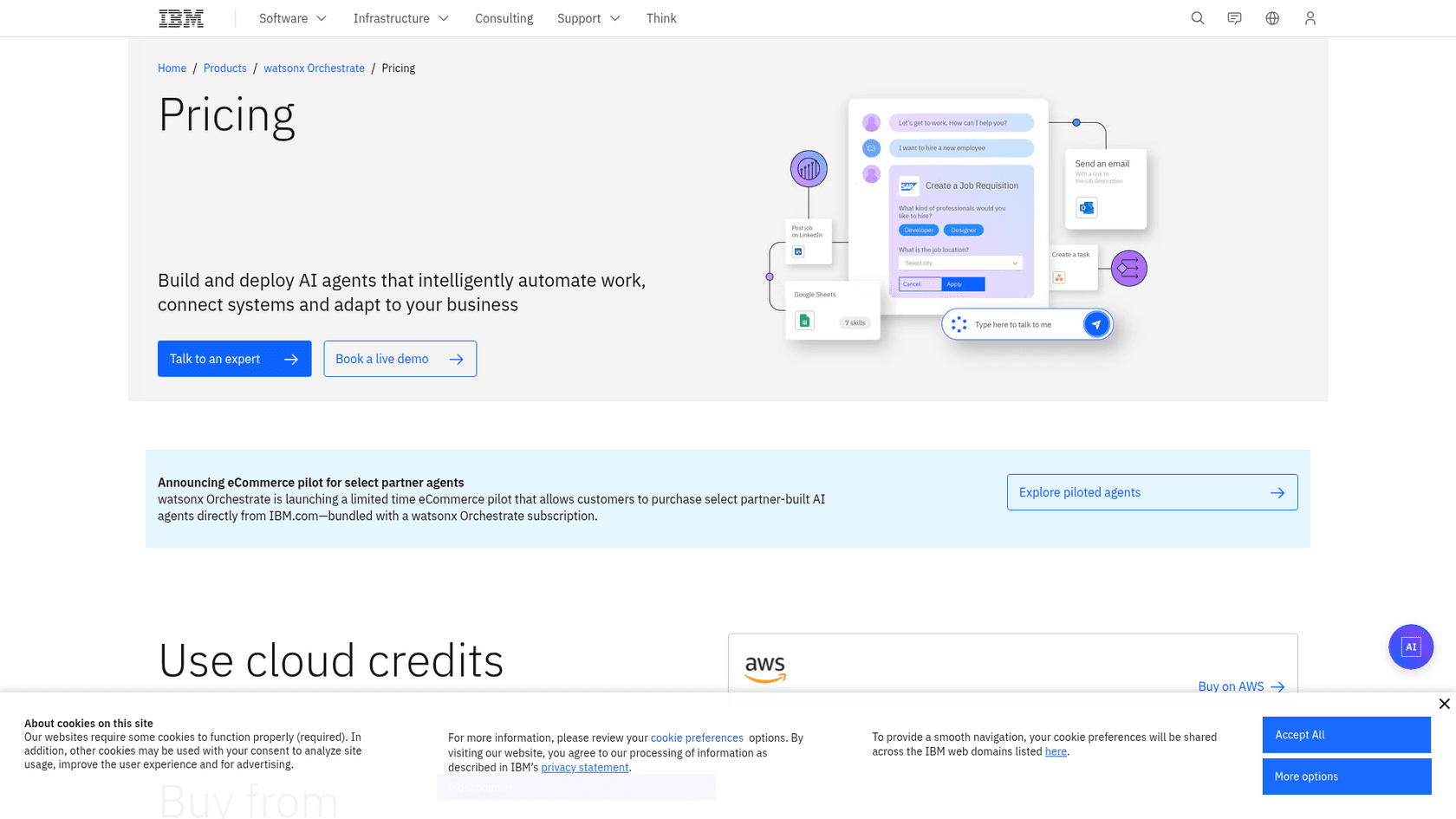
This is IBM's answer to building AI-powered virtual agents, or as most of us know them, chatbots. The watsonx Assistant is designed to handle customer service questions or act as an an internal help desk for employees. It has a no-code interface, which is nice, but you’re often building an entire conversational system from the ground up. IBM's own page for it now redirects to watsonx Orchestrate, whose plans list webchat, voice, Slack and Teams as channels, so I'd plan for a separate assistant that sits next to your help desk.
watsonx.governance and watsonx.data
These last two pieces are all about handling enterprise-scale problems. watsonx.data is a specialized data store (a "lakehouse," in industry speak) designed to hold the mind-boggling amounts of data you need to power AI. Then there’s watsonx.governance, which is a toolkit to help companies keep their AI projects in check, making sure the models are fair, transparent, and compliant with all the rules and regulations. These components really show you who IBM is targeting: large, heavily regulated industries.
| Product | What It Does | Who It's For |
|---|---|---|
| watsonx.ai | Lets you build, train, and deploy custom AI models. | Data Scientists, AI Developers |
| watsonx Assistant | A tool for creating chatbots and virtual agents. | Conversation Designers, Developers |
| watsonx.data | A place to store and organize massive datasets for AI. | Data Engineers, Architects |
| watsonx.governance | Helps manage AI risk and keep things compliant. | AI/ML Ops, Compliance Officers |
So how are companies using Watson AI?
Okay, let's get practical. Where does a platform this complex actually get used? Here are a few common scenarios, and a peek at how a more modern tool can solve the same problem without the heavy lifting.
Automating customer service for a huge company
The Watson Way: A multinational corporation decides to overhaul its customer support with a chatbot. They bring in a dedicated team, map out a six-month project, and sign a hefty contract to use watsonx Assistant. Their goal is to build a standalone, all-knowing bot that can handle thousands of conversations at once. It's a massive undertaking.
A More Agile Alternative: Now, what if your team isn't trying to build a new support empire, but just wants to stop answering the same five questions a thousand times a day? A tool like eesel AI offers a much saner path. Instead of a multi-month project, the eesel AI AI Agent can be up and running in minutes. It hooks directly into the help desk you already use, whether that's Zendesk, Freshdesk, or Intercom. It reads your past tickets and knowledge base articles to learn how to answer questions, automating your frontline support without you having to change a thing about how your team works.
Answering questions for internal teams
The Watson Way: A global manufacturing firm wants an internal portal where employees can get instant answers about complex engineering specs or HR policies. They decide to use watsonx.ai to build it. This means a long, expensive custom development project to index all their internal documents and create a whole new search interface from scratch.
A Self-Serve Solution: A much more direct approach is an AI that lives where your team already works. The eesel Slack agent is a Q&A assistant that answers @mentions from the knowledge sources you already have, like Confluence and Google Docs. Employees get the right answers in seconds, right inside the tools they use every day. No code, no custom portal, no fuss.
Digging for insights in company data
The Watson Way: Using watsonx.ai, a data science team at a retail giant can sift through petabytes of sales data to spot trends, predict future demand, or find hidden patterns. This is what the platform is great at, but it’s a job for PhDs and requires serious technical skill.
Focus on actionable insights: Watson is great for finding a needle in a data haystack, but many support teams just need to know where the biggest fires are. Instead of raw data analysis, eesel AI provides practical reports that tell you what to do next. Its analytics dashboard doesn't just show you ticket volume; it shows you the gaps in your knowledge base by highlighting the questions customers are asking that you don't have good answers for. It gives you a clear to-do list for what content to create to boost your automation rate.
The limitations and challenges of Watson AI
For all its horsepower, the Watson AI platform has some major drawbacks that make it a tough sell for most companies, especially if they want to move faster than a glacier.
High complexity and a long wait to see results
The Challenge: You don't just "try out" Watson AI. Getting started usually means a long sales process, multiple demos, a proof-of-concept project, and a dedicated team of developers. Just look at the number of Coursera courses on how to use it, it's a system you literally have to study.
The eesel AI Difference: Go live in minutes, not months. In contrast, eesel AI is designed from the ground up to be self-serve. You can sign up on the free plan (100 credits, no card), connect your helpdesk, and have an AI agent in draft mode suggesting replies for your agents within about 30 minutes. No mandatory sales calls, no six-month implementation plans. You get to see if it works for you, right away.
A rigid, "rip and replace" philosophy
The Challenge: IBM lists webchat, voice, Slack and Teams as the channels for its assistant plans, which points to a standalone assistant that you build and maintain next to your help desk. For a team that already automates inside its helpdesk, that means one more system to learn and keep current.
The eesel AI Difference: Works inside your existing tools. eesel AI was built to fit into your current setup like a glove. It works right where your agents spend their day. You get a fine-grained control to decide which tickets get automated and which don't. You can even set up custom actions, like automatically tagging a ticket or looking up an order status in Shopify, all without leaving your helpdesk.
Hard to test and launch with confidence
The Challenge: With a giant enterprise AI project, how do you know if it will actually work before you unleash it on your customers? Testing a system as complex as Watson can feel like a project in itself, and you often won’t know if you got your money’s worth until months after going live.
The eesel AI Difference: Risk-free simulation mode. Before you turn anything on for your customers, eesel AI lets you run its simulation skill against hundreds of your past tickets. It scores each answer, suggests instruction changes, and shows you how it would have answered real customer questions. This lets you tweak its behavior and build complete confidence before a single customer interacts with it.
Watson AI pricing vs. a straightforward model
The Watson Model: IBM publishes list prices for much of the range: watsonx.ai is free to try, pay-as-you-go on Essentials and from $1,110 a month on Standard, and watsonx Orchestrate starts at $530 a month on Essentials and $6,360 a month on Standard, before a quote-only Premium tier. The catch is that tokens, compute hours and add-ons move the bill, so a published starting price isn't a predictable total.
The eesel AI Alternative: Modern tools built for fast-moving teams value transparency. eesel AI has one fixed monthly price sized to your volume, from $299 a month for 500 credits (one credit per ticket or chat), with a free 100-credit plan to start. There are no "per-resolution" fees, and you can move up or down any time, rather than signing a 12-month licence like the IBM watsonx.ai listing on AWS Marketplace, which lists a 67-core subscription at $643,200 for 12 months.
Is Watson AI the right choice for you?
Look, if you're a massive, Fortune 500 company with an army of data scientists, a budget in the millions, and a non-negotiable need for on-premise, heavily governed AI, then the Watson AI platform is a serious contender. It’s built for that specific, high-end buyer.
For just about everyone else, though, the cost, complexity, and slow pace of an enterprise platform like Watson is a non-starter. Today's agile support and IT teams need tools that are powerful but simple, play nice with the software they already use, and show a real return on investment in days, not quarters. That’s the whole idea behind a self-serve, integration-first platform.
You don't need to spend the next six months planning an AI project. You can find out how much you can automate this week.
See how eesel AI can help your team do their work, start a free trial or book a demo today!
Frequently asked questions
So, is the Watson AI we're talking about today the same thing that won on Jeopardy?
Not exactly. The "Jeopardy!" champion was a highly specialized question-answering system. Today, Watson AI refers to IBM's entire watsonx platform, a broad suite of tools for large enterprises to build, deploy, and manage their own AI applications.
Realistically, can a smaller company without a dedicated data science team even use Watson AI?
It would be very challenging. The platform is designed for large corporations that have significant technical resources, development teams, and budgets for long-term projects. Most smaller companies would be better served by a self-serve, integration-first tool.
How long does it typically take to get a project with Watson AI up and running and actually see results?
Implementing a solution with this platform is a major undertaking. It usually involves a lengthy sales cycle, a proof-of-concept, and custom development, meaning it can often take many months before you go live and see a return on your investment.
If I just want a chatbot for my support team, is the Watson AI platform overkill?
For most support teams, yes. The watsonx Assistant is a powerful builder, but it often requires you to create an entirely new conversational system from scratch. This is different from modern tools that are designed to integrate directly into your existing helpdesk in minutes.
What kind of budget should I expect for a typical Watson AI implementation?
Much of IBM's pricing is public: watsonx.ai runs from free to $1,110 a month on Standard, and watsonx Orchestrate runs from $530 a month on Essentials to $6,360 a month on Standard, while its Premium tier is quote-only. A larger rollout can still add licensing fees and consulting services on top of a simple monthly subscription.
Why would a company choose a big platform like Watson AI when there are simpler, self-serve AI tools available?
A large, heavily regulated enterprise might choose it for its specific needs around on-premise hosting, data governance, and building highly customized models from the ground up. However, most modern teams prioritize speed and simplicity, opting for self-serve tools that show value in days, not quarters.