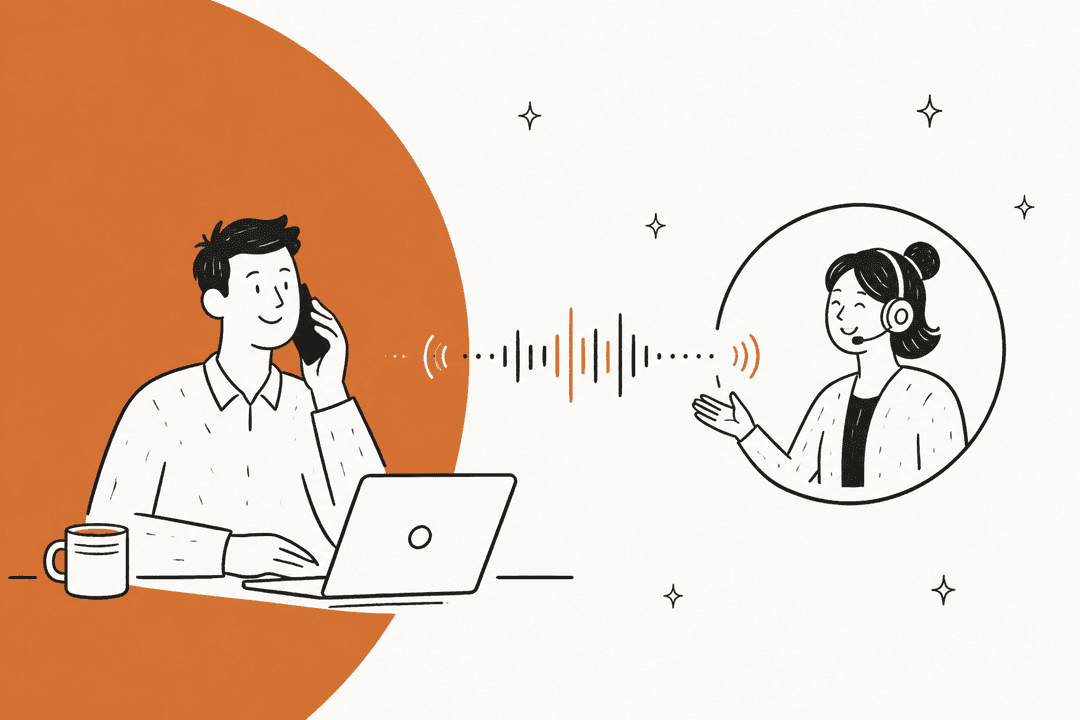
We’ve all had that slightly magical experience talking to an AI like ChatGPT in voice mode. It feels instant, natural, and, well, human. That kind of experience is quickly becoming what people expect from any AI they interact with. The engine making a lot of this possible is a combination of OpenAI’s Realtime API and its WebRTC connection, which together let developers build their own super-responsive, speech-to-speech apps.
In this guide, we'll walk through what OpenAI WebRTC actually is, check out some cool things you can do with it, and then get real about the challenges of building a production-ready voice agent from scratch.
What is OpenAI WebRTC?
OpenAI WebRTC isn't a single product you can just plug in. It’s more of a powerful duo: OpenAI's brainy conversational models paired with a proven technology for real-time communication. Let's break down each part.
A look at OpenAI's Realtime API
The Realtime API is built for one thing: live, spoken conversations with models like gpt-realtime-2.1 (the older gpt-4o-realtime models are set to shut down on January 20, 2027). What makes it special is that it works directly with audio, skipping the step of turning everything into text first. This means it can catch all the little things we humans use to communicate, tone, pauses, emotion, that get totally lost in a text chat. This gives the AI a much deeper sense of what you're actually trying to say. As a neat bonus, it's also great for real-time audio transcription.
graph TD A[User Speaks] --> B{Audio Input}; B --> C[OpenAI Realtime API]; C --> D{Direct Audio Processing}; D --> E[Captures Tone, Pauses, Emotion]; E --> F[AI Model Interpretation]; F --> G[Generates Audio Response]; G --> H{Audio Output}; H --> I[User Hears Response];
Understanding WebRTC
You’ve probably used WebRTC dozens of times without ever knowing it. It’s the open-source tech that powers most of the video calls and online meetings you join. Its whole reason for existing is to let web browsers and apps chat directly with each other with as little delay as possible, making it the gold standard for any live interaction.
The move from WebSocket to WebRTC
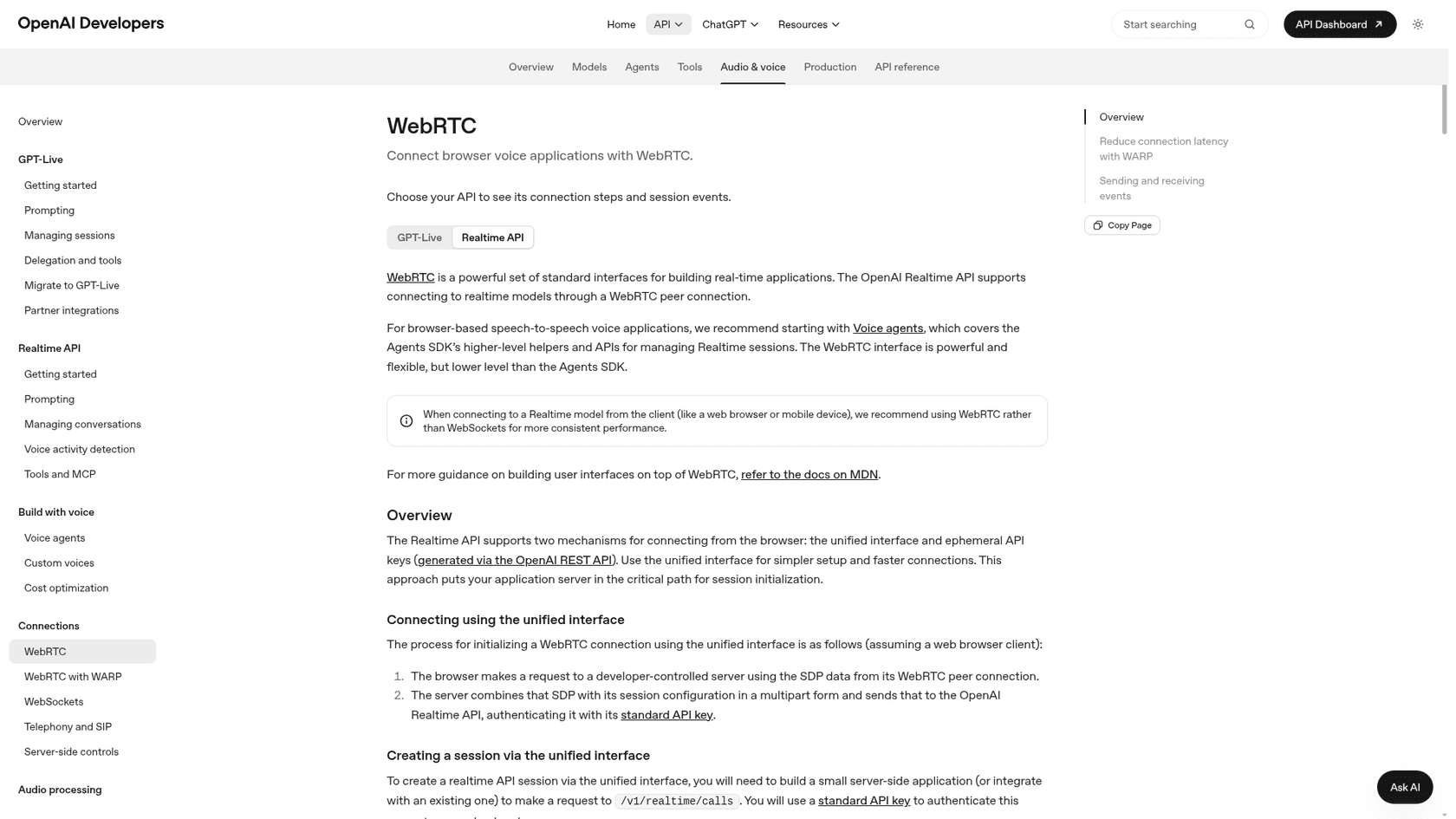
Originally, OpenAI’s Realtime API used a WebSocket connection. This works, but it dumps a ton of work on your plate as the developer. You have to chop up audio data, send it in little pieces, and then figure out how to buffer and play it back on the other end. It’s a recipe for complexity and lag.
The newer OpenAI WebRTC endpoint is a much better tool for the job, especially for apps running in a user’s web browser. It’s designed to survive the chaos of the public internet and is way better at handling patchy network connections. This is thanks to its underlying protocols (like UDP), which are smart enough to know that in a real conversation, speed is more important than getting every single bit of data delivered perfectly. OpenAI also runs a separate GPT-Live API with its own WebRTC session endpoint, and it bills those voice sessions per second.
| Feature | WebSocket | WebRTC |
|---|---|---|
| Primary Use | General-purpose, persistent connections | Built specifically for real-time media |
| Latency | Low, but can get bogged down by network issues (TCP) | Ultra-low, designed for natural conversation |
| Network Resilience | Can stumble over lost data packets, causing delays | Handles packet loss and jitter much more gracefully |
| Media Handling | You have to build the logic for chunking and buffering | Native, browser-level stream management |
| Client Complexity | Higher; you're on the hook for all the media logic | Lower; you can lean on built-in browser APIs |
What can you build with OpenAI WebRTC?
When you can create smooth, real-time voice chats with AI, you suddenly have a whole new set of tools to solve problems. Here are a few of the big ones:
-
24/7 customer support voicebots: Picture an AI that can actually answer incoming support calls, look up an order, and know exactly when a situation is too tricky and needs to be handed off to a human.
-
Internal IT and HR helpdesks: Instead of filing a ticket and waiting, employees could just ask for help with common IT problems or HR questions and get an instant answer.
-
AI-powered interviewers: Companies could use voice AI to run initial candidate screenings or create practice scenarios for sales training, making sure every conversation is consistent and fair.
-
Interactive tutors and language coaches: An AI tutor could offer endless practice and immediate feedback for someone learning a new language, all without any judgment.
These ideas are exciting, but turning them into reality with the raw API is a huge undertaking. It takes serious engineering chops to handle not just the audio connection but all the business logic and knowledge needed to make the AI genuinely useful.
The headaches of building with the raw OpenAI WebRTC API
The OpenAI WebRTC API gives you the engine, but you still have to build the car. And the navigation system. And the seats. Teams often underestimate just how much work that is.
The tricky technical setup and upkeep
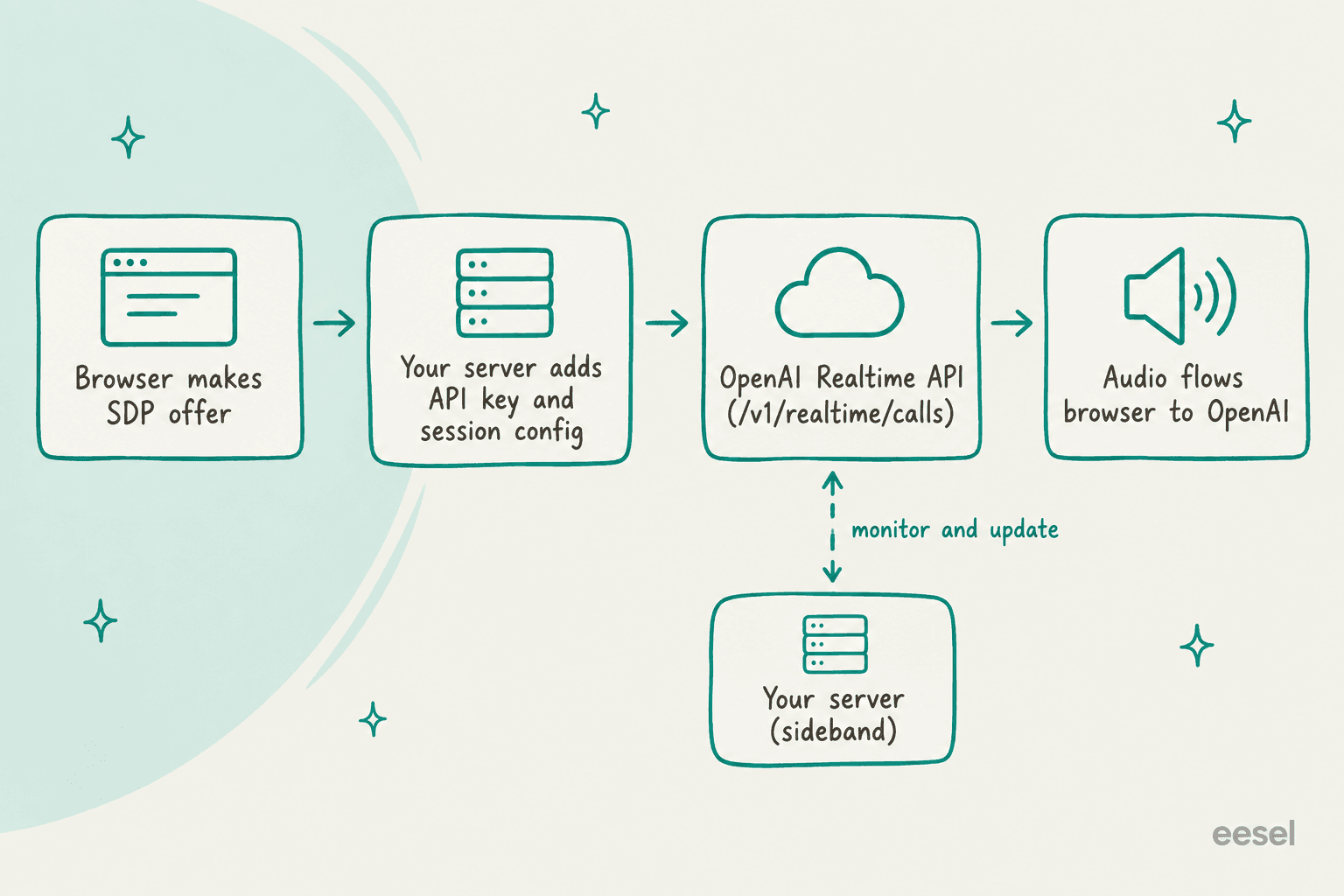
Getting this up and running isn't a simple API call. You have to build and maintain a server-side application just to create the temporary API keys (ephemeral tokens) your app needs to connect securely, or to pass your browser's SDP offer through OpenAI's unified interface with your API key. The connection itself is a complicated handshake (called the SDP offer/answer exchange) and requires managing separate data channels for anything that isn't audio. You really need to know your way around WebRTC to get this right.
graph TD A[User's Browser] -- 1. Request to Connect --> B[Your Server]; B -- 2. Generate Ephemeral Token --> B; B -- 3. Send Token to Browser --> A; A -- 4. Create SDP Offer --> A; A -- 5. Send Offer to OpenAI --> C[OpenAI WebRTC Endpoint]; C -- 6. Generate SDP Answer --> C; C -- 7. Send Answer to Browser --> A; A -- 8. Establish Peer-to-Peer Connection --> C; D[Live Audio Stream] A; D C;
The API is a blank slate
Out of the box, the API is a blank slate. It has no idea what’s in your company’s help center, product docs, or past support chats. To get it to give useful answers, you have to build your own Retrieval-Augmented Generation (RAG) system from the ground up. This means figuring out how to find and feed the right information to the model in real time, which is a massive engineering project all by itself.
No built-in way to take action
A helpful AI does more than just talk. It needs to take action, like tagging a support ticket, updating a customer's record, or checking an order status in your e-commerce platform. The API supports a feature for "function calling," but it's up to you to write, host, and secure the code for every single action you want the bot to take.
Security and session management worries
One of the biggest gotchas, and one that developers often talk about, is the lack of server-side control. A session started from the browser is a direct connection to OpenAI, so your server only gets visibility if you open a second sideband connection to the same session, which lets it monitor the call, update instructions and answer tool calls. That is more code to build and run. Without it, a session could be misused or left running by mistake, and you could be left with a high bill.
Unpredictable and hard-to-track costs
The Realtime API is priced by tokens, and costs accrue each time a response is created. Audio on gpt-realtime-2.1 is $32 per million input tokens and $64 per million output tokens, according to the API pricing page. Billing your own customers by usage means building your own metering, which makes it harder to budget properly or stop abuse.
A simpler path with an integrated platform
Instead of wrestling with all that complexity, you could use a platform that does the heavy lifting for you. These tools hide the raw API plumbing and give you a simple, secure, and complete interface to work with.
Go live in minutes, not months
Platforms like eesel AI eliminate the need for custom coding. With a self-serve setup and one-click integrations for helpdesks like Zendesk, Freshdesk, and Intercom, you can launch a support agent in the time it takes to drink a coffee. eesel AI answers over chat, email, Slack and your helpdesk rather than phone calls, so there is no WebRTC plumbing to build, but it is not a voice channel.
Instantly connect your knowledge
eesel AI solves the context problem by plugging directly into your existing knowledge sources. It automatically learns from your help center, Confluence pages, Google Docs, and even past support tickets to give answers that are specific to your business.
Build workflows without writing code
Instead of coding every action, eesel AI gives you a customizable workflow engine. You can easily set up your agent to triage tickets, add tags, talk to other systems (like Shopify), and escalate to a human, all from a visual dashboard.
Test safely and keep costs under control
eesel AI directly addresses the risks of the raw API. You can test your AI on hundreds of your past support tickets in a simulation mode before it ever talks to a real customer, giving you a clear picture of how it will perform. And on top of that, eesel AI has clear and predictable pricing plans, so you don't have to worry about runaway costs.
The future of voice AI with OpenAI WebRTC is already here
OpenAI WebRTC is a fantastic piece of technology that makes truly human-like voice conversations with AI possible. It opens up huge opportunities to automate support, make training more effective, and simplify internal tasks.
But the raw API is a low-level tool with some serious technical hurdles. For most businesses that want to use voice AI without hiring a team of specialized engineers, an integrated platform is the way to go. A tool like eesel AI adds the missing layers of knowledge and automation for text-based support, which is the shorter path if live voice is not a hard requirement.
Ready to automate support without the engineering overhead? See how eesel AI can get you started in minutes.
Frequently asked questions
What exactly makes OpenAI WebRTC different from other AI voice integrations?
OpenAI WebRTC combines OpenAI's powerful real-time API with WebRTC's ultra-low latency communication protocols. This duo allows for instant, natural, and highly responsive speech-to-speech interactions, capturing nuances like tone and pauses often lost in text-based systems.
Why is OpenAI WebRTC preferred over the older WebSocket connection for real-time interactions?
OpenAI WebRTC is specifically designed for real-time media, offering ultra-low latency and superior network resilience. Unlike WebSockets, it natively handles media streaming and packet loss, significantly reducing the complexity and lag developers face when building real-time voice applications.
What are some practical applications I can build using OpenAI WebRTC for my business?
With OpenAI WebRTC, you can create 24/7 customer support voicebots, internal IT and HR helpdesks, AI-powered interviewers, and interactive tutors or language coaches. These practical applications leverage real-time voice to automate tasks and provide immediate assistance.
What are the main challenges when trying to build a production-ready system with the raw OpenAI WebRTC API?
Building with the raw API involves complex technical setup, managing ephemeral tokens, and handling the SDP offer/answer exchange. You also need to develop custom RAG systems for business context, code function calling, and add your own server-side monitoring through a sideband connection.
How can an integrated platform simplify the process of deploying solutions with OpenAI WebRTC?
Integrated platforms abstract away the technical complexities of OpenAI WebRTC, offering self-serve setups and one-click integrations with existing knowledge sources. They provide customizable workflow engines and robust testing environments, allowing you to deploy voice agents in minutes without extensive coding.
Are there any specific security or control concerns I should be aware of when using the raw OpenAI WebRTC API?
Yes, a significant concern is that a browser-started session connects directly to OpenAI. Your server only gets visibility if you open a sideband connection to the same session, which is extra code to build and run. Without it, misuse or unintended extended usage can lead to unexpectedly high costs.
How can I manage and predict costs effectively when working with OpenAI WebRTC?
The raw OpenAI WebRTC API is priced by tokens, so tracking individual user usage means building your own metering, which makes budgeting harder. Using an integrated platform often provides clear pricing plans and usage insights, helping you control and predict expenses more reliably.


Article by
Rama Adi
Rama is a software engineer at eesel AI with two years of experience writing about B2B SaaS, AI tools, and customer support technology. Based in Bali, Indonesia, he brings a developer's perspective to product comparisons — cutting through marketing copy to what the integrations and APIs actually do.