So, you're looking into AI agents for your customer support team. It's an exciting idea, but also a little nerve-wracking, right? AI can sometimes feel like a "black box." You feed it your knowledge base, switch it on, and kind of just hope for the best.
But how do you really know if an AI is making the right calls before it interacts with a real customer? How can you be sure it's not just making things up or sending people down the wrong path? You need a way to check its work.
That's the exact problem a tool like OpenAI Trace Grading is built to solve. It’s a way to look inside that black box and see the AI's thought process. In this guide, we'll walk through what it is, how it works, and talk honestly about why it might not be the right fit for your support team. We'll also show you a more straightforward way to get the peace of mind you're looking for.
What is OpenAI Trace Grading?
At its heart, trace grading is all about judging an AI agent's performance by looking at its entire thought process, not just its final answer.
Think of it like checking a student's math homework. You don't just look to see if they got the right answer at the end. You look at their work, step-by-step, to see how they got there. Did they use the correct formula? Did they make a small calculation error halfway through? The final answer is only part of the story.
Trace grading does the same thing for AI. It’s about understanding the how and the why behind every action.
It breaks down into two main parts:
-
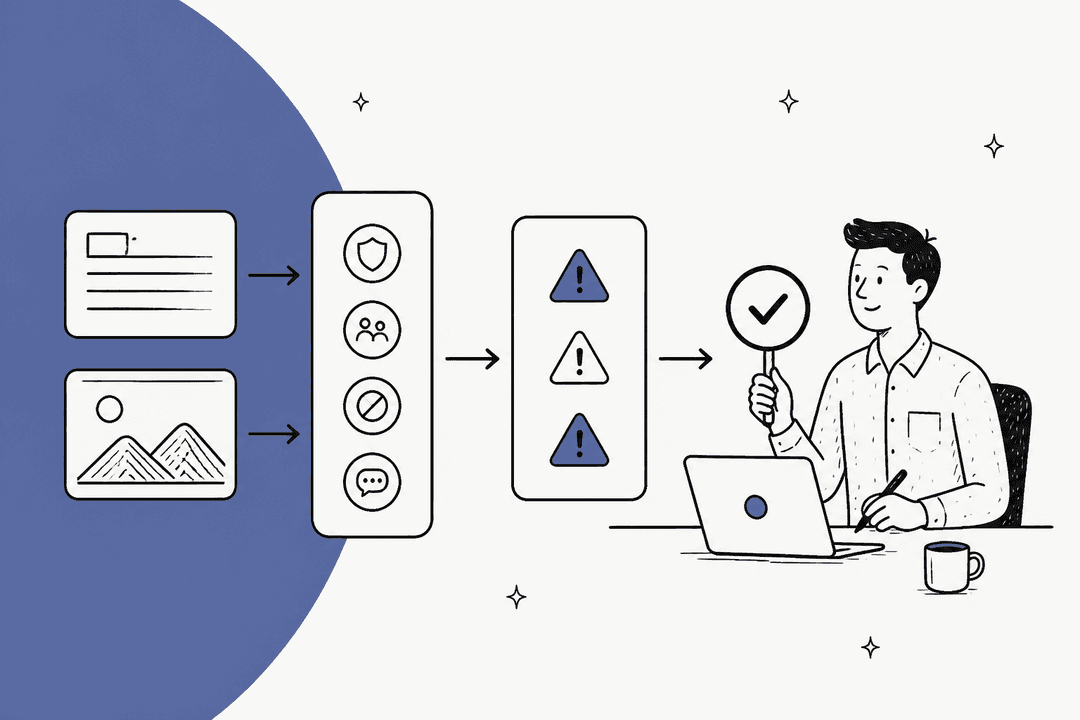
The Trace: This is the complete, end-to-end log of everything the agent did. From the moment it receives a customer query, the trace records every decision it makes, every tool it uses (like looking up an order in your system), and every piece of logic it follows to reach a conclusion. It's the full story of the agent's journey.
-
The Grader: This is basically a report card that you use to score the trace. The grader applies a set of rules to check the quality of the agent's work. It might check for things like correctness ("Did it pull the right refund policy?"), efficiency ("Did it take three extra, unnecessary steps?"), or whether it followed your company's rules.
This whole process is a key part of OpenAI's AgentKit, a set of tools made for developers to build and fine-tune complex AI agents. It’s all about bringing some much-needed transparency to how these systems operate.
graph TD A[Customer Query] --> B{AI Agent}; B --> C[Step 1: Decision/Tool Use]; C --> D[Step 2: Decision/Tool Use]; D --> E[...]; E --> F[Final Answer]; subgraph Trace B C D E F end subgraph Grader G[Rule 1: Correctness?] H[Rule 2: Efficiency?] I[Rule 3: Adherence?] end Trace --> J((Pass/Fail Score)); Grader --> J;
The developer's workflow for OpenAI Trace Grading
So, how does this actually work in practice? Well, it's not exactly a point-and-click setup. This is a workflow designed for engineering teams who are comfortable getting their hands dirty with code.
It usually starts with a developer building an agent, either using a tool like OpenAI's Agent Builder or by writing code with their Agents SDK. Every single time that agent runs, it spits out one of those detailed logs we talked about, the "trace."
But those traces are just raw data. To make any sense of them, the developer has to create a test for the AI to take. This is a two-part job. First, they have to build a whole dataset of test scenarios, basically a long list of practice problems for the AI. Then, they have to write "graders," which are often custom scripts or even another AI model, to check the agent's work on those problems.
These graders ask very specific questions, like:
-
"Did the agent call the correct internal tool?"
-
"Was its chain of reasoning logical?"
-
"Did it ignore a key piece of information from the user?"
Finally, developers run these graders over hundreds, or even thousands, of traces to get a statistical picture of how the agent is performing. It's a continuous loop of testing, analyzing the results, and tweaking the code. As you can see in technical guides from platforms like Langfuse, it's a serious bit of engineering.
Why OpenAI Trace Grading isn't built for support teams
While trace grading is powerful for the engineers building the AI, it creates a pretty big disconnect for the support and IT teams who will actually be using it. Here’s a frank look at why it’s often not a practical tool for business leaders.
It’s built for coders, not support leads
AgentKit and trace grading are best thought of as raw materials. They’re like a box of engine parts, not a fully assembled car. They give your engineers the components to build an agent, but they don't give you a finished product ready to help customers. Your team is focused on resolving tickets and making people happy, not getting tangled up in managing a complex, custom-built evaluation pipeline.
It demands a lot of technical skill (and time)
To use trace grading properly, you need developers who can not only build AI agents but also write evaluation scripts in languages like Python or JavaScript. They also need to be able to interpret dense, technical performance data. For most companies, that’s a big investment that pulls talented engineers away from working on your actual product.
The setup and upkeep is a job in itself
Building that initial set of test cases is a huge project, but it’s not a one-time thing. Your products change, your policies get updated, and customers come up with new and creative problems all the time. This means your test dataset constantly needs to be updated, too. This can easily become a full-time job, creating an ongoing maintenance headache that many teams just don't have the bandwidth for.
It gives you technical data, not business answers
Trace grading is excellent at telling you if an agent followed its programming. It can give you a report that says the agent passed 95% of its tests for a specific task. But it won't tell you what your projected cost savings are, how it will likely affect your CSAT scores, or where the biggest content gaps are in your help center. It gives you technical data, and it's on you to figure out what that means for your business.
The alternative to OpenAI Trace Grading: Confident rollout with simulation
If the developer-heavy route isn't for you, what's the alternative? How can you get that same confidence without hiring a team of AI engineers?
The answer is to skip the from-scratch building process and instead test a ready-to-go AI agent on your actual support history. This is exactly what we built eesel AI to do. It gives you the end result of a tough evaluation process, but through a simple, clear interface that anyone can use.
We call it simulation mode. Instead of asking you to manually create test cases, you can connect your helpdesk (like Zendesk or Freshdesk) in a few clicks. From there, eesel AI runs on thousands of your past tickets, showing you exactly how it would have handled real customer issues. No code, no test datasets, just clear results.

While trace grading produces technical scores, eesel AI’s simulation gives you business-focused reports you can act on immediately, including:
-
A projected automation rate and a clear picture of its impact on your budget.
-
Real examples of how the AI would have replied to your customers.
-
A simple analysis of knowledge gaps, showing you exactly what questions it couldn't answer.
Ultimately, the point of trace grading is to give you the control to improve your agent. eesel AI gives you that same control through an intuitive dashboard. You can choose which topics to automate, adjust the AI's tone and personality, and tell it exactly which knowledge sources to use. It’s all the control, with none of the complexity.
| Feature | OpenAI Trace Grading (with AgentKit) | eesel AI Simulation & Reporting |
|---|---|---|
| Primary User | Developers & AI engineers | Support & Ops managers |
| Setup Time | Weeks or even months | Minutes |
| Required Skills | Coding (Python/JS) & AI frameworks | No code needed |
| Evaluation Data | Hand-built test datasets | Your real ticket history |
| Key Output | Technical scores (pass/fail) | Business forecasts (ROI, automation rate) |
| Pricing Model | Complex usage-based pricing | Simple, predictable subscription |
Focus on business outcomes, not technical overhead
Look, OpenAI Trace Grading is a seriously impressive tool for developers building AI from the ground up. It offers a necessary peek behind the curtain for a very technical process and is a vital part of building custom AI today.
But for most customer support and IT teams, the goal isn't to build an AI agent; it's to solve problems, lower costs, and keep customers happy. The DIY approach with toolkits like AgentKit means your team has to carry the weight of building, testing, and maintaining everything.
A platform like eesel AI offers a more direct path. It delivers the same confidence and control you'd get from a rigorous evaluation process but packages it in a simple, powerful platform designed for business teams. You get all the benefits of thorough testing without the huge engineering overhead.
Ready to see how an AI agent would perform on your real customer tickets? You can simulate eesel AI across your helpdesk history and get an instant performance report.
Frequently asked questions
Could you explain what OpenAI Trace Grading is and how it helps in evaluating AI agents?
OpenAI Trace Grading is a method to evaluate an AI agent's performance by examining its entire step-by-step thought process, not just the final answer. It uses a detailed log (the "trace") and a "grader" to assess decisions, tool usage, and logic, allowing developers to understand the 'how' and 'why' behind an AI's actions.
For whom is OpenAI Trace Grading primarily intended, and why?
OpenAI Trace Grading is primarily designed for developers and AI engineers who are building and fine-tuning AI agents from scratch. It provides the granular, technical data needed to debug and optimize complex AI systems at a foundational level.
What level of technical expertise is typically required to implement and manage OpenAI Trace Grading?
Implementing and managing OpenAI Trace Grading requires significant technical skills, including coding proficiency in languages like Python or JavaScript, and familiarity with AI frameworks and APIs. Teams also need to be capable of building extensive test datasets and custom evaluation scripts.
What are some of the main reasons OpenAI Trace Grading might not be ideal for customer support teams?
OpenAI Trace Grading is often not ideal for customer support teams because it's built for coders, demands high technical skill and time, and requires continuous maintenance of test datasets. Furthermore, its output is technical data rather than direct business metrics like projected cost savings or CSAT impact.
What kind of actionable insights or data can I expect to get from using OpenAI Trace Grading?
OpenAI Trace Grading provides technical data such as whether an agent called the correct internal tool, if its reasoning was logical, or if it missed key information. It essentially offers pass/fail scores on specific operational aspects of the agent's performance.
Is there a more business-focused alternative to OpenAI Trace Grading for evaluating AI agent performance?
Yes, platforms like eesel AI offer a more business-focused alternative to OpenAI Trace Grading. Instead of requiring manual test case creation, they simulate AI agent performance on your actual support history, providing clear business reports on automation rates and knowledge gaps without coding.