Let's be honest, the term "Google AI chatbot" is a bit of a mess. If you're feeling a little lost, you're definitely not the only one. Is it Gemini, the clever assistant that helps you write emails? Is it that new AI feature popping up in your search results? Or is it something else entirely?
The truth is, it's all of the above. That ambiguity can be a real headache, especially for businesses just trying to figure out how to use AI for customer support. This guide is here to clear things up. We'll break down Google's different AI chatbot offerings, explaining what they are and what they actually mean for you. We'll cover everything from the tools you use every day to the super-powered platforms built for businesses.
And while Google offers some seriously impressive tech, we'll also get real about why it isn’t always the best tool for support teams and how a more direct approach to AI automation might be a better fit.
What is the Google AI chatbot? A surprisingly complicated question
First off, "Google AI chatbot" isn't a single thing you can just go and download. It’s more of a catch-all term for several different technologies, each with its own job. Trying to sort through them can feel like a chore, so let's break them down into three main groups.
-
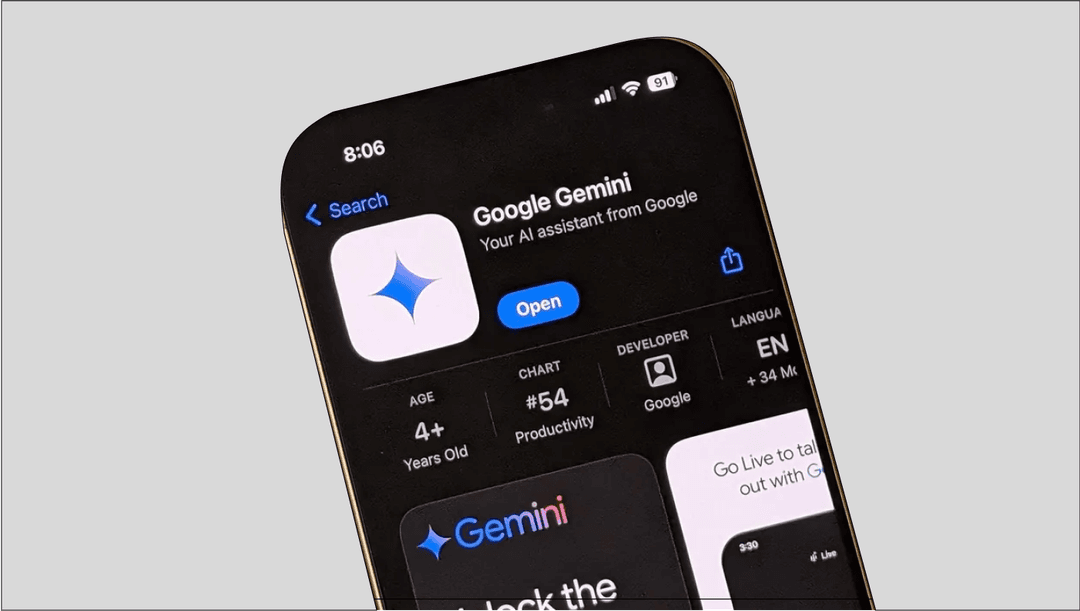
For you and me: This is the AI you can chat with directly at gemini.google.com. Think of it as Google's version of ChatGPT. It's your personal AI sidekick, ready to help you brainstorm ideas, write stuff, and get answers to your questions in a normal, conversational way.
-
For Search: This is the AI you're probably starting to see right inside Google Search. When you look something up, you might get an AI-generated summary at the top of the page. You can even switch to an "AI Mode" for a more chat-like Search. The idea is to give you answers directly so you don't have to click through a bunch of links.
-
For businesses (Google Cloud): This is the heavy-duty, developer-focused stuff like Vertex AI Agent Builder and Dialogflow. These aren't simple chatbots. They're complex platforms for huge companies to build custom AI applications for their call centers and internal teams.
Getting this distinction is the most important part. The friendly, easy-to-use AI you see in Search is worlds apart from the complicated, code-heavy platform a business has to wrestle with to build its own support bot.
The Google AI chatbot for everyday users: Gemini and AI in Search
For most of us, our run-ins with a Google AI chatbot happen through its consumer products: Gemini and the new features built into Search.
Gemini is like your creative partner. It's perfect for things like whipping up an email draft, summarizing a long article, or even helping you write a little bit of code. You can have a real back-and-forth, ask follow-up questions, and dig deep into topics.
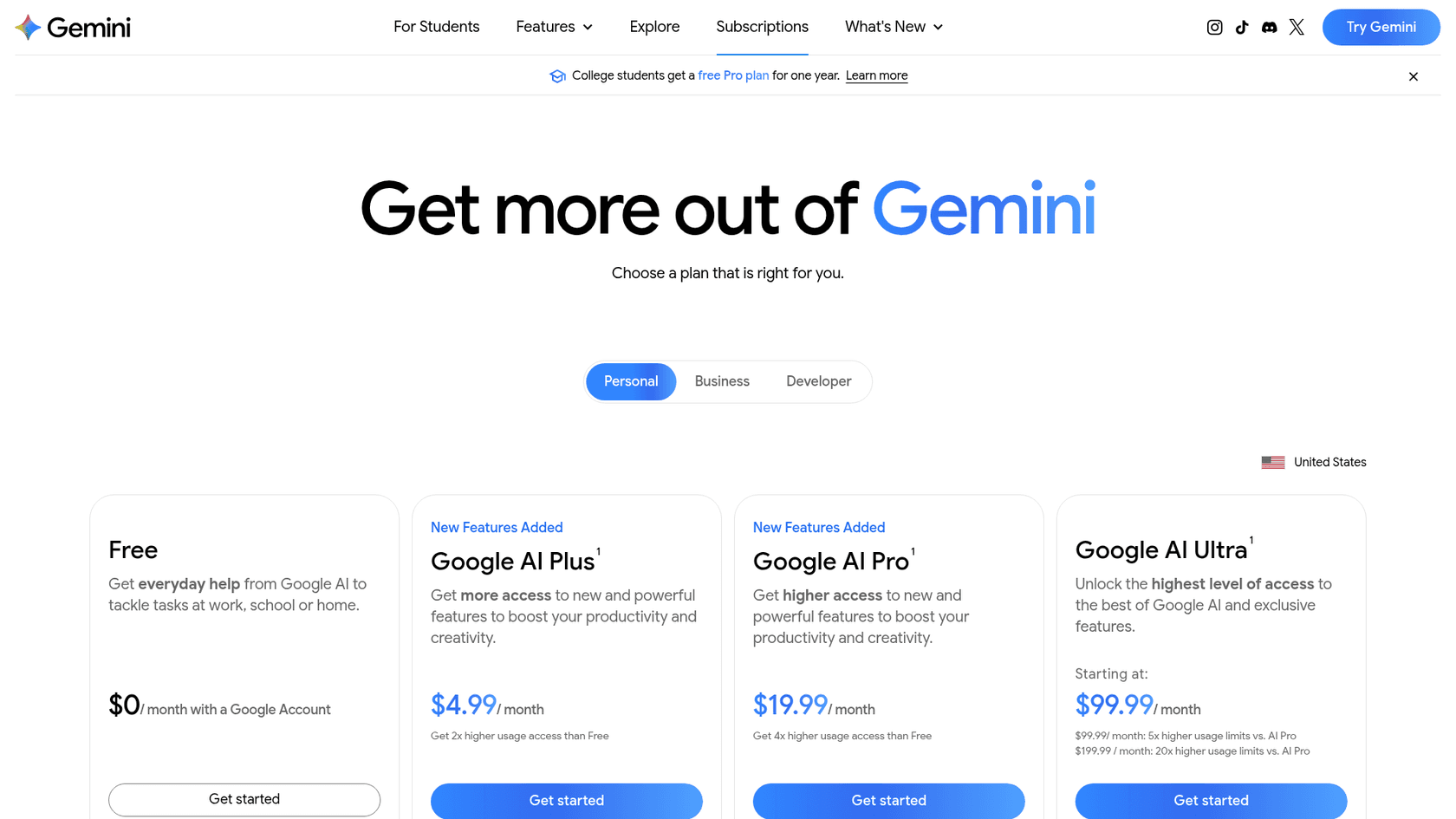
It has a free tier, and Google's plans page lists Google AI Plus at $4.99 a month, Google AI Pro at $19.99, and Google AI Ultra from $99.99 (US prices).
At the same time, AI Overviews and the new "AI Mode" in Google Search are changing how we find things online. The goal is to piece together an answer for you right on the results page, aiming to save you from sifting through endless websites. Instead of ten blue links, you get a summary that (in theory) solves your problem on the spot.
But it hasn't exactly been a smooth ride. The AI Overviews feature got a lot of flak when it first launched for giving some truly bizarre and sometimes dangerous answers, like suggesting people add non-toxic glue to pizza or claiming geologists recommend eating one rock a day. Yikes.
This has led to some fair skepticism. Over on Reddit, people are still scratching their heads. One user asked, "How is using 'AI Mode' in Google Search any different than just going to gemini.google.com or ChatGPT?". Others were a bit more blunt, simply posting, "Do not want." It just goes to show that even with powerful technology, the actual user experience and usefulness are still up for debate.
The Google AI chatbot for businesses: A deep dive into Google Cloud's AI
So, what if you're a business that wants to use a Google AI chatbot for customer support? This is where it gets tricky. The Gemini app is a personal assistant, not a website widget. To do it the "Google way," you build on the Gemini API or Google Cloud's agent platforms, which are aimed at developers.
The two big names here are Vertex AI Agent Builder, now part of the Gemini Enterprise Agent Platform (formerly Vertex AI), and Dialogflow, which Google now sells as CX Agent Studio. These are designed for building custom, scalable virtual agents that can handle complicated conversations in big contact centers. They're incredibly capable, but they come with some major roadblocks for most small and medium-sized businesses.
- It's seriously complex: These aren't tools for your support manager to just pick up and use. They are developer platforms that demand serious technical skills, coding knowledge, and often a solid grasp of machine learning just to get them set up and keep them running.
- It takes a long time to get going: Launching a chatbot isn't a weekend project here. It's a full-on development cycle that can drag on for weeks or even months. You have to gather data, write code, map out conversation flows, and connect it to all your other systems. It’s the opposite of a "plug-and-play" solution.
- The costs are high and hard to predict: Google Cloud might give you some free credits to start, but the cost of running an enterprise-level chatbot grows with volume. CX Agent Studio, for example, lists chat at $0.50 per session, so the bill follows conversation count, on top of the developer time you'll need.
- It forces you to change how you work: These platforms are powerful, but they often make you change your support processes to fit the tool, instead of having the tool fit neatly into how you already work.
Pro Tip: Building a chatbot on Google Cloud is like building a house from scratch. You get total control, but you have to hire architects and a construction crew, and it's going to cost a lot of time and money. Most businesses don't need to build a custom house; they just need an apartment that's already built, furnished, and ready to move into.
Here’s a quick look at what you're up against:
| Feature | Vertex AI Agent Builder | Dialogflow CX (now CX Agent Studio) | What this means for most businesses |
|---|---|---|---|
| Primary Use Case | Building enterprise-level generative AI | Creating complex, multi-step conversations | Both are for huge, complicated projects. |
| Required Skillset | AI/ML developers and data scientists | Developers with conversational design skills | You need specialized technical people to run it. |
| Setup Time | Weeks to months | Days to weeks, per Google's low-code builder | Not a fast solution for your immediate support needs. |
| Ideal User | Large companies with dedicated AI teams | Companies building advanced voice/chat agents | Total overkill for teams who just need simple, effective automation. |
A simpler, faster way to get an effective AI chatbot
If the Google Cloud approach sounds like way too much, that's because for most businesses, it is. The good news is there's a much more practical option that avoids all these headaches. Platforms like eesel AI are built to give you the power of a top-tier AI chatbot without the complexity, cost, and long wait.
Here’s how a purpose-built platform changes the game.
- Go live in minutes, not months: Instead of a massive development project, you can get set up entirely on your own, without ever needing to talk to a salesperson. With one-click connections for help desks like Zendesk, Freshdesk, and Intercom, you can have an AI agent up and running inside your existing tools in minutes.
- Instantly unify your existing knowledge: You don't need a team of data scientists to train your bot. A modern AI platform should learn from the knowledge you already have. eesel AI connects right to your past support tickets, help center articles, and internal wikis like Confluence or Google Docs. It gets your brand's voice and solutions from day one.
- Keep total control without writing any code: You shouldn't need to call a developer every time you want to tweak your AI's personality or decide which questions it should answer. With a simple prompt editor, you can define the AI's tone, set rules for when it should hand off to a human, and even create custom actions (like looking up order info) all from an easy-to-use dashboard.
- Test everything before you launch. One of the biggest fears with AI is launching it and not knowing how it'll perform. A simulation skill takes that risk down. With eesel AI, you can test your setup against hundreds of your past support tickets to see how it would have responded, and it scores each answer and suggests fixes. That gives you a head start on your automation rate before it ever talks to a real customer.
Whether you need an AI Agent to automate support inside your help desk or an AI Chatbot to put on your website, you can set it all up from the same simple, self-serve platform.
Choosing the right tool for the job
The "Google AI chatbot" is a fascinating family of technologies, but it's not a magic bullet for everyone. For day-to-day users, Gemini and AI in Search are great tools for getting creative and finding information. But for businesses, trying to build a chatbot with Google Cloud is a long, expensive road that requires technical resources most companies just don't have.
For most support teams, the goal isn't to start a huge AI development project; it's to solve customer problems better and grow without hiring a whole new team. That’s where finding the right tool for the job makes all the difference.
Platforms like eesel AI were made to fill this gap. They give you all the power of modern AI in a package that's easy to use, easy to control, and designed to show its value in minutes, not months.
Ready to see how easy AI-powered support can actually be? Start free with eesel AI (100 credits, no card) and get your first AI agent running today.
Frequently asked questions
What's the key difference between the consumer Google AI chatbot and the version for businesses?
The main difference is complexity and purpose. The consumer version, Gemini, is a ready-to-use assistant for personal tasks. The business version, via Google Cloud, is a complex development platform that requires significant coding and AI expertise to build a custom support bot from scratch.
Can I just use Gemini as a customer support Google AI chatbot on my company's website?
Not directly. The Gemini app is a personal AI assistant rather than a website support widget. To use Google's technology for a business support case, you would build on the Gemini API or Google's developer platforms like Vertex AI Agent Builder, now part of the Gemini Enterprise Agent Platform.
If the business-focused Google AI chatbot is so difficult to use, why would a large company choose it?
Large companies with huge contact centers and dedicated AI teams often need total, granular control over their systems. Google's platforms offer immense customization and scalability to handle millions of unique conversations, which justifies the high cost and complexity for them.
How does the Google AI chatbot in Search actually work differently than just going to Gemini?
The AI in Search is designed to synthesize information from across the web to provide a single, direct summary answer, saving you from clicking multiple links. Gemini is built for more creative and conversational tasks, allowing you to brainstorm, write content, and have a more in-depth, back-and-forth discussion on a topic.
Is building our own Google AI chatbot with Vertex AI or Dialogflow really worth it for a small business?
For the vast majority of small to medium-sized businesses, the answer is no. The required time, cost, and specialized technical skill are substantial, making it a much bigger and more expensive project than is usually necessary for effective customer support automation.
What is the biggest risk of trying to use the business-level Google AI chatbot without a developer on staff?
The biggest risk is the steep technical barrier. Without a developer, setting up, integrating, and maintaining the platform is nearly impossible. This means you could invest significant time and money into a powerful tool you can't actually launch or manage effectively.