You’ve probably heard the term "agentic workflows" getting thrown around a lot lately. It’s the exciting idea of an AI that doesn’t just answer a single question but can actually manage a whole project, breaking down a big problem, farming out the pieces to specialized assistants, and then putting it all together for a final answer.
The Claude Code sub-agent is a prime example of this in action, built specifically for developers to create these kinds of complex, automated systems. But what does it actually do, and is it something everyone can realistically use?
This guide is here to cut through the hype. We’ll break down what the Claude Code sub-agent is, show how it works in practice, and have an honest conversation about its limitations, especially for teams outside of engineering (like customer support) who need powerful automation without the headache of a full-blown development project.
What is a Claude Code sub-agent?
Simply put, a Claude Code sub-agent is like a temporary, specialized helper that the main Claude AI can spin up to handle one specific, focused task.
Imagine you're a project manager trying to get a big report done. Instead of doing all the research, writing, and proofreading yourself, you'd delegate. You might ask a researcher to pull the data, a writer to draft the report, and a proofreader to clean it up. Each person does their part and hands you a summary of their work. You then take those summaries and assemble the final report.
That’s pretty much how a Claude Code sub-agent operates. Each one gets its own set of instructions (a system prompt), a list of approved tools (like reading files or running commands), and its own separate memory (a context window). This isn't just a switch you flip on; it's a workflow that developers have to build from the ground up with very specific prompts and code.
The three main components of a Claude Code sub-agent workflow
To really get what a Claude Code sub-agent can do (and what it can't), it helps to look under the hood. Understanding how the pieces fit together shows you both its power for developers and why it gets complicated for everyone else.
The Claude Code sub-agent delegation model and chained execution
It all starts when the main AI agent gets a task that’s too big to handle in one go. It breaks the job down into smaller steps and then writes a new prompt to hand off a piece of it to a sub-agent. For instance, if the main task is "Refactor the authentication module," the main agent might first assign a task to a "planner" sub-agent to just read and understand the existing code.
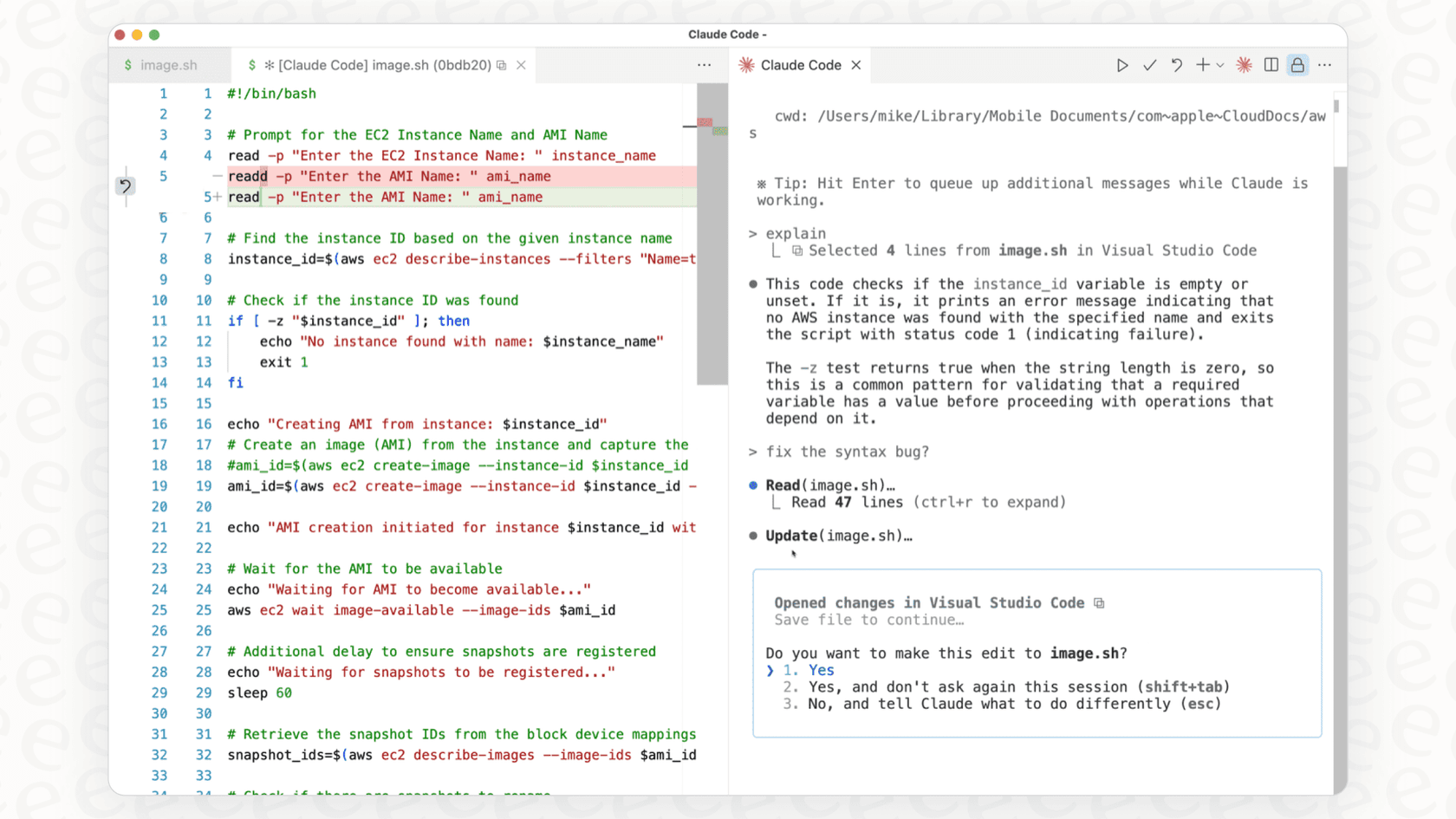
Developers then use "hooks," which are basically little scripts that run automatically when something happens (like a sub-agent finishing its job), to connect these agents in a sequence. This creates a pipeline where the output from one agent can kick off the next one. As you might guess, this involves setting up configuration files and writing code, which keeps it firmly in the developer's court.
Isolated context windows and communication in a Claude Code sub-agent
One of the defining features here is that each Claude Code sub-agent works in its own little bubble. It has no idea what the main agent or any other sub-agents are doing or thinking.
For certain tasks, this isolation is a huge plus. A "research" sub-agent can dig through dozens of documents to find an answer without cluttering up the main agent's memory with all that extra fluff. It just comes back with a neat summary.
But for a lot of business needs, this isolation is a big problem. Sub-agents can't really collaborate or build on each other's work as they go. The main agent is stuck waiting for all the final reports to come in before it can piece everything together. This can be slow and sometimes means important context gets lost along the way.
Claude Code sub-agent configuration and tool permissions
Sub-agents don't just magically appear. A developer has to create them, either by building out Markdown files with special instructions or by using specific command-line tools.
Inside these configurations, developers have to be very clear about what tools each sub-agent is allowed to use, like "Read", "Write", or "Bash" (for running commands). This is a good security measure, since you wouldn't want a research agent to accidentally start deleting parts of your codebase. But it also adds another layer of setup and maintenance to the whole process.
Use cases and limitations of the Claude Code sub-agent
The Claude Code sub-agent model is a powerhouse for certain technical jobs, but its design creates some real headaches for business workflows, especially in customer support where speed, shared knowledge, and ease of use are everything.
Common Claude Code sub-agent use cases in development
To give you a better idea of what it’s built for, here are a few examples of where a Claude Code sub-agent really works well:
-
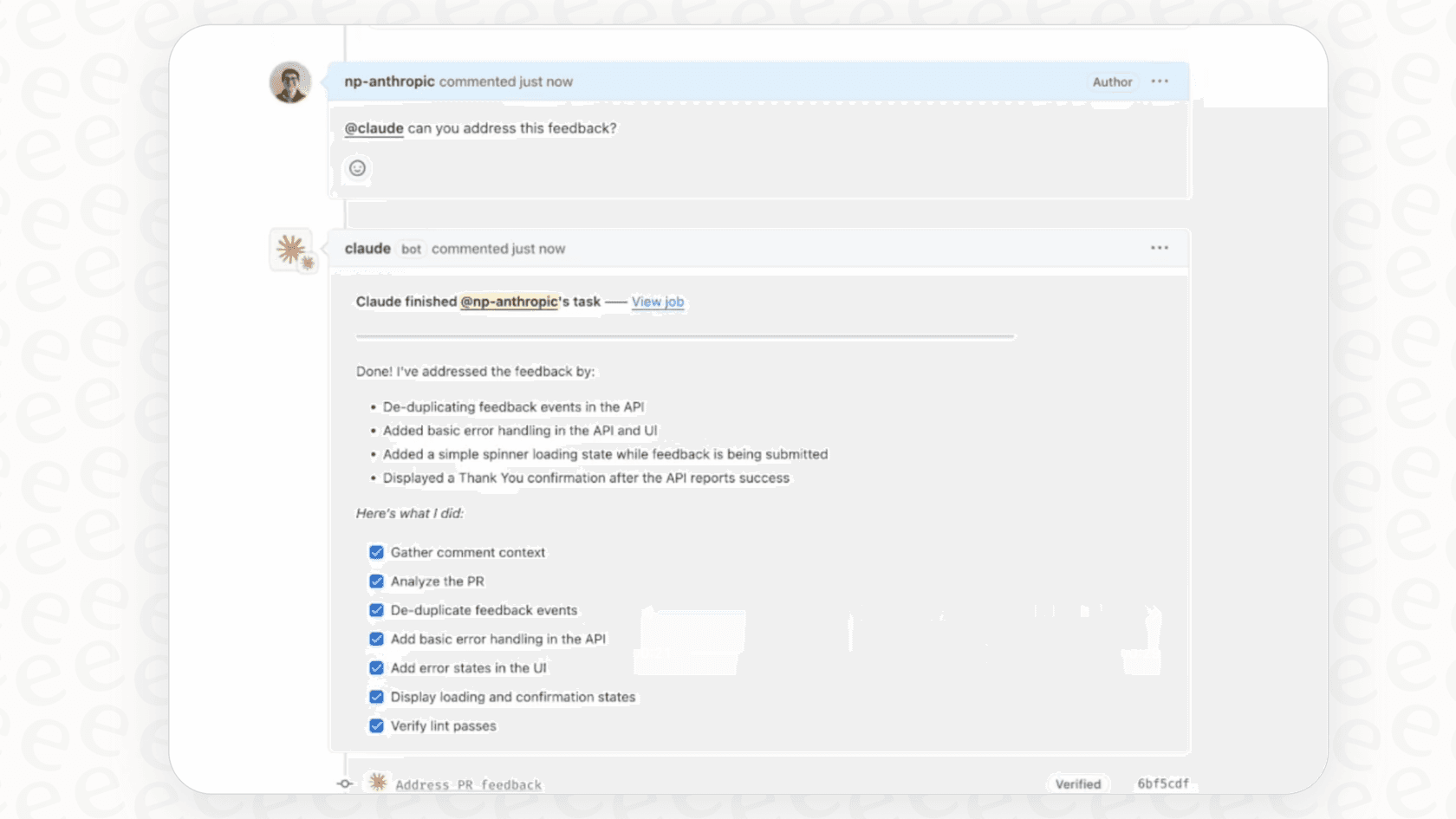
Code Generation & Review: You could set up a workflow where one sub-agent writes a new feature, and as soon as it's done, a second "reviewer" sub-agent automatically jumps in to check the code for quality, security flaws, and style guide mistakes.
-
Complex Debugging: A developer could have one sub-agent trying to reproduce a bug while another one simultaneously digs through log files to find the root cause.
-
Research & Analysis: When facing a tricky technical question, the main agent can create several sub-agents to research different solutions at the same time. Each one reports back with its findings, and the main agent pulls it all together into a final recommendation.
Key Claude Code sub-agent limitations for support teams
While that’s all great for developers, this approach starts to fall apart when you try to apply it to a customer support team.
-
High technical barrier: Let’s be real, setting up and managing a sub-agent workflow requires you to be comfortable with shell scripting, configuration files, and the command line. It’s not a self-serve tool that a support manager can just pick up and run with. This is a world away from platforms like eesel AI, which offer one-click integrations and a setup so simple you can be live in minutes, not months.
-
Fragmented knowledge: The whole idea of isolated agents is the exact opposite of what a support team needs. Good customer support runs on a single, shared brain that pulls from all available knowledge, like past tickets, help center articles, internal wikis, and team documents. eesel AI is built to instantly unify your knowledge, connecting to sources like Confluence, Google Docs, and past Zendesk tickets to give consistent, accurate answers from one place.
-
Lack of control and visibility: Once a sub-agent gets to work, you can't really see what it's "thinking" in real time. You just have to wait for it to finish its task and deliver the final result. That black-box approach makes it tough to manage, test, or trust for anything customer-facing. In contrast, eesel AI's powerful simulation mode lets you test your AI on thousands of your own historical tickets, so you can see exactly how it will perform and get a predictable resolution rate before it ever talks to a customer.
Claude Code sub-agent pricing and operational costs
You can access Claude Code and its sub-agent features through a Claude Pro, Max, Team, or Enterprise plan, or with a Console account on the Anthropic API where you pay for your token usage. The free Claude.ai plan doesn't include Claude Code.

But the subscription or API fees are just the tip of the iceberg. The real "hidden" cost is the huge amount of ongoing developer time needed to build, test, and maintain these agentic workflows. This isn't a set-it-and-forget-it kind of thing; it's an internal engineering project that will need constant care and attention.
For most companies, a platform with clear, predictable pricing makes a lot more sense. For example, eesel AI has straightforward pricing plans that don't charge you per resolution: you pick a fixed monthly credit plan, and each ticket or chat uses one credit. That means your costs stay predictable as your support volume grows, giving you a solution that scales with your business.
A simpler path to agentic AI
So, what’s the alternative for teams who want the results of agentic AI, like smart, automated, multi-step workflows, without hiring an entire AI engineering team? The answer is a platform that was actually built for support from day one.
eesel AI gives you all the power of an agentic workflow but through an intuitive, no-code interface that anyone can use.
Build workflows with a visual engine, not code
Instead of wrestling with scripts and configuration files, you can use eesel AI’s simple prompt editor to tell your AI how to behave, what tone to use, and when to escalate a ticket. And instead of chaining agents together with custom code, you can create powerful "AI Actions" that let your AI look up order information, triage tickets, or call an external service, all from a friendly interface.
Unify knowledge instead of isolating it
The real magic of eesel AI is its ability to create a single, reliable brain for your whole support operation. It doesn't need to pass summaries between isolated agents because it learns from everything at once: your past tickets, your help center, and all your internal documents. This makes sure every answer is consistent, context-aware, and based on the full picture of your business.
| Feature | Claude Code Sub-agent Approach | eesel AI Platform Approach |
|---|---|---|
| Setup Time | Days to weeks | Minutes |
| Required Skills | Software engineering, CLI, scripting | No-code, prompt editing |
| Knowledge Handling | Isolated context windows, manual synthesis | Unified knowledge base from all sources |
| Workflow Control | Code-based (hooks, scripts) | Visual workflow engine, custom actions |
| Testing | Manual testing, no built-in simulation | Powerful simulation on historical tickets |
| Ideal User | Developer building custom AI tools | Support & IT teams automating workflows |
The Claude Code sub-agent: From developer tool to business solution
The Claude Code sub-agent is a seriously cool and powerful tool. It gives developers amazing flexibility to build custom AI systems from scratch and shows just how far this technology has come.
But its complexity, siloed knowledge, and high maintenance make it the wrong tool for the job for most business teams, especially those on the front lines in support or IT. Those teams need results, not another engineering project to manage.
For them, a dedicated AI platform is the smarter way to go. You get all the benefits of advanced, multi-step automation without needing to build and maintain it all yourself.
Ready to build powerful AI agents for your support team without writing a single line of code? Try eesel AI for free and see how quickly you can start automating your workflows with an AI that learns from all your existing knowledge.
Frequently asked questions
What exactly is a Claude Code sub-agent and how does it function within an AI workflow?
A Claude Code sub-agent is a specialized, temporary AI helper spun up by the main Claude AI to handle a specific, focused task. It operates with its own instructions, tools, and memory,
Is the Claude Code sub-agent designed for non-technical teams, such as customer support or marketing?
No, the Claude Code sub-agent model is primarily built for developers. Setting up and managing these workflows
What are the main limitations of using a Claude Code sub-agent for typical business-oriented workflows, like in customer service?
Key limitations include a high technical barrier for setup and maintenance, fragmented knowledge due to isolated contexts, and a lack of real-time visibility or control once a sub-agent starts its task. These factors hinder its effectiveness for dynamic business needs.
Beyond initial subscription or API fees, what are the operational costs associated with using a Claude Code sub-agent?
The significant "hidden" cost lies in the ongoing developer time required for building, testing, and maintaining these complex agentic workflows. It functions more as an internal engineering project demanding continuous care rather than a set-it-and-forget-it solution.
Can you provide examples of scenarios where a Claude Code sub-agent is particularly effective for developers?
Certainly. It excels in tasks like code generation and review, complex debugging (where one agent reproduces a bug and another analyzes logs), and detailed research and analysis, allowing multiple sub-agents to tackle different facets of a technical problem simultaneously.