A practical guide to Claude Code model selection

Kenneth Pangan
Written by

Kenneth Pangan

Last edited September 21, 2025

Expert Verified
A practical guide to Claude Code model selection

Choosing the right AI model is a bit like picking the right tool for a job. You wouldn’t use a sledgehammer to hang a picture frame, and you wouldn't use a tiny screwdriver to break up concrete. It’s not about finding the single "best" tool, but the right one for the task at hand, balancing power, speed, and cost.

For developers working with something as capable as Anthropic's Claude Code, making the right choice is key for getting things done without burning through your budget. This guide will walk you through the key differences between the Claude models, how to decide which one to use for your coding tasks, and why this whole conversation changes when you're trying to apply AI outside of your terminal, especially in a business setting like customer support.

What is Claude Code and why does Claude Code model selection matter?

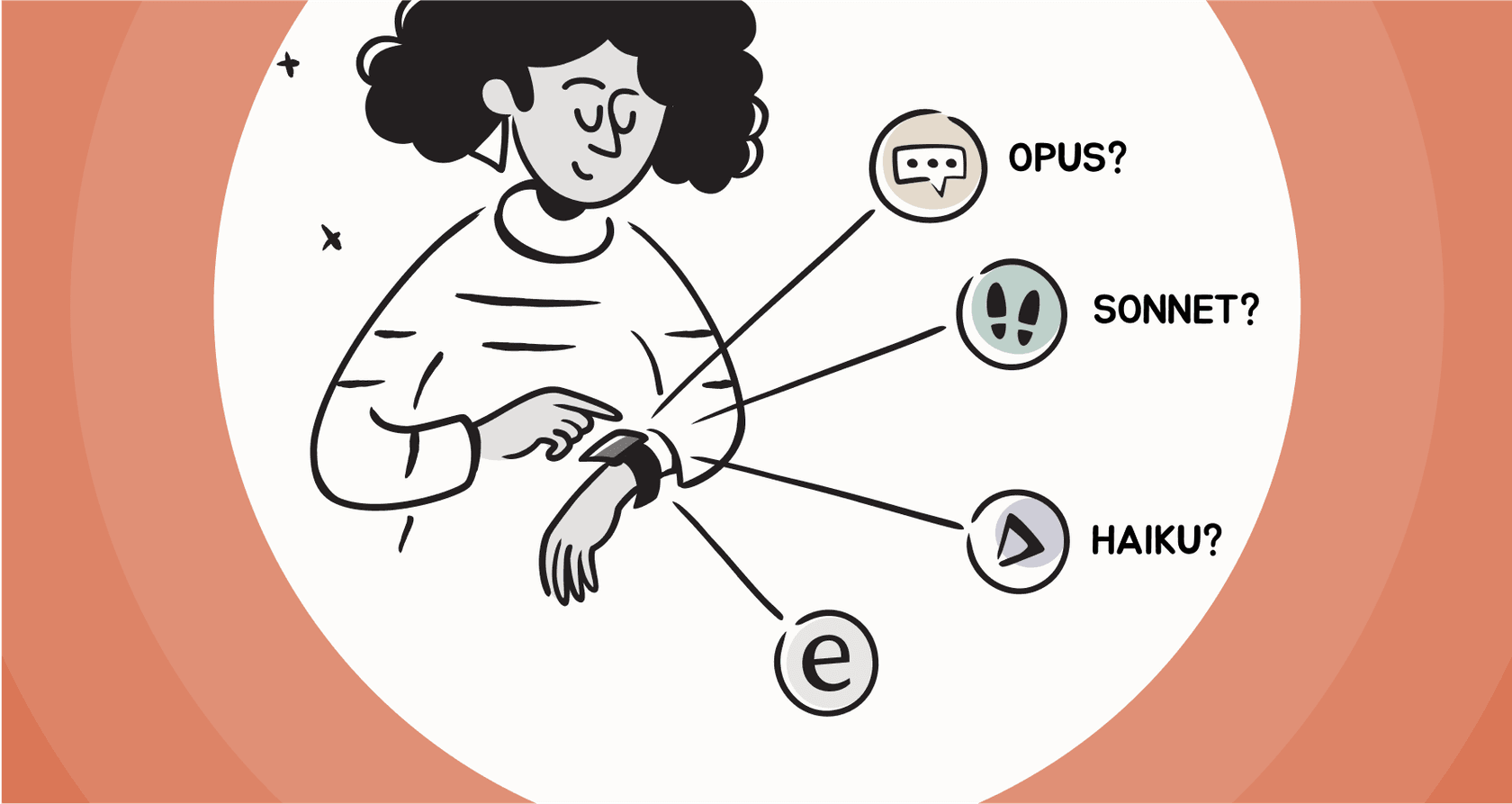
Claude Code is a powerful, terminal-based AI coding assistant from Anthropic built to help developers write, debug, and understand code faster. Under the hood, it’s powered by a family of AI models, each with its own personality. The three main players you'll be working with are Opus, Sonnet, and Haiku.

  • Opus: This is the brainiac of the family. Think of it as your master architect, the one you bring in for complex reasoning, designing system architecture, or untangling a really nasty, multi-step problem.
  • Sonnet: This is your solid, reliable workhorse. It offers a great mix of smarts and speed, making it the default choice for most day-to-day development tasks. It’s like an experienced senior dev who can handle just about anything you throw at it.
  • Haiku: This is the sprinter. It's built for speed and efficiency, which makes it perfect for simple, repetitive tasks where getting a quick response is more important than a deeply nuanced answer. It's your fast and efficient junior dev.

Effective Claude Code model selection is simply the art of picking the right model for the right job. When you get it right, you save time and money. When you get it wrong, you end up wasting money (using the Opus sledgehammer on a tiny nail) or getting frustrating results (asking the Haiku screwdriver to do a sledgehammer's job).

ModelBest ForKey CharacteristicAnalogy
Opus 4.1Complex reasoning, architecture, critical codeMaximum intelligenceA master architect
Sonnet 4Daily coding, refactoring, data analysisBalanced performanceAn experienced senior developer
Haiku 3.5Simple tasks, summarization, quick operationsHigh speed & low costA fast and efficient junior dev

The three key criteria for your Claude Code model selection

So, how do you actually choose? Before picking a model, you need a simple way to think about the decision. It really boils down to three things: what you're trying to do, how fast you need it done, and what your budget looks like.

Capabilities and complexity

First things first, you have to match the model's brainpower to the complexity of your task. You wouldn't ask a junior developer to design a new microservices architecture from the ground up, and you shouldn't ask Haiku to do it either.

A mermaid workflow chart showing how to approach Claude Code model selection by evaluating task complexity, starting with "High Complexity?" and branching to Opus, Sonnet, or Haiku.

Here’s a simple way to think about it:

  • Use Opus when you're dealing with tasks that need multi-step reasoning, like designing a complex algorithm, planning a big refactor, or debugging an issue with tangled dependencies.
  • Use Sonnet for the bulk of your everyday work. This covers general feature development, writing unit tests, improving existing code, and generating documentation. It's smart enough to get the context without the cost of Opus.
  • Use Haiku for simple, high-volume stuff. Think generating file names, writing basic scripts, summarizing code blocks, or pulling out simple bits of data.

Pro Tip: When you have a really complex task, try running it with Opus first to see what a top-tier response looks like. Then, see if you can get a "good enough" result with Sonnet to save some cash.

Speed and latency requirements

How fast do you need an answer? If you're building an interactive tool or a workflow that runs thousands of times a day, response time is everything.

Haiku is easily the fastest model, which makes it perfect for tasks that need almost instant feedback. Sonnet hits a nice middle ground, giving you thoughtful responses without a long wait. Opus, because it's doing more heavy lifting, is naturally a bit slower.

This ties directly to business needs. A customer-facing chatbot has to feel snappy, so it would need the speed of Haiku or Sonnet. On the other hand, an overnight script that’s refactoring your entire codebase can afford to take its time and use the deep intelligence of Opus.

Cost and token management

Finally, let's talk about the bill. AI models are priced based on tokens (which are like pieces of words), and the costs can be wildly different. Opus is a lot more expensive than Sonnet, which is more expensive than Haiku.

The real headache here is that token-based pricing can be unpredictable. A complicated prompt or a long task can chew through your budget in a hurry, making it tough for a business to know what its costs will be. While developers can manage this for specific coding tasks, it’s just not a practical model for company-wide tools.

This is where dedicated platforms come in handy. For instance, instead of passing on confusing, per-token costs, services like eesel AI offer transparent, predictable pricing based on interactions. You know exactly what your bill will be at the end of the month, no matter how many tokens were used to answer questions.

A screenshot of the eesel AI pricing page, which simplifies the cost aspect of Claude Code model selection by offering predictable, interaction-based billing.

How to implement in Claude Code

Okay, so you’ve picked your model. Claude Code gives you a few different ways to tell it what to do, which is great for developers who like to have that level of control.

This technical flexibility is nice, but it’s important to remember that it's a hands-on process. Here are a few common methods:

  • Using Model Aliases: Inside a Claude Code session, you can switch models on the fly with simple commands like /model opus or /model sonnet. These are handy for changing your approach mid-task.
  • Startup Flags: You can set the model from the get-go by launching Claude Code with a flag, like claude --model sonnet. This locks in the model for the entire session.
  • Environment Variables: For a more permanent default, you can set the ANTHROPIC_MODEL environment variable in your shell config. This tells Claude Code which model to grab every time you start it up.
  • The opusplan Alias: Anthropic even has a special hybrid alias called opusplan. This clever setting uses the powerful Opus model for the initial planning phase of a task and then automatically switches to the more efficient Sonnet model to actually do the work.
A screenshot of a command line interface demonstrating the Claude Code model selection process by using the

The fact that opusplan even exists shows that even Anthropic knows that manually picking a model isn't always the best way. While these options give developers fantastic control, they become a problem for the rest of the business. If you're running a customer support department, you can't have your team waiting for an engineer to configure a command-line tool every time the AI needs a tweak. You just need a system that works.

The business challenge of Claude Code model selection: Moving from code to customer conversations

While Claude Code is an amazing tool for developers, the whole idea of Claude Code model selection brings up a bigger issue: using this kind of AI for business functions like customer support requires a totally different mindset and toolset.

The risk of going live without a safety net

With a developer tool like Claude Code, you test things manually. You run a command, look at the output, and decide if it's any good. But when you're about to let an AI talk to your customers, you need to know how it will perform across thousands of real situations. You can't just flip a switch and hope for the best.

This is where a dedicated support platform is a must-have. For example, eesel AI has a powerful simulation mode. Before the AI ever sees a real customer ticket, you can test its setup on thousands of your own past support conversations in a safe sandbox. This gives you a good idea of what your resolution rates will be, shows you where your knowledge base is lacking, and lets you fine-tune the AI's behavior, taking all the guesswork out of the equation.

A screenshot of the eesel AI platform

From command line to a no-code workflow engine

The manual, code-heavy approach of Claude Code is fine for developers, but it’s a complete non-starter for a busy support manager. They need a user-friendly, visual way to manage their AI.

Instead of messing with startup flags and environment variables, eesel AI gives you a fully customizable, no-code workflow engine. A support manager can log in and use simple rules to decide exactly which tickets the AI should handle. They can tweak its persona and tone, connect it to knowledge sources like a help center or past Zendesk tickets with a single click, and even define custom actions (like looking up an order in Shopify), all without writing a single line of code. This puts the control back in the hands of the support team, right where it should be.

A screenshot showing the eesel AI no-code workflow builder, which abstracts away the technical details of Claude Code model selection for support managers.

Why Claude Code model selection should be automated for support

At the end of the day, your frontline support team shouldn't have to worry about which AI model is best for a customer's question. They just need a tool that gives them fast, accurate, and helpful answers every time.

A purpose-built platform like eesel AI handles all that complexity for you. It uses powerful models like the ones from Anthropic but manages the optimization behind the scenes. By learning from your company's own data, from past support tickets to internal wikis in Confluence or Google Docs, it picks up your brand voice and common solutions. The platform automatically figures out the best way to generate an answer, finding the right balance of performance, speed, and cost without any technical input from your team.

This video explains why the default model selection can be inefficient, highlighting the importance of choosing the right model to manage costs.

Matching the right tool to the job with Claude Code model selection

Claude Code model selection gives developers a powerful way to fine-tune their workflows by balancing capability, speed, and cost. It’s a valuable skill for anyone using AI to build and maintain software.

But it’s important to remember that a tool built for developers isn't always the right one for other business needs like customer service. The very precision and control that make Claude Code great for coding can become obstacles for a support team that needs simplicity, safety, and the ability to scale. To use this technology well, you need a different approach, one built from the ground up for the real-world messiness of customer conversations.

Get AI support that handles the Claude Code model selection complexity for you

Ready to use the power of advanced AI models without all the technical overhead? See how eesel AI can automate your support, connect to your existing tools in minutes, and give you complete control. Try it free today or book a demo to see it in action.

Frequently asked questions

If I'm just starting out, what's the most common mistake to avoid with Claude Code model selection?

The biggest mistake is defaulting to the most powerful model (Opus) for every task. This is inefficient and expensive; it’s much better to use the right-sized model for the job, like Sonnet for daily coding or Haiku for quick, simple tasks.

Is there a 'one-size-fits-all' choice for Claude Code model selection if I just want a reliable default?

Yes, Sonnet is designed to be the best all-arounder. It provides an excellent balance of intelligence, speed, and cost, making it the perfect default choice for the majority of day-to-day development work like writing new features or refactoring code.

How much should I worry about cost when it comes to my daily Claude Code model selection?

Cost is a significant factor, especially for frequent or automated tasks. While a single query to Opus is manageable, its cost can add up quickly, making Sonnet and Haiku far more economical choices for your routine coding needs.

When a task is highly complex, should my approach to Claude Code model selection always be to start with Opus?

Starting with Opus for a complex problem is a great strategy. It helps you see what a top-tier answer looks like, establishing a quality benchmark. You can then try the same task with Sonnet to see if you can get a "good enough" result at a fraction of the cost.

How does the strategy for Claude Code model selection change when you move from the terminal to a business application like customer support?

For a business application, the priority shifts from developer control to a seamless user experience and predictable costs. The goal is to automate the selection process so that non-technical users get fast, accurate answers without ever having to think about the underlying AI model.

Does the special `opusplan` alias handle all the tricky parts of Claude Code model selection for me?

The `opusplan` alias is a very clever tool that automates using Opus for planning and Sonnet for execution. It's great for complex, multi-step tasks but isn't a universal solution, as it may be overkill for simpler jobs where Haiku would be faster and cheaper.

Share this article

Kenneth Pangan

Article by

Kenneth Pangan

Writer and marketer for over ten years, Kenneth Pangan splits his time between history, politics, and art with plenty of interruptions from his dogs demanding attention.

Related Posts

All posts →
What is Anyword? A complete overview for marketers in 2026
Trending

A complete guide to Claude Code for Desktop

Discover Claude Code for Desktop, the new graphical user interface for Anthropic's AI coding agent. This guide covers its main features, setup, pricing, and key differences from the command-line version.

Amogh SardaAmogh SardaJan 9, 2026
Image alt text
Trending

A complete overview of the Claude Code plugin ecosystem

This guide will walk you through the whole Claude Code plugin ecosystem. We’ll get into what a Claude Code plugin is, break down its core parts, see how teams are using them in the wild, and cover some key limitations you should be aware of.

Stevia PutriStevia PutriJan 9, 2026
7 powerful Claude Code subagents you can build in 2025
Trending

7 powerful Claude Code subagents you can build in 2026

Claude Code subagents let you build a team of specialized AI assistants for coding tasks. For business teams, eesel AI delivers the same power, no coding required.

Kenneth PanganKenneth PanganSep 8, 2025
A developer's guide to the Claude Code JetBrains integration
Trending

A developer's guide to the Claude Code JetBrains integration

Explore the Claude Code JetBrains integration, its features, setup process, developer experience, and limitations. See how it compares to JetBrains AI Assistant and complements broader developer workflows.

Kenneth PanganKenneth PanganSep 9, 2025
A practical guide to Claude Code MCP tools in 2025
Trending

A practical guide to Claude Code MCP tools in 2025

Claude Code MCP tools unlock powerful automation by connecting AI to your dev tools. Here's what they can do and why setup gets complicated fast.

Kenneth PanganKenneth PanganSep 9, 2025
Claude Code Opus: A developer's guide to features, costs, and limits
Trending

Claude Code Opus: A developer's guide to features, costs, and limits

Claude Code Opus blends AI reasoning with direct codebase access for complex dev tasks. This guide covers its strengths, limits, and why business teams need alternatives like eesel AI.

Kenneth PanganKenneth PanganSep 9, 2025
Banner image for Claude Pro pricing in 2026: Everything you need to know
Trending

Claude Pro pricing in 2026: Everything you need to know

Claude's pricing has shifted from a simple $20 subscription to a complex tiered model featuring Max plans for power users. Here is the data-backed guide.

Amogh SardaAmogh SardaApr 30, 2026
A complete guide to model configuration in Claude Code
Trending

A complete guide to model configuration in Claude Code

Master model configuration in Claude Code with our detailed overview. We break down the models, configuration methods, pricing, and why developer-only tools aren't enough for total business automation.

Stevia PutriStevia PutriSep 30, 2025
Selection context Claude Code: How it enhances AI understanding and automation
Trending

Selection context Claude Code: How it enhances AI understanding and automation

Tired of context-switching with AI coding tools? Learn how Claude Code uses selection context to understand your code deeply. We'll break down its features, workflows, pricing, and what it means for the future of AI assistants in other fields, like customer support.

Stevia PutriStevia PutriSep 30, 2025

Ready to hire your AI teammate?

Set up in minutes. No credit card required.

Get started free